- Orderan dibawah 500.00 via Goshop / Offline / Marketplace
Bluetooth Mouse Not Connecting? Causes and 4 Easy Fixes
Turning on your wireless Bluetooth mouse only to find the screen cursor completely frozen is a common headache. Checking your Windows Bluetooth menu reveals your device status stuck on “Connecting…” without establishing a link, or throwing a red “Driver error” notification.
A Bluetooth mouse struggling to connect or frequently disconnecting on its own is rarely caused by a broken optical sensor; it usually stems from power management settings and corrupted hardware pairing caches. The most frequent triggers are Windows Power Management turning off internal Bluetooth adapters during idle periods, low AA/AAA battery voltage, or corrupted connection profiles. Much like diagnosing laptop bluetooth not connecting or missing how to fix to restore wireless performance, you can resolve these connection issues yourself in a few quick steps.
Featured Snippet (Quick Answer):
To fix a Bluetooth mouse that is not connecting or keeps disconnecting, remove the device profile in Windows Settings and re-pair it, disable power saving for the Bluetooth adapter in Device Manager, replace depleted AA/AAA batteries, and restart the Bluetooth Support Service.
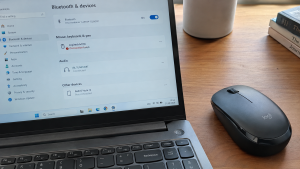
Checklist: Diagnosing Bluetooth Mouse Connection Failures
Check the boxes below if these physical symptoms describe your mouse:
-
[ ] The LED optical sensor underneath flashes rapidly (indicating active pairing mode).
-
[ ] The mouse name appears in Windows Bluetooth Settings but fails when clicking Connect.
-
[ ] The cursor stutters or delays for several seconds after leaving the laptop idle.
-
[ ] The Bluetooth mouse connects smoothly when tested on a phone or another laptop.
-
[ ] Connection issues started immediately after Windows installed system updates.
Practical Recommendation: Avoid disassembling your mouse. Remove the saved device profile in Windows Bluetooth Settings and put your mouse back into pairing mode to re-establish a fresh link.
Comparison Table: Causes of Bluetooth Mouse Connection Failures and Fixes
Here is an overview of why Bluetooth mice fail to connect and recommended troubleshooting actions:
|
4 Ways to Fix a Bluetooth Mouse Not Connecting
Follow these troubleshooting steps in order:
-
Remove and Re-Pair the Device. Open Settings (
Win + I) > Bluetooth & devices > Devices. Locate your problematic Bluetooth mouse, click the three-dots icon beside it, and select Remove device. Toggle your mouse power switch off and on, hold down the pairing button underneath until the LED flashes rapidly, then click Add device in Windows to re-pair. -
Disable Bluetooth Power Saving in Device Manager. Search for and open Device Manager. Expand the Bluetooth category, right-click your laptop’s main Bluetooth adapter (e.g., Intel Wireless Bluetooth or Realtek Adapter), and choose Properties. Switch to the Power Management tab, uncheck Allow the computer to turn off this device to save power, and click OK.
-
Restart the Bluetooth Support Service. Press
Win + R, typeservices.msc, and press Enter. Locate Bluetooth Support Service. Right-click and choose Restart. Double-click the service entry, change the Startup type dropdown from Manual to Automatic, and click Apply. -
Replace Mouse Batteries and Clean the Optical Lens. Most Bluetooth mice require stable voltage. AA or AAA batteries drained down to 20% can still light up sensor LEDs, but lack the power to maintain stable Bluetooth radio transmissions to your laptop. Install fresh batteries and wipe the optical sensor lens clean with a dry cloth.
When to Seek Professional Laptop Hardware Service
If you have tried all troubleshooting steps and tested another Bluetooth mouse without success, while your laptop’s Wi-Fi connection also drops frequently, the internal wireless card (Wi-Fi & Bluetooth Combo Card) on your motherboard has suffered physical failure.
This requires installing a replacement internal Bluetooth card or using an External 2.4GHz USB Dongle Adapter as an instant workaround to keep your wireless mouse working smoothly.
FAQ (Frequently Asked Questions)
Which is more reliable: Bluetooth mice or 2.4GHz USB Dongle mice?
2.4GHz USB Dongle mice offer superior connection stability and zero input latency because they operate over dedicated USB hardware receivers. However, Bluetooth mice preserve your laptop’s USB ports.
Why does my Bluetooth mouse cursor stutter (lag)?
Stuttering typically results from 2.4GHz frequency interference if you run a 2.4GHz Wi-Fi network simultaneously alongside Bluetooth peripherals in close proximity.
Conclusion
A Bluetooth mouse failing to connect or dropping connection is usually caused by corrupted pairing profiles, active Windows power saving settings, or depleted batteries. By removing stale device profiles and disabling power saving in Device Manager, your Bluetooth mouse will reconnect smoothly and responsively.
Shop OEM Bluetooth Mice, Batteries & Service at Aipel Computer
Struggling with a broken Bluetooth mouse, looking for silent-click wireless mice, long-lasting batteries, or guaranteed USB Bluetooth Dongles? Find dependable computer peripherals at wholesale prices directly in our store.
To check product availability or get store directions, visit the official Aipel Computer website in Surabaya today.

Bluetooth Mouse Not Connecting? Causes and 4 Easy Fixes

CPU komputer yang cepat panas merupakan masalah serius dan harus pengguna waspadai. Bagaimana tidak, kondisi panas pada CPU yang berlebihan... selengkapnya
Pernahkah kamu sedang asyik menggunakan laptop untuk bekerja atau menonton film, tiba-tiba tampilan di layar bergetar (flickering), berkedip-kedip (blinking), atau... selengkapnya
Many users worry when their laptop battery percentage stops charging at exactly 60% or 80% and refuses to reach 100%... selengkapnya
TP LINK 150mbps atau TP LINK TL-WN722N merupakan perangkat wireless yang berfungsi sebagai pengganti wireless internal laptop atau PC. Perangkat... selengkapnya
Have you ever plugged your headset or earphones into your laptop’s 3.5mm audio jack to listen to music, watch a... selengkapnya
USB micro B merupakan salah satu kabel USB dari banyaknya yang tersebar. Kabel USB merupakan perlengkapan yang sering ada pada... selengkapnya
Having your laptop fan suddenly roar at maximum speed can be unsettling. Hot air rushes from the exhaust vents, the... selengkapnya
Ketika hendak membeli monitor LG penting untuk memilih monitor yang paling tepat dan sesuai dengan kebutuhan sehingga pengguna tidak akan... selengkapnya
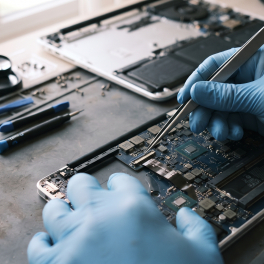
Pernahkah kamu sedang asyik mengetik tugas penting, tiba-tiba mendapati beberapa tombol huruf atau angka di keyboard laptopmu sama sekali tidak... selengkapnya
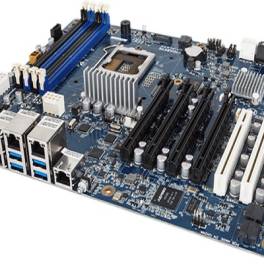
Motherboard adalah sebuah komponen utama dalam komputer, telah ada sejak era 1970-an. Pada awalnya, desain motherboard tidak sekompleks seperti sekarang... selengkapnya

15%
A. DESKRIPSI (DESCRIPTION) Kabel HDTV CENTROO 25 Meter Jaring adalah pilihan sempurna bagi Anda yang memerlukan koneksi HDMI jarak jauh… selengkapnya
Rp 89.000 Rp 105.000
29%
A. DESKRIPSI (DESCRIPTION) Earphone GENAI GM-M19 adalah perangkat audio stylish yang dirancang untuk Anda yang menghargai kualitas dan kenyamanan. 🎵… selengkapnya
Rp 37.000 Rp 52.000
40%
A. DESKRIPSI (DESCRIPTION) Lindungi keyboard laptop Anda dengan KP14 Keyboard Protector! Dirancang khusus untuk ukuran 14 inci, pelindung transparan ini… selengkapnya
Rp 3.000 Rp 5.000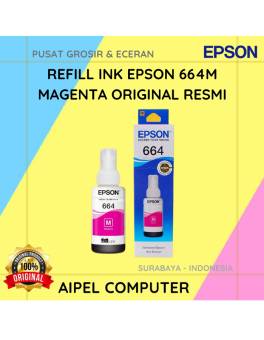
15%
A. DESKRIPSI (DESCRIPTION) Refill Ink EPSON 664M Magenta Original 100% adalah solusi ideal bagi pengguna printer EPSON yang membutuhkan tinta… selengkapnya
Rp 85.000 Rp 100.000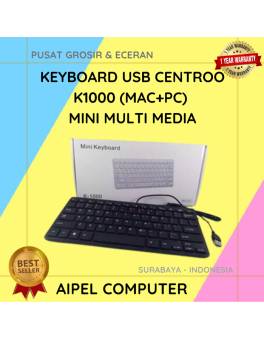
26%
A. DESKRIPSI (DESCRIPTION) Keyboard USB CENTROO K1000 adalah keyboard berkabel dengan desain ramping yang dirancang untuk penggunaan sehari-hari di rumah,… selengkapnya
Rp 37.000 Rp 50.000
10%
A. DESKRIPSI (DESCRIPTION) Earphone Wireless GENAI TWS GE5 PRO Earbuds LCD Touch Screen adalah solusi audio masa kini dengan tampilan… selengkapnya
Rp 185.000 Rp 205.000
29%
A. DESKRIPSI (DESCRIPTION) Cable USB M To Lightning M GENAI GL-Q39 adalah pilihan elegan bagi Anda yang membutuhkan kabel bertenaga… selengkapnya
Rp 27.000 Rp 38.000
24%
A. DESKRIPSI (DESCRIPTION) Keyboard Wired USB BANDA Mini Multi Media adalah keyboard praktis berdesain minimalis yang dirancang untuk memberikan kenyamanan… selengkapnya
Rp 38.000 Rp 50.000
20%
A. DESKRIPSI (DESCRIPTION) Connector VGA M To F BEST / Mini Gender adalah konektor handal yang dirancang untuk menyambungkan perangkat… selengkapnya
Rp 6.000 Rp 7.500
32%
A. DESKRIPSI (DESCRIPTION) Earphone GENAI GM-M18 adalah perangkat audio minimalis namun powerful yang memberikan pengalaman mendengarkan lebih imersif. 🤍 Dilengkapi… selengkapnya
Rp 32.000 Rp 47.000



Saat ini belum tersedia komentar.