- Orderan dibawah 500.00 via Goshop / Offline / Marketplace
Laptop USB-C Charging Not Working? Causes and 4 Easy Fixes
Plugging a USB Type-C cable into your laptop to charge, only to find the battery icon showing zero progress, is frustrating. In some cases, Windows throws a “Slow charger” warning notification or your battery percentage drains continuously despite being plugged in.
A laptop USB-C port failing to charge is rarely caused by a broken charging port; it usually stems from a wattage mismatch. Most laptops require high power input between 45 Watts and 100 Watts delivered via a specific protocol called USB Power Delivery (USB-PD). If you use a standard smartphone Type-C cable rated for only 10W–18W, your laptop’s charging circuitry will reject the low power input to safeguard internal components. Much like diagnosing issues when your laptop plugged in not charging fix to secure reliable power flow, you can easily identify proper USB-C charging gear.
Featured Snippet (Quick Answer):
To fix laptop USB-C charging that is not working, ensure both your wall charger and cable support at least 65W USB Power Delivery (PD), plug the cable into a Thunderbolt or battery-icon Type-C port, clean dust out of the USB-C port, and refresh power management drivers in Device Manager.
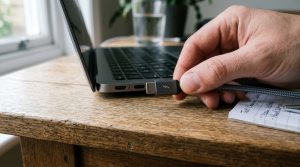
Checklist: Diagnosing Laptop USB-C Charging Requirements
Check the boxes below if these conditions describe your laptop:
-
[ ] The battery icon displays a yellow warning triangle or reads “Weak charging state”.
-
[ ] The laptop charges normally when using its original factory DC barrel adapter.
-
[ ] You are using a standard smartphone USB Type-C cable.
-
[ ] The USB-C port lacks a lightning bolt (Thunderbolt) or plug icon next to it.
-
[ ] The laptop gets warm while the battery percentage continues dropping.
Practical Recommendation: Avoid using basic smartphone Type-C cables to charge laptops. Invest in a dedicated 65W+ USB-C to USB-C cable equipped with an e-Marker chip supporting Power Delivery (PD) protocols.
Comparison Table: USB Type-C Cable Capabilities and Laptop Charging Status
Here is an overview of USB-C cable types and their power capabilities:
|
4 Ways to Fix Laptop USB-C Charging Not Working
Follow these troubleshooting steps in order:
-
Use a Matched 65W+ USB Power Delivery (PD) Charger & Cable. Ensure both your GaN wall charger and USB-C to USB-C cable explicitly list USB-PD compliance with a minimum 65W output rating. If you own a gaming laptop, use a 100W+ PD charger to meet high processor power demands.
-
Plug Into a Power Delivery Enabled USB-C Port. Not all laptop USB Type-C ports support charging (Power Delivery). Inspect the small icons next to your port. Connect your cable only to ports marked with a Lightning Bolt (Thunderbolt 3/4), Plug/Battery Symbol, or DisplayPort (DP) logo. Unmarked USB-C ports are usually data-only.
-
Clean Debris Out of the USB-C Port. Microscopic lint or pocket debris trapped inside the narrow USB-C port socket can block copper connector pins. Use a thin wooden toothpick or a precision bulb duster to gently sweep out lint from inside the port.
-
Reset Battery Drivers in Device Manager. Open Device Manager. Expand the Batteries category, right-click Microsoft ACPI-Compliant Control Method Battery, choose Uninstall device, and reboot your laptop. Upon restarting, Windows will reload fresh power management protocols.
When to Seek Professional Hardware Repair Services
If you are using a genuine 65W GaN charger and a 100W Thunderbolt cable yet the USB-C port remains completely dead, or the port feels loose and emits a burnt odor when connected, internal power components have failed.
This indicates a burned USB-C Power Controller IC or fractured solder joints on the motherboard, requiring USB Type-C port replacement service by an experienced technician.
FAQ (Frequently Asked Questions)
Can all laptops with a USB Type-C port charge via Type-C?
No. On older or entry-level laptops, USB-C ports are often configured for data transfer only. Your laptop motherboard must feature built-in USB-PD (Power Delivery) hardware support to accept charging.
Is it safe to use a laptop USB-C charger to charge a smartphone?
Yes, it is completely safe! Power Delivery (PD) Type-C chargers contain smart handshake chips that automatically adjust output voltage (e.g., dropping down to 5V/9V) to match your phone’s maximum safe intake rating.
Conclusion
Laptop USB-C charging not working is usually caused by using standard smartphone cables that lack 65W USB Power Delivery (PD) support or plugging into data-only USB-C ports. By using a certified 65W+ PD charger and cable plugged into a Thunderbolt port, your laptop will charge quickly and safely.
Shop 65W/100W GaN Type-C Chargers, PD Cables & Service at Aipel Computer
Looking for silent 65W/100W GaN Type-C wall chargers with official warranty, durable braided USB-C to USB-C PD cables, or laptop Type-C port repair services? Find reliable laptop power accessories at wholesale prices directly in our store.
To check product availability or get store directions, visit the official Aipel Computer website in Surabaya today.
Tags: fix laptop slow charger warning usb-c, laptop usb-c charging not working, replace laptop type-c port surabaya, thunderbolt port charging fix, usb-c pd 65w cable vs phone cable

Laptop USB-C Charging Not Working? Causes and 4 Easy Fixes

Laptop sudah menjadi kebutuhan bagi masyarakat dan tak lagi menjadi barang Langkah dan mewah. Bahkan sudah banyak berdiri berbagai tempat... selengkapnya

Tips Membeli Aksesoris Laptop Untuk menunjang penggunaannya, komputer memiliki beberapa aksesoris yang banyak macamnya dengan fungsi berbeda-beda. Contoh aksesoris yang... selengkapnya
Saat kita memutuskan untuk cari komputer murah, ada beberapa hal yang harus dijadikan pertimbangan untuk mengantisipasi supaya terhindar dari kesalahan... selengkapnya

Para gamers sejati, wajib tahu beberapa perbedaan gamepad dan joystick agar pemakaiannya bisa sesuai dan semakin optimal. Dalam dunia game,... selengkapnya
USB dongle WiFi merupakan salah satu perangkat elektronik yang tersedia di toko komputer. Meski berukuran kecil, komponen berperan meningkatkan fungsionalitas... selengkapnya
DDR4 adalah singkatan dari Double Data Rate 4. Double Data Rate (DDR) merupakan jenis dari sebuah RAM komputer sebagai penerus... selengkapnya
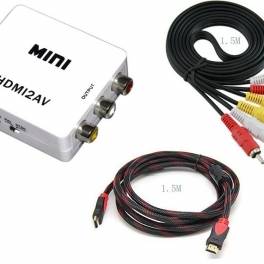
Mini HDMI2AV merupakan sebuah alat yang dapat Anda pergunakan untuk mentransfer atau mengkonversi perangkat HDMI, baik itu laptop, komputer, media... selengkapnya
Connector RJ45 merupakan konektor kabel ethernet yang biasa digunakan dalam topologi jaringan berbasis LAN (Local Area Network) dan jaringan lain.... selengkapnya
Pernahkah kamu baru menyalakan laptop, belum membuka software berat apa pun, namun saat membuka Task Manager mendapati grafik penggunaan memori... selengkapnya
Cara instal Windows di komputer jadi pertanyaan banyak pengguna. Padahal, menginstal Windows di komputer atau laptop cukup mudah. Bahkan, pengguna... selengkapnya

27%
A. DESKRIPSI (DESCRIPTION) Headset CENTROO C760 adalah pilihan sempurna untuk Anda yang menginginkan kenyamanan dan kualitas suara terbaik dalam satu… selengkapnya
Rp 55.000 Rp 75.000
11%
A. DESKRIPSI (DESCRIPTION) Bracket Ceiling Projector 80 cm CENTROO adalah dudukan gantung yang dirancang khusus untuk proyektor, memberikan posisi tampilan optimal… selengkapnya
Rp 80.000 Rp 90.000
18%
AIPEL COMPUTER – Pusat Grosir dan Eceran – Belanja Hebat dan Hemat – Harga Murah Garansi Prima * GARANSI –… selengkapnya
Rp 102.000 Rp 125.000
25%
A. DESKRIPSI (DESCRIPTION) Car Mount Holder GENAI GN-Z07 adalah perangkat praktis yang dirancang untuk memastikan kenyamanan saat berkendara sambil tetap… selengkapnya
Rp 51.000 Rp 68.000
13%
AIPEL COMPUTER – Pusat Grosir dan Eceran – Belanja Hebat dan Hemat – Harga Murah Garansi Prima * GARANSI –… selengkapnya
Rp 100.000 Rp 115.000
33%
A. DESKRIPSI (DESCRIPTION) Cable USB M To Type-C M GENAI GL-Q39 adalah kabel multifungsi berdaya tinggi dengan desain elegan dan… selengkapnya
Rp 27.000 Rp 40.000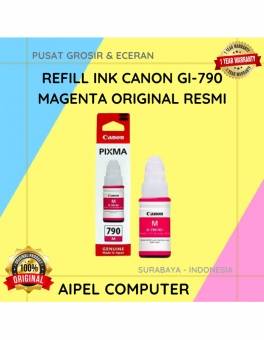
7%
A. DESKRIPSI (DESCRIPTION) Canon GI-790 Magenta adalah tinta refill berkualitas tinggi yang dirancang khusus untuk printer Canon. Dengan kemasan yang… selengkapnya
Rp 102.000 Rp 110.000
29%
A. DESKRIPSI (DESCRIPTION) Cable USB M To Lightning M GENAI GL-Q39 adalah pilihan elegan bagi Anda yang membutuhkan kabel bertenaga… selengkapnya
Rp 27.000 Rp 38.000
50%
A. DESKRIPSI (DESCRIPTION) Packing Plastic Clip BEST 11 x 15 CM adalah klip plastik ekonomis berukuran 11 x 15 cm… selengkapnya
Rp 500 Rp 1.000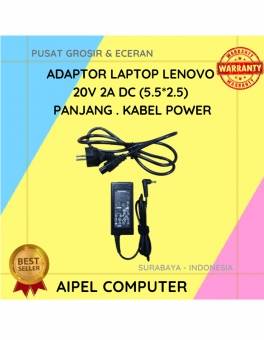
20%
A. DESKRIPSI (DESCRIPTION) LENOVO Adaptor Laptop 20V 2A DC (5.5*2.5) adalah perangkat daya yang dirancang untuk memberikan performa optimal bagi… selengkapnya
Rp 60.000 Rp 75.000



Saat ini belum tersedia komentar.