- Orderan dibawah 500.00 via Goshop / Offline / Marketplace
Laptop Keyboard Suddenly Not Working? Causes and 4 Easy Fixes
Finding your laptop keyboard keys completely unresponsive when trying to finish urgent documents is frustrating. You press individual keys repeatedly, yet the on-screen text cursor remains stationary without registering a single keystroke.
A laptop keyboard suddenly refusing to type is rarely caused by broken membrane circuits or liquid spills; it usually stems from software misconfigurations. This glitch is frequently triggered by accidentally turning on Windows Filter Keys after holding the Shift key down too long, corrupted keyboard device drivers, or crumbs trapped under keycaps. Much like troubleshooting laptop keyboard typing on its own how to fix to separate physical faults from software errors, you can recover keyboard functionality quickly on your own.
Featured Snippet (Quick Answer):
To fix an unresponsive laptop keyboard, disable Filter Keys within Windows Accessibility (hold the right Shift key for 8 seconds), uninstall the keyboard driver in Device Manager followed by a system reboot, launch the On-Screen Keyboard for temporary typing, or clear debris from beneath keycaps using compressed air.
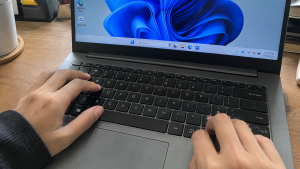
Checklist: Diagnosing Laptop Keyboard Symptoms
Check the boxes below if these conditions describe your laptop keyboard:
-
[ ] Letters do not register on screen, yet the CapsLock or NumLock indicator lights toggle on and off.
-
[ ] Holding down the right Shift key triggers an audible system beep through your speakers.
-
[ ] Keystrokes register only when keys are pressed down firmly for several seconds.
-
[ ] An external USB keyboard types normally without any input lag.
-
[ ] Keys became unresponsive immediately after Windows installed system updates.
Practical Recommendation: Never pry keycaps off with screwdrivers. Use the On-Screen Keyboard temporarily and disable Windows Filter Keys to restore normal typing.
Comparison Table: Causes of Unresponsive Keyboards and Solutions
Here is an overview of why laptop keyboards stop responding and recommended fixes:
4 Ways to Fix an Unresponsive Laptop Keyboard
Follow these troubleshooting steps in order:
-
Disable Filter Keys in Windows Settings. The Filter Keys accessibility setting ignores brief or rapid keystrokes to assist users with motor tremors. It frequently activates accidentally when the right Shift key is held down for 8 seconds. Navigate to Settings (
Win + I) > Accessibility > Keyboard, and verify the Filter Keys toggle switch is set to Off. -
Uninstall and Refresh Drivers in Device Manager. Search for and open Device Manager via the Windows taskbar. Expand the Keyboards branch, right-click your internal keyboard entry (typically listed as Standard PS/2 Keyboard), and select Uninstall device. Reboot your machine. Windows will automatically detect and install fresh, uncorrupted drivers upon startup.
-
Bring Up the On-Screen Keyboard for Emergencies. If you need to enter your Windows login PIN or finish an urgent reply, launch the virtual keyboard. Press Win + Ctrl + O simultaneously to open the On-Screen Keyboard, allowing you to type using mouse clicks while troubleshooting physical keys.
-
Clear Debris Beneath Keycaps with Compressed Air. Tilt your laptop forward at a 45-degree angle. Direct short bursts of compressed air between keycap crevices to dislodge trapped crumbs or hair that prevent scissor switches from depressing fully onto internal sensor pads.
When to Replace the Keyboard Assembly
If you have disabled accessibility filters and reinstalled drivers yet specific keys (such as the spacebar, enter, or an entire horizontal row) remain dead, internal ribbon cable traces have broken or suffered corrosion from ambient humidity.
Having an OEM replacement laptop keyboard assembly installed by a qualified technician is the best permanent solution to regain responsive, tactile typing.
FAQ (Frequently Asked Questions)
Why does an external USB keyboard work when the laptop keyboard fails?
External USB keyboards rely on universal USB Human Interface Device (HID) drivers, bypassing internal PS/2 controllers and dedicated motherboard ribbon cables entirely.
Can tiny water drops damage a laptop keyboard permanently?
Yes. Modern laptop keyboards contain multi-layered plastic membranes printed with delicate silver traces. Even minor liquid seepage causes short circuits across conductive tracks.
Conclusion
A laptop keyboard that suddenly stops typing is usually caused by active Filter Keys settings or corrupted system drivers. By turning off accessibility restrictions and refreshing device drivers in Device Manager, your keyboard will return to responsive working order without hardware replacement costs.
Shop OEM Laptop Keyboards, Repair Service & Parts at Aipel Computer
Struggling with sticky keycaps, unresponsive spacebars, or looking for authentic internal keyboard replacements with warranty for any laptop brand? Find quality replacement components at wholesale prices directly in our store.
To check keyboard part availability or get directions to our retail store, visit the official Aipel Computer website in Surabaya today.
Tags: disable filter keys windows 11, fix unresponsive laptop keyboard keys, laptop keyboard locked how to unlock, laptop keyboard not working or typing, replace laptop keyboard surabaya

Laptop Keyboard Suddenly Not Working? Causes and 4 Easy Fixes

Router Access Point memiliki kegunaan untuk membantu untuk menyebarkan sinyal dengan efektif. Biasanya orang akan membelinya di grosir komputer yang... selengkapnya
Power supply komputer adalah komponen vital yang menyuplai listrik ke semua bagian komputer, memastikan perangkat berfungsi dengan baik. Selain memberikan... selengkapnya

Fungsi konektor RJ 45 penting untuk Anda ketahui. Bagi yang sering berkutat dengan perangkat komputer, tentu sudah tidak asing lagi... selengkapnya

Spek komputer untuk desain grafis tidak bisa Anda pilih dengan asal. Kebutuhan akan perangkat komputer pada kemajuan era teknologi digital... selengkapnya
Pernahkah kamu menutup layar laptop, memasukkannya ke dalam ransel, lalu beberapa jam kemudian mendapati tas terasa panas membara? Saat laptop... selengkapnya
Tips memilih processor di grosir komputer berikut ini jangan sampai Anda lewatkan agar bisa mendapatkan processor yang tepat. Processor merupakan... selengkapnya
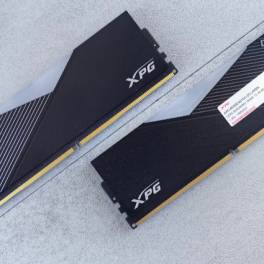
DDR5 merupakan generasi RAM terbaru yang telah diperkenalkan ke pasaran setelah melalui proses penelitian dan pengembangan yang cukup panjang. Para... selengkapnya

Jenis-jenis jaringan komputer beserta fungsinya memang cukup vital. Sebuah jaringan pada perangkat komputer merupakan komponen dengan tugas sebagai alat komunikasi... selengkapnya

Toko komputer baik online maupun offline juga menyediakan berbagai aksesoris komputer maupun laptop yang penting dan berguna. Salah satu aksesorisnya... selengkapnya

Anda semua tentu sudah tak asing lagi dengan yang namanya komputer. Bahkan anda pasti sudah sering menggunakannya dalam berbagai kebutuhan.... selengkapnya

27%
A. DESKRIPSI (DESCRIPTION) Cable USB M To Lightning M GENAI GL-Q31 adalah kabel data dan pengisi daya yang didesain untuk… selengkapnya
Rp 27.000 Rp 37.000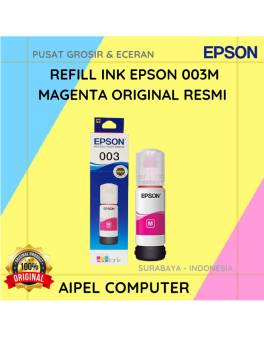
15%
A. DESKRIPSI (DESCRIPTION) Refill Ink EPSON 003M Magenta Original 100% adalah tinta isi ulang berkualitas tinggi dari EPSON yang dirancang… selengkapnya
Rp 85.000 Rp 100.000
50%
A. DESKRIPSI (DESCRIPTION) Connector RG59 DC Power Female adalah solusi andalan untuk memastikan sistem pengawasan CCTV Anda tetap terkoneksi dengan… selengkapnya
Rp 1.500 Rp 3.000
33%
A. DESKRIPSI (DESCRIPTION) Kabel Power Laptop CENTROO 1.8 M adalah kabel daya laptop berkualitas tinggi yang dirancang untuk memastikan suplai… selengkapnya
Rp 10.000 Rp 15.000
23%
AIPEL COMPUTER Kabel Switch HDTV Pigtail HOBOO 1-3 HQ Manual 45 CM 4K adalah solusi cerdas bagi kamu yang membutuhkan… selengkapnya
Rp 46.500 Rp 60.000
6%
A. DESKRIPSI (DESCRIPTION) Printer CENTROO 80 MM Thermal Bluetooth Portable 1500 MAH adalah printer thermal portabel dengan kapasitas lebih besar… selengkapnya
Rp 375.000 Rp 400.000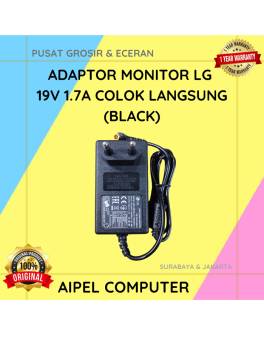
21%
A. DESKRIPSI (DESCRIPTION) Adaptor Monitor LG 19V 1.7A Colok Langsung (Black) adalah perangkat pendukung daya yang stabil dan hemat energi… selengkapnya
Rp 75.000 Rp 95.000
22%
A. DESKRIPSI (DESCRIPTION) GENAI GC-Q35 Quick Charger PD 65W + Kabel Micro 1.2M (White) Adalah perangkat charger pintar yang didesain… selengkapnya
Rp 53.000 Rp 68.000
29%
A. DESKRIPSI (DESCRIPTION) Kain Lap Microfiber 30 x 40 CM Serbaguna (Grey Yellow) adalah kain pembersih serbaguna yang dirancang dengan… selengkapnya
Rp 4.250 Rp 6.000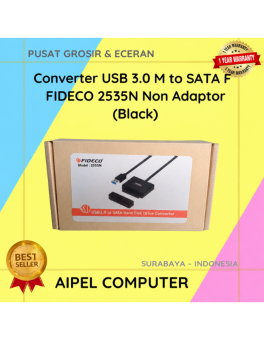
12%
A. DESKRIPSI (DESCRIPTION) Converter USB 3.0 to SATA F FIDECO Non Adaptor adalah solusi praktis dan efisien untuk membaca dan… selengkapnya
Rp 110.500 Rp 125.000



Saat ini belum tersedia komentar.