- Orderan dibawah 500.00 via Goshop / Offline / Marketplace
Laptop Charger Brick Getting Very Hot? Causes and 4 Easy Fixes
Reaching down to touch your laptop charger power brick while charging, only to find the plastic surface burning hot to the touch, is alarming. Sometimes this high heat is accompanied by a faint buzzing or high-pitched squealing noise (coil whine) emitting from inside the adapter brick.
A laptop charger brick getting excessively hot or making high-pitched whining noises is usually caused by the internal transformer working at maximum capacity to convert AC wall power to DC current. Common triggers include running heavy software (such as gaming or video editing) while charging a depleted battery, resting the power brick on soft fabrics that block heat dissipation, or using cheap knockoff chargers lacking internal heatsinks. Much like diagnosing wall outlet sizzling or sparking when charging laptop fixes to maintain electrical safety, you can identify normal charger temperature limits yourself.
Featured Snippet (Quick Answer):
To fix a laptop charger brick getting very hot, move the power brick onto a cool tile floor, keep it uncovered by blankets or papers, charge your laptop while turned off, and replace knockoff chargers with genuine OEM adapters if you notice burning odors or loud whining noises.
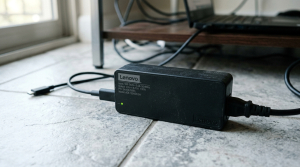
Checklist: Diagnosing Safe Laptop Charger Temperatures
Check the boxes below if these conditions describe your power brick:
-
[ ] The power brick feels comfortably warm during light web browsing or typing tasks.
-
[ ] The adapter surface gets burning hot only when charging below 20% while gaming.
-
[ ] A subtle high-pitched squeal (coil whine) emits when plugged into wall outlets.
-
[ ] The plastic adapter casing appears warped, abnormally shiny, or bulging.
-
[ ] A distinct burning plastic smell is noticeable near the charger brick.
Practical Recommendation: Never rest your power brick on beds, cloth sofas, or under paper piles. Place the charger brick on a cool tile floor so heat absorbs safely into the flooring surface.
Comparison Table: Laptop Charger Temperature Levels and Actions
Here is an overview of power brick temperature stages and recommended safety actions:
|
4 Ways to Fix a Laptop Charger Brick Getting Very Hot
Follow these cooling and electrical safety steps in order:
-
Move the Power Brick to a Cool Tile Floor. Tile or ceramic flooring acts as an effective natural heat sink. Placing your charger brick on a cold floor drops adapter temperatures by up to 10°C in minutes compared to resting it on wooden desks or fabric carpets.
-
Avoid Heavy Tasks While Charging a Dead Battery. Running games or rendering videos while your battery is below 20% forces the charger brick to supply double the power: charging depleted battery cells while running CPUs and GPUs at max wattage. Charge your battery above 50% before launching heavy software.
-
Charge Your Laptop While Turned Off (Shut Down). Charging while powered down focuses 100% of the adapter’s current exclusively into the battery cells without splitting power to drive display panels or processors. This charges the battery faster and keeps the power brick at safe, warm temperatures.
-
Replace Cheap Knockoff Adapters with Genuine OEM Units. Budget aftermarket chargers omit internal copper heatsinks and filtering capacitors to lower manufacturing costs. As a result, power conversion efficiency drops and generates dangerous excess heat. Always use original manufacturer adapters matching your laptop’s required Voltage (V) and Amperage (A) specs.
When to Replace Your Charger Brick Immediately
If your power brick emits crackling sounds (sparking), shows melted plastic seams near cable connections, or stays burning hot even when plugged into an idle laptop, internal transformer coils have failed.
This indicates internal electrical insulation has broken down and the adapter must be replaced immediately with a new OEM charger before short circuits jump power rails and damage your laptop motherboard.
FAQ (Frequently Asked Questions)
What causes laptop chargers to make a high-pitched squealing noise (coil whine)?
High-pitched squealing (coil whine) is caused by high-frequency vibrations in internal magnetic coils as heavy electrical current passes through. It is common in aging chargers, but if the noise grows loud alongside extreme heat, internal coils are degrading.
Can a hot laptop charger cause the battery to explode?
An overheating charger usually fails and burns out itself first. However, unstable electrical current supplied by a dangerously hot knockoff adapter can damage internal power IC chips and accelerate battery cell swelling.
Conclusion
A laptop charger brick getting very hot is usually caused by heavy power draw demands, blocked air circulation, or low-grade internal components. By resting the power brick on a tile floor and avoiding heavy software tasks during charging, your adapter will operate safely and stay cool.
Shop OEM Laptop Chargers, Power Cords & Service at Aipel Computer
Struggling with a melted power brick, frayed cables, needing authentic manufacturer chargers with official warranty for any laptop brand, or heavy-duty power cords? Find reliable laptop power accessories at wholesale prices directly in our store.
To check charger availability or get store directions, visit the official Aipel Computer website in Surabaya today.
Tags: buy original laptop charger surabaya, how to cool down laptop charger brick, knockoff laptop charger overheat danger, laptop adapter whining noise fix, laptop charger brick getting very hot

Laptop Charger Brick Getting Very Hot? Causes and 4 Easy Fixes
Trying to save photos, transfer important documents, or open files on your smartphone or laptop, only to find that your... selengkapnya
Pernahkah kamu sedang mengetik santai di meja, lalu setiap kali tuts keyboard ditekan, layar laptop ikut bergoyang maju-mundur tanpa henti?... selengkapnya

Perangkat komputer atau laptop pastinya dibekali fitur port USB sebagai tempat menghubungkan kedua perangkat. Mulai dari smartphone atau kamera dihubungkan... selengkapnya
Lenovo dengan ciri khasnya hadir bersama produknya yakni Lenovo g450. Ya, pasar elektronik yang terus semakin berkembang pesat membuat berbagai... selengkapnya
Kondisi laptop yang mendadak mengeluarkan suara dengungan kipas sangat kencang sering kali memicu kepanikan. Udara panas mendadak menyembur dari ventilasi... selengkapnya
Beberapa tips membeli PC rakitan di toko komputer ini mungkin akan membantu Anda saat hendak membeli sebuah komputer. Ya, teknologi... selengkapnya
Running out of battery in the middle of work is frustrating, especially when you don’t have access to a charger.... selengkapnya

Suara hembusan kipas pendingin yang terus meraung kencang tanpa jeda sering kali membuat suasana kerja menjadi bising dan tidak nyaman.... selengkapnya
Untuk Anda yang kini tengah mencari adaptor monitor LG, sebaiknya tidak sembarangan membeli. Terkadang karena terburu-buru Anda bahkan jadi gegabah... selengkapnya
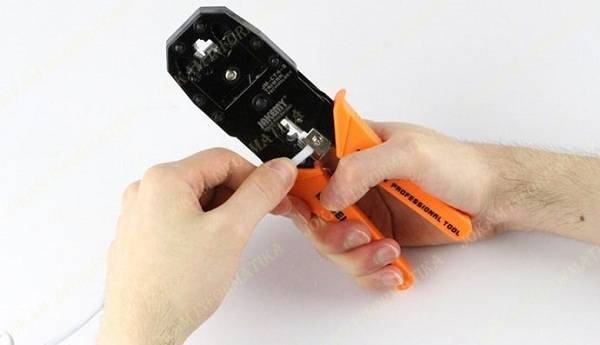
Tang crimping merupakan salah satu alat yang memiliki fungsi untuk membantu pemasangan konektor RJ45 ke kabel UTP. Alat ini memiliki... selengkapnya

5%
A. DESKRIPSI (DESCRIPTION) Docking Hard Disk FIDECO USB 3.0 + RGB LED (Black) adalah docking berdesain stylish dengan lampu RGB… selengkapnya
Rp 372.000 Rp 390.000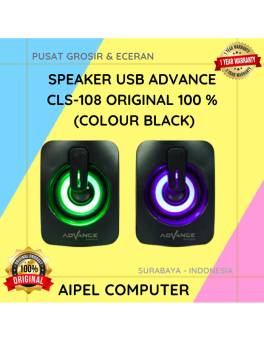
22%
A. DESKRIPSI (DESCRIPTION) Speaker USB Advance CLS108 adalah perangkat audio yang dirancang untuk memberikan pengalaman mendengarkan yang lebih hidup dan… selengkapnya
Rp 45.000 Rp 58.000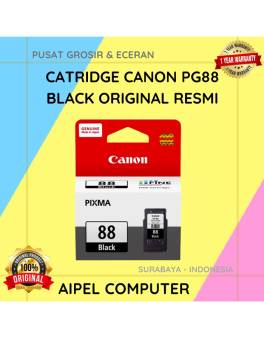
10%
A. DESKRIPSI (DESCRIPTION) Temui PG88 Canon, tinta hitam asli yang dirancang khusus untuk memenuhi kebutuhan cetak Anda dengan kualitas terbaik!… selengkapnya
Rp 181.000 Rp 200.000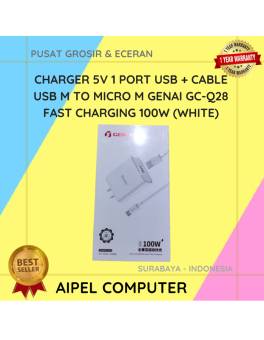
18%
A. DESKRIPSI (DESCRIPTION) GENAI Charger USB + Kabel Micro GC-Q28 Fast Charging adalah solusi pengisian daya cepat yang hadir dengan… selengkapnya
Rp 68.000 Rp 83.000
6%
AIPEL COMPUTER – Pusat Grosir dan Eceran – Belanja Hebat dan Hemat – Harga Murah Garansi Prima * GARANSI –… selengkapnya
Rp 277.000 Rp 295.000
9%
AIPEL COMPUTER – Pusat Grosir dan Eceran – Belanja Hebat dan Hemat – Harga Murah Garansi Prima * GARANSI –… selengkapnya
Rp 136.000 Rp 150.000
29%
AIPEL COMPUTER Kabel USB 3.0 M to F CENTROO adalah solusi ideal untuk memperpanjang koneksi USB tanpa menurunkan kecepatan transfer… selengkapnya
Rp 20.000 Rp 28.000
10%
A. DESKRIPSI (DESCRIPTION) Switch Hub TP-LINK SG1008D adalah solusi jaringan yang dirancang untuk menghadirkan kecepatan tinggi dan keandalan koneksi bagi… selengkapnya
Rp 260.000 Rp 290.000
16%
GARANSI * AIPEL COMPUTER – Pusat Grosir & Eceran – Belanja Hebat & Hemat – Grosir Konsep Swalayan – Harga… selengkapnya
Rp 63.000 Rp 75.000
15%
AIPEL COMPUTER – Pusat Grosir dan Eceran – Belanja Hebat dan Hemat – Harga Murah Garansi Prima * GARANSI –… selengkapnya
Rp 55.000 Rp 65.000



Saat ini belum tersedia komentar.