- Orderan dibawah 500.00 via Goshop / Offline / Marketplace
Laptop Headset Working on One Side Only? Causes and 4 Fixes
Plugging your headphone cable into a laptop only to hear audio coming strictly out of the left ear cup is frustrating. Or even weirder, background music instruments play clearly while lead vocals sound distant, hollow, and echoey, resolving only when you jiggle or hold the 3.5mm plug at a specific angle.
A headset cable working on one side only or producing hollow audio is rarely caused by blown earphone speakers; it usually points to physical contact issues inside the 3.5mm audio jack. The most frequent causes are pocket lint trapped deep inside the port socket, pin configuration mismatches (TRS vs TRRS standards), or software audio enhancement conflicts. Much like diagnosing laptop headphone jack not working sound playing through speakers fix to restore proper audio routing, you can troubleshoot headphone cable connections yourself.
Featured Snippet (Quick Answer):
To fix a laptop headset cable working on one side only, clear pocket lint out of the audio port using a wooden toothpick, ensure the 3.5mm plug is pushed in fully until it clicks, disable Audio Enhancements in Windows Sound Control Panel, and use a 2-to-1 audio splitter adapter for dual-plug headsets.
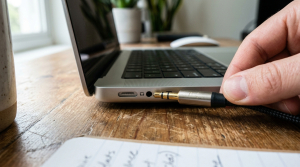
Checklist: Diagnosing Headphone Cable Connection Symptoms
Check the boxes below if these physical symptoms describe your laptop:
-
[ ] Audio returns to both ears when pushing the 3.5mm plug firmly inward.
-
[ ] The headset plays normal stereo sound when tested on a phone or another laptop.
-
[ ] Vocals sound hollow, distant, or submerged underwater while instruments play fine.
-
[ ] The laptop audio port feels loose, allowing the cable to slip out easily.
-
[ ] Your headset features 3 black plastic ring bands (TRRS) on its 3.5mm connector.
Practical Recommendation: Never poke metal sewing needles or paperclips into laptop audio ports. Metallic objects short-circuit internal soundcard components. Use a wooden toothpick lightly wrapped with isopropyl alcohol cotton to sweep lint out safely.
Comparison Table: 3.5mm Audio Jack Connector Ring Standards
Here is an overview of 3.5mm jack ring standards and their laptop compatibility:
| Jack Ring Category | Plastic Ring Count | Channel Pinout Function | Laptop Compatibility Status |
|---|---|---|---|
| TS (Mono) | 1 Black Ring | Mono Audio Only | Incompatible (causes crackling) |
| TRS (Stereo) | 2 Black Rings | Left + Right Audio (No Mic) | Smooth Audio (No Microphone) |
| TRRS (Combo CTIA) | 3 Black Rings | Left + Right + Mic Channel | Full Compatibility (Audio + Mic) |
| TRRS (Combo OMTP) | 3 Black Rings (Legacy Standard) | Reversed Mic & Ground Pins | Hollow Audio / Muted Vocals |
4 Ways to Fix a Laptop Headset Working on One Side Only
Follow these troubleshooting steps in order:
-
Clear Pocket Lint Out of the Audio Port. Compressed lint trapped at the bottom of the 3.5mm jack socket prevents plugs from seating deeply enough to reach internal copper pins. Take a thin wooden toothpick, wrap a tiny piece of cotton around its tip, insert it into the audio jack, and gently twist to extract trapped debris.
-
Disable Audio Enhancements in Windows. Open Control Panel > Sound. On the Playback tab, right-click Headphones or Realtek Audio, and select Properties. Switch to the Enhancements tab, and check Disable all enhancements (or turn off Spatial Sound/Windows Sonic). Synthetic audio processing frequently scrambles Left/Right stereo separation.
-
Verify L/R Channel Balance Settings. Reopen Sound Control Panel, navigate to Properties under Headphones, and select the Levels tab. Click the Balance button beside main volume. Ensure both L (Left) and R (Right) sliders sit at equal percentage levels (e.g., both set to 100%).
-
Use a 3.5mm Audio Splitter Adapter. If you use a PC gaming headset with two separate 3.5mm plugs (green for audio, pink for microphone), use a 2-to-1 Audio Splitter Adapter (Female to Male). This merges separate audio channels into a single CTIA TRRS plug supported by modern laptop combo jacks.
When to Use an External USB Soundcard
If you have adjusted channel balances and cleared out the port socket yet multiple headphones still play audio on one side only, internal copper contact leaves inside the laptop motherboard have snapped or stretched open.
Purchasing a budget USB External Soundcard Audio Adapter provides an instant, plug-and-play workaround to restore pristine stereo sound via USB without soldering motherboards.
FAQ (Frequently Asked Questions)
Why do vocal tracks disappear when plugging headphones into a laptop?
This occurs due to ground pin mismatches on TRRS plugs (CTIA vs OMTP standards). When the Ground pin fails to make solid contact, Left and Right audio signals cancel each other out (Phase Cancellation), muting center-channel vocals.
Is it safe to spin the 3.5mm plug while connected to a laptop?
Spinning the plug gently to scrape off light oxidation is safe, but twisting or wiggling cables aggressively at sharp angles stretches and bends internal copper contact clips inside the laptop port.
Conclusion
A laptop headset working on one side only or producing hollow sound is usually caused by trapped lint inside the audio socket, TRRS ring mismatches, or uneven stereo Balance settings. By cleaning out the audio port and disabling synthetic Audio Enhancements, your headset will play balanced stereo sound once again.
Shop Gaming Headsets, Splitter Adapters & USB Soundcards at Aipel Computer
Struggling with a loose laptop audio jack, needing durable 2-to-1 audio splitters, plug-and-play USB external soundcards, or guaranteed stereo gaming headsets? Find complete computer audio accessories at wholesale prices directly in our store.
To check audio gear availability or get store directions, visit the official Aipel Computer website in Surabaya today.
Tags: buy usb soundcard surabaya, clean 3.5mm laptop audio jack lint, fix hollow vocals on laptop headphones, laptop headset working on one side only, trs vs trrs headphone jack difference

Laptop Headset Working on One Side Only? Causes and 4 Fixes
Monitor PC murah tidak selamanya murahan atau menawarkan spesifikasi yang buruk. Apalagi mengingat monitor adalah perangkat output yang menampilkan informasi... selengkapnya
Agar anda bisa memperoleh pengalaman dan juga manfaat terbaik dari komputer atau laptop. Kadang anda dituntut agar bisa melengkapinya dengan... selengkapnya
While you are working or watching a video on your laptop, a thin white, green, pink, or black line suddenly... selengkapnya
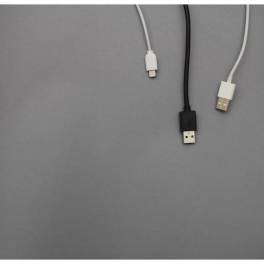
Kita tentu mengetahui apa itu kabel USB micro. Pasalnya peralatan elektronik yang satu ini terbilang cukup penting dan wajib dimiliki... selengkapnya

Sekarang ini sudah semakin banyak bermunculan grosir aksesoris laptop di Indonesia. Peningkatan dari jumlah grosir aksesoris laptop tersebut tentunya berkaitan... selengkapnya

Seiring dengan perkembangan teknologi yang semakin maju kita juga akan semakin membutuhkan yang namanya perangkat komputer. Oleh sebab itu, kebutuhan... selengkapnya
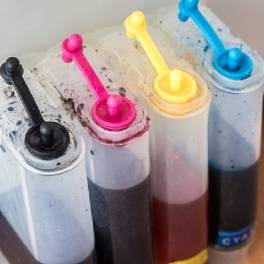
Posisi tinta warna Canon 811, penting untuk Anda ketahui! Perangkat printer seperti Canon 811, yang biasa Anda jumpai di beberapa... selengkapnya

Baterai CMOS CR2032 merupakan baterai ringan yang berbentuk lingkaran serta berukuran kecil dan memiliki tegangan operasi sebesar 3 V. Biasanya... selengkapnya

Untuk memudahkan proses mencetak, kini telah tersedia printer. Printer itu pun tersedia dalam beragam merek. Salah satunya ialah printer HP.... selengkapnya

Komputer sudah menjadi barang yang penting di kehidupan manusia. Toko servis komputer terdekat memiliki peran penting dalam penyedia perangkat keras... selengkapnya
13%
AIPEL COMPUTER – Pusat Grosir dan Eceran – Belanja Hebat dan Hemat – Harga Murah Garansi Prima * GARANSI –… selengkapnya
Rp 39.000 Rp 45.000
31%
A. DESKRIPSI (DESCRIPTION) Cable USB M To Micro M GENAI GL-Q31 adalah kabel USB ke Micro dari GENAI yang mendukung… selengkapnya
Rp 20.000 Rp 29.000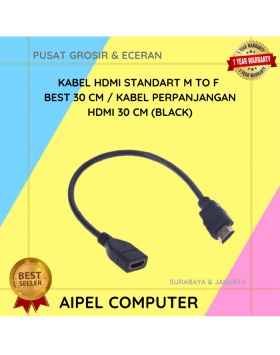
35%
A. DESKRIPSI (DESCRIPTION) Kabel HDTV M to F CENTROO 30CM adalah pilihan praktis untuk memperpanjang koneksi HDMI Anda tanpa kehilangan… selengkapnya
Rp 11.000 Rp 17.000
32%
A. DESKRIPSI (DESCRIPTION) Cable Type-C to Type-C GENAI GL-Q23 adalah kabel pengisian cepat dan transfer data berdaya tinggi yang dirancang… selengkapnya
Rp 34.000 Rp 50.000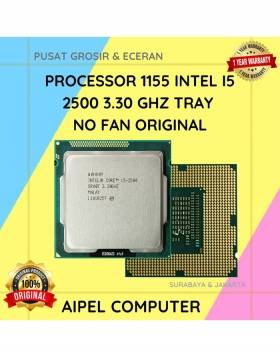
8%
A. DESKRIPSI (DESCRIPTION) Processor 1155 I5 2500 3.30 GHz Tray No Fan Original 🧩 merupakan prosesor dengan kekuatan yang pas… selengkapnya
Rp 185.000 Rp 200.000
5%
A. DESKRIPSI (DESCRIPTION) Docking Hard Disk FIDECO YPZ220C adalah docking hard disk berkualitas tinggi dari FIDECO yang mengusung teknologi koneksi… selengkapnya
Rp 400.000 Rp 420.000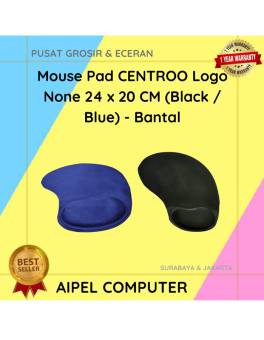
25%
A. DESKRIPSI (DESCRIPTION) Mouse Pad CENTROO Logo None hadir dengan desain minimalis namun elegan, tersedia dalam dua pilihan warna hitam… selengkapnya
Rp 5.250 Rp 7.000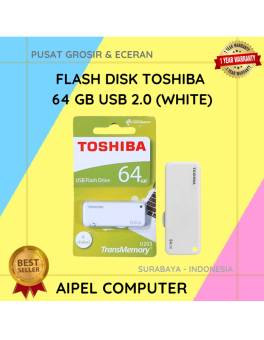
27%
A. DESKRIPSI (DESCRIPTION) Flash Disk USB 2.0 64 GB (White) adalah media penyimpanan portabel yang cocok untuk kamu yang butuh… selengkapnya
Rp 33.000 Rp 45.000
10%
AIPEL COMPUTER ADDRESS (Offline Store) Ruko Manyar Mas 27 Blok C3 – C4 Jalan Raya Manyar 63C Kelurahan Menur Pumpungan… selengkapnya
Rp 87.000 Rp 97.000
15%
A. DESKRIPSI (DESCRIPTION) Kabel HDTV CENTROO 25 Meter Jaring adalah pilihan sempurna bagi Anda yang memerlukan koneksi HDMI jarak jauh… selengkapnya
Rp 89.000 Rp 105.000



Saat ini belum tersedia komentar.