- Orderan dibawah 500.00 via Goshop / Offline / Marketplace
Printer Not Printing? Common Causes and How to Fix It Easily
Trying to print an important document only to have your printer suddenly refuse to work is one of the most common and most frustrating tech problems people run into, whether at home or in the office. The good news: in most cases, the cause is simple and fixable in just a few minutes, no repair shop required.
Before you panic or start shopping for a replacement, run through the checks below. They solve the issue in the vast majority of cases.
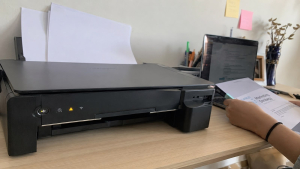
Why Is Your Printer Not Printing?
Before assuming there’s a major hardware failure, rule out these common culprits first:
| Cause | How Common | Quick Check |
|---|---|---|
| Loose or wrong connection | Very common | USB cable seated properly / device on same WiFi network |
| Printer set to “offline” | Very common | Check status in printer settings |
| Outdated or corrupted driver | Common | Check for driver updates in Device Manager / System Settings |
| Empty or dried-up ink | Common | Check ink level indicator |
| Paper jam | Common | Open the tray and check for stuck paper |
| Print spooler stuck (Windows) | Often overlooked | Restart the Print Spooler service |
| Print head clogged | Less common but recurring | Run a nozzle check / cleaning cycle |
That last one, a stuck print spooler, is a step most troubleshooting guides skip, but it’s actually one of the more frequent silent causes on Windows machines. If your printer shows “online” and has ink, yet nothing happens when you hit print, this is usually the culprit.
How to Fix a Printer That Won’t Print
Work through these steps in order:
1. Check the Connection
If you’re using a USB cable, make sure it’s fully plugged in on both ends. A loose connection is often invisible at a glance. If you’re on WiFi, confirm both the printer and your device are on the same network. This trips people up constantly with dual band routers, where a laptop connects to the 5GHz band and the printer only supports 2.4GHz.
2. Make Sure the Printer Is Online
Open your printer settings and check the status. If it shows “offline,” switch it back to “online” manually. Printers sometimes flip to offline mode after a sleep cycle or a brief network drop, even when they’re perfectly fine.
3. Restart the Printer and Your Device
Turn the printer off, unplug it for about 30 seconds. A full unplug clears more of the internal cache compared to just using the power button. Power it back on, then restart your computer as well.
4. Clear the Print Spooler (Windows only)
If restarting doesn’t help, open Services, find Print Spooler, right click and select Restart. This clears stuck print jobs that silently block everything behind them, a step that fixes the problem more often than people expect.
5. Check the Ink Levels
Empty or dried up ink stops many printers from printing entirely, even in black and white mode. Some models block all printing once any cartridge, including color, runs dry.
6. Look for a Paper Jam
Open the printer carefully and check every accessible panel, not just the main tray. A small torn scrap left behind from a previous jam is enough to stop the machine.
When the Problem Might Be More Serious
If you’ve worked through every step above and it still won’t print, the issue is likely deeper:
-
Driver incompatibility, especially after a major OS update
-
A clogged print head, which is common in printers left unused for weeks
-
Aging internal components like rollers, sensors, or the print head reaching end of life
At this stage, the problem usually starts happening more frequently and becomes harder to ignore. If you’re refilling ink often, running cleaning cycles weekly, or restarting the spooler every other day, that’s a sign the printer is on its way out rather than having a one off glitch.
Thinking About a Long-Term Solution
If your printer keeps having issues, it becomes frustrating less because of the fault itself and more because of how often it interrupts your work. At some point, the time lost troubleshooting costs more than the price of a reliable replacement.
If you need genuine parts, ink, or accessories to try one more fix before replacing anything, Aipel Computer stocks components for most common printer brands. And if your office is past the point of patching things up and needs a proper hardware upgrade for the whole team, it’s worth talking to a bulk supplier who can advise on models suited to your print volume rather than just selling the cheapest unit in stock.
FAQ (Frequently Asked Questions)
-
Why is my printer not responding when I try to print? It’s usually caused by connection issues, offline status, driver problems, or a stuck print spooler on Windows.
-
Can empty ink stop the printer from working completely? Yes. Many printers refuse to print at all once ink is fully depleted, even for black and white jobs.
-
Do I need to open the printer to fix this issue? Rarely. Most problems are solved through basic checks and settings. Opening the printer is usually only needed to clear a paper jam.
-
Why does restarting fix so many printer problems? Printers cache print jobs and settings in temporary memory. A full power cycle clears that cache, along with any corrupted job stuck in the queue.
Tips to Keep Your Printer Running Smoothly
-
Print something at least once a week to keep ink from drying out in the nozzles.
-
Don’t let ink cartridges run completely empty before replacing them.
-
Keep the printer in a clean, dust free, and reasonably humid area since dry environments speed up ink drying.
-
Run the built in cleaning cycle monthly, even if print quality looks fine.
-
Use good quality ink and accessories because off brand ink is a common cause of clogged print heads over time.
Tags: computer accessories, paper jam fix, printer driver issue, printer ink problem, printer maintenance tips, printer not printing, printer offline fix, printer troubleshooting

Printer Not Printing? Common Causes and How to Fix It Easily

Suara hembusan kipas pendingin yang terus meraung kencang tanpa jeda sering kali membuat suasana kerja menjadi bising dan tidak nyaman.... selengkapnya

Votre mouse saat ini memang banyak diminati. Mouse ini termasuk salah satu media hardware-nya komputer dan berperan penting sebagai alat... selengkapnya

Cara mengecek spek komputer penting untuk konsumen pahami sebelum membeli perangkat PC atau laptop di toko komputer. Spesifikasi komputer meliputi... selengkapnya
Have you ever been working in a dimly lit room or late at night, only to find that the backlight... selengkapnya

Router Access Point memiliki kegunaan untuk membantu untuk menyebarkan sinyal dengan efektif. Biasanya orang akan membelinya di grosir komputer yang... selengkapnya
Sedang asyik bekerja, menghadiri rapat daring, atau menonton video di laptop, tiba tiba koneksi internet terputus sendiri. Indikator sinyal WiFi... selengkapnya
Epson L121 merupakan salah satu printer yang banyak digunakan. Printer ini memberikan hasil cetak yang cepat, banyak, dan berkualitas. Supaya... selengkapnya
Pernahkah kamu sedang fokus bekerja atau menonton video, lalu layar laptop milikmu mendadak berkedip-kedip cepat (flickering), muncul garis-garis horizontal halus... selengkapnya
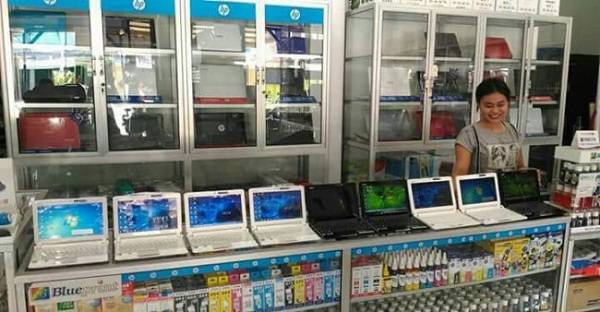
Pelayanan toko komputer Surabaya dapat anda buktikan langsung. Setiap pelayanan toko pastinya memberikan kepuasan bagi para konsumennya. Begitu juga Aipel... selengkapnya
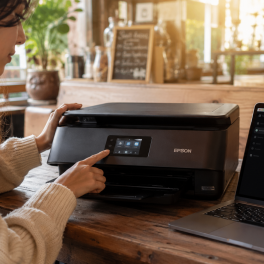
Wireless printers are an absolute lifesaver for daily productivity, helping you easily print out university assignments or handle busy office... selengkapnya

25%
A. DESKRIPSI (DESCRIPTION) Led Protector CENTROO 14″ adalah pelindung layar transparan yang dirancang khusus untuk layar komputer atau monitor berukuran… selengkapnya
Rp 7.500 Rp 10.000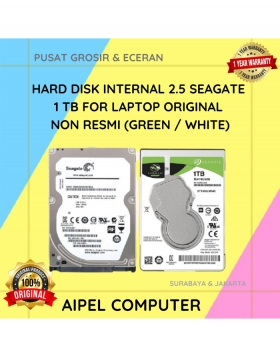
3%
A. DESKRIPSI (DESCRIPTION) Hard Disk Internal 2.5 SEAGATE 1 TB for Laptop Original (Green / White) adalah solusi penyimpanan ringkas… selengkapnya
Rp 730.000 Rp 755.000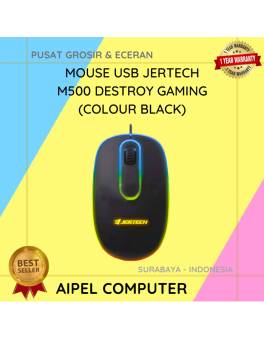
30%
A. DESKRIPSI (DESCRIPTION) Mouse USB JERTECH M500 DESTROY Gaming adalah mouse gaming berkabel yang dirancang khusus bagi pengguna yang menginginkan… selengkapnya
Rp 26.000 Rp 37.000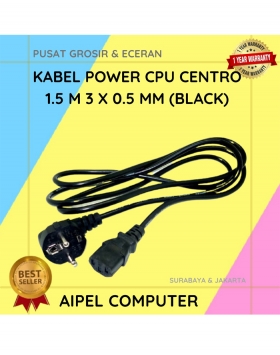
20%
A. DESKRIPSI (DESCRIPTION) Kabel power CPU adalah kabel power berkualitas tinggi dengan panjang 1,5 meter, dirancang khusus untuk penggunaan di… selengkapnya
Rp 8.000 Rp 10.000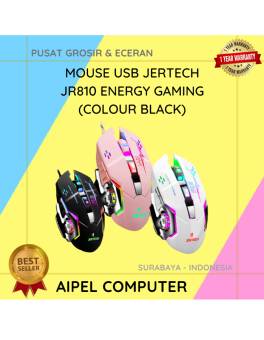
16%
A. DESKRIPSI (DESCRIPTION) Mouse JERTECH JR810 ENERGY Gaming adalah perangkat pointing presisi tinggi yang dirancang untuk para gamer maupun pengguna… selengkapnya
Rp 63.000 Rp 75.000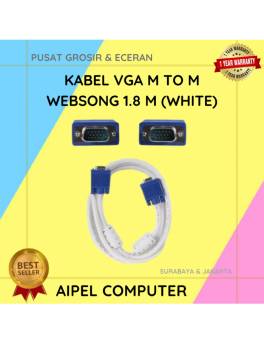
21%
AIPEL COMPUTER – Pusat Grosir dan Eceran – Belanja Hebat dan Hemat – Harga Murah Garansi Prima * GARANSI –… selengkapnya
Rp 30.000 Rp 38.000
6%
A. DESKRIPSI (DESCRIPTION) Docking Hard Disk FIDECO YPZ04-S2 adalah docking station hard disk dari FIDECO yang dirancang khusus untuk pengguna… selengkapnya
Rp 353.000 Rp 375.000
29%
A. DESKRIPSI (DESCRIPTION) Kabel USB 3.0 M to Micro B M BEST adalah solusi modern untuk kebutuhan konektivitas data yang… selengkapnya
Rp 12.000 Rp 17.000
18%
A. DESKRIPSI (DESCRIPTION) Adaptor Laptop ACER 19V 4.74A DC (5.5 X 1.7) adalah solusi ideal untuk mengisi daya laptop ACER… selengkapnya
Rp 70.000 Rp 85.000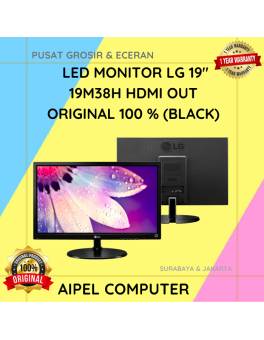
5%
AIPEL COMPUTER – Pusat Grosir dan Eceran – Belanja Hebat dan Hemat – Harga Murah Garansi Prima * GARANSI –… selengkapnya
Rp 1.045.000 Rp 1.100.000



Saat ini belum tersedia komentar.