- Orderan dibawah 500.00 via Goshop / Offline / Marketplace
Laptop Won’t Turn Off on Shutdown? Causes and Easy Fixes
Instant annoyance kicks in when you click Shut down in the Windows menu and your laptop screen goes completely black, yet the power indicator light, keyboard backlight, and internal cooling fans stay on indefinitely. The machine simply refuses to power down all night on your desk, keeping the chassis warm and draining the battery completely flat by the time you open the lid the next morning.
A laptop that refuses to turn off after shutting down frequently forces users into dangerous shortcuts like holding down the physical power button for a hard shutdown. Repeated forced shutdowns run a high risk of corrupting storage drive data and damaging operating system files. In reality, this shutdown glitch is usually triggered by an active Windows Fast Startup cache hanging in the background, a stubborn hidden app refusing to exit, or an outdated Intel Management Engine Interface (IMEI) driver losing communication with the motherboard. Just like troubleshooting a laptop shuts down suddenly with full battery to balance power distribution, you can easily restore normal shutdown behavior on your own through a few simple steps.
Featured Snippet (Quick Answer):
The fastest way to fix a laptop that won’t turn off on shutdown is to disable Fast Startup in the Control Panel Power Options, update or reinstall the Intel Management Engine Interface driver in Device Manager, run an
sfc /scannowsystem repair in Command Prompt, and close frozen background tasks.
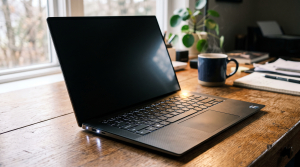
Checklist: Why Does Your Laptop Refuse to Power Down Completely?
Check the boxes below if any of these symptoms match your laptop’s current condition:
-
[ ] The display screen is fully black, but the power LED and battery status lights stay lit.
-
[ ] Internal fans continue spinning and blowing warm air after clicking shutdown.
-
[ ] The laptop automatically restarts itself a few seconds after selecting Shut down.
-
[ ] The screen gets stuck endlessly on the Shutting down spinning icon.
-
[ ] The battery loses significant charge overnight while supposed to be turned off.
Practical Recommendation: If your laptop refuses to turn off and you must force it down, hold the Power button for 10 seconds until all lights turn off. However, fix your software settings soon to avoid repeated hard shutdowns that can harm your SSD.
Comparison Table: Causes of Laptop Shutdown Failures and Fixes
To identify what is preventing your system from cutting power properly, review this comparison:
| Shutdown Symptom | Likely Cause | Primary Fix | Real Device Impact |
|---|---|---|---|
| Black screen, lights/fans on | Windows Fast Startup feature hangs | Turn off Fast Startup in Control Panel | Motherboard cuts power completely |
| Automatic reboot on shutdown | System Failure Auto-Restart active | Disable automatic restart on system error | Machine turns off without rebooting |
| Stuck on “Shutting down” | Frozen third party background task | Force close stuck apps in Task Manager | Clean and smooth session closing |
| Power LED never turns off | Corrupted Intel Management Engine driver | Update or roll back the IMEI driver | Restores normal hardware power flow |
4 Ways to Fix a Laptop That Won’t Turn Off on Shutdown
Follow these step by step recovery methods to restore proper shutdown functionality:
-
Disable Fast Startup in Power Options. Press
Win + R, typecontrol, and hit Enter. Navigate to Power Options > click Choose what the power buttons do on the left menu. Click the link that says Change settings that are currently unavailable. Under the shutdown settings at the bottom, uncheck Turn on fast startup (recommended), then click Save changes. -
Update or Reinstall the Intel Management Engine Driver. Right click the Start button and select Device Manager. Expand the System devices category. Locate Intel(R) Management Engine Interface (or IMEI). Right click the driver, select Update driver, or open Properties > Power Management tab and uncheck Allow the computer to turn off this device to save power.
-
Run a System File Check via Command Prompt. Launch Command Prompt (CMD) by selecting Run as Administrator. Type the command
sfc /scannowand press Enter. Allow Windows to scan and automatically repair corrupted system files that may be blocking the shutdown sequence. -
Execute a Clean Force Shutdown via CMD Shortcut. If you need to shut down your machine cleanly without crashing your system when normal buttons freeze, press
Win + R, typeshutdown /s /f /t 0, and press Enter. This command safely closes active programs and cuts system power immediately.
When Should You Reset BIOS Settings or Update Firmware?
If you have disabled Fast Startup and updated all system drivers but the laptop still refuses to cut electrical power to the motherboard, the power management tables inside your BIOS chip (ACPI Power Management) may be misconfigured.
Resetting your BIOS configurations back to factory defaults (Load Optimized Defaults) or updating your BIOS to the latest stable build is the most reliable way to restore proper communication between Windows and your laptop’s physical power controller.
FAQ (Frequently Asked Questions)
Is it bad to force shut down a laptop using the power button?
Yes, if done repeatedly. A sudden power cut can interrupt active SSD write processes, which can cause corrupted system files and disk partition errors.
Why does turning off Fast Startup create a cleaner shutdown?
Fast Startup puts the operating system into a hybrid hibernation state instead of performing a true hardware shutdown. If any background application freezes during this hibernation phase, the laptop fails to power down the hardware components.
Conclusion
A laptop that won’t turn off on shutdown is generally caused by a frozen Fast Startup cache, conflicting power management drivers, or background tasks refusing to close. By turning off Fast Startup and refreshing system drivers, your laptop will shut down completely and preserve your battery life.
Shop Replacement Batteries, Power Buttons & Service at Aipel Computer
Does your laptop suffer from a stuck power button, battery drain from failed shutdowns, or require a clean operating system installation? Explore our full range of replacement hardware and repair services at affordable wholesale prices directly in our store.
To check component stock, browse our product inventory, or get directions to our retail store, visit the official Aipel Computer website in Surabaya today!
Tags: fix laptop failing to shutdown, laptop power light stays on after shutdown, laptop repair surabaya, laptop wont turn off shutdown, turn off fast startup windows 10

Laptop Won’t Turn Off on Shutdown? Causes and Easy Fixes

Komputer merupakan salah satu perangkat elektronik yang dibutuhkan oleh banyak orang. Dengan hadirnya komputer, aktivitas menjadi semakin lancar, baik itu... selengkapnya
Opening a blank document or browsing clean web pages only to spot a distracting bright dot or faint white patch... selengkapnya

Hardware software brainware merupakan komponen-komponen yang ada dalam sebuah komputer. Ketiganya memiliki fungsi yang saling terkait dan saling mendukung, sehingga... selengkapnya
Belum banyak orang yang mengetahui betapa pentingnya manfaat cooler pad untuk perangkat keras yang mereka gunakan selama sehari-hari. Mereka menganggap... selengkapnya

Grosir Hardware Komputer bisa Anda incar untuk mendapatkan aneka produk yang bisa dijual kembali buat Anda yang ingin membuka bisnis... selengkapnya

Seiring perkembangan teknologi, peran komputer kini semakin diperlukan. Tak mengherankan karena ada banyak kebutuhan yang bisa dipenuhi dengan bantuan komputer.... selengkapnya
Finding your laptop keyboard keys completely unresponsive when trying to finish urgent documents is frustrating. You press individual keys repeatedly,... selengkapnya

Switcher VGA merupakan komponen yang cukup penting pada sebuah perangkat komputer maupun laptop. Maka ketika terjadi kerusakan akan memberikan pengaruh... selengkapnya
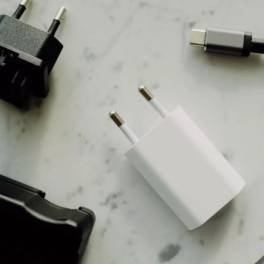
Adaptor laptop adalah salah satu komponen krusial yang memungkinkan laptop Anda berfungsi dengan baik. Adaptor ini berfungsi untuk mengubah arus... selengkapnya

Keyboard laptop adalah salah satu komponen vital yang berperan penting dalam penggunaan perangkat ini. Agar keyboard laptop tetap awet dan... selengkapnya

21%
A. DESKRIPSI (DESCRIPTION) Battery CENTROO 12V 8.5AH 2.2KG For UPS adalah baterai cadangan berkualitas tinggi yang mampu memberikan daya tahan… selengkapnya
Rp 150.000 Rp 190.000
17%
SPESIFIKASI Adapter Type-C Male To Micro Female Digunakan untuk mengisi daya dan untuk sinkronisasi data DESKRIPSI Micro USB Connector to… selengkapnya
Rp 2.500 Rp 3.000
25%
A. DESKRIPSI (DESCRIPTION) DDR3 HYNIX 8 GB Longdimm 1600 MHz PC 12800 for PC Original adalah RAM pilihan tepat untuk… selengkapnya
Rp 345.000 Rp 460.000
9%
A. DESKRIPSI (DESCRIPTION) Adaptor Laptop LENOVO 20V 6A DC (USB) Panjang Besar Kabel Power adalah perangkat daya canggih yang dirancang… selengkapnya
Rp 155.000 Rp 170.000
7%
A. DESKRIPSI (DESCRIPTION) Canon GI-790C adalah refill ink berkualitas tinggi dalam warna cyan yang dirancang khusus untuk printer Canon. Dengan… selengkapnya
Rp 102.000 Rp 110.000
18%
AIPEL COMPUTER – Pusat Grosir dan Eceran – Belanja Hebat dan Hemat – Harga Murah Garansi Prima * GARANSI –… selengkapnya
Rp 102.000 Rp 125.000
50%
A. DESKRIPSI (DESCRIPTION) Connector RG59 DC Power Female adalah solusi andalan untuk memastikan sistem pengawasan CCTV Anda tetap terkoneksi dengan… selengkapnya
Rp 1.500 Rp 3.000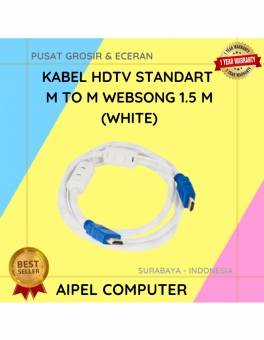
24%
A. DESKRIPSI (DESCRIPTION) Kabel HDTV Standart WEBSONG 1.5 M (White) hadir sebagai solusi tepat bagi Anda yang menginginkan kualitas tampilan… selengkapnya
Rp 28.000 Rp 37.000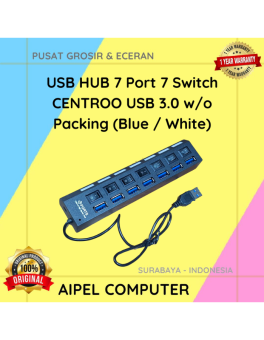
25%
A. DESKRIPSI (DESCRIPTION) USB HUB 7 Port 7 Switch USB 3.0 (Blue/White) adalah USB hub dengan 7 port yang dilengkapi… selengkapnya
Rp 40.000 Rp 53.000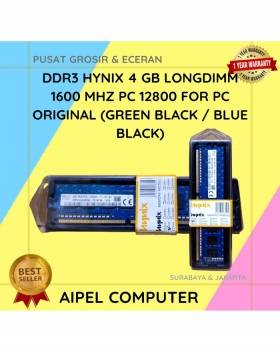
8%
A. DESKRIPSI (DESCRIPTION) DDR3 HYNIX 4GB Longdimm 1600 MHz PC 12800 adalah RAM desktop dengan performa tangguh dan daya tahan… selengkapnya
Rp 175.000 Rp 190.000



Saat ini belum tersedia komentar.