- Orderan dibawah 500.00 via Goshop / Offline / Marketplace
White Spots on Laptop Screen? Causes and Easy Fixes
Opening a blank document or browsing clean web pages only to spot a distracting bright dot or faint white patch on your laptop display is frustrating. You cannot wipe it off the glass surface, and it stays visible whenever light-colored backgrounds appear on screen.
White spots on a laptop screen are typically physical damage rather than surface dirt. They occur when internal LCD diffuser sheets get pinched or bruised by external pressure on the back lid, heavy items resting on closed laptops, or internal heat. Much like troubleshooting laptop screen lines horizontal or vertical to restore visual clarity, identifying why white spots develop helps prevent further screen damage.
Featured Snippet (Quick Answer):
To handle white spots on a laptop screen, confirm they are not stuck pixels using a screen tester tool, stop placing heavy books on closed laptops, carry your device inside a padded sleeve, and replace the LCD panel if internal diffuser layers are permanently bruised.
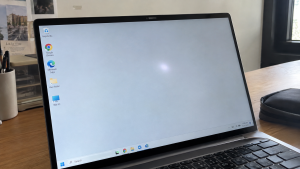
Checklist: Identifying Laptop Screen White Spot Symptoms
Check the boxes below if your display shows any of these characteristics:
-
[ ] Bright white blemishes stand out prominently against white, grey, or light backgrounds.
-
[ ] The bright patch becomes faint or invisible when viewing pure black screens.
-
[ ] Cleaning the external display glass with screen cleaners fails to remove the blemish.
-
[ ] You regularly carry your laptop inside a tight backpack alongside chargers and heavy books.
-
[ ] The white spot sits near edges where your thumbs press when opening the lid.
Practical Recommendation: Never massage or press hard on a white spot. Pressing on the display risks cracking surrounding LCD glass and spreads the damage further.
Comparison Table: Screen Blemish Types and Recommended Fixes
Here is an overview of common laptop display defects and their fixes:
| Screen Defect | Visual Characteristics | Root Cause | Recommended Fix |
|---|---|---|---|
| White Spot | Faint bright circular patch | Pinched LCD diffuser layer | Replace LCD panel |
| Stuck Pixel | Tiny sharp red/green/blue dot | Stuck sub-pixel transistor | Run pixel flasher software |
| Dead Pixel | Permanent black speck | Dead pixel transistor | Replace LCD panel |
| Polarizer Mold | Spreading cloudy patches | Moisture inside polarizer film | Replace polarizer film / LCD |
4 Safe Steps When Facing Laptop Screen White Spots
Follow these inspection and prevention steps:
-
Test Your Display with a Screen Tester Utility. Visit an online monitor diagnostic tool like ScreenCheck or run Dead Pixel Buddy. Cycle through full-screen white, black, grey, and red patterns. If the blemish shines brightly on light backgrounds but disappears on black, it confirms physical pressure damage to the diffuser layer.
-
Stop Stacking Heavy Items on Your Laptop. Avoid resting heavy books, binders, or gear on top of your laptop when closed. Continuous downward force flexes the lid inward, pressing the casing frame into the fragile backside of the LCD panel.
-
Use a Padded Laptop Sleeve Inside Bags. When traveling, slide your machine into a thick, foam-padded sleeve. Never let hard power bricks, water bottles, or bulky accessories press directly against the laptop lid inside your backpack.
-
Replace with a Fresh LCD Panel. Software pixel repair tools cannot fix physically bruised diffuser sheets. Installing a genuine replacement LCD panel is the only permanent way to regain uniform brightness across your entire screen.
When to Replace the Laptop Screen
If multiple white spots appear across the display, distort colors during graphic design work, or dark halos start developing around them, the internal layers are structurally compromised.
Upgrading to a genuine IPS laptop LCD panel replacement restores sharp color accuracy, balanced backlight distribution, and daily visual comfort.
FAQ (Frequently Asked Questions)
Can white spots on a laptop screen disappear on their own?
No. White spots are caused by physical compression or separation of internal optical sheets, which cannot self-heal.
Do white spots spread across the screen?
While individual white spots do not spread like software errors, continuing to apply pressure to your laptop lid will create new spots in other areas.
Conclusion
White spots on laptop screens are primarily caused by physical pressure bruising the internal optical diffuser sheets. By avoiding heavy pressure on the lid and replacing damaged panels when necessary, you can maintain clean, comfortable screen performance.
Shop Laptop LCD Panels, Sleeves & Parts at Aipel Computer
Need a guaranteed genuine replacement LCD panel for your laptop, padded protective sleeves, or precision electronics screwdrivers? Explore our complete inventory of quality computer hardware at wholesale prices directly in our store.
To check screen part availability or find directions to our retail store, visit the official Aipel Computer website in Surabaya today.
Tags: fix white patch on laptop display, laptop screen repair surabaya, laptop screen white spots, lcd pressure mark laptop, replace laptop screen surabaya

White Spots on Laptop Screen? Causes and Easy Fixes

Keyboard wireless adalah salah satu perangkat yang memiliki peran penting dalam mendukung aktivitas penggunaan komputer atau laptop. Kehadiran perangkat ini... selengkapnya

Komputer sepertinya sudah menjadi kebutuhan wajib di masa yang serba teknologi seperti saat ini. Itulah mengapa Anda tidak boleh sembarangan... selengkapnya

Di tiap kota besar, Anda pasti menemukan pusat perbelanjaan komputer. Bisa dibandingkan, pusat komputer ini sama seperti mall untuk keperluan... selengkapnya


CPU komputer yang cepat panas merupakan masalah serius dan harus pengguna waspadai. Bagaimana tidak, kondisi panas pada CPU yang berlebihan... selengkapnya
Sedang asyik bekerja, menghadiri rapat daring, atau menonton video di laptop, tiba tiba koneksi internet terputus sendiri. Indikator sinyal WiFi... selengkapnya
Pernahkah kamu hendak bekerja menggunakan mouse Bluetooth nirkabel, tetapi saat sakelar mouse digeser ke posisi ON, kursor di layar tetap... selengkapnya

Lagi mengetik dokumen, mengedit tugas, atau bermain gim, tapi tiba-tiba di layar muncul deretan huruf berulang seperti ada yang menekan... selengkapnya
Mouse pad bantal merupakan salah satu aksesoris komputer dan laptop yang pastinya sudah tidak asing lagi bagi Anda bukan? Bahkan... selengkapnya

Grosir komputer menyediakan beragam produk untuk memenuhi setiap kebutuhan konsumen. Mulai dari hardware hingga aksesoris komputer. Apabila Anda saat ingin... selengkapnya

21%
A. DESKRIPSI (DESCRIPTION) Adaptor Monitor LG 19V 1.3A Colok Langsung (Black) adalah perangkat penyuplai daya kompak yang cocok untuk kebutuhan… selengkapnya
Rp 75.000 Rp 95.000
7%
A. DESKRIPSI (DESCRIPTION) External Case M2 NVME SATA FIDECO M203CP to Type-C adalah External Case SSD M.2 dari FIDECO yang… selengkapnya
Rp 310.000 Rp 335.000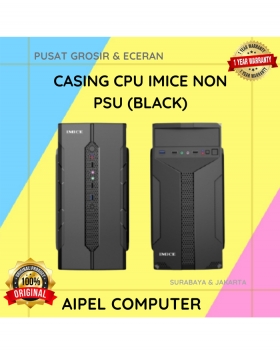
6%
GARANSI * AIPEL COMPUTER – Pusat Grosir & Eceran – Belanja Hebat & Hemat – Grosir Konsep Swalayan – Harga… selengkapnya
Rp 1.590.000 Rp 1.700.000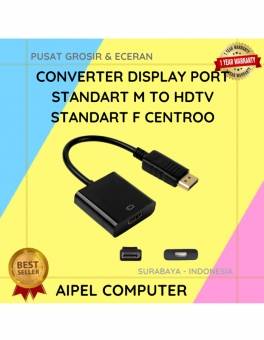
37%
A. DESKRIPSI (DESCRIPTION) Converter displayPort to HDMI CENTROO adalah solusi sempurna untuk menghubungkan perangkat DisplayPort ke layar HDMI Anda. 📺🔗… selengkapnya
Rp 24.000 Rp 38.000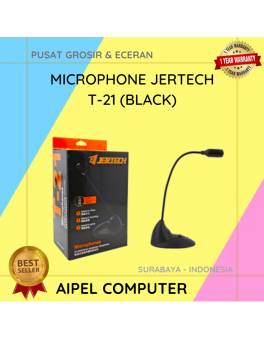
18%
A. DESKRIPSI (DESCRIPTION) Microphone JERTECH T21 Original 100 % adalah pilihan ideal untuk kamu yang menginginkan kualitas suara jernih dalam… selengkapnya
Rp 59.840 Rp 73.000
36%
A. DESKRIPSI (DESCRIPTION) Kabel Audio Optical CENTROO 5 M OD 2.2 / Toslink (Black) adalah kabel audio berkualitas tinggi yang… selengkapnya
Rp 18.000 Rp 28.000
29%
AIPEL COMPUTER Kabel USB 3.0 M to F CENTROO adalah solusi ideal untuk memperpanjang koneksi USB tanpa menurunkan kecepatan transfer… selengkapnya
Rp 20.000 Rp 28.000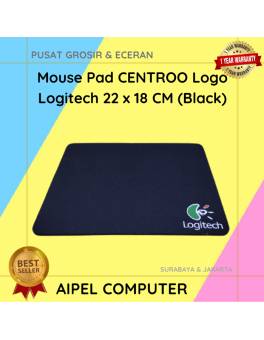
25%
A. DESKRIPSI (DESCRIPTION) Mouse Pad CENTROO Logo Logitech adalah pilihan sempurna bagi para gamer dan profesional yang menginginkan kenyamanan serta… selengkapnya
Rp 3.750 Rp 5.000
12%
A. DESKRIPSI (DESCRIPTION) Kabel HDTV Standard M to M CENTROO 30 M Jaring (Red Black) adalah kabel HDMI berkualitas tinggi… selengkapnya
Rp 110.000 Rp 125.000
27%
A. DESKRIPSI (DESCRIPTION) Cable USB M To Type-C M GENAI GL-Q40 adalah kabel serbaguna dengan kemampuan pengisian daya super cepat… selengkapnya
Rp 27.000 Rp 37.000



Saat ini belum tersedia komentar.