- Orderan dibawah 500.00 via Goshop / Offline / Marketplace
Laptop Screen Lines Horizontal or Vertical? Here is How to Fix It
While you are working or watching a video on your laptop, a thin white, green, pink, or black line suddenly appears across the display. Sometimes it starts as a single static line, but often more lines gradually emerge until they obstruct a significant part of your visual workspace.
Seeing horizontal or vertical lines on your laptop screen is an alarming hardware and software issue. Many users immediately assume that their LCD panel is permanently ruined and requires an expensive replacement. However, in several cases, screen lines are triggered by simple issues such as a pinched display ribbon cable in the hinge cavity, a crashed graphics card driver, or system refresh rate conflicts. Just as checking whether a laptop hinge loose broken repair replace guide can prevent internal wire damage, performing a few diagnostic tests first helps pinpoint the exact source of the defect.
Featured Snippet (Quick Answer):
The fastest way to diagnose and fix lines on a laptop screen is by connecting the laptop to an external monitor or TV via HDMI, slowly moving the screen hinge back and forth, checking the display in the BIOS menu, and reinstalling the graphics display driver in Device Manager.
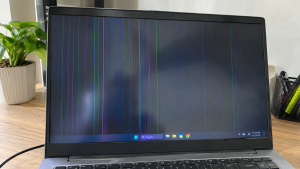
Checklist: Why Are Lines Appearing on Your Laptop Screen?
Check the boxes below if any of these symptoms match your laptop’s current condition:
-
[ ] Screen lines flicker, change position, or disappear when moving the lid angle.
-
[ ] Lines remain visible in the exact same spot inside the BIOS menu before Windows loads.
-
[ ] The display looks completely clean and line-free when connected to an external monitor via HDMI.
-
[ ] The laptop was recently dropped, bumped, or had heavy objects placed on top of it.
-
[ ] The lines appear as scattered colorful visual artifacts during heavy gaming sessions.
Practical Recommendation: If the display on an external monitor is completely clean while your laptop screen shows lines, the problem is strictly isolated to your laptop LCD panel or internal video ribbon cable, not your motherboard or GPU.
Comparison Table: Causes of Laptop Screen Lines and Solutions
To help identify the root cause of your display issue, here is a quick comparison based on physical and system symptoms:
| Screen Line Symptom | Likely Cause | Primary Fix | Real Device Impact |
|---|---|---|---|
| Lines change when moving lid | LCD ribbon cable pinched in hinge | Repair or replace LVDS/eDP cable | Restores normal video transmission |
| Static line in one exact spot | Damaged LCD pixel column or cracked glass | Replace with a new LCD panel | Screen restored to a flawless display |
| No lines on external monitor | Pure internal screen hardware failure | Replace ribbon cable or LCD panel | Confirms motherboard GPU is healthy |
| Random colorful screen artifacts | Corrupted GPU driver or overheating chip | Reinstall GPU driver or clean cooling | Graphics stability fully restored |
4 Ways to Fix Lines on a Laptop Screen
Try these step by step diagnostic and recovery methods to evaluate your laptop display:
-
Connect to an External Monitor via HDMI. Plug your laptop into an external computer monitor or TV using an HDMI cable. Press
Win + Pand select Duplicate. If the external screen shows a clear image without any lines, your graphics processing unit (GPU) is fully functional, meaning the defect lies within the laptop ribbon cable or LCD panel. -
Perform a Screen Hinge Motion Test. Gently open and close your laptop lid from a 45 degree angle to 120 degrees while watching the lines closely. If the lines flicker, vanish at specific angles, or distort during movement, the internal video cable routed through the hinge is likely pinched, frayed, or loose.
-
Check the Screen Inside the BIOS Menu. Shut down your laptop completely, then turn it back on while repeatedly pressing your BIOS key (such as
F2,Del, orF10depending on your brand). If the lines are still present in BIOS, you are dealing with a physical screen hardware defect. If the BIOS screen is completely clean and lines only appear inside Windows, the issue is caused by your display software or drivers. -
Reinstall Display Adapter Drivers. Right click the Start button and open Device Manager. Expand the Display adapters category, right click your graphics card (Intel UHD Graphics, AMD Radeon, or NVIDIA GeForce), and select Uninstall device. Restart your laptop to allow Windows to automatically reinstall a clean default display driver.
When Should You Replace the LCD Panel?
If the lines on your laptop screen are rigid, permanent vertical or horizontal bands that never change when moving the hinge and stay visible in the BIOS screen, the microscopic transistor traces inside the LCD glass have failed.
Replacing the laptop LCD panel with a fresh display module is the best and most permanent solution to restore crystal clear visual quality without distracting line artifacts.
FAQ (Frequently Asked Questions)
Can horizontal or vertical screen lines fix themselves?
Unfortunately no. If the lines are caused by cracked internal glass layers or failed pixel circuit ribbons, the damage is permanent and may expand across the screen over time under physical pressure.
How long does it take to replace a laptop screen panel?
Replacing a laptop LCD screen is typically a fast process that takes around 30 to 60 minutes, provided the replacement panel matches the exact size, resolution, and connector pin count of your laptop model.
Conclusion
Horizontal or vertical lines on a laptop screen can originate from a pinched hinge ribbon cable, internal LCD panel cracks, or corrupted graphics drivers. By running an external HDMI monitor test and checking the BIOS display, you can pinpoint whether your laptop needs a software fix or a screen hardware replacement.
Shop HDMI Cables, External Monitors & Screen Parts at Aipel Computer
Need genuine HDMI cables, external desktop monitors, replacement LCD ribbon cables, laptop display panels of all sizes, or other computer components? Discover our extensive inventory of laptop hardware and accessories at competitive wholesale prices directly in our store.
To browse our hardware catalog, check spare part availability, or get directions to our physical store, visit the official Aipel Computer website today!
Tags: causes of laptop screen lines, damaged laptop lcd cable, fix lines on laptop screen, laptop screen horizontal vertical lines, replace laptop screen surabaya

Laptop Screen Lines Horizontal or Vertical? Here is How to Fix It

Splitter RCA merupakan konektor listrik yang biasa dipakai pada komponen audio. Jenis splitter ini juga bisa disebut dengan nama AV.... selengkapnya
Kinerja komputer bisa lebih optimal apabila didukung dengan accesories yang sesuai. Maka dari itu, pastikan anda segera mencari dan membeli... selengkapnya
Lagi butuh ngeprint dokumen penting, tapi printer malah nggak mau jalan? Situasi kayak gini pasti bikin panik, apalagi kalau lagi... selengkapnya
Salah satu produk yang akan Anda temukan di pusat komputer murah adalah PC Rakitan. Seperti namanya, maka jenis PC ini... selengkapnya
Facing a wireless internet connection that suddenly drops and reconnects repeatedly is definitely a huge annoyance when you are trying... selengkapnya

Sedang asyik bekerja, menonton video, atau menghadiri online meeting, tapi tiba-tiba layar laptop berkedip-kedip kilat (flickering) tanpa henti? Masalah layar... selengkapnya

Stavolt komputer atau biasa disebut stabilizer ini menjadi salah satu komponen yang dapat menjaga daya tahan komputer serta juga menstabilkan... selengkapnya
Suara hembusan kipas pendingin yang terus meraung kencang tanpa jeda sering kali membuat suasana kerja menjadi bising dan tidak nyaman.... selengkapnya
Pernahkah kamu menyalakan laptop seperti biasa, lalu layar menampilkan logo merek laptop disusul titik-titik mutar melingkar (spinning dots) khas Windows... selengkapnya
Cartridge tinta merupakan salah satu bagian dalam printer yang memiliki fungsi sebagai penampung atau tempat isi ulang tinta printer. Melalui... selengkapnya
16%
A. DESKRIPSI (DESCRIPTION) Kabel USB 2.0 M To F CENTROO 5 M / Kabel Perpanjangan USB (Black / Transparant) adalah… selengkapnya
Rp 21.000 Rp 25.000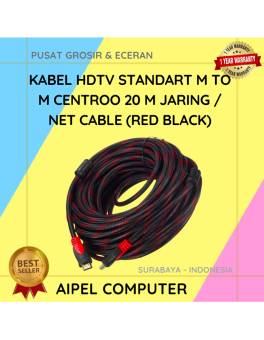
9%
A. DESKRIPSI (DESCRIPTION) Kabel HDTV Standart M To M CENTROO 20 M Jaring / Braid Cable (Red Black) adalah kabel… selengkapnya
Rp 68.000 Rp 75.000
25%
A. DESKRIPSI (DESCRIPTION) Connector Serial DB9 M To M BEST / Mini Gender adalah konektor serial berkualitas tinggi yang dirancang… selengkapnya
Rp 6.000 Rp 8.000
32%
A. DESKRIPSI (DESCRIPTION) Earphone GENAI GM-M18 adalah perangkat audio minimalis namun powerful yang memberikan pengalaman mendengarkan lebih imersif. 🤍 Dilengkapi… selengkapnya
Rp 32.000 Rp 47.000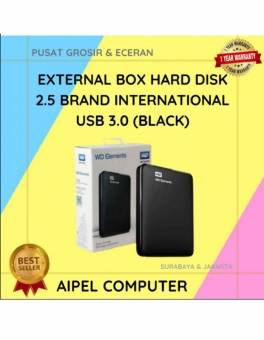
21%
A. DESKRIPSI (DESCRIPTION) External Box Hard Disk 2.5 WD Elements USB 3.0 (Black) adalah solusi ideal untuk menyimpan dan memindahkan… selengkapnya
Rp 55.000 Rp 70.000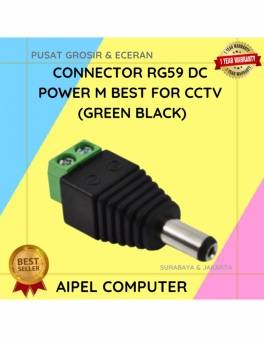
50%
A. DESKRIPSI (DESCRIPTION) Connector RG59 DC Power Male adalah konektor daya berkualitas yang dirancang khusus untuk kebutuhan instalasi CCTV. 🔌📹… selengkapnya
Rp 1.500 Rp 3.000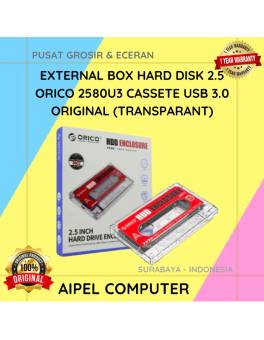
17%
A. DESKRIPSI (DESCRIPTION) ORICO 2580U3 USB 3.0 Transparan adalah external box 2.5 inch dengan desain kaset transparan yang unik dan… selengkapnya
Rp 73.000 Rp 88.000
40%
A. DESKRIPSI (DESCRIPTION) Lindungi keyboard laptop Anda dengan KP14 Keyboard Protector! Dirancang khusus untuk ukuran 14 inci, pelindung transparan ini… selengkapnya
Rp 3.000 Rp 5.000
23%
A. DESKRIPSI (DESCRIPTION) Adaptor Laptop ACER 19V 3.42A DC (3.0 X 1.1) dirancang khusus untuk memenuhi kebutuhan daya laptop ACER… selengkapnya
Rp 50.000 Rp 65.000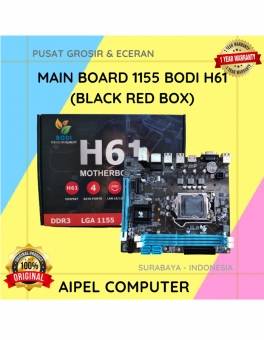
7%
A. DESKRIPSI (DESCRIPTION) BH61 Main Board 1155 BODI adalah solusi sempurna untuk Anda yang mencari motherboard yang komprehensif dan handal…. selengkapnya
Rp 325.000 Rp 350.000



Saat ini belum tersedia komentar.