- Orderan dibawah 500.00 via Goshop / Offline / Marketplace
Laptop Hinge Loose or Broken? Repair or Replace Guide
Does your laptop screen wobble every time you type? Do you hear a harsh creaking sound whenever you open the lid, or see the plastic casing near the hinge popping open to reveal wires inside? Loose laptop hinges and shattered plastic screw mounts (insert nuts) are among the most common physical issues on modern laptops made with polycarbonate frames.
When this happens, most laptop owners face a dilemma: Can the hinge simply be tightened and greased, or do you need to replace the entire plastic casing (Top Cover/Palmrest)?
The right solution depends on the exact type of damage—whether it is just a loosened hinge screw or shattered plastic housing inside the frame. As highlighted in our guide on how to maintain a laptop, bad habits like opening the screen by lifting one corner put uneven pressure on the hinge axis, accelerating wear and tear.
Featured Snippet (Instant Answer):
A loose laptop hinge caused by backed-out screws can usually be tightened without buying new parts. However, if the internal plastic screw mounts are cracked or the metal hinge bar is snapped, the solution is to replace the hinge pair, re-anchor the mounts using industrial epoxy, or replace the damaged casing panels (Part A Top Cover or Part C Palmrest).
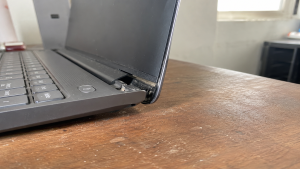
Checklist: How Bad Is Your Laptop Hinge Damage?
Tick the boxes below to check whether your hinge issue is minor or severe:
-
[ ] The screen shakes or tilts on its own while typing on a steady desk.
-
[ ] You hear a loud cracking sound or feel stiff resistance when opening or closing the lid.
-
[ ] There is a visible gap on one side of the hinge base that looks uneven compared to the other.
-
[ ] The screen refuses to stay upright at certain angles and falls backward or snaps shut.
-
[ ] Tiny plastic fragments or dust fall out from the hinge corner when moved.
Safety Warning: If you notice plastic cracking or popping open around the hinge, leave your laptop lid open. Forcing it shut can drive sharp metal hinge edges into the internal display ribbon cable, short-circuiting the screen or shattering the LCD panel entirely.
The 2 Main Damage Scenarios: Loose Hinge vs. Broken Plastic Mounts
Understanding how your hinge is damaged helps you estimate costs and choose the right replacement parts:
1. Scenario 1: Loose Hinge Screws (Minor to Moderate Issue)
-
Cause: Screws securing the metal hinge to the frame have loosened over time due to daily vibration, or factory hinge grease has dried out.
-
Physical Condition: Plastic casing is 100% intact with no cracks, but the screen feels flimsy and wobbles.
-
Solution: Disassemble the bottom chassis, clean dust from the hinge pivot, apply fresh grease, and adjust the hinge tension screws (tightening).
2. Scenario 2: Cracked Plastic Mounts / Broken Hinge Bar (Severe Issue)
-
Cause: Plastic frame material fatigue from internal laptop heat and age causes the brass screw anchors (insert nuts) to tear out from the plastic housing.
-
Physical Condition: Casing flexes open when moving the lid, plastic fragments drop out, or the metal hinge bar snaps in half.
-
Solution:
-
Replace Metal Hinge Pair (Left & Right): If the metal bar itself snaps.
-
Replace Casing Part A or Part C (Top Cover or Palmrest): If the plastic screw housings behind the LCD screen (Part A) or keyboard deck (Part C) are destroyed.
-
Re-Anchor with Industrial Epoxy: A budget-friendly repair method where brass nuts are rebuilt into the frame using industrial resin if original casing parts are hard to find.
-
Cost Breakdown: Estimated Part & Repair Prices
Here is a general price guide for replacement parts and hinge repairs in the market:
3 Bad Habits That Ruin Laptop Hinges FastMost broken hinge cases are caused by daily handling habits. Avoid these three mistakes:
FAQ (Frequently Asked Questions)
ConclusionA wobbly laptop screen does not always mean you need to buy a brand-new casing. If the screws are simply loose, tightening them is usually enough. But if the plastic housing around the hinge has opened up, re-anchoring the mounts or replacing the damaged casing parts is essential to prevent further damage to your LCD screen. Visit the Aipel Computer Store in SurabayaNeed precision screwdriver sets, laptop body cleaners, hardware spare parts, or daily accessories to complete your desk setup? Find a wide range of original computer components and accessories at competitive wholesale prices directly at our store. For product catalogs, stock availability, or directions to our physical store, feel free to visit our main website at Aipel Computer in Surabaya today! |
Tags: fix loose laptop hinge, laptop hinge loose or broken repair or replace guide, laptop hinge repair cost, laptop spare parts surabaya, replace laptop casing surabaya

Laptop Hinge Loose or Broken? Repair or Replace Guide
Sedang asyik mengetik dokumen, mengedit gambar, atau browsing di laptop, tiba tiba kursor panah mouse bergerak melayang sendiri ke sudut... selengkapnya
Saat ini hampir semua orang menggunakan komputer untuk kegiatan sehari-hari. Entah itu pelajar, mahasiswa, atau untuk bekerja. Meski demikian, tidak... selengkapnya

Have you ever prepared to join an important Zoom meeting, Google Meet session, or video call, only to discover a... selengkapnya

Perkembangan teknologi membuka cabang bisnis baru. Peralatan-peralatan komputer menjadi komoditas bisnis yang cukup menjanjikan untuk ditekuni dengan profesinya sebagai distributor... selengkapnya
Cara mengatasi blue screen Windows 10 mungkin cukup membingungkan. Hal itu karena tidak semua orang memahami komputer dengan baik. Dengan... selengkapnya
Having a high-performance desktop computer for work, video editing, or gaming is a goal for many tech enthusiasts. However, when... selengkapnya
Agar anda bisa memperoleh pengalaman dan juga manfaat terbaik dari komputer atau laptop. Kadang anda dituntut agar bisa melengkapinya dengan... selengkapnya

Manfaat belanja di grosir komputer penting untuk Anda pertimbangkan. Sebagaimana yang kita tahu, grosir menyediakan produk secara lengkap dengan harga... selengkapnya
Memiliki komputer desktop dengan performa kencang untuk kebutuhan kerja, editing video, hingga main gim adalah impian banyak orang. Namun saat... selengkapnya
Distributor Grosir Accessories Komputer sepertinya harus Anda cari tahu informasinya ketika Anda tertarik ingin berjualan berbagai produk yang terkait dengan... selengkapnya

15%
A. DESKRIPSI (DESCRIPTION) Refill Ink EPSON 664K Black Original 100% adalah tinta hitam original dari EPSON yang cocok untuk berbagai… selengkapnya
Rp 85.000 Rp 100.000
23%
A. DESKRIPSI (DESCRIPTION) Charger 5V 2 Port Super Fast 3A PD 20W LED adalah solusi cerdas untuk mengisi daya dengan… selengkapnya
Rp 31.000 Rp 40.000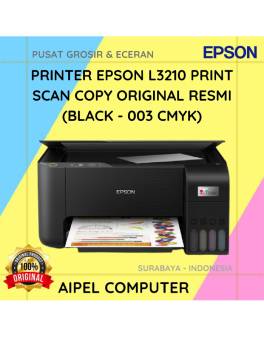
17%
A. DESKRIPSI (DESCRIPTION) EPSON L3210 Print Scan Copy Original 100 % (Black – 003 CMYK) adalah solusi cetak multifungsi yang… selengkapnya
Rp 2.110.000 Rp 2.548.000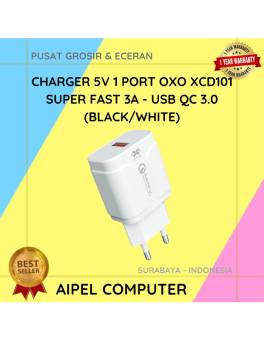
25%
A. DESKRIPSI (DESCRIPTION) Charger 5V 3A Super Fast QC 3.0 adalah adaptor pengisian daya tunggal yang powerful dan efisien. Cocok… selengkapnya
Rp 24.000 Rp 32.000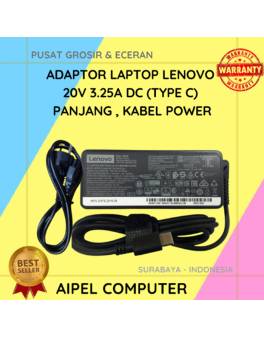
11%
A. DESKRIPSI (DESCRIPTION) Adaptor Laptop LENOVO 20V 3.25A Type C Panjang Kabel Power adalah solusi pengisian daya yang menggabungkan keandalan… selengkapnya
Rp 125.000 Rp 140.000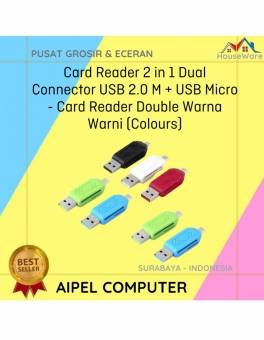
33%
A. DESKRIPSI (DESCRIPTION) Card Reader 2 in 1 Dual Connector USB Micro Warna Warni adalah alat pembaca kartu multifungsi yang… selengkapnya
Rp 4.000 Rp 6.000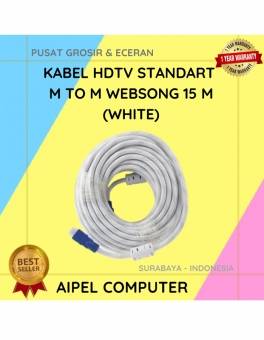
7%
A. DESKRIPSI (DESCRIPTION) Kabel HDTV Standart M To M dari WEBSONG adalah inovasi terkini yang dirancang khusus untuk menghadirkan pengalaman… selengkapnya
Rp 215.000 Rp 230.000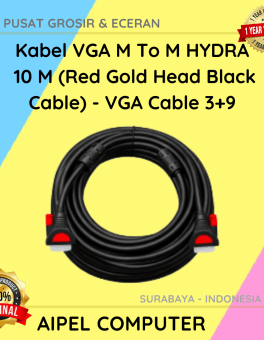
14%
AIPEL COMPUTER ADDRESS (Offline Store) Ruko Manyar Mas 27 Blok C3 – C4 Jalan Raya Manyar 63C Kelurahan Menur Pumpungan… selengkapnya
Rp 69.000 Rp 80.000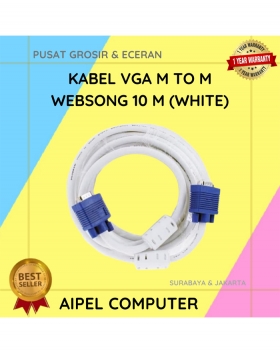
12%
A. DESKRIPSI (DESCRIPTION) Kabel VGA M to M WEBSONG 10 Meter merupakan pilihan tepat bagi kamu yang menginginkan koneksi visual… selengkapnya
Rp 110.000 Rp 125.000
8%
AIPEL COMPUTER – Pusat Grosir dan Eceran – Belanja Hebat dan Hemat – Harga Murah Garansi Prima * GARANSI –… selengkapnya
Rp 1.940.000 Rp 2.100.000



Saat ini belum tersedia komentar.