- Orderan dibawah 500.00 via Goshop / Offline / Marketplace
How to Maintain Your Laptop Properly to Avoid Sluggish Performance
A laptop that’s sluggish or falling apart after just a year or two isn’t unusual — we see it constantly. Most of the time, it’s not a manufacturing defect. It’s daily habits: where it’s placed, how it’s charged, and how often it gets cleaned out. Taking proper care of your hardware doesn’t just keep it snappy. It saves you from dropping a small fortune on emergency repairs down the road.
Featured Snippet (Instant Answer):
To maintain your laptop properly and prevent it from slowing down, avoid using it on soft surfaces like beds or couches, maintain your battery charge between 20% and 80%, and perform an internal fan cleaning along with a thermal paste replacement at least once every 12 months. These steps ensure optimal airflow and protect internal circuits from overheating.
If your machine is already crawling, looking into system optimization updates is a good start. But honestly, no software patch can save a computer that’s physically choking on dust or suffering from poor usage habits. If you’ve been noticing a severe drop in your slow laptop performance lately, it’s time for a quick reality check. Let’s do a fast self-diagnosis to see how your hardware is holding up.
Checklist: Is It Time for a Physical Laptop Service?
Tick the boxes below if any of these sound familiar:
-
[ ] The bottom casing gets hot enough to burn your lap, even when you’re just typing an email.
-
[ ] The fan sounds like a miniature jet engine taking off—or worse, you hear absolute silence.
-
[ ] The machine completely cuts out and shuts down with zero warning signs.
-
[ ] Your mouse cursor starts stuttering or lagging after the laptop runs for an hour.
-
[ ] You honestly can’t remember the last time the inside of the casing was cleaned out.
Our Recommendation: Checked two or more boxes? Your laptop is begging for a deep clean and a fresh layer of thermal compound before the heat does permanent damage to the motherboard.
Data Benchmark: Laptop Temperatures Before vs. After Maintenance
To give you an idea of how much a physical tune-up helps, here is a real-world snapshot comparing a clogged laptop to one that just left the service desk:
| Laptop Hardware Condition | Average Idle Temperature | Average Full Load Temperature | System Stability Status |
|---|---|---|---|
| Before Service (Dusty fan & dried thermal paste) |
55°C – 65°C | 85°C – 95°C+ | Frequent lag and throttling |
| After Service (Clean fan & premium thermal paste) |
40°C – 48°C | 70°C – 78°C | Silky smooth multitasking, zero shutdowns |
3 Main Tips on How to Maintain Your Laptop Properly
These three basic habits will keep your machine running beautifully for years:
1. Ditch the Bed and Couch Setup
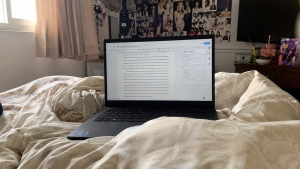
We all love working from the comfort of a bed or sofa, but fabrics instantly choke the intake vents underneath your laptop. When cool air can’t get inside, temperatures skyrocket. This forces the processor to throttle its speed to save itself from melting. Keep the machine on a flat, hard desk, or grab a sturdy cooling pad to let the system breathe.
2. Don’t Leave It Plugged in 24/7
Leaving your charger connected for days on end strains the internal cells unless your specific model features a built-in smart charge limiter. This constant state of high voltage alters how long the battery holds a charge over time. Try to plug it in once you hit the 20% mark, and disconnect it before it sits at full capacity for too long.
3. Schedule a Yearly Fan Cleaning and Thermal Paste Refresh
Environmental dust inevitably builds up inside the copper fins of the heat sink, turning into a thick blanket that blocks hot air from escaping. Getting the internal fans cleaned and replacing the dried-out factory thermal paste once a year drops processor temperatures significantly. We’ve opened up older units where the old thermal paste had dried out completely and cracked like dry mud — those are usually the laptops that haven’t been serviced for three years or more. Keeping this paste fresh is the single best way to prevent sudden freezes and lockups during heavy workloads.
If you manage a business or an office with dozens of employee workstations that need a deep clean all at once, you can set up a structured maintenance plan with local wholesale suppliers to keep the entire fleet optimized.
Fatal Mistakes That Ruin a Laptop Prematurely
We see these exact scenarios at our service desk every single week. Are you making any of these mistakes?
-
Don’t close the lid right after gaming or heavy use. Give the fan a minute to pull that heat out first — closing it too soon traps warm air directly against the LCD panel, and over time that’s what causes those faint screen blemishes we see on older units.
-
Moving the laptop around while it’s actively processing data. If your machine still uses a traditional mechanical hard drive (HDD), a sudden jolt can cause the physical read-write head to scratch the disk platter, corrupting your files instantly.
-
Ever use your closed laptop as a temporary coffee table coaster or book stand? Stacking heavy weights on top of the outer shell squishes the display panel directly into the keyboard keys, which often leads to hairline screen cracks or permanent key marks on the glass.
-
Ever notice hairline cracks near the hinge on an old laptop? That’s usually from opening the lid off-center — grabbing one corner instead of the middle. All that torque goes into a single hinge point instead of spreading evenly.
FAQ (Frequently Asked Questions)
-
Can I use standard household wet wipes to clean a dirty laptop screen?
Please don’t. The chemical additives and alcohol inside standard wipes can permanently strip away the sensitive anti-reflective coatings on modern LCD glass. Stick to a dry, premium microfiber cloth and a tiny spray of dedicated screen cleaning fluid.
-
How much does it cost to get internal dust cleaned out and the thermal paste swapped?
It’s surprisingly cheap. The service generally runs between Rp100,000 and Rp200,000, depending completely on how easy or difficult it is to open up your specific laptop model.
-
Where can I buy a reliable cooling pad that actually lowers temperatures?
You can check out a wide selection of genuine, high-airflow cooling accessories and hardware additions right at our local shop’s tech display counter.
Conclusion
Keeping a laptop healthy isn’t rocket science. It really comes down to breaking those minor, unnoticeable habits like suffocating the vents on your bedding or running the battery down to empty. Spending a little time on an internal fan service and fresh paste once a year keeps the system quiet, fast, and safe from catastrophic hardware failures.
Visit the Aipel Computer Physical Store
If your machine is running hot or making strange noises, let our tech team take a look before it turns into an expensive headache. We offer quick physical diagnostics, 100% authentic replacement parts, and direct service warranties.
For step-by-step driving routes, opening hours, or to check out available stock, drop by our main Aipel Computer in Surabaya website or head straight to our service desk. We’ll get your machine feeling as fast and cool as the day you unboxed it!
Tags: aipel computer, grosir komputer, komputer surabaya, laptop awet, merawat laptop, tips komputer, tips laptop, toko komputer, toko komputer surabaya

How to Maintain Your Laptop Properly to Avoid Sluggish Performance

Rekomendasi printer terbaik dan murah bisa Anda temukan di toko komputer kesayangan. Beberapa printer berkualitas terbaik juga dijual dengan harga... selengkapnya
Have you ever clicked the print button on your computer only to receive absolutely no response from your printing machine,... selengkapnya
Epson L3210 scanner bisa menjadi pilihan untuk Anda yang sedang mencari printer baru untuk kebutuhan mencetak berbagai dokumen. Ketika hendak... selengkapnya
Sebagaimana yang kita tahu bahwa harga komputer bervariasi. Tak sedikit yang telah membuktikan bahwa kualitas mempengaruhi harganya. Semakin baik kualitasnya,... selengkapnya
TP LINK 150mbps atau TP LINK TL-WN722N merupakan perangkat wireless yang berfungsi sebagai pengganti wireless internal laptop atau PC. Perangkat... selengkapnya
When you switch on your laptop, you suddenly hear an irritating high pitched buzzing, a heavy rattling noise, or a... selengkapnya
Mouse komputer menjadi aksesoris pendukung yang penting dimiliki. Meskipun demikian, seringkali orang-orang cenderung tidak memperhatikan dalam memilih mouse tersebut dengan... selengkapnya

Power supply merupakan komponen atau hardware yang berfungsi sebagai pemasok daya atau suplai daya. Spesifikasi power supply terdiri atas beberapa... selengkapnya

Baterai CMOS berfungsi untuk memberikan daya ke CPU yang masih erat kaitannya dengan data dari sebuah perangkat lunak. Nah, mari... selengkapnya

Masalah mouse double klik secara tidak sengaja seringkali menjadi kendala saat menggunakan komputer atau laptop, terutama ketika fungsi double klik... selengkapnya
33%
A. DESKRIPSI (DESCRIPTION) Kabel UTP CAT 5 DIGILINK Per Meter (Grey) adalah solusi kabel jaringan berkualitas yang dirancang untuk mendukung… selengkapnya
Rp 2.000 Rp 3.000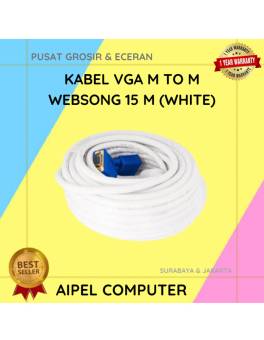
9%
AIPEL COMPUTER – Pusat Grosir dan Eceran – Belanja Hebat dan Hemat – Harga Murah Garansi Prima * GARANSI –… selengkapnya
Rp 157.500 Rp 172.500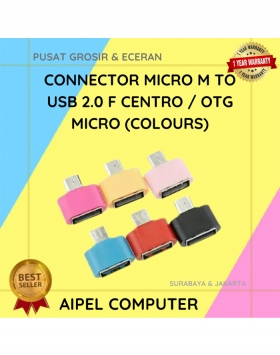
33%
A. DESKRIPSI (DESCRIPTION) Connector Micro USB Male to USB 2.0 Female CENTRO adalah konektor serbaguna yang memungkinkan Anda menghubungkan smartphone… selengkapnya
Rp 1.000 Rp 1.500
12%
AIPEL COMPUTER – Pusat Grosir dan Eceran – Belanja Hebat dan Hemat – Harga Murah Garansi Prima * GARANSI –… selengkapnya
Rp 90.000 Rp 102.000
10%
A. DESKRIPSI (DESCRIPTION) GENAI G3 Earbuds adalah earphone wireless tipe TWS G3 yang hadir untuk memberikan kenyamanan dan kualitas audio… selengkapnya
Rp 129.000 Rp 144.000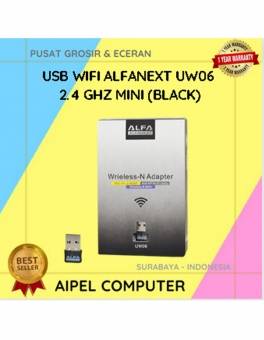
24%
A. DESKRIPSI (DESCRIPTION) USB Wifi ALFANEXT 2.4GHz Mini adalah adaptor nirkabel mungil namun bertenaga yang membantu perangkat Anda terkoneksi ke… selengkapnya
Rp 28.000 Rp 37.000
30%
A. DESKRIPSI (DESCRIPTION) Folding Phone Holder GENAI GN-Z05 (Black) adalah dudukan ponsel lipat modern yang menawarkan stabilitas dan fleksibilitas tinggi… selengkapnya
Rp 32.000 Rp 46.000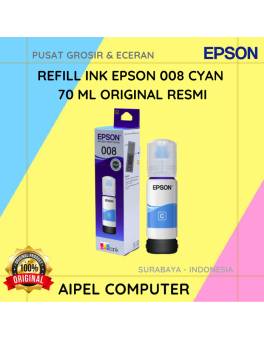
20%
A. DESKRIPSI (DESCRIPTION) Refill Ink EPSON 008 Cyan 70 ML Original adalah tinta isi ulang berkualitas tinggi yang dirancang khusus… selengkapnya
Rp 225.000 Rp 280.000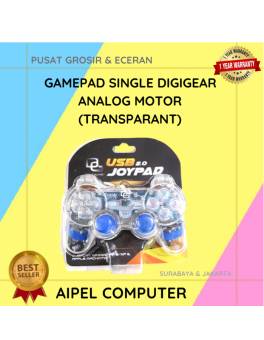
17%
AIPEL COMPUTER – Pusat Grosir dan Eceran – Belanja Hebat dan Hemat – Harga Murah Garansi Prima * GARANSI –… selengkapnya
Rp 37.500 Rp 45.000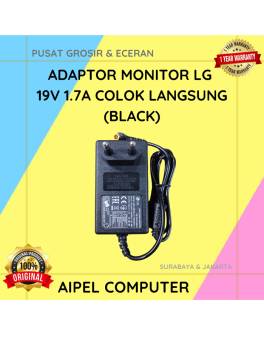
21%
A. DESKRIPSI (DESCRIPTION) Adaptor Monitor LG 19V 1.7A Colok Langsung (Black) adalah perangkat pendukung daya yang stabil dan hemat energi… selengkapnya
Rp 75.000 Rp 95.000



Saat ini belum tersedia komentar.