- Orderan dibawah 500.00 via Goshop / Offline / Marketplace
Noisy Laptop Fan Making Grinding Noise? Here is How to Fix It
When you switch on your laptop, you suddenly hear an irritating high pitched buzzing, a heavy rattling noise, or a harsh grinding sound coming from inside the casing. Sometimes the entire laptop body even vibrates slightly due to an unbalanced fan rotation.
A noisy laptop fan making grinding sounds is a clear warning sign of physical friction or mechanical wear within your internal cooling assembly. Many users ignore these weird noises, assuming the fan is just spinning faster due to heavy workloads. However, if left unresolved, a dry or dust clogged fan bearing can lock up completely, causing dangerous heat buildup that risks damaging vital internal chips. Just as regular habits help maintain laptop performance over time, taking care of your cooling system is an essential investment for your device.
Featured Snippet (Quick Answer):
The fastest way to fix a noisy laptop fan making grinding noises is by cleaning off heavy dust buildup on the fan blades, lubricating the central fan bearing with synthetic oil, and tightening any loose fan mounting screws.
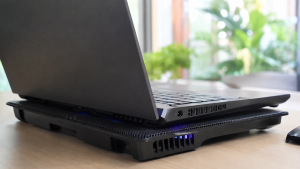
Checklist: Why Is Your Laptop Fan Making Loud Rattling Noises?
Check the boxes below if any of these symptoms match your laptop’s current condition:
-
[ ] You hear a sharp metallic clicking or scraping sound coming from the exhaust vent.
-
[ ] Fan vibrations can be felt directly through the surface of the keyboard.
-
[ ] The fan buzzes loudly even when running light applications like Notepad.
-
[ ] The grinding noise grows louder whenever you tilt or move the laptop.
-
[ ] The fan abruptly stops spinning after emitting a brief screeching noise.
Practical Recommendation: If your laptop fan makes a rough rattling sound when the laptop is tilted at an angle, the central spindle bearing is likely worn out or dry from a lack of factory lubricant.
Comparison Table: Types of Laptop Fan Noises and Causes
To help identify the exact source of your cooling fan issue, here is a quick comparison based on the type of noise produced:
| Fan Noise Type | Likely Cause | Primary Fix | Real Device Impact |
|---|---|---|---|
| High airflow whining | Dust blocking heatsink cooling fins | Clean dust using compressed air or brush | Airflow becomes smooth and quiet |
| Scraping / rattling noise | Thick dust clumps stuck on fan blades | Open casing and clean fan blades | Physical friction eliminated |
| Heavy buzzing / vibration | Dried lubricant on central spindle bearing | Apply synthetic bearing oil | Rotation becomes smooth and stable |
| Consistent squeaking | Bent or physically worn fan spindle | Replace with a new fan unit | Fan operates normally without noise |
4 Ways to Fix a Noisy Laptop Fan Making Grinding Noise
Try these step by step DIY recovery methods to quiet down your noisy laptop fan:
-
Clear Out Dust Stuck on Fan Blades. Turn off your laptop and disconnect all cables. Use compressed air or a soft brush to remove thick dust layer buildup on the fan blades. Uneven dust accumulation creates weight imbalance during high speed rotation, leading to noisy vibrations.
-
Lubricate the Fan Spindle Bearing. If you can safely remove the bottom casing of your laptop, detach the fan module and peel back the central spindle sticker. Apply 1 or 2 drops of specialized synthetic lubricant or sewing machine oil. Avoid using cooking oil as it will degrade internal plastic and ruin the motor circuit.
-
Tighten Loose Fan Mounting Screws. Vibrations can sound much louder if the screws securing the fan housing to the motherboard have worked themselves loose. Ensure all mounting screws are properly aligned and snug.
-
Adjust Fan Speed via Control Software. Use your laptop manufacturer software (such as ASUS Armoury Crate, Lenovo Vantage, or MSI Center) to switch your fan profile from Turbo/Performance to Silent mode when performing basic daily tasks.
When Should You Replace the Laptop Fan?
If the central fan spindle is severely worn, the fan blades are cracked, or the fan continues to emit a harsh buzzing sound despite being cleaned and lubricated, the physical lifespan of the fan has ended.
Replacing the cooling fan assembly with a fresh replacement unit is the most effective solution to make your laptop quiet, cool, and free from distracting vibration noises.
FAQ (Frequently Asked Questions)
Can I use engine oil to lubricate a noisy laptop fan?
Engine oil is not recommended. Automotive oil is too thick, contains chemical additives that can break down fan plastics, and attracts excessive dust. Always use thin synthetic bearing oil instead.
How long does a laptop fan usually last before making noise?
On average, a laptop fan may start showing signs of dryness or noise after 2 to 3 years of active daily use, especially in dusty work environments.
Conclusion
A noisy laptop fan making grinding or rattling sounds is mostly caused by uneven dust buildup, dried spindle lubricant, or loose mounting hardware. Cleaning out trapped dust and applying a small drop of specialized lubricant will usually restore quiet, smooth cooling operation.
Shop Replacement Laptop Fans, Lubricants & Parts at Aipel Computer
Looking for genuine replacement laptop fans for brands like Asus, Acer, HP, Lenovo, Dell, specialized lubricants, cooling pads, or cleaning kits? Explore our complete range of computer hardware accessories at competitive wholesale prices directly in our store.
To check our hardware catalog, spare part stock availability, or store location details, visit the official Aipel Computer website today!
Tags: how to lubricate laptop fan, laptop fan grinding noise, laptop fan rattling noise, noisy laptop fan fix, replace laptop fan surabaya

Noisy Laptop Fan Making Grinding Noise? Here is How to Fix It

TP-Link SIM card seri TL-MR6400 ini mungkin menjadi pilihan yang tepat untuk Anda yang membutuhkan internet portabel tetapi tidak ingin... selengkapnya

Kinerja processor adalah syarat komputer Anda untuk berfungsi secara optimal. Processor yang bekerja optimal dapat mempercepat berbagai tugas dan meningkatkan... selengkapnya

Hardware software brainware merupakan komponen-komponen yang ada dalam sebuah komputer. Ketiganya memiliki fungsi yang saling terkait dan saling mendukung, sehingga... selengkapnya
Mengatasi komputer black screen sebenarnya tidak terlalu sulit jika Anda mengetahui penyebabnya. Ketika komputer mengalami black screen, terutama saat Anda... selengkapnya

Sebelum Anda memutuskan untuk mengunjungi tempat toko komputer terdekat, untuk membeli laptop yang sesuai kebutuhan, ada baiknya jika Anda membaca... selengkapnya

Komponen hardware komputer adalah aspek yang sangat penting karena berpengaruh langsung pada kinerja optimal perangkat tersebut. Kualitas dan umur panjang... selengkapnya

Hard disk laptop merupakan salah satu komponen penting dalam laptop. Bagi yang sudah sering menggunakan komputer atau laptop pasti sudah... selengkapnya

Hampir semua orang mungkin sudah pernah melihat atau menggunakan kertas thermal dalam beberapa waktu atau bahkan setiap hari. Kertas ini... selengkapnya

CPU nyala monitor mati, kira-kira apa yang menyebabkan hal tersebut bisa terjadi? Ketika kita menyalakan PC dan CPU berfungsi dengan... selengkapnya
Port USB laptop tidak berfungsi adalah masalah yang cukup umum dan bisa mengganggu produktivitas Anda. Ketika port USB tidak dapat... selengkapnya
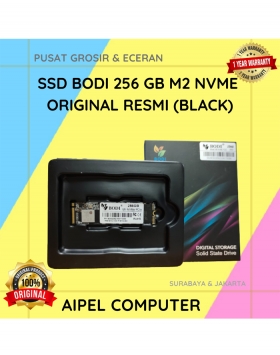
8%
A. DESKRIPSI (DESCRIPTION) Memperkenalkan BODI256N, sebuah solid-state drive (SSD) berkapasitas 256 GB yang dirancang untuk memberikan performa maksimal bagi sistem… selengkapnya
Rp 280.000 Rp 305.000
4%
A. DESKRIPSI (DESCRIPTION) Kenalkan, BODI128N | SSD BODI 128 GB M2 NVME Original! Teknologi penyimpanan terbaru yang dirancang untuk memenuhi… selengkapnya
Rp 325.000 Rp 340.000
25%
A. DESKRIPSI (DESCRIPTION) Car Mount Holder GENAI GN-Z03 (Black) adalah penyangga ponsel serbaguna yang dirancang untuk pengemudi modern yang mengutamakan… selengkapnya
Rp 51.000 Rp 68.000
20%
A. DESKRIPSI (DESCRIPTION) Refill Ink EPSON 008 Magenta 70 ML Original 100 % adalah tinta warna magenta yang lembut namun… selengkapnya
Rp 225.000 Rp 280.000
14%
A. DESKRIPSI (DESCRIPTION) Adaptor Laptop SONY 19.5V 3.33A DC (6.5*4.4) Panjang Kabel Power adalah perangkat pengisi daya yang dirancang untuk… selengkapnya
Rp 90.000 Rp 105.000
29%
A. DESKRIPSI (DESCRIPTION) Connector Audio 3.5 M To F-2 adalah splitter audio praktis tanpa kabel dengan desain unik berbentuk huruf… selengkapnya
Rp 5.000 Rp 7.000
36%
A. DESKRIPSI (DESCRIPTION) Adaptor Universal CENTROO 12V 1A DC 5.5 x 2.5 adalah adaptor serbaguna yang cocok untuk berbagai perangkat… selengkapnya
Rp 23.000 Rp 36.000
40%
A. DESKRIPSI (DESCRIPTION) Rasakan pengalaman penggunaan komputer yang lebih nyaman dengan Mouse USB Premium ACER berwarna hitam. Desain ergonomis dan… selengkapnya
Rp 15.000 Rp 25.000
20%
A. DESKRIPSI (DESCRIPTION) Converter Display Port Mini M To DVI 24+5 F CENTROO (Black / White) adalah converter elegan dan… selengkapnya
Rp 20.000 Rp 25.000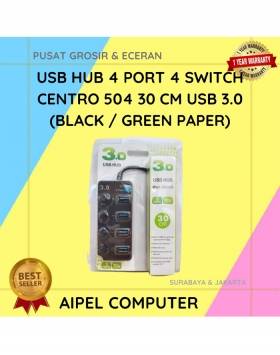
25%
A. DESKRIPSI (DESCRIPTION) USB Hub 4 Port 4 Switch CENTROO 504 adalah perangkat serbaguna untuk memperluas koneksi USB Anda. Dengan… selengkapnya
Rp 45.000 Rp 60.000



Saat ini belum tersedia komentar.