- Orderan dibawah 500.00 via Goshop / Offline / Marketplace
Building a PC vs Prebuilt: Which Is Cheaper?
Having a high-performance desktop computer for work, video editing, or gaming is a goal for many tech enthusiasts. However, when it comes time to buy, a classic question often creates confusion: is it better to opt for building a PC vs prebuilt systems?
Many people automatically assume that custom building a desktop is always significantly cheaper than buying a pre-assembled unit from a manufacturer. In reality, which option saves you more money depends heavily on your budget, technical confidence, and long-term usage goals. Before making a decision, let us break down the costs, performance value, and trade-offs in detail below.
Featured Snippet (Instant Answer):
Building a PC is generally cheaper in terms of raw performance per dollar because you avoid manufacturer assembly markups and can allocate your budget directly toward essential parts like the GPU or CPU. However, buying a prebuilt PC can save time and offers better peace of mind for beginners through a single-source warranty and pre-installed software.
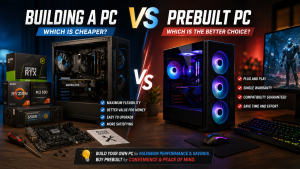
Decision Guide: Custom Building vs Prebuilt Desktop
Here is a quick summary to help you determine which path aligns best with your personal needs:
-
When to Choose Custom PC Building: Ideal if you want total freedom over component brands, easy future upgrades, and maximum hardware performance for every dollar spent.
-
When to Choose a Prebuilt PC: Ideal if you want a hassle-free, plug-and-play experience, guaranteed component compatibility out of the box, and a single system-wide warranty.
Our Recommendation: If you have reviewed our comprehensive custom PC building guide and possess basic technical confidence, custom building delivers far superior overall value for money.
Comparison Table: Value and Efficiency Breakdown
To give you a realistic picture of how these two options stack up against each other, here is a breakdown of key buying factors:
| Comparison Metric | Custom Built PC | Prebuilt System |
|---|---|---|
| Performance Value (Dollar-to-Spec) | Highly Cost-Effective (Full budget to GPU/CPU) | Slightly Higher Cost (Includes labor & brand margin) |
| Upgradeability | Extremely Easy (Uses standard form factors) | Sometimes Limited (May use proprietary parts) |
| Warranty Coverage | Individual warranties per part (1 – 3 years) | Single-source warranty for the whole tower |
| Operating System (OS) | Purchased separately or user-installed | Usually includes a pre-activated Windows license |
| Assembly Risk | Requires careful assembly and research | Zero assembly risk; factory tested before shipping |
*Note: The comparison metrics above are derived from real-world technical observations recorded during routine desktop assembly and repair services, rather than abstract laboratory estimates.
Pros and Cons of Building Your Own PC
Pros:
-
Maximum Component Flexibility. You have complete control over every single part, from the processor and graphics card down to the cable colors and RGB fan layout.
-
Better Hardware for the Same Budget. Without paying extra for custom manufacturer packaging or assembly markups, 100% of your funds go directly toward a faster GPU or higher-capacity RAM.
-
Easy Maintenance and Future Upgrades. Because all parts follow industry-standard dimensions (ATX/Micro-ATX), swapping out an aging component later is straightforward and affordable.
Cons:
-
Assembling components requires attention to detail to avoid cable clutter or seated connection errors.
-
Warranty claims must be handled individually through separate component distributors if a part fails.
Pros and Cons of Buying a Prebuilt PC
Pros:
-
Immediate Plug-and-Play Convenience. Unbox the tower, plug in the power cord and monitor, and your system is instantly ready for work or gaming.
-
Single-Source Warranty Support. If your computer experiences technical difficulties, you deal with one service point rather than diagnosing individual hardware parts yourself.
-
Guaranteed Hardware Compatibility. All internal components are pre-tested by engineers to ensure stability and smooth system communication right out of the box.
Cons:
-
Some mass-market prebuilt models use entry-level power supplies or basic motherboards to keep list prices low.
-
Total cost is generally higher compared to purchasing raw hardware components individually.
Conclusion: Which One Should You Choose?
If your main goal is getting the highest possible hardware performance on a tight budget, building a PC is the clear winner. You save on assembly fees and can direct those savings into vital parts like a faster NVMe SSD or a more powerful graphics card.
However, if you lack the time to research individual parts and prefer avoiding technical assembly risks, purchasing a prebuilt PC or utilizing a trusted local custom build service is the safest, most efficient route.
Consult with Aipel Computer
Looking to build your dream PC with a balanced component selection without worrying about hardware compatibility issues? You can consult directly with our technical team to craft a custom system or check available component stocks by visiting our official website at Aipel Computer in Surabaya for prompt and reliable service.
Tags: building a pc vs prebuilt which is cheaper, computer store surabaya, custom pc vs prebuilt cost, prebuilt gaming desktop value, pros and cons building a pc

Building a PC vs Prebuilt: Which Is Cheaper?

Manfaat belanja di grosir komputer penting untuk Anda pertimbangkan. Sebagaimana yang kita tahu, grosir menyediakan produk secara lengkap dengan harga... selengkapnya

Cara mengatasi blue screen Windows 10 mungkin cukup membingungkan. Hal itu karena tidak semua orang memahami komputer dengan baik. Dengan... selengkapnya

Saat ini sudah banyak toko komputer murah terdekat. Namun bagi Anda yang juga ingin membuka usaha dalam bidang toko komputer... selengkapnya
Peralatan elektronik seperti komputer rentan mengalami kerusakan jika tidak dirawat dengan benar. Jika terlanjur rusak, komponen di grosir sparepart komputer... selengkapnya
Mending rakit PC. Kata-kata tersebut sering terdengar di forum diskusi komputer ketika sedang membicarakan mana yang lebih cocok, membeli komputer... selengkapnya
Finding your laptop keyboard keys completely unresponsive when trying to finish urgent documents is frustrating. You press individual keys repeatedly,... selengkapnya
Tang crimping merupakan salah satu alat yang memiliki fungsi untuk membantu pemasangan konektor RJ45 ke kabel UTP. Alat ini memiliki... selengkapnya
Jam di laptop tidak sesuai tentu bisa mengganggu aktivitas kita. Oleh karena itu, penting untuk segera memperbaiki jam yang tidak... selengkapnya
Pernahkah kamu mencolokkan charger laptop ke stopkontak dinding, lalu tiba-tiba terdengar suara mendesis halus seperti minyak goreng panas disertai letupan... selengkapnya
Hardisk eksternal case merupakan salah satu aksesoris komputer terutama untuk hardisk eksternal. Banyak orang mungkin masih mengabaikan aksesoris ini, padahal... selengkapnya
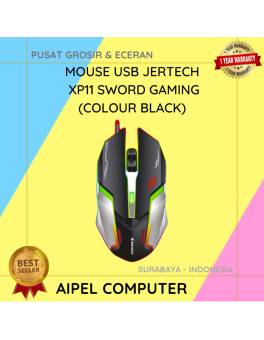
23%
A. DESKRIPSI (DESCRIPTION) Mouse USB Jertech XP11 SWORD Gaming adalah mouse berkabel yang dirancang untuk menghadirkan kontrol dan kenyamanan maksimal… selengkapnya
Rp 56.500 Rp 73.000
17%
A. DESKRIPSI (DESCRIPTION) Adaptor Laptop HP 19V 4.74A DC (7.4*5.0) Panjang Jarum Kabel Power adalah pilihan ideal bagi kamu yang… selengkapnya
Rp 75.000 Rp 90.000
31%
AIPEL COMPUTER – Pusat Grosir dan Eceran – Belanja Hebat dan Hemat – Harga Murah Garansi Prima * GARANSI –… selengkapnya
Rp 22.000 Rp 32.000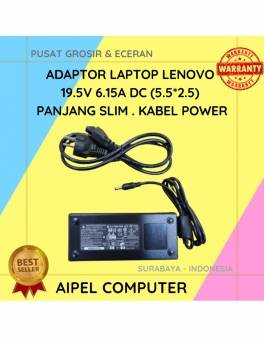
8%
A. DESKRIPSI (DESCRIPTION) Adaptor Laptop LENOVO 19.5V 6.15A DC (5.5*2.5) Panjang Slim Kabel Power adalah pilihan ideal bagi Anda yang… selengkapnya
Rp 165.000 Rp 180.000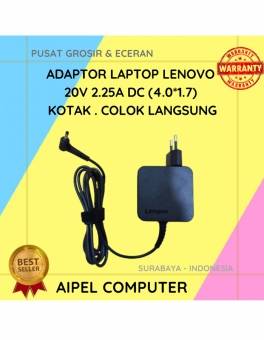
17%
A. DESKRIPSI (DESCRIPTION) Adaptor Laptop LENOVO 20V 2.25A DC (4.0*1.7) Kotak Colok Langsung adalah pilihan tepat bagi Anda yang membutuhkan… selengkapnya
Rp 75.000 Rp 90.000
19%
A. DESKRIPSI (DESCRIPTION) Charger 5V 1 Port Type-C + Cable Type-C M to M GENAI ZC045 Fast Charger PD adalah… selengkapnya
Rp 63.000 Rp 78.000
19%
A. DESKRIPSI (DESCRIPTION) ACER192375517PLNKP adalah adaptor laptop yang dirancang khusus untuk perangkat Acer, dengan spesifikasi daya 19V dan arus 2.37A…. selengkapnya
Rp 65.000 Rp 80.000
17%
A. DESKRIPSI (DESCRIPTION) Tang Crimping Tool CENTROO Triple for Cat 5 adalah alat serbaguna yang dirancang untuk para teknisi jaringan… selengkapnya
Rp 29.000 Rp 35.000
27%
A. DESKRIPSI (DESCRIPTION) Headset CENTROO C760 adalah pilihan sempurna untuk Anda yang menginginkan kenyamanan dan kualitas suara terbaik dalam satu… selengkapnya
Rp 55.000 Rp 75.000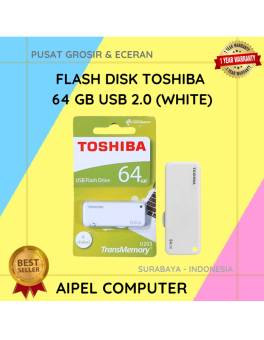
27%
A. DESKRIPSI (DESCRIPTION) Flash Disk USB 2.0 64 GB (White) adalah media penyimpanan portabel yang cocok untuk kamu yang butuh… selengkapnya
Rp 33.000 Rp 45.000



Saat ini belum tersedia komentar.