- Orderan dibawah 500.00 via Goshop / Offline / Marketplace
PC Building Guide: Costs, Components, and How to Avoid Bottlenecks
Building a custom gaming or workstation PC can often feel overwhelming for beginners due to the vast selection of hardware components on the market. Many first-time builders make the mistake of purchasing expensive parts that do not complement each other, resulting in performance bottlenecks where powerful hardware is held back by a weaker component. Properly configuring your hardware combinations will save you a significant amount of money while delivering a much more stable system over the long run.
Featured Snippet (Instant Answer):
Estimated PC building costs in Surabaya range from IDR 4,500,000 for an entry-level build (Ryzen 5 5600G), IDR 9,000,000 to IDR 11,000,000 for a mid-range setup (RTX 3060), and IDR 22,000,000+ for a high-end system (RTX 4070 Super). The key to a bottleneck-free build is pairing a processor with at least 6 cores alongside a graphics card featuring a minimum of 8GB VRAM.
If you are currently accustomed to working on portable devices but frequently face frustration due to slow laptop causes upgrade costs and how to fix it issues when running heavy software, transitioning to a custom desktop PC is the most effective solution for achieving maximum performance on a flexible budget.
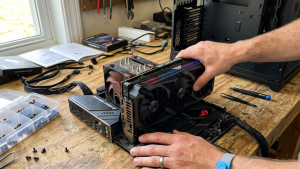
Before purchasing components, let us do some initial planning using the readiness checklist below.
Checklist: Are You Ready to Build Your Custom PC?
Use this checklist to outline the component types and budget allocation suited to your real-world workloads:
-
[ ] Determine the primary monitor resolution you intend to use (1080p, 1440p 2K, or 4K).
-
[ ] Identify the types of games or applications you will run (light competitive esports or heavy AAA games).
-
[ ] Allocate a dedicated budget for essential peripherals (monitor, mechanical keyboard, mouse, and audio).
-
[ ] Verify that your home electrical capacity can safely supply enough wattage for the new computer system.
-
[ ] Decide if the PC will also be used for heavy productivity tasks (such as 4K video editing or 3D rendering).
Our Recommendation: Once you have mapped out the points above, you can proceed to select your target hardware tier below to ensure your hard-earned budget is spent wisely without buying unbalanced components.
Comparison Table: Storage Impact on Game Loading Speeds
In modern custom PC builds, your choice of storage media heavily dictates system responsiveness and gaming comfort. Here is a comparison of average load times across popular modern AAA games:
| Storage Type | Read Speeds | Game Loading Time | Texture In-Game Stability |
|---|---|---|---|
| Conventional HDD | 80 – 150 MB/s | 50 – 90 Seconds | Frequent pop-ins and micro-stuttering |
| SATA SSD (2.5 Inch) | 500 – 550 MB/s | 15 – 25 Seconds | Smooth gameplay with minimal delays |
| NVMe M.2 SSD (Gen 4) | 3500 – 7000 MB/s | 5 – 8 Seconds | Near-instant loads, textures stream perfectly |
*Note: The metrics above represent average real-world bench observations recorded during routine system testing, rather than abstract laboratory estimates.
Specification Tiers and PC Building Cost Breakdown
Here is a breakdown of hardware specifications and estimated build costs tailored to your target performance goals:
| PC Build Tier | Key Component Highlights | Estimated Cost (IDR) | Real-World Gaming Performance |
|---|---|---|---|
| Entry-Level (Budget) | AMD Ryzen 5 5600G, 16GB DDR4 RAM, 512GB NVMe SSD, 500W PSU | IDR 4,500,000 – IDR 5,500,000 | Smooth 60+ FPS (Valorant, Dota 2, GTA V @1080p) |
| Mid-Range (Popular) | Intel Core i5-12400F, Nvidia RTX 3060 12GB, 16GB DDR4 RAM, 600W PSU | IDR 9,000,000 – IDR 11,000,000 | Ultra 90+ FPS @1080p (Cyberpunk 2077, AAA Titles) |
| High-End (Pro/Editing) | AMD Ryzen 7 7800X3D, Nvidia RTX 4070 Super, 32GB DDR5 RAM, 750W PSU | IDR 22,000,000 and above | Max Settings 144+ FPS @2K/4K, Heavy 3D Rendering |
The 3 Most Critical Components When Building a PC
To ensure your custom computer remains reliable and capable for over five years of active use, pay close attention to these three core hardware choices:
-
Processor with at Least 6 Cores. Select a CPU featuring a minimum of 6 Cores and 12 Threads so your system can handle modern gaming and multi-tasking demands without micro-stuttering.
-
Graphics Card with at Least 8GB VRAM. Recent gaming titles require substantial video memory. Utilizing a GPU with under 8GB VRAM often forces game textures to stutter or drop frames at higher display resolutions.
-
80 Plus Certified Power Supply Unit (PSU). Avoid using cheap unbranded power supplies that come bundled with low-cost cases. Always invest in a dedicated PSU with at least an 80 Plus Bronze rating to shield your expensive motherboard and GPU from unexpected voltage spikes.
For commercial offices, educational facilities, or iCafe installations requiring bulk procurement of reliable computers, coordinating directly with an official computer distributor in Surabaya is the most efficient approach to securing wholesale pricing.
Common Mistakes First-Time Builders Make
Based on hands-on service desk observations, many first-time builders encounter system instability due to these small oversights:
-
Skimping on the Power Supply Unit (PSU). Purchasing an uncertified, cheap power supply just to afford a slightly faster graphics card is a dangerous mistake that can lead to total system failure during power outages or short circuits.
-
Ignoring Dual-Channel RAM Configurations. Using a single 16GB RAM stick (single-channel) cuts memory bandwidth in half compared to running two 8GB RAM sticks (dual-channel), noticeably degrading processor performance.
-
Incorrect Case Fan Orientation. Installing all case fans as intakes without any exhaust fans traps hot air inside the chassis, causing internal hardware temperatures to spike rapidly.
-
Buying a Case Without Checking Component Clearance. Purchasing a full-size ATX motherboard alongside a compact Micro-ATX or Mini-ITX case will prevent parts from fitting together during assembly.
FAQ (Frequently Asked Questions)
-
Does the build fee at a computer store include Windows installation?
Yes, custom PC assemblies at professional service stores typically include standard Windows OS installation, driver updates, and stress testing to ensure full thermal stability before handing the machine over.
-
How long is the warranty coverage for a custom built PC?
Warranty periods apply officially to individual components based on manufacturer policies, ranging from 1 to 3 years on average, with certain premium memory kits offering lifetime warranties.
-
Where can I find setup accessories like monitors, mechanical keyboards, or gaming mice?
You can complete your desk setup by sourcing peripherals through trusted wholesale computer accessory networks in Surabaya available directly at reputable retail centers.
-
Is it safe to ship a custom built PC out of town or to another island?
Yes, it is very safe. For long-distance shipping, professional builders utilize heavy wooden crating, multiple bubble wrap layers, and remove heavy graphics cards from the PCIe slot to prevent damage during transit.
Conclusion
Building your dream gaming or productivity PC requires careful attention to component synergy to avoid performance bottlenecks. By picking an appropriate processor, ensuring sufficient VRAM capacity, and powering your rig with a certified power supply, your custom desktop will deliver sustained performance and longevity for years to come.
Visit the Aipel Computer Physical Store
Looking to build a custom desktop with 100% genuine components, clean cable management, and full official distributor warranty coverage? You can consult for free and assemble your dream PC alongside our professional technical team.
For step-by-step driving routes, business operating hours, or to verify current component stock availability, feel free to visit our main website at Aipel Computer in Surabaya for prompt and reliable service!
Tags: 80 plus bronze psu, avoid pc bottleneck, budget gaming pc surabaya, computer store surabaya, custom pc build cost, pc building guide surabaya

PC Building Guide: Costs, Components, and How to Avoid Bottlenecks
Refill ink menjadi salah satu pilihan kebanyakan orang dalam kebutuhan printer. Ink atau tinta merupakan barang terpenting untuk kebutuhan printer.... selengkapnya
Cara melihat spesifikasi PC sebenarnya sangat mudah. Ini menjadi salah satu tips komputer yang wajib dipahami. Sebab, bisa saja bermanfaat.... selengkapnya
Ketika ingin memberikan keamanan pada ruangan atau bangunan beberapa orang akan mengandalkan produk yang bisa membantu pengintaian. Salah satunya adalah... selengkapnya
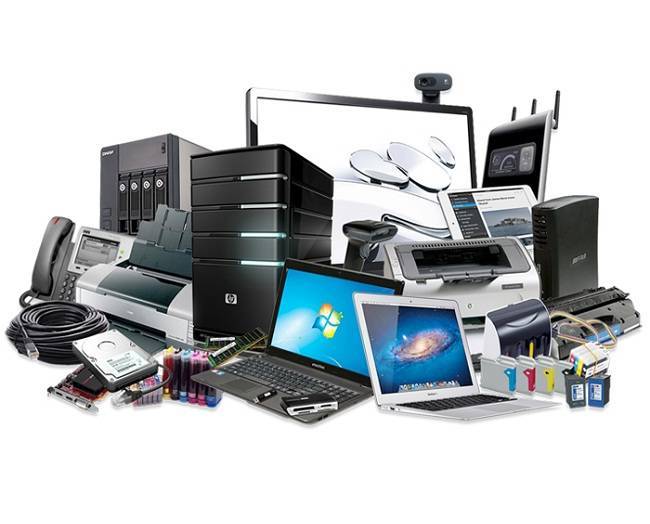
Supplier accessories komputer Surabaya kini sudah semakin banyak bermunculan. Peningkatan jumlah supplier accessories komputer ini berkaitan dengan semakin tingginya permintaan... selengkapnya

Mouse Logitech wireless telah menjadi favorit bagi banyak pengguna komputer. Brand ini telah meraih ketenaran yang luas di kalangan konsumen,... selengkapnya

Mencari toko komputer terdekat di sini mungkin bisa menjadi pilihan Anda yang paling mudah untuk mencari toko komputer. Karena jika... selengkapnya
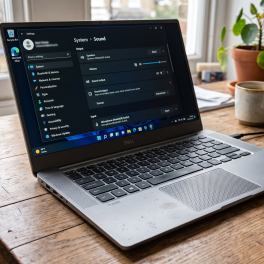
Kepanikan langsung melanda saat musik favorit, suara panggilan video meeting, atau dialog film yang diputar di laptop mendadak memuntahkan suara... selengkapnya
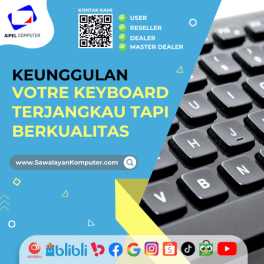
Votre keyboard menjadi pilihan terbaik untuk barang berkualitas tetapi harga terjangkau. Votre menjadi salah satu merek yang berhasil memproduksi keyboard... selengkapnya
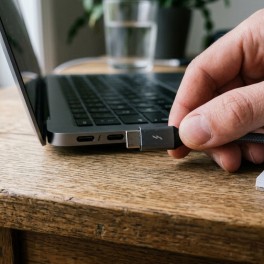
Plugging a USB Type-C cable into your laptop to charge, only to find the battery icon showing zero progress, is... selengkapnya
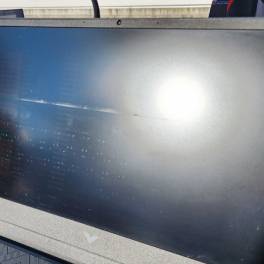
Penyebab backlight laptop mati bisa beragam. Di bawah ini kita akan membahas beberapa faktor penyebab dan cara mengatasinya. Backlight sendiri... selengkapnya

47%
A. DESKRIPSI (DESCRIPTION) Kabel CENTROO USB 2.0 M to M sepanjang 1.5 meter ini dirancang untuk memberikan koneksi yang cepat… selengkapnya
Rp 8.000 Rp 15.000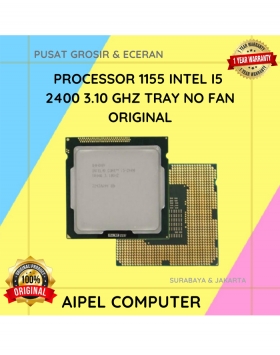
8%
A. DESKRIPSI (DESCRIPTION) Processor 1155 I5 2400 3.10 GHz Tray No Fan Original 💼 adalah prosesor handal dengan keseimbangan performa… selengkapnya
Rp 185.000 Rp 200.000
14%
A. DESKRIPSI (DESCRIPTION) Router Wireless Access Point TP-LINK DECO E4 3-Pack AC1200 adalah sistem wifi mesh pintar yang dirancang untuk… selengkapnya
Rp 1.035.000 Rp 1.200.000
6%
A. DESKRIPSI (DESCRIPTION) Printer EPSON L3250 Print Scan Copy WiFi Original 100 % (Black) adalah printer multifungsi yang dirancang untuk… selengkapnya
Rp 2.450.000 Rp 2.600.000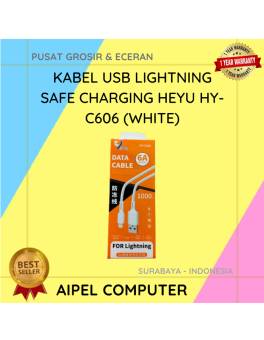
61%
A. DESKRIPSI (DESCRIPTION) Kabel USB Lightning HEYU HY-C606 Safe Charging (White) adalah kabel berkualitas tinggi yang dirancang khusus untuk perangkat… selengkapnya
Rp 7.000 Rp 18.000
29%
SPESIFIKASI Panjang kabel : 1.5 m Warana : Putih Kuantitas: 1 Hi-Speed hingga 480 Mbps Kecepatan transmisi hingga 47.8 MB/S… selengkapnya
Rp 12.000 Rp 17.000
5%
A. DESKRIPSI (DESCRIPTION) Docking Hard Disk FIDECO YPZ04-S2H-U3 adalah docking dual bay dari FIDECO yang memungkinkan Anda memasang dua hard… selengkapnya
Rp 400.000 Rp 420.000
20%
A. DESKRIPSI (DESCRIPTION) Adaptor Universal CENTROO 5V 1A DC 5.5 x 2.5 adalah adaptor serbaguna yang memberikan pasokan daya konstan… selengkapnya
Rp 16.000 Rp 20.000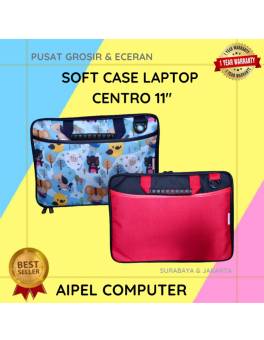
12%
AIPEL COMPUTER – Pusat Grosir dan Eceran – Belanja Hebat dan Hemat – Harga Murah Garansi Prima * GARANSI –… selengkapnya
Rp 75.000 Rp 85.000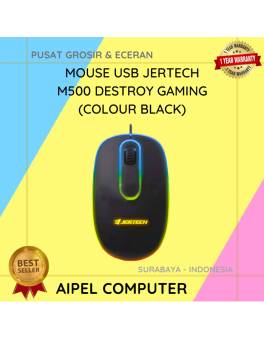
30%
A. DESKRIPSI (DESCRIPTION) Mouse USB JERTECH M500 DESTROY Gaming adalah mouse gaming berkabel yang dirancang khusus bagi pengguna yang menginginkan… selengkapnya
Rp 26.000 Rp 37.000



Saat ini belum tersedia komentar.