- Orderan dibawah 500.00 via Goshop / Offline / Marketplace
Laptop USB-C Charging Not Working? Causes and 4 Easy Fixes
Plugging a USB Type-C cable into your laptop to charge, only to find the battery icon showing zero progress, is frustrating. In some cases, Windows throws a “Slow charger” warning notification or your battery percentage drains continuously despite being plugged in.
A laptop USB-C port failing to charge is rarely caused by a broken charging port; it usually stems from a wattage mismatch. Most laptops require high power input between 45 Watts and 100 Watts delivered via a specific protocol called USB Power Delivery (USB-PD). If you use a standard smartphone Type-C cable rated for only 10W–18W, your laptop’s charging circuitry will reject the low power input to safeguard internal components. Much like diagnosing issues when your laptop plugged in not charging fix to secure reliable power flow, you can easily identify proper USB-C charging gear.
Featured Snippet (Quick Answer):
To fix laptop USB-C charging that is not working, ensure both your wall charger and cable support at least 65W USB Power Delivery (PD), plug the cable into a Thunderbolt or battery-icon Type-C port, clean dust out of the USB-C port, and refresh power management drivers in Device Manager.
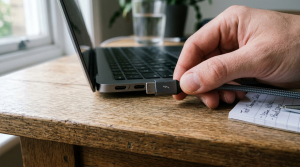
Checklist: Diagnosing Laptop USB-C Charging Requirements
Check the boxes below if these conditions describe your laptop:
-
[ ] The battery icon displays a yellow warning triangle or reads “Weak charging state”.
-
[ ] The laptop charges normally when using its original factory DC barrel adapter.
-
[ ] You are using a standard smartphone USB Type-C cable.
-
[ ] The USB-C port lacks a lightning bolt (Thunderbolt) or plug icon next to it.
-
[ ] The laptop gets warm while the battery percentage continues dropping.
Practical Recommendation: Avoid using basic smartphone Type-C cables to charge laptops. Invest in a dedicated 65W+ USB-C to USB-C cable equipped with an e-Marker chip supporting Power Delivery (PD) protocols.
Comparison Table: USB Type-C Cable Capabilities and Laptop Charging Status
Here is an overview of USB-C cable types and their power capabilities:
|
4 Ways to Fix Laptop USB-C Charging Not Working
Follow these troubleshooting steps in order:
-
Use a Matched 65W+ USB Power Delivery (PD) Charger & Cable. Ensure both your GaN wall charger and USB-C to USB-C cable explicitly list USB-PD compliance with a minimum 65W output rating. If you own a gaming laptop, use a 100W+ PD charger to meet high processor power demands.
-
Plug Into a Power Delivery Enabled USB-C Port. Not all laptop USB Type-C ports support charging (Power Delivery). Inspect the small icons next to your port. Connect your cable only to ports marked with a Lightning Bolt (Thunderbolt 3/4), Plug/Battery Symbol, or DisplayPort (DP) logo. Unmarked USB-C ports are usually data-only.
-
Clean Debris Out of the USB-C Port. Microscopic lint or pocket debris trapped inside the narrow USB-C port socket can block copper connector pins. Use a thin wooden toothpick or a precision bulb duster to gently sweep out lint from inside the port.
-
Reset Battery Drivers in Device Manager. Open Device Manager. Expand the Batteries category, right-click Microsoft ACPI-Compliant Control Method Battery, choose Uninstall device, and reboot your laptop. Upon restarting, Windows will reload fresh power management protocols.
When to Seek Professional Hardware Repair Services
If you are using a genuine 65W GaN charger and a 100W Thunderbolt cable yet the USB-C port remains completely dead, or the port feels loose and emits a burnt odor when connected, internal power components have failed.
This indicates a burned USB-C Power Controller IC or fractured solder joints on the motherboard, requiring USB Type-C port replacement service by an experienced technician.
FAQ (Frequently Asked Questions)
Can all laptops with a USB Type-C port charge via Type-C?
No. On older or entry-level laptops, USB-C ports are often configured for data transfer only. Your laptop motherboard must feature built-in USB-PD (Power Delivery) hardware support to accept charging.
Is it safe to use a laptop USB-C charger to charge a smartphone?
Yes, it is completely safe! Power Delivery (PD) Type-C chargers contain smart handshake chips that automatically adjust output voltage (e.g., dropping down to 5V/9V) to match your phone’s maximum safe intake rating.
Conclusion
Laptop USB-C charging not working is usually caused by using standard smartphone cables that lack 65W USB Power Delivery (PD) support or plugging into data-only USB-C ports. By using a certified 65W+ PD charger and cable plugged into a Thunderbolt port, your laptop will charge quickly and safely.
Shop 65W/100W GaN Type-C Chargers, PD Cables & Service at Aipel Computer
Looking for silent 65W/100W GaN Type-C wall chargers with official warranty, durable braided USB-C to USB-C PD cables, or laptop Type-C port repair services? Find reliable laptop power accessories at wholesale prices directly in our store.
To check product availability or get store directions, visit the official Aipel Computer website in Surabaya today.
Tags: fix laptop slow charger warning usb-c, laptop usb-c charging not working, replace laptop type-c port surabaya, thunderbolt port charging fix, usb-c pd 65w cable vs phone cable

Laptop USB-C Charging Not Working? Causes and 4 Easy Fixes

HDD caddy adalah casing khusus untuk hard drive atau SSD yang terbuat dari bahan alumunium. Dalam casing ini ada bingkai... selengkapnya
Pointer komputer menjadi pilihan terbaik sebagai alat penunjuk. Tidak perlu menggunakan alat penunjuk seperti penggaris kayu panjang lagi. Saat ini... selengkapnya
Enjoying a movie, listening to your favorite playlist, or attending an important online meeting when your laptop audio suddenly cuts... selengkapnya

Untuk memudahkan proses mencetak, kini telah tersedia printer. Printer itu pun tersedia dalam beragam merek. Salah satunya ialah printer HP.... selengkapnya

Membersihkan keyboard komputer atau laptop secara teratur merupakan tindakan yang penting. Meskipun terlihat bersih, keyboard yang sering digunakan setiap hari... selengkapnya
Desktop jarak jauh ternyata tetap bisa diakses. Para penggunanya bisa mengakses perangkat yang dibeli di toko komputer secara jarak jauh.... selengkapnya

Tombol Esc pada keyboard memiliki berbagai fungsi yang berbeda. Berikut adalah beberapa kegunaan dari tombol Esc atau Escape pada keyboard... selengkapnya
Keyboard komputer tidak berfungsi tentu akan mengganggu serta menghambat kenyamanan saat kita menggunakan perangkat tersebut. Meskipun harga komputer terbilang tinggi,... selengkapnya
Working on a project, watching a video, or attending a virtual meeting when suddenly your display starts blinking continuously (flickering)... selengkapnya
Have you ever closed your laptop lid, put it inside your backpack, and pulled it out a few hours later... selengkapnya
50%
AIPEL COMPUTER – Pusat Grosir dan Eceran – Belanja Hebat dan Hemat – Harga Murah Garansi Prima * GARANSI –… selengkapnya
Rp 1.500 Rp 3.000
20%
A. DESKRIPSI (DESCRIPTION) Kabel USB 2.0 M to Printer M WEBSONG 10 M (Transparant) merupakan inovasi unggulan dari WEBSONG yang… selengkapnya
Rp 55.000 Rp 69.000
45%
A. DESKRIPSI (DESCRIPTION) Splitter ADSL 1-2 CENTROO HXSP-III adalah perangkat yang dirancang untuk memisahkan sinyal ADSL dari sinyal telepon biasa…. selengkapnya
Rp 6.000 Rp 11.000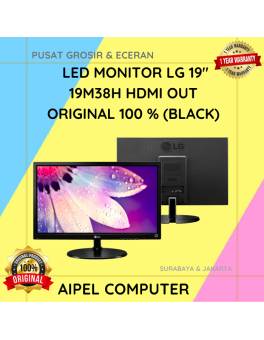
5%
AIPEL COMPUTER – Pusat Grosir dan Eceran – Belanja Hebat dan Hemat – Harga Murah Garansi Prima * GARANSI –… selengkapnya
Rp 1.045.000 Rp 1.100.000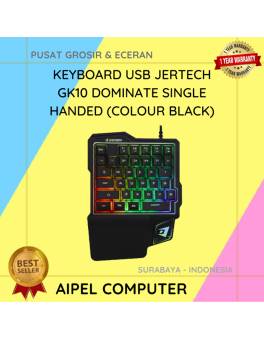
18%
A. DESKRIPSI (DESCRIPTION) Keyboard USB JERTECH GK10 DOMINATE Single Handed adalah solusi ideal bagi para gamer yang membutuhkan respons cepat… selengkapnya
Rp 94.000 Rp 115.000
12%
A. DESKRIPSI (DESCRIPTION) Converter USB 3.0 to SATA F FIDECO dengan adaptor adalah perangkat multifungsi yang dirancang untuk memberikan akses… selengkapnya
Rp 190.000 Rp 215.000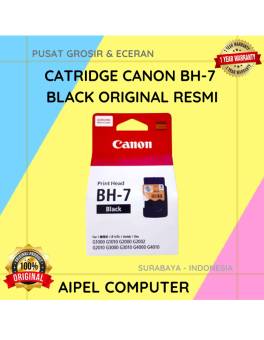
22%
A. DESKRIPSI (DESCRIPTION) Dapatkan kualitas cetakan tak tertandingi dengan Cartridge CANON BH-7 Black Original. Dirancang khusus untuk printer Canon, cartridge… selengkapnya
Rp 293.000 Rp 375.000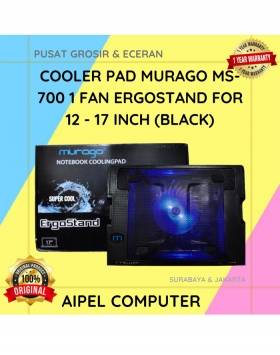
19%
A. DESKRIPSI (DESCRIPTION) Cooler Pad MURAGO MS-700 adalah penopang laptop yang tidak hanya memberikan kenyamanan saat mengetik, tapi juga menjaga… selengkapnya
Rp 65.000 Rp 80.000
22%
A. DESKRIPSI (DESCRIPTION) GENAI GM-T08 adalah earphone dengan port Type-C yang hadir dengan desain putih bersih, cocok untuk Anda yang… selengkapnya
Rp 49.000 Rp 63.000
14%
A. DESKRIPSI (DESCRIPTION) Kabel Audio Optical CENTROO 10 M OD 5.0 Toslink adalah kabel digital optik berkualitas tinggi yang dirancang… selengkapnya
Rp 95.000 Rp 110.000



Saat ini belum tersedia komentar.