- Orderan dibawah 500.00 via Goshop / Offline / Marketplace
Laptop Screen Flickering and Horizontal Lines? Causes and Fixes
Have you been working or watching a video when your laptop display suddenly starts flickering rapidly, showing fine wavy horizontal lines, or glitching whenever you adjust the screen hinge angle?
Screen flickering and horizontal lines represent visually frustrating hardware glitches. However, much like troubleshooting mechanical hinge stress in stiff laptop hinge creaking noise causes fixes, a flickering display isn’t always caused by a permanently cracked or broken LCD panel. It is frequently triggered by a loose Embedded DisplayPort (EDP) flex cable near the hinge, graphics refresh rate mismatches, or outdated display drivers.
Featured Snippet (Quick Answer):
Primary causes of a laptop screen flickering and showing horizontal lines include a pinched or loose display flex cable (EDP cable) inside the hinge, mismatched display Refresh Rate settings in Windows, conflicting graphics drivers, or internal LCD panel circuit failure.
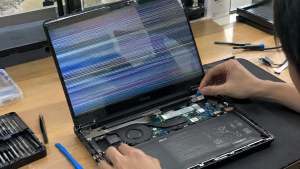
Checklist: Diagnosing Laptop Screen Behavior
Check the boxes below if these screen symptoms match your current situation:
-
[ ] Flickering or horizontal lines shift, disappear, or worsen when adjusting the display hinge angle.
-
[ ] Screen flickers only within specific applications (like web browsers), but remains stable in Task Manager.
-
[ ] Permanent horizontal lines (red, green, or black) stretch completely across the display.
-
[ ] Screen flickering worsens specifically when running on battery power without the AC charger.
-
[ ] Display output renders crisp and flicker-free when connected to an external monitor or TV via HDMI.
Practical Recommendation: To isolate whether screen flickering is driven by hardware or software, open Task Manager (Ctrl + Shift + Esc). If the Task Manager window flickers along with the rest of the display, the issue stems from hardware or the EDP flex cable. If Task Manager remains perfectly stable while background apps flicker, the cause lies purely in software or graphics drivers.
Comparison Table: Screen Flickering Causes and Recommended Actions
| Screen Symptom | Underlying Cause | Device Damage Risk | Recommended Action |
|---|---|---|---|
| Horizontal Lines Shift When Lid Moves | EDP flex cable pinched in hinge / loose | Video signal trace interruption | Reseat / reposition EDP display cable |
| Continuous Fine Flickering | Mismatched screen Refresh Rate / driver | Eye strain & visual fatigue | Set Refresh Rate to 60Hz & update driver |
| Permanent Lines Across All Menus | Internal LCD glass crack / worn gate driver | Permanent visual defect | Replace laptop LCD display panel |
| Flickers Only on Battery Power | Active Panel Self-Refresh power feature | Power policy restricts video signal | Disable Panel Self-Refresh in VGA Control |
4 Ways to Fix a Flickering Laptop Screen with Horizontal Lines
-
Adjust Display Refresh Rate in Windows Settings. Open Settings > System > Display > Advanced display. Under Choose a refresh rate, change the value from high refresh rates (e.g., 120Hz/144Hz) back down to the standard 60 Hz (or vice versa). Unstable display timings frequently trigger horizontal line flickers on LCD panels.
-
Update or Roll Back Graphics Adapter Drivers. Open Device Manager > expand Display adapters. Right-click your graphics card (Intel HD Graphics / AMD Radeon / NVIDIA) > select Update driver. If the issue appeared after a recent driver update, select Properties > Driver tab > click Roll Back Driver to restore the previous stable driver.
-
Disable Panel Self-Refresh in Graphics Control Software. Open your GPU management application (such as Intel Graphics Command Center or AMD Software). Navigate to System/Power > turn off Panel Self-Refresh and Display Power Saving Technology. These aggressive power-saving policies limit voltage supply to the LCD panel, causing flicker.
-
Reseat the Internal EDP Display Flex Cable. If you possess technical disassembling experience, remove the screen bezel or bottom chassis. Unplug the EDP video cable connector attached to the motherboard and back of the LCD panel, clean contact pins gently with a dry cloth, then firmly re-insert and secure it with heat-resistant Kapton tape.
When to Seek Professional Repair Services
If you have connected your laptop to an external HDMI monitor and the external display shows a crystal-clear image without flickering, yet the main laptop screen continues to flicker with heavy horizontal lines, the internal EDP flex cable is severed or the LCD panel has suffered physical failure.
This condition requires replacing the EDP video flex cable or installing a new original LCD panel by a qualified repair technician to restore clear, comfortable visual output.
FAQ (Frequently Asked Questions)
Can a flickering laptop screen damage the motherboard?
Flickering caused by driver glitches or LCD panel wear will not harm the motherboard. However, if the flickering is caused by a frayed EDP flex cable shorting against metal hinge parts, it can damage motherboard backlight power rails.
Why do horizontal lines on a laptop screen sometimes disappear when the laptop warms up?
This phenomenon is caused by thermal expansion across micro-solder connections within the LCD panel’s gate driver ribbon. As internal temperatures rise, expanding traces restore temporary contact, though lines will return once cooled.
Conclusion
A laptop screen flickering with horizontal lines is typically caused by EDP flex cable signal degradation, refresh rate mismatches, or unstable graphics power-saving features. Adjusting display settings and resetting graphics drivers will bring back clear visual stability.
Shop OEM Laptop LCD Panels, Flex Cables & Repairs at Aipel Computer
Looking for genuine replacement laptop LCD panels with warranty, precision EDP flex cables, or professional laptop screen repair services? Find trusted replacement parts and expert repair services directly at Aipel Computer.
Tags: causes of horizontal lines on laptop screen, fix laptop display glitching, laptop screen flickering horizontal lines, replace laptop lcd surabaya

Laptop Screen Flickering and Horizontal Lines? Causes and Fixes
Pernahkah kamu hendak menyambungkan laptop ke jaringan Wi-Fi rumah atau tethering hotspot dari HP, tetapi begitu kata sandi dimasukkan, sistem... selengkapnya
Connecting an HDMI cable from your laptop to an LED TV or external monitor for movies or work presentations, only... selengkapnya
Have you ever been working on an important document or playing a game when your laptop suddenly freezes, displaying a... selengkapnya
Experiencing a situation where the cursor on your laptop screen suddenly freezes and refuses to move will instantly halt your... selengkapnya
Ketika membeli komputer di toko komputer terbaik dan terpercaya, pastinya bisa mendapatkan produk berkualitas. Akan tetapi, seiring berjalannya waktu, komputer... selengkapnya

Memiliki gadget terutama komputer dan laptop merupakan kebutuhan yang tidak bisa diabaikan. Apalagi saat ini hampir semua pekerjaan membutuhkan komputer... selengkapnya

Layar laptop bergaris bisa disebabkan oleh berbagai faktor, dan mengetahui penyebabnya akan memudahkan Anda dalam mengatasinya. Mengingat laptop adalah perangkat... selengkapnya
Pressing your laptop’s power button, hearing the internal cooling fans spin, seeing power LEDs glow, but finding the display stuck... selengkapnya
Membeli komputer di tempat grosir bisa lebih hemat budget karena harganya miring. Namun sebelum membeli komputer, pastikan Anda tahu apa... selengkapnya
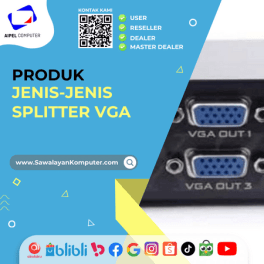
Splitter VGA merupakan sebuah perangkat pembagi port yang berasal dari satu perangkat seperti PC atau laptop, ke beberapa monitor sekaligus... selengkapnya

12%
A. DESKRIPSI (DESCRIPTION) Headphone Wireless GENAI GB-S08 Air Conduction adalah perangkat audio yang memadukan desain futuristik dengan kenyamanan penggunaan maksimal… selengkapnya
Rp 190.000 Rp 215.000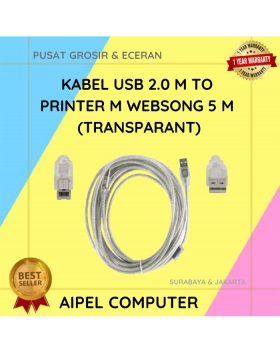
21%
A. DESKRIPSI (DESCRIPTION) Kabel USB 2.0 M to Printer WEBSONG 5 Meter (Transparant) adalah pilihan tepat bagi Anda yang mendambakan… selengkapnya
Rp 27.500 Rp 35.000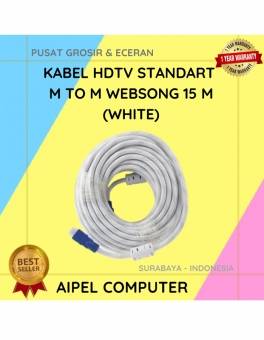
7%
A. DESKRIPSI (DESCRIPTION) Kabel HDTV Standart M To M dari WEBSONG adalah inovasi terkini yang dirancang khusus untuk menghadirkan pengalaman… selengkapnya
Rp 215.000 Rp 230.000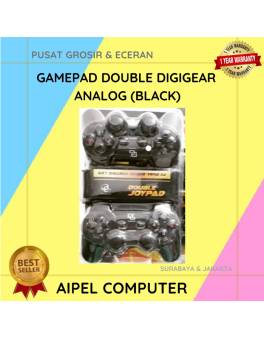
20%
A. DESKRIPSI (DESCRIPTION) Gamepad Double DIGIGEAR Analog Motor (Black) adalah kontroler yang dirancang untuk memberikan pengalaman gaming yang seru dan… selengkapnya
Rp 60.000 Rp 75.000
24%
A. DESKRIPSI (DESCRIPTION) Gamepad Single DIGIGEAR Analog Motor (Black) adalah kontroler gaming modern yang dirancang untuk pengalaman bermain yang lebih… selengkapnya
Rp 32.000 Rp 42.000
25%
A. DESKRIPSI (DESCRIPTION) Battery Mix 9V Square/Kotak SQUARE adalah baterai serbaguna dengan desain modern dan pilihan warna cerah yang siap… selengkapnya
Rp 4.500 Rp 6.000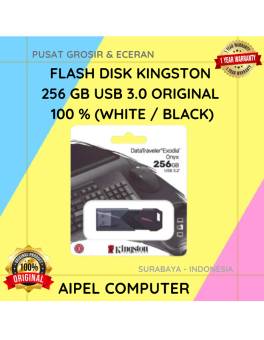
10%
A. DESKRIPSI (DESCRIPTION) Flash Disk KINGSTON 256 GB USB 3.0 Original 100 % (White / Black) adalah flash drive berkapasitas… selengkapnya
Rp 450.000 Rp 500.000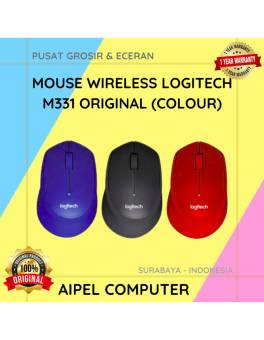
20%
A. DESKRIPSI (DESCRIPTION) Mouse Wireless LOGITECH M331 adalah perangkat nirkabel dengan teknologi “Silent Plus” yang mengutamakan kenyamanan dan keheningan saat… selengkapnya
Rp 225.000 Rp 280.000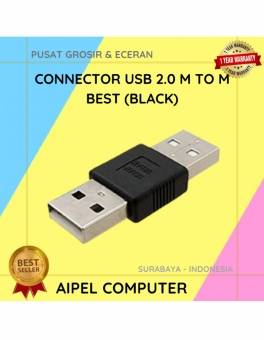
20%
A. DESKRIPSI (DESCRIPTION) Konektor USB 2.0 Male to Male adalah solusi praktis untuk menghubungkan dua perangkat secara langsung. Dengan desain… selengkapnya
Rp 4.000 Rp 5.000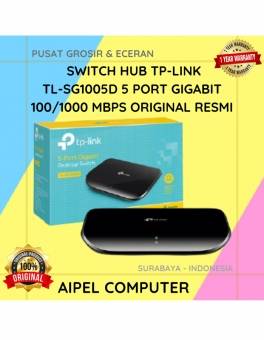
13%
A. DESKRIPSI (DESCRIPTION) Switch Hub TP-LINK 5 Port Gigabit 1000 MBPS adalah perangkat jaringan yang dirancang untuk memberikan koneksi internet… selengkapnya
Rp 175.000 Rp 200.000



Saat ini belum tersedia komentar.