- Orderan dibawah 500.00 via Goshop / Offline / Marketplace
Laptop Blue Screen of Death (BSOD)? Causes and Fixes
Have you ever been working on an important document or playing a game when your laptop suddenly freezes, displaying a bright blue screen with a sad face :( and the message Your PC ran into a problem and needs to restart?
This frustrating event, known as the Blue Screen of Death (BSOD), causes panic because the computer crashes and reboots unexpectedly. However, much like diagnosing system boot loops in laptop stuck on boot screen how to fix 2, a blue screen error is actually a built-in safety mechanism designed by Windows to halt operations and prevent permanent physical hardware damage.
Featured Snippet (Quick Answer):
Common causes of a laptop Blue Screen of Death (BSOD) include corrupted hardware drivers, system file corruption, faulty or dirty RAM modules, and bad sectors on internal SSD/HDD storage drives.
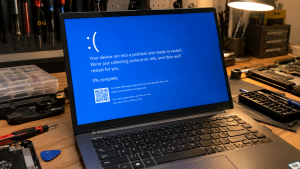
Checklist: Diagnosing Blue Screen Symptoms on Your Laptop
Check the boxes below if these BSOD symptoms match your situation:
-
[ ] Blue screen crashes occur during heavy multitasking or gaming sessions (system overload).
-
[ ] Error messages display specific Stop Codes like
MEMORY_MANAGEMENTorCRITICAL_PROCESS_DIED. -
[ ] Laptop crashes repeatedly after installing a recent graphics driver or Windows update.
-
[ ] Laptop experiences continuous reboot loops with a blue screen (boot loop).
-
[ ] Laptop operates normally once allowed to cool down for a few minutes.
Practical Recommendation: When a blue screen appears, write down or take a photo of the Stop Code displayed at the bottom (such as DRIVER_IRQL_NOT_LESS_OR_EQUAL). These error codes isolate the specific driver or hardware module causing the crash without guessing.
Comparison Table: BSOD Error Codes and Recommended Actions
| BSOD Error Code | Underlying Cause | Device Damage Risk | Recommended Action |
|---|---|---|---|
| MEMORY_MANAGEMENT | Dirty / faulty / corrupted RAM stick | System data corruption | Clean RAM contacts with pencil eraser / replace stick |
| DRIVER_IRQL_NOT_LESS_OR_EQUAL | Conflicting / outdated hardware driver | Repeated system crashes | Update / rollback driver via Windows Safe Mode |
| INACCESSIBLE_BOOT_DEVICE | SSD/HDD corruption / damaged boot files | Windows boot failure | Run Startup Repair / check storage drive connections |
| PAGE_FAULT_IN_NONPAGED_AREA | Virtual memory / system file error | System performance lag | Run sfc /scannow & chkdsk commands |
4 Ways to Fix a Laptop Blue Screen of Death (BSOD)
-
Run System File Checker (SFC Scan). Open Command Prompt (Run as administrator), type
sfc /scannowand press Enter. Allow the process to reach 100% completion so Windows can automatically repair corrupted system files. -
Remove and Clean RAM Modules. Power off the laptop, disconnect the charger, and remove the RAM sticks from their slots. Gently rub the gold contact pins with a clean pencil eraser to remove static oxidation before reseating them securely.
-
Boot into Safe Mode & Uninstall Recent Drivers. If your laptop suffers from reboot loops, enter Safe Mode (force power off 3 times during boot to trigger the Recovery Menu). In Safe Mode, open Device Manager and uninstall recent drivers or updates causing conflicts.
-
Scan Storage Drive for Errors. Open Command Prompt (Admin) and run
chkdsk C: /f /rto scan and repair bad sectors on your system drive. For SSDs, use vendor diagnostic utilities to inspect drive health.
When to Seek Professional Repair Services
If you have performed a clean reinstallation of Windows and blue screen errors persist with changing error codes, your laptop likely has physical hardware degradation in motherboard power circuits, onboard RAM, or the SSD.
This condition requires motherboard power component diagnostics or hardware replacement by a qualified technician to restore system stability and protect valuable data.
FAQ (Frequently Asked Questions)
Can a Blue Screen of Death (BSOD) cause permanent data loss?
The blue screen itself is a protective measure to prevent data corruption. However, any unsaved work in progress at the exact moment of the crash may be lost or corrupted.
Why does my laptop trigger a BSOD when it gets hot?
Overheating causes thermal throttling in the CPU and RAM. If temperatures exceed safe operating limits, Windows triggers a BSOD to shut down the system and prevent the silicon chips from burning out.
Conclusion
A laptop Blue Screen of Death (BSOD) is a critical warning signal from Windows triggered by driver conflicts, file corruption, or RAM errors. Identifying Stop Codes and performing routine hardware maintenance will restore smooth system operation.
Shop Genuine RAM, SSDs & Laptop Repairs at Aipel Computer
Need genuine RAM upgrades, high-speed M.2 NVMe SSDs, or professional Blue Screen (BSOD) repair services with an official warranty? Find trusted hardware replacement parts and expert repair services directly at Aipel Computer.
For spare parts availability or technical consultations, visit the official Aipel Computer website today.
Tags: causes of laptop blue screen reboot loop, how to fix blue screen windows 11, laptop blue screen of death bsod fixes

Laptop Blue Screen of Death (BSOD)? Causes and Fixes
Pernahkah kamu baru menyalakan laptop, belum membuka software berat apa pun, namun saat membuka Task Manager mendapati grafik penggunaan memori... selengkapnya
Seiring dengan perkembangan teknologi, piranti pelengkap komputer atau PC kian beragam. Salah satu yang cukup menarik atensi adalah kehadiran mouse... selengkapnya

Perlu kamu ketahui, sparepart laptop ini tentunya sangat beragam dan mempunyai fungsi masing-masing. Nah, dari beberapa sparepart tersebut akan disatukan... selengkapnya

Cara merecord di laptop terbilang mudah dan tidak ribet. Pasalnya, pengguna perangkat bisa melakukannya tanpa harus mengunduh aplikasi tambahan apapun.... selengkapnya
Have you ever plugged your laptop charger into a wall outlet, seen the charging indicator light turn on, but noticed... selengkapnya
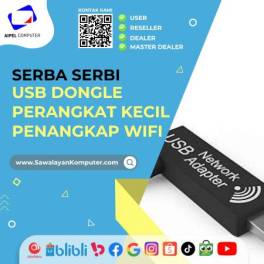
USB dongle WiFi merupakan salah satu perangkat elektronik yang tersedia di toko komputer. Meski berukuran kecil, komponen berperan meningkatkan fungsionalitas... selengkapnya
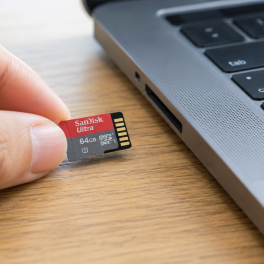
Sedang ingin menyimpan foto, memindahkan dokumen penting, atau membuka berkas di smartphone dan laptop, tetapi kartu memori microSD kamu mendadak... selengkapnya

Mematikan laptop dengan keyboard sangatlah mudah. Berikut beberapa cara yang dapat Anda coba untuk mematikan laptop hanya dengan menggunakan keyboard.... selengkapnya
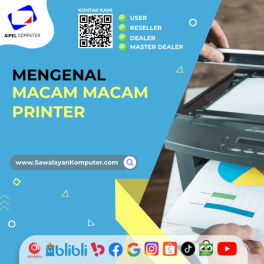
Sebenarnya ada banyak macam macam printer yang paling umum digunakan orang-orang serta terbilang berkualitas. Dari beberapa macam printer ini tentunya... selengkapnya

Mengatasi masalah WiFi laptop hilang bisa menjadi hal yang cukup membingungkan. Jangan khawatir, karena ada berbagai metode yang bisa digunakan... selengkapnya
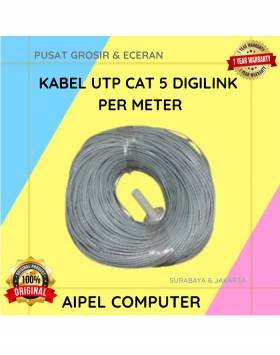
33%
A. DESKRIPSI (DESCRIPTION) Kabel UTP CAT 5 DIGILINK Per Meter (Grey) adalah solusi kabel jaringan berkualitas yang dirancang untuk mendukung… selengkapnya
Rp 2.000 Rp 3.000
33%
A. DESKRIPSI (DESCRIPTION) Cable USB M To Lightning M GENAI GL-Q30 adalah kabel premium untuk perangkat Apple yang mendukung pengisian… selengkapnya
Rp 35.000 Rp 52.000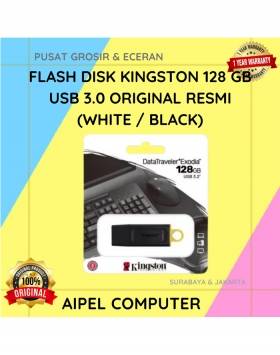
19%
A. DESKRIPSI (DESCRIPTION) Flash Disk KINGSTON 128 GB USB 3.0 Original 100 % (White / Black) adalah perangkat penyimpanan portabel… selengkapnya
Rp 179.500 Rp 222.000
40%
A. DESKRIPSI (DESCRIPTION) Kabel Audio Optical CENTROO 3M OD 2.2 / TOSLINK adalah kabel digital berkualitas tinggi yang didesain untuk… selengkapnya
Rp 12.000 Rp 20.000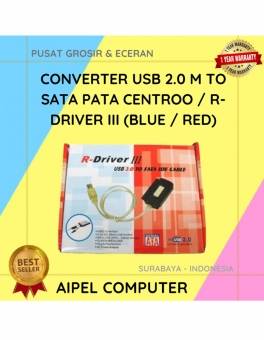
17%
A. DESKRIPSI (DESCRIPTION) Converter USB‑SATA/PATA R‑Driver III CENTROO adalah perangkat konektor praktis yang memungkinkan pengguna untuk mengakses hard drive SATA… selengkapnya
Rp 75.000 Rp 90.000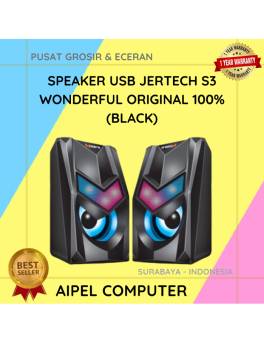
9%
A. DESKRIPSI (DESCRIPTION) Speaker USB JERTECH S3 WONDERFUL adalah speaker minimalis yang bertenaga. 🔊🎶 Suara jernih dan bass mantap cocok… selengkapnya
Rp 86.020 Rp 95.000
45%
A. DESKRIPSI (DESCRIPTION) Screwdriver 31 in 1 Kerucut HS-6036B (Yellow) adalah alat serbaguna yang dirancang untuk memudahkan pekerjaan teknis Anda… selengkapnya
Rp 11.000 Rp 20.000
42%
AIPEL COMPUTER – Pusat Grosir dan Eceran – Belanja Hebat dan Hemat – Harga Murah Garansi Prima * GARANSI –… selengkapnya
Rp 7.500 Rp 13.000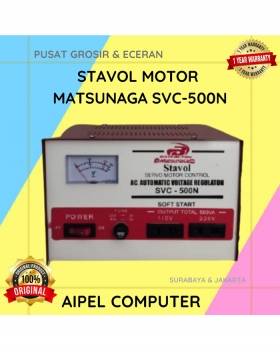
5%
A. DESKRIPSI (DESCRIPTION) Stavol Motor MATSUNAGA SVC-500N (Red White) adalah stabilizer canggih yang dirancang untuk menjaga kestabilan listrik di rumah… selengkapnya
Rp 343.000 Rp 360.000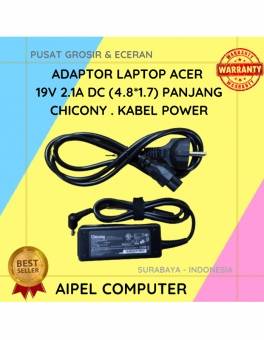
19%
A. DESKRIPSI (DESCRIPTION) Adaptor Laptop ACER 19V 2.1A DC (4.8*1.7) Panjang Chicony . Kabel Power dirancang khusus untuk perangkat ACER,… selengkapnya
Rp 65.000 Rp 80.000



Saat ini belum tersedia komentar.