- Orderan dibawah 500.00 via Goshop / Offline / Marketplace
Water Spilled on Laptop Keyboard? Emergency First Aid Guide!
Your heart skips a beat the terrifying moment a coffee mug, sweet tea, or glass of water accidentally gets knocked over, violently flooding the gaps across your laptop keyboard. Within split seconds, liquid seeps into the internal chassis, the display screen flickers erratically, and the acrid smell of sizzling circuits threatens an instant fatal short circuit.
This liquid spill disaster instantly triggers overwhelming panic, tempting frantic owners into catastrophic mistakes like violently shaking the machine, turning it on to test if it still runs, or blasting it with scorching hot hairdryers. In reality, pure liquid itself does not instantly destroy hardware; the true killer is active electrical current colliding with conductive minerals, triggering catastrophic short circuits. Just as understanding essential practices to maintain laptop longevity helps safeguard your hardware investments, knowing how to act during these crucial emergency golden hours dictates whether your valuable device survives.
Featured Snippet (Quick Answer):
The emergency first aid procedure for a laptop liquid spill is to immediately unplug the AC charger, force shut down the machine by holding the Power button for 10 seconds, place the laptop upside down in a tent shape (inverted V mode), wipe away surface moisture with a microfiber cloth, and let it dry for at least 24 to 48 hours before powering on.
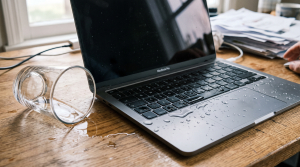
Checklist: Critical Actions Required in the First 60 Seconds
Check the boxes below to ensure you execute proper emergency protocols:
-
[ ] Immediately yank the AC power adapter cord out of the wall and laptop chassis.
-
[ ] Perform a forced hard shutdown without waiting for Windows to close programs.
-
[ ] Invert the laptop into a tent shape (upside down V position) over a dry towel.
-
[ ] Disconnect all external peripherals (USB mouse, flash drives, dongles, HDMI cables).
-
[ ] Avoid pressing the power button again or attempting to plug in the charger.
Practical Recommendation: Never bury a wet laptop in a bag of uncooked rice. Starchy rice dust and grains will infiltrate the cooling vents, adhere to damp components, and form a crusty film that accelerates internal corrosion.
Comparison Table: Liquid Spill Types and Motherboard Risk Severity
To evaluate the exact threat level facing your internal circuitry, review this breakdown of common liquid spills:
| Spilled Liquid Type | Chemical Profile / Conductivity | Motherboard Threat Level | Recommended Corrective Action |
|---|---|---|---|
| Plain Tap / Mineral Water | Low sugar, high conductive minerals | Moderate (Instant short circuit risk) | Air dry completely for at least 24h |
| Sweetened Coffee / Tea | Contains sugar & sticky residues | High (Corrosion & sticky keycaps) | Requires isopropyl alcohol cleaning |
| Carbonated Soda / Juices | Highly acidic & aggressively corrosive | Critical (Eats through PCB traces) | Requires immediate ultrasonic wash |
| Oils / Greasy Soups | High viscosity & non-evaporating | Extreme (Destroys thermal pathways) | Complete professional disassembly |
4 Emergency First Aid Steps for a Wet Laptop
Execute these critical DIY rescue steps immediately without delay:
-
Sever All Electrical Power Instantly (Hard Shutdown). Do not waste precious seconds clicking through open software menus. Immediately pull the charger plug, then press and hold the Power button for 5 to 10 seconds until all indicator LEDs and screens go dark. If your laptop features a removable external battery, eject it immediately.
-
Invert the Laptop into an Inverted V Tent Position. Open the laptop screen as wide as possible and flip the device upside down onto a dry towel or microfiber mat, resting on its outer edges like a tent. This utilizes natural gravity to pull liquid back out through the keyboard membrane rather than allowing it to pool on the delicate motherboard below.
-
Mop Up Surface Moisture and Detach Accessories. Use absorbent microfiber towels or lint-free paper to soak up standing liquid along the chassis seams, exhaust vents, and USB sockets. Eject external mice, memory cards, and USB dongles to prevent electrical bridging across peripheral ports.
-
Allow Natural Air Drying for 24–48 Hours (Use a Fan). Never use a hot hairdryer because extreme heat warps plastic keycaps and forces water deeper into the casing. Instead, aim cool, continuous airflow from a standard desk fan directly at the inverted laptop chassis for 1 to 2 full days.
When Should You Bring the Laptop to a Repair Center?
If the spilled liquid contained sugar, dairy, citrus acid, or sodium (such as coffee with milk, sports drinks, or noodle broth), merely letting the machine dry out will not save it. Sticky sugars and acidic compounds crystallize into corrosive residue, causing green galvanic corrosion that eats through copper motherboard traces within days.
Taking your laptop to a professional repair facility for complete disassembly and ultrasonic chemical PCB cleaning using high purity electronic solvents is the safest way to guarantee long term motherboard survival.
FAQ (Frequently Asked Questions)
Why shouldn’t I turn on a wet laptop if it feels dry on the outside?
Because moisture trapped beneath motherboard heat shields, under BGA processor chips, and inside ribbon connectors takes significantly longer to evaporate. Powering on the laptop while even a single microscopic water bead bridges live circuits will trigger instantaneous short circuits.
Is using a hairdryer safe for drying a wet laptop?
No, hairdryers are unsafe when operated on heated settings. Scorching thermal air permanently warps internal membrane scissor brackets and risks damaging fragile LCD panel layers.
Conclusion
The golden rule for surviving a laptop liquid spill is cutting off all electrical current within the first few seconds and inverting the machine into a tent position to keep fluids away from the motherboard. By maintaining a cool head and ensuring complete moisture evaporation, you can prevent fatal short circuits and safeguard your machine.
Hardware Diagnostics, Replacement Parts & Service at Aipel Computer
Did your laptop suffer a liquid spill and require board-level diagnostics, replacement keyboard modules, corrosion cleaning, or a fresh battery installation? Explore our full range of replacement hardware and computer maintenance solutions at competitive wholesale prices directly in our store.
To check component stock, browse our hardware inventory, or get directions to our retail store, visit the official Aipel Computer website today!
Tags: coffee spilled on laptop keyboard, how to dry a wet laptop, laptop liquid damage repair surabaya, laptop liquid spill first aid, water spilled on laptop

Water Spilled on Laptop Keyboard? Emergency First Aid Guide!

Harga komputer gaming tentunya akan tergantung dengan spesifikasi yang komputer tersebut miliki. Untuk para gamers, tentu saja membutuhkan komputer yang... selengkapnya
Hard disk eksternal memang menjadi kebutuhan utama untuk para pengguna laptop dan komputer. Alat ini akan berfungsi sebagai media penyimpanan... selengkapnya
Modem 4G Prolink merupakan teknologi terkini yang menghadirkan inovasi baru dalam dunia jaringan internet dan perangkat pintar. Ini merupakan modem... selengkapnya
Membeli produk komputer, hardware, maupun komponen lainnya, sudah barang tentu tidak bisa kamu lakukan secara sembarangan. Salah satu hal penting... selengkapnya
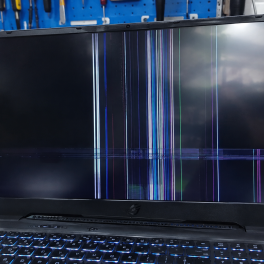
Have you ever been working or watching a movie on your laptop when the screen suddenly starts flickering, blinking intermittently,... selengkapnya

Mouse atau tetikus adalah perangkat penting yang mempengaruhi pengalaman pada penggunaan komputer sehari-hari. Saat memilih antara mouse kabel dan mouse... selengkapnya

Untuk memudahkan proses mencetak, kini telah tersedia printer. Printer itu pun tersedia dalam beragam merek. Salah satunya ialah printer HP.... selengkapnya
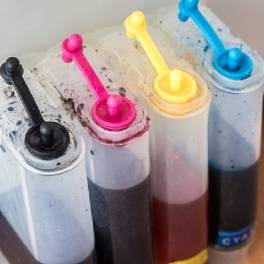
Posisi tinta warna Canon 811, penting untuk Anda ketahui! Perangkat printer seperti Canon 811, yang biasa Anda jumpai di beberapa... selengkapnya
Apabila Anda berada di kota Surabaya, toko mouse terdekat bisa ditemukan dengan sangat mudah. Mouse merupakan perangkat yang cukup penting... selengkapnya

Sekarang Anda bisa menggunakan kalimat perintah OK Google Toko Komputer Terdekat. Untuk mencari semua toko komputer yang ada di sekitar... selengkapnya

7%
A. DESKRIPSI (DESCRIPTION) Docking Hard Disk ORICO 6228US3 USB 3.0 (Black) adalah perangkat docking cerdas yang memungkinkan Anda mengakses, mencadangkan,… selengkapnya
Rp 313.000 Rp 338.000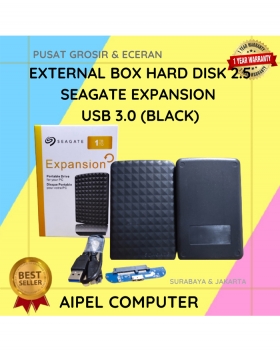
27%
A. DESKRIPSI (DESCRIPTION) External Box Hard Disk 2.5 SEAGATE Expansion USB 3.0 adalah perangkat penyimpanan eksternal yang elegan dan handal… selengkapnya
Rp 55.000 Rp 75.000
25%
A. DESKRIPSI (DESCRIPTION) Adaptor Universal CENTROO 12V 1A DC 5.5* 4.0 adalah perangkat penyuplai daya yang didesain khusus untuk stabilitas… selengkapnya
Rp 15.000 Rp 20.000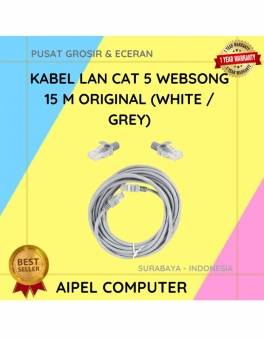
19%
A. DESKRIPSI (DESCRIPTION) Kabel LAN WEBSONG 15 M hadir sebagai solusi konektivitas berkualitas tinggi untuk segala kebutuhan jaringan Anda. Dibuat… selengkapnya
Rp 35.000 Rp 43.000
23%
A. DESKRIPSI (DESCRIPTION) Keyboard JERTECH K358 METEOR Gaming adalah keyboard gaming yang dirancang untuk meningkatkan kenyamanan dan performa bermain maupun… selengkapnya
Rp 61.710 Rp 80.000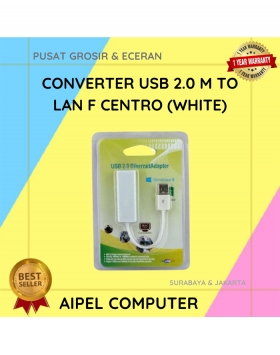
27%
A. DESKRIPSI (DESCRIPTION) USB 2.0 to LAN CENTROO 100 Mbps adalah adapter jaringan simpel dan efisien yang memungkinkan koneksi internet… selengkapnya
Rp 24.000 Rp 33.000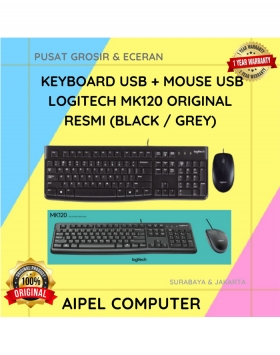
4%
A. DESKRIPSI (DESCRIPTION) Keyboard + Mouse LOGITECH MK120 adalah pilihan terbaik untuk pengguna yang membutuhkan kombinasi perangkat input yang solid… selengkapnya
Rp 163.500 Rp 170.000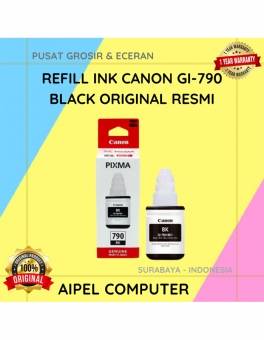
15%
A. DESKRIPSI (DESCRIPTION) GI790K | Refill Ink CANON GI-790 Black Original 100% adalah tinta refill yang dirancang khusus untuk printer… selengkapnya
Rp 102.000 Rp 120.000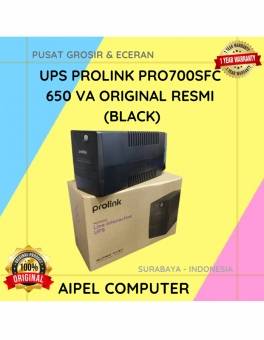
26%
A. DESKRIPSI (DESCRIPTION) PROLINK PRO700SFC 650 VA Original adalah UPS pintar yang siap menjaga perangkat elektronik Anda tetap aman dan… selengkapnya
Rp 670.000 Rp 905.000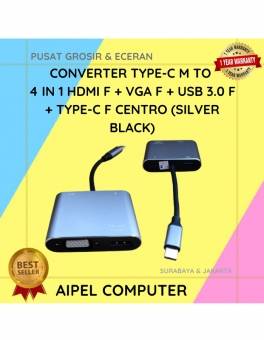
52%
A. DESKRIPSI (DESCRIPTION) Converter Type C To 4 IN 1 HOBOO – HDTV Standard + Type C + 2 Port… selengkapnya
Rp 101.000 Rp 210.000



Saat ini belum tersedia komentar.