- Orderan dibawah 500.00 via Goshop / Offline / Marketplace
Stiff Laptop Hinge and Creaking Noise? Causes and Fixes
Have you noticed your laptop screen becoming increasingly heavy to lift, or heard an uncomfortable creaking noise near the bottom bezel every time you adjust the display angle?
A stiff or tight screen hinge is a “minor” mechanical issue frequently ignored by laptop owners. However, much like troubleshooting physical strain on input hardware in laptop spacebar or enter key sticking causes fixes, forcing a stiff hinge can snap internal plastic screw mounts, crack the laptop casing, and pinch delicate display cables.
Featured Snippet (Quick Answer):
Primary causes of a stiff laptop hinge making creaking noises include dried-up axle lubricant due to dust buildup, overtightened hinge locknuts from mechanical stress, or cracking plastic screw mounts (brass inserts) inside the chassis.
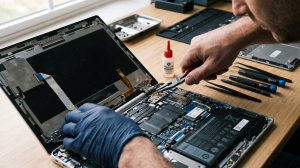
Checklist: Evaluating Laptop Screen Hinge Condition
Check the boxes below if these hinge symptoms match your situation:
-
[ ] Laptop lid feels extremely heavy to lift, causing the bottom chassis to lift off the desk.
-
[ ] Loud creaking, popping, or snapping sounds occur when opening or closing the lid.
-
[ ] Lower bezel or palmrest casing splits open or separates when adjusting screen angle.
-
[ ] Loose plastic bits or tiny screws rattle inside the laptop housing.
-
[ ] Display screen flickers or shows lines specifically while adjusting the screen angle.
Practical Recommendation: Never open your laptop lid by pulling from the far left or right corners when hinges feel stiff. Always lift the lid from the exact center of the top bezel to distribute mechanical leverage evenly across both hinges.
Comparison Table: Hinge Symptoms and Recommended Actions
| Hinge Symptom | Underlying Cause | Device Damage Risk | Recommended Action |
|---|---|---|---|
| Heavy Lid + Creaking Sound | Dried axle lubricant & dust buildup | Plastic screw mounts risk snapping | Loosen hinge nut & apply silicone lubricant |
| Casing Splits Open at Corner | Brass threaded inserts pulled from plastic | Cracked chassis & pinched screen cable | Re-anchor screw mounts with epoxy |
| Lid Too Loose / Wobbles | Loose hinge tension locknut | Display cannot stay upright | Tighten locknut (hinge adjustment) |
| Screen Lines When Tilting | Broken hinge pinching EDP video cable | Video cable / display panel damage | Repair hinge & re-route EDP flex cable |
4 Ways to Fix a Stiff and Creaking Laptop Hinge
-
Adopt Proper Lid Opening Technique. Always open and close the laptop screen by holding the top-center edge of the display bezel. Move the lid slowly and avoid snapping it open or shut abruptly.
-
Apply Specialized Silicone Lubricant to Hinge Axles. With the laptop casing opened, apply 1–2 drops of specialized silicone oil or sewing machine oil directly onto the steel hinge axle (avoid household cooking oil). Rotate the hinge gently to work the lubricant into the friction plates.
-
Adjust Hinge Locknut Tension. At the tip of the metal hinge axle sits a small locknut. Use micro pliers or a small wrench to turn the nut counterclockwise by roughly 1/4 to 1/2 turn to relieve excessive mechanical friction.
-
Repair Cracked Plastic Screw Mounts. If the plastic internal posts have cracked, anchor the brass threaded inserts back into the casing using heavy-duty epoxy resin before reinstalling the hinge assembly.
When to Seek Professional Repair Services
If your laptop casing is already split open, the display frame has separated, or internal screw mounts are completely shattered, forcing the lid open or closed will tear internal display cables or crack the LCD panel.
This condition requires professional hinge reconstruction (re-anchoring screw posts) or installing new replacement steel hinges by a qualified repair technician to restore structural integrity.
FAQ (Frequently Asked Questions)
Can I spray WD-40 directly into the hinge gap from the outside?
Not recommended. Direct spraying allows liquid to seep into motherboard circuits or damage LCD display layers. Hinge lubrication requires disassembling the chassis first.
Why do modern laptop hinges break more easily than older models?
Modern laptops are engineered to be thinner with lightweight plastic housings, while steel hinges are tightened to support thin touch displays. This places higher mechanical stress on internal plastic screw mounts.
Conclusion
A stiff, creaking laptop hinge is a mechanical warning sign that can lead to broken chassis casing if neglected. Lubricating hinge axles, adjusting locknut tension, and lifting the display from the center will keep your laptop hinges smooth and durable.
Shop OEM Laptop Hinges, Casings & Repairs at Aipel Computer
Need original replacement steel hinges, cracked casing reconstruction, or official warranty-backed laptop repair services? Find trusted hardware replacement parts and expert repair services directly at Aipel Computer.
For replacement hinges, casing repairs, or technical consultations, visit the official Aipel Computer website today.
Tags: broken laptop hinge casing repair, fix hard to open laptop lid, laptop repair surabaya, replace laptop hinges surabaya, stiff laptop hinge creaking noise

Stiff Laptop Hinge and Creaking Noise? Causes and Fixes
Menghadapi jaringan internet nirkabel yang mendadak hilang dan terhubung kembali secara berulang kali tentu sangat mengganggu konsentrasi kerja maupun kenyamanan... selengkapnya
Printer ribbon cartridge tetap menjadi pilihan yang unggul dalam berbagai aplikasi spesifik meskipun teknologi inkjet dan laserjet mendominasi pasar. Di... selengkapnya
Toko komputer tentunya menyediakan berbagai aksesoris komputer. Misalnya yaitu mouse, kabel USB, printer, keyboard, dan lainnya. Aksesoris tersebut tentunya penting... selengkapnya

Keyboard menjadi salah satu komponen penting komputer maupun laptop. Sehingga, saat keyboard komputer tidak bisa mengetik maka harus tahu penyebabnya.... selengkapnya
Toko komputer grosir, Kecanggihan teknologi saat ini berkembang dengan pesat, terlebih lagi kebutuhan akan teknologi tersebut sangat dibutuhkan oleh setiap... selengkapnya

Cara setting WiFi repeater lewat HP cukup mudah. Selama ini tak sedikit pengguna yang beranggapan bahwa setting WiFi repeater hanya... selengkapnya
Pernahkah kamu kaget ketika mencolokkan steker charger laptop ke stop kontak dinding lalu mendadak muncul letupan kecil bercahaya biru (sparking)... selengkapnya
Ketika hendak membeli monitor LG penting untuk memilih monitor yang paling tepat dan sesuai dengan kebutuhan sehingga pengguna tidak akan... selengkapnya

HDMI splitter termasuk perangkat yang penting. Hanya saja, tak sedikit orang yang masih belum mengenalnya secara lebih mendalam. Untuk itu,... selengkapnya
Sedang ingin menghubungkan TWS, headset wireless, mouse Bluetooth, atau memindahkan berkas dari HP ke laptop, tetapi ikon Bluetooth di taskbar... selengkapnya

23%
A. DESKRIPSI (DESCRIPTION) Refill Ink EPSON 057 Magenta Original 100% adalah tinta isi ulang berkualitas tinggi dengan warna magenta cerah… selengkapnya
Rp 198.000 Rp 257.000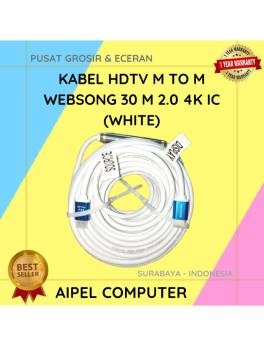
4%
AIPEL COMPUTER – Pusat Grosir dan Eceran – Belanja Hebat dan Hemat – Harga Murah Garansi Prima * GARANSI –… selengkapnya
Rp 720.000 Rp 750.000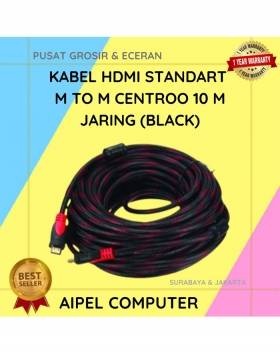
24%
A. DESKRIPSI (DESCRIPTION) Kabel HDTV Standart M to M CENTROO 10 M Jaring adalah kabel HDMI berkualitas tinggi dengan panjang… selengkapnya
Rp 42.000 Rp 55.000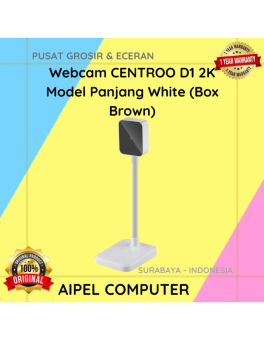
9%
A. DESKRIPSI (DESCRIPTION) Webcam D1 2K Model Panjang White (Box Brown) adalah webcam dengan resolusi 2K dan desain model panjang… selengkapnya
Rp 149.500 Rp 165.000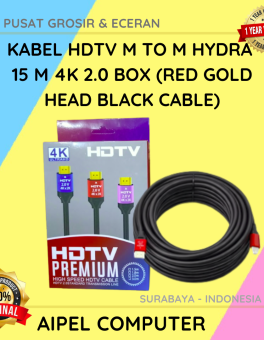
10%
AIPEL COMPUTER – Pusat Grosir dan Eceran – Belanja Hebat dan Hemat – Harga Murah Garansi Prima * GARANSI –… selengkapnya
Rp 89.000 Rp 99.000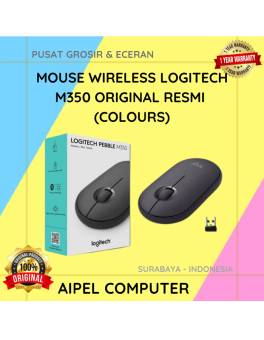
11%
A. DESKRIPSI (DESCRIPTION) Mouse wireless M350 adalah mouse wireless elegan dari LOGITECH dengan desain yang ramping dan ringan, ideal untuk… selengkapnya
Rp 280.000 Rp 315.000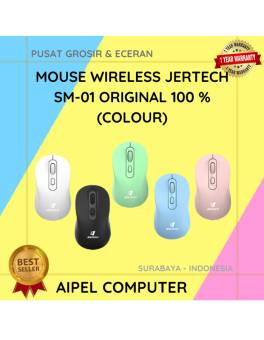
16%
A. DESKRIPSI (DESCRIPTION) Mouse Wireless Jertech SM01 adalah solusi cerdas dari Jertech untuk Anda yang menginginkan mouse wireless praktis dengan… selengkapnya
Rp 47.000 Rp 56.000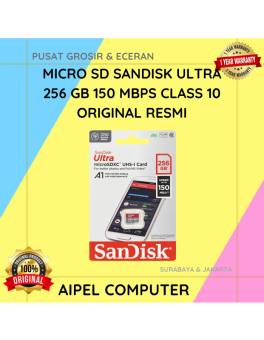
12%
A. DESKRIPSI (DESCRIPTION) Micro SD SANDISK Ultra 256 GB adalah pilihan sempurna bagi Anda yang membutuhkan kapasitas ekstra besar dan… selengkapnya
Rp 705.000 Rp 800.000
20%
A. DESKRIPSI (DESCRIPTION) Kabel LAN WEBSONG 3 meter adalah solusi praktis dan handal untuk menunjang koneksi internet stabil dan cepat… selengkapnya
Rp 18.500 Rp 23.000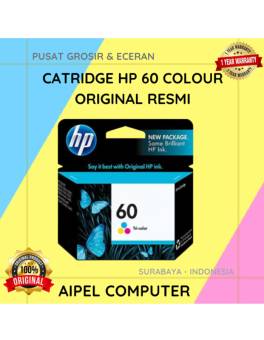
20%
AIPEL COMPUTER – Pusat Grosir dan Eceran – Belanja Hebat dan Hemat – Harga Murah Garansi Prima * GARANSI –… selengkapnya
Rp 100.000 Rp 125.000



Saat ini belum tersedia komentar.