- Orderan dibawah 500.00 via Goshop / Offline / Marketplace
Laptop Spacebar or Enter Key Sticking? 4 Easy Fixes
Typing comfortably only for the Spacebar or Enter key to suddenly feel stiff, sink without springing back up, or require heavy force right in the center is frustrating. Both keys are essential for everyday typing tasks.
A laptop spacebar or Enter key sticking or feeling hard to press is rarely caused by broken electronic traces; it usually indicates physical obstructions underneath the keycap. Food crumbs, thick dust, or dried sticky liquid residue frequently become trapped inside plastic scissor switches or under metal stabilizer bars. Much like troubleshooting laptop keyboard typing on its own how to fix to restore proper typing behavior, you can clean and align key mechanisms safely on your own.
Featured Snippet (Quick Answer):
To fix a laptop spacebar or Enter key that is sticking and hard to press, blast debris out using compressed air, dissolve sticky residue with 90%+ isopropyl alcohol on a cotton swab, and carefully pop off the keycap from top corners to realign metal stabilizer bars.
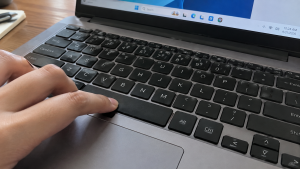
Checklist: Diagnosing Key Mechanical Obstructions
Check the boxes below if these physical symptoms describe your keyboard:
-
[ ] The spacebar or Enter key presses down with a mushy feel and fails to spring back up.
-
[ ] The key registers keystrokes only when pressed firmly directly in the center.
-
[ ] You feel a gritty or crunchy resistance underneath the keycap when typing.
-
[ ] The key feels sticky and rebounds sluggishly after a sugary drink spill.
-
[ ] All other letter and number keys function normally with crisp tactile feedback.
Practical Recommendation: Never pry off a spacebar keycap with metal kitchen knives or screwdrivers from the bottom edge. This bends the metal stabilizer bar and snaps plastic clips permanently. Clean key crevices with a brush and isopropyl alcohol instead.
Comparison Table: Causes of Sticking Keys and Fixes
Here is an overview of why spacebars or Enter keys stick and recommended troubleshooting actions:
| Mechanical Symptom | Underlying Cause | Device Damage Risk | Recommended Action |
| Stiff & gritty resistance | Trapped food crumbs / dust | Cracks plastic scissor clips | Blast crevices with compressed air |
| Sticky & slow rebound | Dried sugary liquid residue | Tears rubber dome membrane | Clean with cotton swab & alcohol |
| Key rests unevenly | Metal stabilizer bar unlatched | Spacebar fails to register clicks | Pop keycap & snap wire into clips |
| Key collapsed flat | Ruptured center rubber dome | Permanent electrical contact loss | Replace rubber dome / key assembly |
4 Ways to Fix a Sticking Laptop Spacebar or Enter Key
Follow these mechanical maintenance steps in order:
-
Blow Away Debris with Compressed Air. Tilt your laptop at a 45-degree angle. Direct short bursts from a rubber bulb duster or canned compressed air under the edges of the spacebar or Enter key. Air pressure dislodges crumbs and lint wedged inside plastic scissor mounts without opening the keycap.
-
Dissolve Sticky Residue with Isopropyl Alcohol. If the key sticks from a minor drink spill, dampen a cotton swab with 90%+ isopropyl alcohol. Work the damp cotton swab around keycap crevices to dissolve sugary grime coating the mechanical switches.
-
Pry Off the Keycap Carefully (If Removal Is Needed). If stubborn debris remains trapped underneath, remove the keycap. Insert fingernails or a thin plastic pry tool under the two top corners of the spacebar (not the bottom). Gently lift upward until the keycap snaps free from its plastic retainer clips.
-
Realign the Metal Stabilizer Bar and Snap Back. Once the keycap is off, clear dust from the exposed board using a soft brush. Inspect the thin metal wire (stabilizer bar). Ensure both ends of the metal wire hook into their plastic retainer clips before pressing the keycap firmly back down until it snaps into place.
When to Seek Professional Repair Services
If you have cleaned underneath the keycap but the center silicone rubber dome (rubber cup) is torn, or the metal wire hooks under the spacebar are snapped, the key will not regain its spring rebound.
This requires installing a replacement scissor switch clip or a brand-new original laptop keyboard assembly to restore comfortable, fatigue-free typing.
FAQ (Frequently Asked Questions)
Why do spacebar and Enter keys have metal wires while letter keys do not?
Because spacebar and Enter keys are physically wide. The metal stabilizer bar distributes downward pressure evenly so the key registers clicks even when struck on the far edge.
Can I spray general lubricants like WD-40 under keyboard keys?
Absolutely not! Petroleum-based general spray lubricants degrade and dissolve soft silicone rubber domes while trapping dust, making sticking issues significantly worse.
Conclusion
A laptop spacebar or Enter key sticking and feeling hard to press is usually caused by trapped crumbs or dried liquid residue interfering with stabilizer bars. By clearing key crevices with compressed air and cleaning residue with alcohol, your keys will return to smooth, tactile operation.
Shop OEM Laptop Keyboards, Cleaner Kits & Service at Aipel Computer
Struggling with snapped keycaps, sunken spacebars, needing keyboard cleaning kits, or authentic internal keyboard replacements with warranty for any laptop brand? Find quality replacement components at wholesale prices directly in our store.
To check keyboard part availability or get directions to our retail store, visit the official Aipel Computer website in Surabaya today.
Tags: clean dirty sticky laptop keyboard, fix hard to press spacebar key, how to remove laptop spacebar keycap, laptop repair surabaya, laptop spacebar or enter key sticking, replace laptop keyboard surabaya

Laptop Spacebar or Enter Key Sticking? 4 Easy Fixes
Do you find yourself constantly wiggling, bending, or propping up your laptop charger cable with heavy objects just to keep... selengkapnya
Apa itu CMOS? Kata CMOS sendiri mungkin saja masih terdengar asing di telinga pengguna biasa. Karena biasanya tidak terlalu mengenal... selengkapnya
Plugging a USB Type-C cable into your laptop to charge, only to find the battery icon showing zero progress, is... selengkapnya
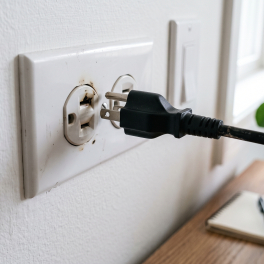
Pernahkah kamu mencolokkan charger laptop ke stopkontak dinding, lalu tiba-tiba terdengar suara mendesis halus seperti minyak goreng panas disertai letupan... selengkapnya
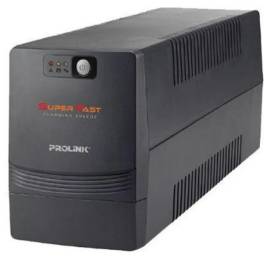
Baterai UPS atau Uninterruptible Power Supply, juga dikenal sebagai Suplai Daya Bebas Gangguan. Alat ini merupakan perangkat yang umumnya menggunakan... selengkapnya
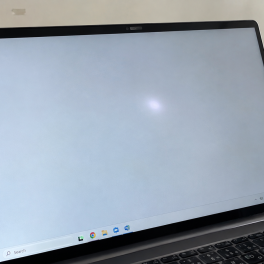
Pernahkah kamu membuka dokumen berlatar putih bersih atau menjelajahi web, lalu mendadak pandangan matamu terganggu oleh noda titik terang atau... selengkapnya

Masalah mouse double klik secara tidak sengaja seringkali menjadi kendala saat menggunakan komputer atau laptop, terutama ketika fungsi double klik... selengkapnya
Votre keyboard menjadi pilihan terbaik untuk barang berkualitas tetapi harga terjangkau. Votre menjadi salah satu merek yang berhasil memproduksi keyboard... selengkapnya
Mouse pad bantal merupakan salah satu aksesoris komputer dan laptop yang pastinya sudah tidak asing lagi bagi Anda bukan? Bahkan... selengkapnya
Distributor Grosir Accessories Komputer sepertinya harus Anda cari tahu informasinya ketika Anda tertarik ingin berjualan berbagai produk yang terkait dengan... selengkapnya
23%
AIPEL COMPUTER – Pusat Grosir dan Eceran – Belanja Hebat dan Hemat – Harga Murah Garansi Prima * GARANSI –… selengkapnya
Rp 40.000 Rp 52.000
26%
AIPEL COMPUTER Switch HDTV HOBOO 1-5 Manual 4K adalah alat pengalih sinyal berkualitas tinggi yang memungkinkan Anda menghubungkan lima perangkat… selengkapnya
Rp 78.000 Rp 105.000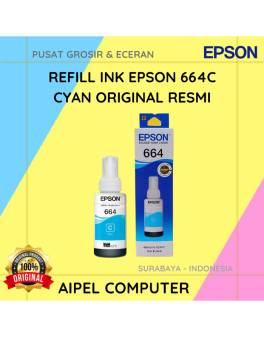
15%
A. DESKRIPSI (DESCRIPTION) Refill Ink EPSON 664C Cyan Original 100% adalah tinta isi ulang resmi dari EPSON dengan warna cyan… selengkapnya
Rp 85.000 Rp 100.000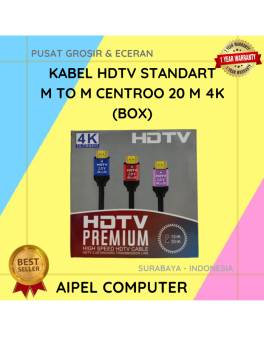
14%
A. DESKRIPSI (DESCRIPTION) Kabel HDTV Standart M to M CENTROO 20M 4K (Box) adalah solusi terbaik untuk kebutuhan transfer audio… selengkapnya
Rp 150.000 Rp 175.000
3%
A. DESKRIPSI (DESCRIPTION) Refill Ink EPSON T6736 Light Magenta Original 100 % adalah tinta yang dirancang untuk menciptakan gradasi warna… selengkapnya
Rp 136.000 Rp 140.000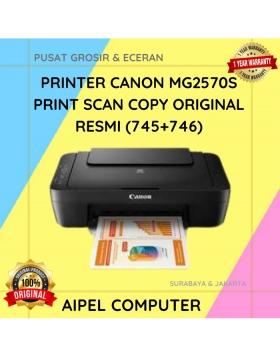
12%
A. DESKRIPSI (DESCRIPTION) Canon MG2570S merupakan printer all-in-one yang dirancang untuk mempermudah kebutuhan cetak, scan, dan copy dokumen dalam satu… selengkapnya
Rp 750.000 Rp 850.000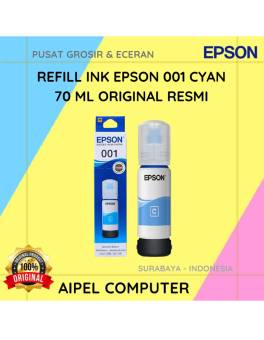
3%
A. DESKRIPSI (DESCRIPTION) Refill Ink EPSON 001 Cyan 70 ML Original 100 % adalah tinta isi ulang dengan hasil cetakan… selengkapnya
Rp 117.000 Rp 120.000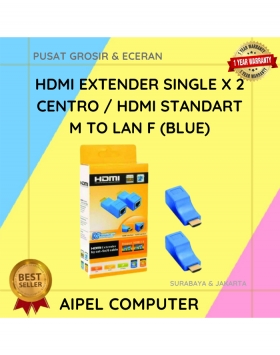
27%
A. DESKRIPSI (DESCRIPTION HDTV Extender Single X 2 CENTROO 30 M Non Adaptor adalah perangkat koneksi yang dirancang untuk memperpanjang… selengkapnya
Rp 24.000 Rp 33.000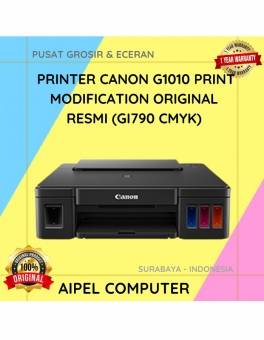
13%
A. DESKRIPSI (DESCRIPTION) Canon G1010 merupakan printer andalan yang dirancang khusus untuk memenuhi kebutuhan cetak dokumen dan foto berkualitas tinggi… selengkapnya
Rp 1.040.000 Rp 1.200.000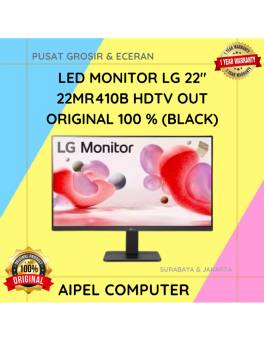
3%
A. DESKRIPSI (DESCRIPTION) LED Monitor LG 22″ HDTV + VGA Out (Black) adalah monitor modern yang menggabungkan visual tajam dan… selengkapnya
Rp 1.070.000 Rp 1.100.000



Saat ini belum tersedia komentar.