- Orderan dibawah 500.00 via Goshop / Offline / Marketplace
Laptop HDMI Cable Not Connecting to TV? Causes and 4 Easy Fixes
Connecting an HDMI cable from your laptop to an LED TV or external monitor for movies or work presentations, only for the TV screen to remain pitch black showing “No Signal” or “Check Cable Connection” is deeply frustrating, especially when both cable ends are firmly plugged in.
An HDMI cable not being detected by a TV rarely means the TV screen is broken; it usually stems from Windows projection mode settings, display resolution mismatches, or oxidized debris on HDMI connector pins. Often, Windows fails to toggle display output (Project Mode) automatically, or your laptop GPU outputs a refresh rate exceeding your external monitor’s limits. Much like diagnosing laptop screen flickering causes and easy fixes to restore display stability, you can troubleshoot HDMI connection issues yourself in a few quick steps.
Featured Snippet (Quick Answer):
To fix a laptop HDMI cable not connecting to a TV, press the Windows projection shortcut
Win + Pand select Duplicate or Extend, choose the correct HDMI input source on your TV remote, refresh graphics drivers, and lower your laptop display resolution to match the external monitor.
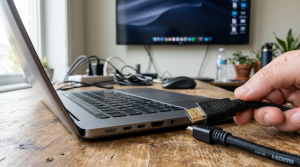
Checklist: Diagnosing HDMI Cable Connection Issues
Check the boxes below if these conditions describe your setup:
-
[ ] The TV screen displays messages like “No Signal”, “Out of Range”, or “Not Supported”.
-
[ ] Laptop audio plays through TV speakers, but the TV display remains blank.
-
[ ] The TV picture flickers black intermittently or shows thin colored lines.
-
[ ] The HDMI connector feels excessively loose inside the laptop side port socket.
-
[ ] The laptop connects instantly when plugged into another monitor using the same cable.
Practical Recommendation: Avoid hot-plugging HDMI cables violently while devices are powered on, as static discharge can fry laptop HDMI controller chips. Turn off the TV briefly, plug the cable in firmly and straight, then power your TV back on.
Comparison Table: Causes of Undetected HDMI Cables and Fixes
Here is an overview of why HDMI cables fail to project displays and recommended fixes:
| TV / Monitor Symptom | Underlying Cause | Device Impact | Recommended Action |
|---|---|---|---|
| “No Signal” Message | Windows Project mode set to PC Screen Only | Video signal unrouted | Press Win + P & choose Duplicate/Extend |
| “Out of Range” Message | Laptop resolution / refresh rate too high | Monitor fails to render | Lower resolution to 1080p / 60Hz |
| Flickering / Dropping Video | Oxidized dust on gold HDMI pins | Audio/video data loss | Clean connector using 90%+ alcohol |
| Complete Blank Black Display | Graphics card (GPU) driver crashed | HDMI port output disabled | Reload driver via Win + Ctrl + Shift + B |
4 Ways to Fix a Laptop HDMI Cable Not Connecting to TV
Follow these troubleshooting steps in order:
-
Change Display Project Mode Using
Win + P. Press Win + P simultaneously on your laptop keyboard. A Project sidebar will pop up on the right side of your screen. Select Duplicate (to mirror identical displays) or Extend (to use your TV as a secondary desktop). Windows sometimes defaults strictly to PC screen only. -
Select the Correct Input Channel on TV Remote. Ensure you select the exact HDMI Input/Source channel matching the physical port where your cable is plugged into the TV. If plugged into the second HDMI socket on the back of your TV, switch your remote input to HDMI 2, not HDMI 1 or AV.
-
Lower Display Resolution and Refresh Rates. Open Settings (
Win + I) > System > Display. Scroll down to Display resolution, and set it to 1920 x 1080 (Full HD) or lower. Click Advanced display settings, and ensure Choose a refresh rate is capped at 60 Hz. Standard household TVs rarely support high refresh rates above 75 Hz. -
Clean Gold Pins on HDMI Connectors and Laptop Ports. Power down both the laptop and TV. Use a bulb duster to blow dust out of the laptop’s HDMI port socket. Dampen a cotton swab with 90%+ isopropyl alcohol, and gently wipe the gold contact pins on both HDMI cable heads to strip away microscopic oxidation.
When to Seek Professional Laptop Hardware Service
If you have tested 3 different HDMI cables and alternate monitors yet your laptop’s HDMI port outputs zero signal, the internal HDMI transmitter IC on your motherboard has suffered electrical failure.
This requires HDMI transmitter IC circuit repair or physical HDMI port replacement by an experienced electronics technician.
FAQ (Frequently Asked Questions)
Are all HDMI cables equal in quality?
No. HDMI cables follow distinct revision standards (HDMI 1.4, HDMI 2.0, and HDMI 2.1). For connecting laptops to 4K TVs smoothly, use a braided cable rated at minimum HDMI 2.0 High Speed.
Why does video appear on TV while audio continues playing on laptop speakers?
This occurs because audio output routing hasn’t switched. Click the Speaker icon on your Windows taskbar, click the arrow next to the volume slider, and switch the playback device from Realtek Audio to your TV’s brand name (e.g., Samsung TV / HDMI Audio).
Conclusion
A laptop HDMI cable not connecting to a TV is usually caused by unconfigured Windows projection modes (Win + P), resolution mismatches, or oxidized pin contacts. By adjusting projection settings and capping resolution at 1080p 60Hz, your laptop screen will project cleanly onto your TV.
Shop High-Speed HDMI Cables, DisplayPort Adapters & Service at Aipel Computer
Struggling with a broken laptop HDMI port, needing durable 4K braided HDMI cables, Type-C to HDMI adapters, or guaranteed laptop display circuit repairs? Find complete video connectivity hardware at wholesale prices directly in our store.
To check cable availability or get store directions, visit the official Aipel Computer website in Surabaya today.
Tags: buy hdmi cable surabaya, fix hdmi no signal on tv from laptop, laptop hdmi cable not connecting to tv, laptop screen not showing on tv hdmi, windows projection shortcut win p

Laptop HDMI Cable Not Connecting to TV? Causes and 4 Easy Fixes
Saat ini ada berbagai jenis kabel di grosir komputer dengan fungsi, kelebihan, dan kekurangan masing-masing. Adapun salah satunya yaitu kabel... selengkapnya

Mengembalikan kursor laptop hilang ternyata bisa dilakukan oleh siapa saja. Bahkan bagi pengguna yang masih awam. Dengan langkah-langkah sederhana, kursor... selengkapnya
Memilih mouse gaming harus dilakukan dengan cermat agar sesuai dengan kebutuhan sehari-hari. Proses pemilihan mouse gaming tentu berbeda dibandingkan dengan... selengkapnya
Power supply merupakan komponen atau hardware yang berfungsi sebagai pemasok daya atau suplai daya. Spesifikasi power supply terdiri atas beberapa... selengkapnya

Bagi Anda yang sudah lama mengenal perangkat komputer, pastinya cukup familiar dengan kabel UTP. Dibandingkan jenis kabel lainnya, karakteristik kabel... selengkapnya
Casing hardisk external adalah aksesoris penting yang sering diabaikan oleh banyak pengguna komputer. Padahal, casing ini tidak hanya melindungi hardisk... selengkapnya
Sama seperti kebanyakan flashdisk yang ada, USB flash drive atau flashdisk 64 GB memiliki kegunaan untuk menyimpan data flash bertipe... selengkapnya
Microphone Wireless Advance hadir untuk memberikan pengalaman mendengarkan yang lebih baik bagi para pengguna setianya. Produk ini mengandalkan teknologi tanpa... selengkapnya

Switcher VGA merupakan komponen yang cukup penting pada sebuah perangkat komputer maupun laptop. Maka ketika terjadi kerusakan akan memberikan pengaruh... selengkapnya

Spek komputer untuk desain grafis tidak bisa Anda pilih dengan asal. Kebutuhan akan perangkat komputer pada kemajuan era teknologi digital... selengkapnya

6%
A. DESKRIPSI (DESCRIPTION) Printer EPSON L3250 Print Scan Copy WiFi Original 100 % (Black) adalah printer multifungsi yang dirancang untuk… selengkapnya
Rp 2.450.000 Rp 2.600.000
8%
A. DESKRIPSI (DESCRIPTION) Refill Ink 1 Liter Black CENTROO adalah tinta hitam tinta isi ulang berkualitas tinggi, didesain untuk cetakan dokumen… selengkapnya
Rp 78.000 Rp 85.000
10%
A. DESKRIPSI (DESCRIPTION) GENAI G4 Earbuds adalah earphone wireless tipe TWS G4-GE4 yang dirancang untuk mendampingi setiap aktivitas Anda dengan… selengkapnya
Rp 129.000 Rp 144.000
46%
A. DESKRIPSI (DESCRIPTION) Kabel HDTV Standart M to M CENTROO 1.5 M adalah solusi sempurna untuk koneksi audio dan video… selengkapnya
Rp 9.800 Rp 18.000
18%
A. DESKRIPSI (DESCRIPTION) Adaptor Laptop LENOVO 20V 3.25A DC (5.5*2.5) Panjang Kabel Power adalah pilihan terbaik untuk Anda yang menginginkan… selengkapnya
Rp 70.000 Rp 85.000
8%
A. DESKRIPSI (DESCRIPTION) External Box SSD M2 NVME ORICO TCM2-C3 adalah perangkat penyimpanan eksternal yang dibuat untuk mendukung kecepatan dan… selengkapnya
Rp 275.000 Rp 300.000
25%
GARANSI * AIPEL COMPUTER – Pusat Grosir & Eceran – Belanja Hebat & Hemat – Grosir Konsep Swalayan – Harga… selengkapnya
Rp 560.000 Rp 750.000
15%
AIPEL COMPUTER Switch HDTV 1‑5 Manual CENTROO adalah alat pengalih sinyal HDMI yang memungkinkan Anda memilih salah satu dari lima perangkat… selengkapnya
Rp 72.000 Rp 85.000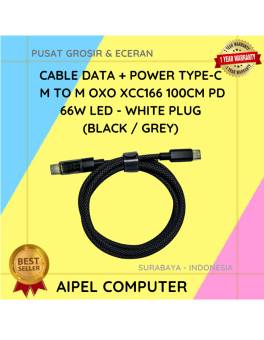
20%
A. DESKRIPSI (DESCRIPTION) Cable Type-C to Type-C 66W PD LED adalah kabel pengisi daya dan data berperforma tinggi yang dirancang… selengkapnya
Rp 24.000 Rp 30.000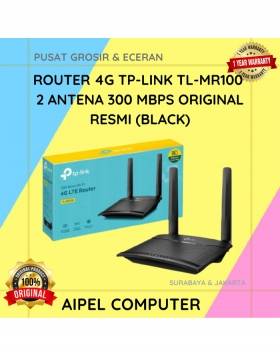
9%
A. DESKRIPSI (DESCRIPTION) TP-LINK MR100 adalah router 4G yang dirancang untuk menghadirkan koneksi internet cepat dan stabil di mana saja… selengkapnya
Rp 608.000 Rp 665.000



Saat ini belum tersedia komentar.