- Orderan dibawah 500.00 via Goshop / Offline / Marketplace
Laptop Shuts Down Suddenly with Full Battery? Here Is Why
Working on an important task, attending an online meeting, or playing a game when suddenly your laptop completely cuts power without warning can be frustrating. The panic increases when you power the laptop back on and notice that the battery percentage icon at the bottom corner of your screen still reads 80%, 90%, or even a full 100%.
Experiencing a sudden shutdown when the battery capacity appears full indicates a power management conflict or an internal thermal issue. Many users immediately assume that their motherboard has fried. In reality, this problem is usually triggered by miscalibrated battery readings, processor overheating, or a failing Battery Management System (BMS) circuit. Understanding early warning symptoms like those in our guide on signs laptop battery dying can help you identify whether the issue stems from battery cells or internal hardware components.
Featured Snippet (Instant Answer):
To fix a laptop that shuts down suddenly with a full battery, perform a Power Reset to clear residual static electricity, recalibrate the Windows battery driver, clean the cooling fan of dust buildup to prevent overheating, or check battery health via Command Prompt using the “powercfg /batteryreport” command.
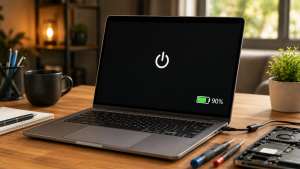
Checklist: Why Is Your Laptop Powering Off Unexpectedly?
Tick the boxes below if any of these symptoms match your current situation:
-
[ ] The laptop cuts power the exact moment you unplug the charger cable.
-
[ ] The bottom chassis feels extremely hot and fan noise ramps up loudly right before shutting down.
-
[ ] The laptop shuts down consistently during heavy processing tasks (such as video rendering or gaming).
-
[ ] The battery percentage drops drastically in seconds (e.g., jumping from 80% straight down to 0%).
-
[ ] The laptop can only be turned back on once the charger is plugged into a wall outlet.
Our Recommendation: If your laptop powers off the moment the power cord is disconnected, your internal battery cells can no longer sustain voltage delivery (voltage drop), regardless of what the 100% Windows software indicator displays.
Comparison Table: Sudden Shutdown Root Cause Breakdown
To help you diagnose the power delivery issue on your system, here is a comparison based on system behavior:
| Sudden Shutdown Symptom | Likely Root Cause | Required Action | Real-World Impact on Device |
|---|---|---|---|
| Turns off when unplugging charger | Dead battery cell / voltage drop | Physical internal battery replacement | Restores stable mobile power delivery |
| Turns off when chassis is very hot | Overheating / Thermal Throttling | Clean cooling fan & re-paste CPU | Lowers temps, stops thermal shutdowns |
| Random shutdowns + percentage jumps | BMS miscalibration / driver glitch | Power Reset / Reinstall battery driver | Restores accurate battery metering |
4 Easy Ways to Fix a Laptop That Shuts Down Suddenly
You do not need to panic right away. Try these troubleshooting steps to stabilize your laptop’s power system:
-
Perform a Power Reset (Clear Static Electricity). Shut down the laptop, unplug the charger, and disconnect all external USB peripherals. If your laptop features a removable battery, take it out. Press and hold the power button for 30 to 60 seconds to drain residual static charge from the motherboard. Reattach the battery/charger, then turn it on.
-
Reinstall the Windows Battery Driver. Right-click the Start button, launch Device Manager, and expand the Batteries category. Right-click Microsoft ACPI-Compliant Control Method Battery, click Uninstall device, and restart your laptop so Windows downloads a clean power management driver automatically.
-
Generate a Windows Battery Report. Open Command Prompt (CMD) as Administrator, type
powercfg /batteryreport, and press Enter. Open the generated HTML file to compare Design Capacity (original factory capacity) against Full Charge Capacity (current maximum charge limit). If the number has dropped significantly, the battery cells have degraded. -
Clean Exhaust Vents and Cooling Fans. If your laptop shuts down due to thermal throttling, protect the processor from extreme heat by cleaning dust buildup from exhaust vents using a soft brush or compressed air.
When Should You Replace the Internal Battery?
If you have performed a power reset and updated drivers but your laptop still shuts down the moment the charger is unplugged, the battery module has likely suffered physical hardware damage, such as:
-
Short-Circuited BMS Circuit: The battery’s internal controller board fails to deliver high voltage to the motherboard.
-
Swollen Battery Cells: Chemical reactions inside the battery produce gas that expands, pressing against internal components and causing short circuits.
-
Extreme Voltage Drop: The battery holds charge (showing 100%), but its voltage output collapses instantly when processor loads spike.
FAQ (Frequently Asked Questions)
-
Why does my laptop shut down when the battery meter shows 100%?
This happens because the Windows battery percentage measures charge volume, not voltage stability. When battery cells age, their output voltage drops instantly under processing load, triggering an automatic safety shutdown to protect internal hardware.
-
Does leaving a laptop plugged in continuously ruin the battery?
Modern laptops feature built-in overcharge protection that halts power delivery when full. However, exposing the battery to excessive internal laptop heat over long periods while plugged in accelerates cell wear.
-
How long does it take to replace a laptop battery at a service center?
For laptops with internal (non-removable) batteries, disassembly and installation of a new battery module typically takes around 30 to 45 minutes.
Conclusion
A laptop that shuts down suddenly despite showing a full battery is often caused by aging battery cells, miscalibrated power metrics, or CPU overheating. Performing a power reset and reviewing a generated battery report are effective ways to determine whether the issue can be fixed via software or requires a new battery module.
Visit the Aipel Computer Physical Store
If your laptop continues to shut down unexpectedly, has a swollen battery, or requires a genuine replacement battery with official warranty coverage, let our technical team inspect your device safely.
For step-by-step driving routes, opening hours, or to check battery stock availability for your laptop model, feel free to visit our main website at Aipel Computer in Surabaya for prompt and reliable service!
Tags: check windows battery report, computer store surabaya, fix sudden laptop shutdown, laptop battery replacement surabaya, laptop shuts down suddenly with full battery, laptop turns off when unplugged

Laptop Shuts Down Suddenly with Full Battery? Here Is Why
Have you ever startled yourself while plugging your laptop charger into a wall socket when a small blue spark (electrical... selengkapnya
While you are busy typing a document, editing an image, or browsing the web on your laptop, the mouse pointer... selengkapnya
Sudah banyak tersedia di toko atau grosir komputer, WiFi repeater ternyata punya peran penting sekarang ini. Bekerja atau mengoperasikan komputer,... selengkapnya

Di era digital seperti sekarang, laptop telah menjadi perangkat penting bagi banyak orang, baik untuk pekerjaan, studi, maupun hiburan. Untuk... selengkapnya
Pada umumnya, kebutuhan akan RAM komputer baru muncul ketika seseorang ingin meningkatkan kapasitas memori pada komputernya. Hal ini dapat dilakukan... selengkapnya

Perangkat lunak komputer memiliki fungsi penting bagi kinerja sebuah teknologi. Bahkan, peningkatan efisiensi kinerja komputer melalui software ini sangatlah berpengaruh.... selengkapnya
Bluetooth dongle merupakan perangkat yang berukuran kecil, namun dapat digunakan untuk menerima serta mengirimkan sinyal Bluetooth. Umumnya perangkat ini akan... selengkapnya

Jantung serasa berhenti berdetak saat cangkir kopi, teh manis, atau segelas air mineral di samping mejamu tersenggol dan cairannya langsung... selengkapnya
Pernahkah kamu merasa frustrasi karena persentase baterai laptopmu terjun bebas dari 100% ke 20% dalam waktu singkat, atau laptop mendadak... selengkapnya

Firewall Windows adalah fitur keamanan penting yang membantu melindungi komputer dari akses tidak sah dan ancaman berbahaya. Firewall bertindak sebagai... selengkapnya
27%
A. DESKRIPSI (DESCRIPTION HDTV Extender Single X 2 CENTROO 30 M Non Adaptor adalah perangkat koneksi yang dirancang untuk memperpanjang… selengkapnya
Rp 24.000 Rp 33.000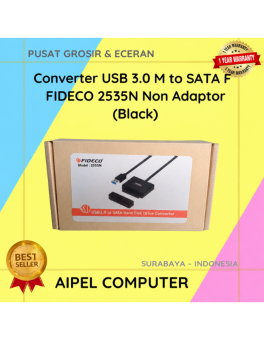
12%
A. DESKRIPSI (DESCRIPTION) Converter USB 3.0 to SATA F FIDECO Non Adaptor adalah solusi praktis dan efisien untuk membaca dan… selengkapnya
Rp 110.500 Rp 125.000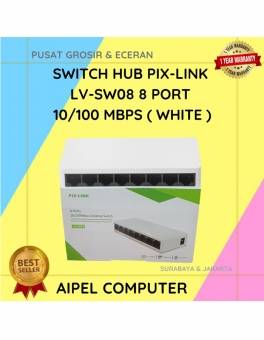
16%
A. DESKRIPSI (DESCRIPTION) Switch Hub PIX-LINK LVSW08 8 Port 10/100 MBPS (White) adalah perangkat jaringan serbaguna dengan delapan port Ethernet… selengkapnya
Rp 80.000 Rp 95.000
21%
A. DESKRIPSI (DESCRIPTION) Adaptor Universal CENTROO 12V 3A DC 5.5 x 2.5 adalah adaptor serbaguna dengan output stabil dan desain… selengkapnya
Rp 34.000 Rp 43.000
9%
A. DESKRIPSI (DESCRIPTION) Hard Disk Internal 3.5 SEAGATE 1 TB For PC Original Non 100 % (Green / White) adalah… selengkapnya
Rp 610.000 Rp 670.000
9%
SPESIFIKASI Pencetakan inkjet warna Media: A4, Letter dan lebih Mencetak foto tanpa batas tepi 4 x 6″ dalam 55 detik…. selengkapnya
Rp 910.000 Rp 1.005.000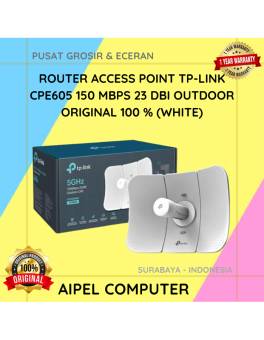
9%
A. DESKRIPSI (DESCRIPTION) TP-LINK CPE605 adalah perangkat access point outdoor yang dirancang khusus untuk transmisi jaringan jarak jauh dengan performa… selengkapnya
Rp 545.000 Rp 600.000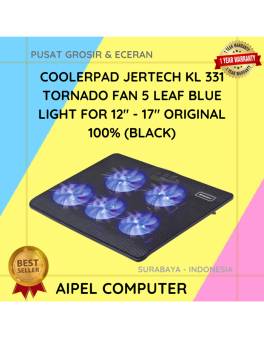
12%
A. DESKRIPSI (DESCRIPTION) KL331 TORNADO adalah cooler pad laptop dari JERTECH yang dirancang untuk menjaga suhu perangkat tetap optimal. ❄️💻… selengkapnya
Rp 131.648 Rp 150.000
15%
A. DESKRIPSI (DESCRIPTION) Refill Ink EPSON 003K Black Original 100 % adalah tinta isi ulang berkualitas tinggi yang dirancang untuk… selengkapnya
Rp 85.000 Rp 100.000
21%
A. DESKRIPSI (DESCRIPTION) Kabel LAN Websong CAT 5 adalah solusi tepat buat kamu yang butuh koneksi jaringan stabil tanpa ribet…. selengkapnya
Rp 15.000 Rp 19.000



Saat ini belum tersedia komentar.