- Orderan dibawah 500.00 via Goshop / Offline / Marketplace
3 Warning Signs Your Laptop Battery Needs a Replacement
It is completely normal for a portable device to lose its efficiency over time. However, many users fail to recognize the physical and internal red flags showing that their power source is on its last legs. Before assuming hardware damage, you should first understand how to save laptop battery properly to rule out configuration issues.
If you have already optimized your internal settings and the power still drops rapidly, you are likely dealing with classic signs that your power cells are failing. Recognizing these symptoms early will help you determine the exact time to invest in a professional laptop battery replacement before it leads to total system failure.
Featured Snippet (Instant Answer):
To tell if a laptop battery is failing, look for a drastic drop in runtime (such as lasting under 45 minutes), sudden shutdowns without low battery alerts, and physical swelling of the lower chassis or trackpad. Most lithium-ion cells last 2 to 3 years or 300 to 500 charge cycles before natural chemical degradation occurs, which is accelerated by high operating heat or leaving the charger connected continuously.
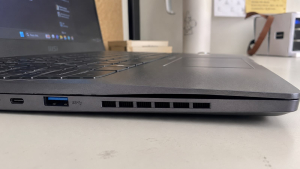
Checklist: Is Your Laptop Battery Dying or Just Poorly Configured?
Tick the boxes below if you are experiencing any of these common hardware issues:
-
[ ] Your laptop struggles to stay alive for even 45 minutes on a single charge.
-
[ ] The battery percentage glitches, dropping from high to low numbers in a matter of seconds.
-
[ ] The screen goes completely black and shuts down without any low-power warnings.
-
[ ] The trackpad feels stiff to click or is physically lifting out of place.
-
[ ] The bottom plastic shell of your device looks warped, uneven, or bloated.
Our Recommendation: If you checked off any of the physical swelling signs, stop using your charger immediately. A bloated cell creates high pressure inside the casing and poses a real fire hazard. For internal or runtime glitches, getting a professional diagnosis ensures you don’t replace parts unnecessarily.
Data Benchmark: Laptop Battery Lifespan and Degradation Factors
To give you a better idea of what to expect from your portable device, here is a quick look at standard power cell longevity and the environmental habits that alter its health:
| Battery Health Metric | Standard Optimal Lifespan | Accelerated Degradation Factors | Real-World Impact on Hardware |
|---|---|---|---|
| Operational Age | 2 to 3 Years | Running heavy background software continuously | Cuts down long-term cell health |
| Charge Lifecycles | 300 to 500 Full Cycles | Letting the device sit plugged in 24/7 | Accelerates chemical component wear |
| Operating Environment | Normal Room Temperature | Exposing the machine to high room heat | Shortens total lifespan and risks gas buildup |
The Clear Indicators of a Dying Laptop Battery
Paying close attention to how your system behaves when running unplugged can save you from sudden data loss. We see these exact hardware warnings at our service desk every single week.
-
The Device Runs Out of Power Instanks. The most obvious indicator is a drastic drop in daily runtime. If your workstation used to last 4 to 6 hours on a single charge but now struggles to cross the 45-minute mark, the cells are exhausted. In worse cases, the percentage indicator might glitch, dropping from 80% to 20% in a matter of seconds, showing that the hardware can no longer hold a stable voltage.
-
Sudden Shutdowns Occur Without Low Battery Alerts. When internal power components get too old, they struggle to supply a consistent flow of electricity during heavy processing tasks. You might notice your screen going completely black without any warning, even when the system icon claims you still have 30% power left. These random shutdowns can corrupt your operating system files and lead to lost project progress.
-
The Trackpad Lifts or the Lower Case Swells Physically. This is a dangerous physical emergency. When lithium-ion cells fail due to age or overheating, they can generate gas, causing the casing to swell up. If you notice your trackpad becoming stiff to click, or if the bottom plastic shell of your device looks warped and bloated, stop using the charger right away.
FAQ (Frequently Asked Questions)
-
What happens if I keep using a swollen laptop battery?
Please don’t risk it. A swollen battery puts extreme physical pressure on the keyboard, trackpad, and motherboard circuits. Because the gas buildup inside is highly volatile, continuing to charge a bloated battery creates a severe fire hazard.
-
Can a bad Windows setting cause sudden laptop shutdowns?
Usually no. If your laptop shuts down instantly without a “Low Battery” warning screen—especially when the meter reads 30% or higher—the issue is almost always a worn-out cell that cannot deliver stable voltage under sudden CPU load spikes.
-
How can I check my current battery cycle count?
On Windows, you can open Command Prompt and type
powercfg /batteryreport. This generates a clean HTML report showing your design capacity, full charge capacity, and how many cycles the battery has logged.
Conclusion
Getting a professional diagnosis ensures you don’t replace parts unnecessarily. A trusted technician can confirm whether your energy drainage comes from standard battery wear, general overheating, or internal power management failure. Replacing a degraded cell with a high-quality, original spare part will instantly restore your device’s portability, allowing you to work remotely without constantly hunting for an electrical wall outlet.
Visit the Aipel Computer Physical Store
If your machine cannot hold a stable charge or is showing physical signs of case warping, let our tech team inspect it immediately. We offer quick physical diagnostics, reliable battery condition checks, and premium component replacements.
For step-by-step driving routes, open hours, or to check on authentic parts availability for your specific brand, feel free to visit our main website or stop by the Aipel Computer in Surabaya service desk. We will help you get your portable workstation running safely and efficiently again!
Tags: battery saving tips, computer store surabaya, extend battery life, grosir komputer, laptop battery, laptop maintenance, laptop performance, laptop tips, save laptop battery, toko komputer surabaya

3 Warning Signs Your Laptop Battery Needs a Replacement

Toko perlengkapan komputer menjadi pilihan yang tepat apabila sedang membutuhkan sparepart dari komputer. Saat ini sudah tersebar banyak toko yang... selengkapnya

Layar laptop blank putih bisa menjadi masalah yang mengganggu bagi pengguna. Masalah ini dapat disebabkan oleh berbagai faktor. Namun, Anda... selengkapnya
BNC Connector memiliki banyak jenisnya. Konektor adalah sebuah alat yang berguna untuk menghubungkan sebuah perangkat dengan kabel. Penggunaan konektor ini... selengkapnya
Selama menentukan toko grosir PC tentu tidak boleh memilih sembarangan karena pemilihan toko yang tepat nantinya akan menentukan kualitas sekaligus... selengkapnya

Access Point WiFi memiliki peranan penting dalam memastikan koneksi internet agar stabil serta lancar. Pasalnya perangkat keras ini seringkali digunakan... selengkapnya
Saat ini ada berbagai jenis kabel di grosir komputer dengan fungsi, kelebihan, dan kekurangan masing-masing. Adapun salah satunya yaitu kabel... selengkapnya

Komputer atau laptop adalah barang elektronik yang tidak boleh asal memilih ketika Anda akan membelinya. Itulah mengapa, Anda perlu mengetahui... selengkapnya

Saat ini, sudah banyak orang yang memiliki laptop. Penggunaan perangkat yang satu ini sangat membantu untuk kegiatan sehari-hari. Baik untuk... selengkapnya
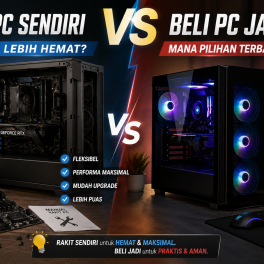
Memiliki komputer desktop dengan performa kencang untuk kebutuhan kerja, editing video, hingga main gim adalah impian banyak orang. Namun saat... selengkapnya

Genius komputer memiliki berbagai produk terbaik yang bisa menjadi pelengkap kebutuhan. Terdapat berbagai produk keluaran Genius seperti mouse dan keyboard.... selengkapnya

14%
A. DESKRIPSI (DESCRIPTION) Splitter VGA CENTROO 1-4 adalah perangkat praktis untuk membagi satu sinyal VGA ke empat tampilan sekaligus. 📊… selengkapnya
Rp 60.000 Rp 70.000
25%
A. DESKRIPSI (DESCRIPTION) Connector Serial DB9 M To M BEST / Mini Gender adalah konektor serial berkualitas tinggi yang dirancang… selengkapnya
Rp 6.000 Rp 8.000
8%
AIPEL COMPUTER – Pusat Grosir dan Eceran – Belanja Hebat dan Hemat – Harga Murah Garansi Prima * GARANSI –… selengkapnya
Rp 1.940.000 Rp 2.100.000
30%
A. DESKRIPSI (DESCRIPTION) Pasta Processor Suntik MAXTOR CTG8C 2G Grease Cleanser Packing Mika adalah pelumas sekaligus pembersih termal modern yang… selengkapnya
Rp 35.000 Rp 50.000
27%
A. DESKRIPSI (DESCRIPTION) Cable USB M To Type-C M GENAI GL-Q23 adalah kabel pengisian cepat yang dirancang untuk memberikan efisiensi… selengkapnya
Rp 35.000 Rp 48.000
53%
AIPEL COMPUTER – Pusat Grosir dan Eceran – Belanja Hebat dan Hemat – Harga Murah Garansi Prima * GARANSI –… selengkapnya
Rp 1.070.000 Rp 2.300.000
23%
A. DESKRIPSI (DESCRIPTION) Adaptor Universal CENTROO 5V 2A DC 5.5 * 2.5 adalah perangkat daya multifungsi yang dirancang untuk memberikan… selengkapnya
Rp 23.000 Rp 30.000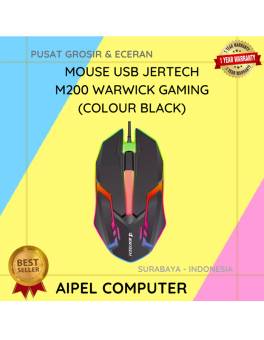
18%
A. DESKRIPSI (DESCRIPTION) Mouse USB JERTECH M200 WARWICK Gaming adalah mouse kabel yang dirancang khusus untuk memberikan performa maksimal dalam… selengkapnya
Rp 23.000 Rp 28.000
9%
A. DESKRIPSI (DESCRIPTION) Paket combo Keyboard + Mouse USB JERTECH KM170 STARS Gaming Black menawarkan kenyamanan dan performa dalam satu… selengkapnya
Rp 82.280 Rp 90.000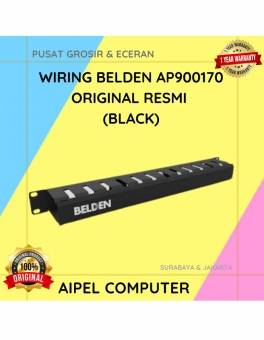
16%
A. DESKRIPSI (DESCRIPTION) Wiring BELDEN AP900170 adalah solusi kabel berkualitas tinggi yang dirancang untuk memenuhi berbagai kebutuhan industri. Dengan warna… selengkapnya
Rp 76.000 Rp 90.000



Saat ini belum tersedia komentar.