- Orderan dibawah 500.00 via Goshop / Offline / Marketplace
Laptop Charger Sparks When Plugged Into Outlet? Causes and Fixes
Have you ever startled yourself while plugging your laptop charger into a wall socket when a small blue spark (electrical arcing) suddenly flashes accompanied by a sharp popping noise?
For many users, seeing electrical sparks upon plugging in a charger is alarming, causing fears of house fires or charger explosions. However, much like troubleshooting electrical heating in laptop charger brick getting very hot causes fixes, a brief electrical spark upon initial contact does not always indicate a fatal defect. It is frequently caused by a rapid initial power draw known as Inrush Current.
Featured Snippet (Quick Answer):
Primary causes of a laptop charger sparking when plugged into an outlet include sudden initial current draw (Inrush Current) filling the adapter’s bulk capacitors, loose internal contact springs inside the wall outlet, or oxidized carbon buildup on the plug prongs.
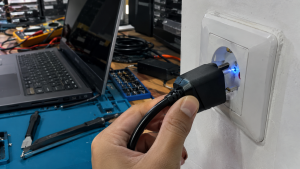
Checklist: Assessing Electrical Spark Severity
Check the boxes below if these charger sparking symptoms match your current experience:
-
[ ] Blue spark appears for just a fraction of a second right as the plug enters the socket.
-
[ ] Continuous buzzing or crackling sounds (arcing) occur even after the plug is fully seated.
-
[ ] Wall outlet housing or charger prongs show visible black scorch marks or feel extremely hot.
-
[ ] A strong smell of burning plastic or ozone lingers around the wall socket.
-
[ ] House circuit breaker (MCB) trips immediately whenever the charger is plugged in.
Practical Recommendation: If the spark is merely a brief blue flash lasting a split second and stops once seated, it is a normal result of Inrush Current. However, if the outlet hums continuously or trips your circuit breaker, unplug it immediately and replace the worn wall socket.
Comparison Table: Electrical Spark Symptoms and Recommended Actions
| Spark Symptom | Underlying Cause | Device Damage Risk | Recommended Action |
|---|---|---|---|
| Brief Blue Flash (Split Second) | Initial capacitor charging (Inrush Current) | Very Low (Normal) | Insert plug firmly and decisively |
| Continuous Crackling Noise | Worn / loose spring contacts inside socket | Fire hazard & socket melting | Replace wall outlet receptacle |
| Blackened / Scorched Plug Prongs | Carbon oxidation from repeated arcing | High electrical resistance | Lightly sand or clean plug prongs |
| Trips House Circuit Breaker | Shorted internal adapter capacitor/diode | Total adapter failure | Replace with genuine replacement charger |
4 Ways to Fix a Laptop Charger That Sparks When Plugged In
-
Plug the Adapter In Firmly and Decisively. When plugging in your charger, push the prongs straight, fast, and firmly into the outlet. Inserting the plug slowly or hesitating creates an air gap between prongs and outlet clips, resulting in larger electrical sparks (arcing).
-
Use High-Quality Grounded Wall Outlets. Ensure wall sockets have firm internal brass clips that grip the plug prongs tightly. Avoid cheap, loose T-adapters or ungrounded extension cords that create intermittent connections.
-
Clean Scorched Oxidation Off Plug Prongs. If the metal prongs on your charger plug have black scorch marks from prior sparking, rub them with fine-grit sandpaper or a dry cloth until shiny to ensure smooth current flow.
-
Connect Adapter to Wall Outlet First. Make it a habit to plug the charger into the wall outlet before connecting the DC barrel jack into your laptop. This shields your laptop’s motherboard from direct initial voltage surges.
When to Replace the Charger or Wall Outlet
Jika stop kontak dinding rumahmu sudah longgar, mengeluarkan asap, atau bodi charger melepuh akibat panas letupan listrik, segera lakukan penggantian komponen.
If your wall outlet is loose, smoking, or your charger housing shows heat warping from repeated sparking, replace the affected components immediately. This requires installing a high-grade wall socket or replacing the adapter with a genuine original unit by a qualified technician to eliminate short circuit hazards.
FAQ (Frequently Asked Questions)
Is a spark when plugging in a laptop charger dangerous?
A brief blue flash is a normal physical phenomenon in high-wattage power bricks. However, large yellow/red sparks accompanied by smoke indicate severe short circuits and are dangerous.
Why do laptop chargers require high initial power (Inrush Current)?
Inside the adapter lies a large bulk capacitor that is completely empty when unplugged. Upon plugging in, the capacitor instantly draws a large surge of current to charge its internal reserve.
Conclusion
A brief spark when plugging in a laptop charger is usually driven by Inrush Current as internal capacitors charge up. Using tight, high-quality wall outlets and plugging in firmly will minimize electrical sparks and protect your charging equipment.
Shop Genuine Chargers, Sockets & Repairs at Aipel Computer
Looking for genuine replacement laptop chargers, high-grade power cords, or professional laptop power circuit repairs? Find trusted hardware replacement parts and expert repair services directly at Aipel Computer.
For replacement chargers or electrical troubleshooting inquiries, visit the official Aipel Computer website today.
Tags: fix sparking wall outlet laptop charger, laptop charger sparks when plugged into outlet, why does my laptop charger spark

Laptop Charger Sparks When Plugged Into Outlet? Causes and Fixes
Tips memilih keyboard protector laptop atau pelindung keyboard berikut ini bisa diterapkan untuk mendapatkan produk yang paling tepat dan bagus.... selengkapnya

PC core i3 murah – Pada saat Anda ingin membeli sebuah PC, jangan lupa memilih yang menggunakan processor core i3... selengkapnya

USB hub 4 port bisa menjadi pilihan untuk pelengkap komputer. Port pada komputer atau laptop memang sangat terbatas. Sehingga sebagian... selengkapnya
Merakit komputer sendiri bisa menjadi pilihan untuk menghemat pengeluaran untuk memenuhi kebutuhan komputer. Salah satu trik yang bisa dilakukan adalah... selengkapnya
Komputer merupakan salah satu jenis gadget yang paling dibutuhkan di zaman modern ini. Seperti kebanyakan aplikasi lainnya, komputer juga memerlukan... selengkapnya
Kabel LAN atau kabel UTP memiliki fungsi penting untuk kebutuhan dalam komputer Anda. Kabel ini sangat bermanfaat bagi para pengguna... selengkapnya

Urutan tinta warna Canon sampai saat ini masih sering orang salah pahami. Apalagi ketika tinta tersebut habis dan kita membeli... selengkapnya
Memiliki komputer desktop dengan performa kencang untuk kebutuhan kerja, editing video, hingga main gim adalah impian banyak orang. Namun saat... selengkapnya

Sebagian dari Anda mungkin bertanya-tanya, bagaimana cara mengatasi masalah penyimpanan komputer penuh dengan mudah dan aman? Kapasitas penyimpanan komputer yang... selengkapnya

Menghadapi masalah aplikasi not responding pada laptop bisa sangat mengganggu produktivitas Anda. Masalah ini sering kali muncul saat Anda sedang... selengkapnya
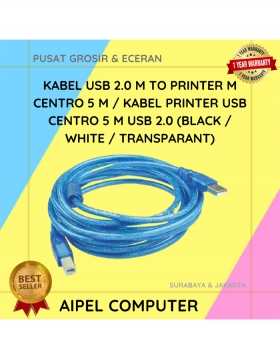
25%
A. DESKRIPSI (DESCRIPTION) Kabel Printer USB 2.0 CENTROO 5M adalah solusi ideal untuk Anda yang membutuhkan konektivitas stabil antara perangkat… selengkapnya
Rp 21.000 Rp 28.000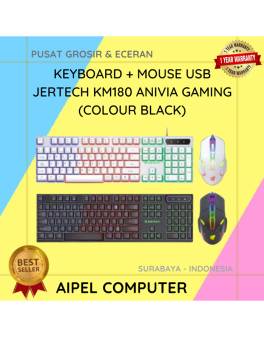
17%
A. DESKRIPSI (DESCRIPTION) Paket combo Keyboard + Mouse USB JERTECH KM180 ANIVIA Gaming memberikan kehandalan dan style dalam satu paket…. selengkapnya
Rp 86.889 Rp 105.000
50%
A. DESKRIPSI (DESCRIPTION) Connector RG59 DC Power Female adalah solusi andalan untuk memastikan sistem pengawasan CCTV Anda tetap terkoneksi dengan… selengkapnya
Rp 1.500 Rp 3.000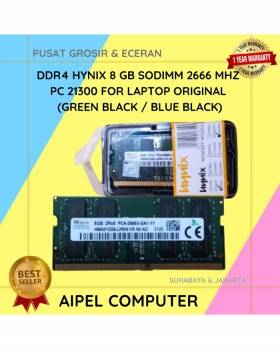
16%
A. DESKRIPSI (DESCRIPTION) DDR4 HYNIX 8 GB Sodimm 2666 MHz PC 21300 For Laptop Original adalah solusi tepat untuk Anda… selengkapnya
Rp 825.000 Rp 980.000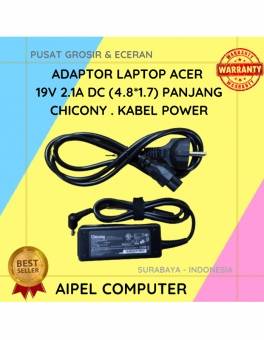
19%
A. DESKRIPSI (DESCRIPTION) Adaptor Laptop ACER 19V 2.1A DC (4.8*1.7) Panjang Chicony . Kabel Power dirancang khusus untuk perangkat ACER,… selengkapnya
Rp 65.000 Rp 80.000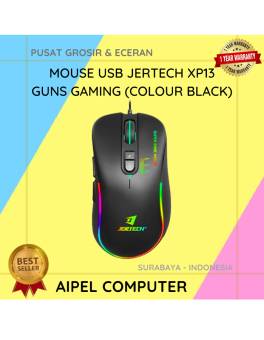
23%
A. DESKRIPSI (DESCRIPTION) Mouse USB Jertech XP13 GUNS Gaming adalah perangkat gaming berkabel dengan performa responsif tinggi yang dirancang khusus… selengkapnya
Rp 51.500 Rp 67.000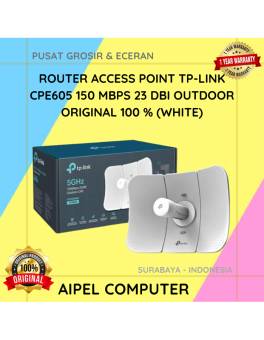
9%
A. DESKRIPSI (DESCRIPTION) TP-LINK CPE605 adalah perangkat access point outdoor yang dirancang khusus untuk transmisi jaringan jarak jauh dengan performa… selengkapnya
Rp 545.000 Rp 600.000
10%
A. DESKRIPSI (DESCRIPTION) GENAI G3 Earbuds adalah earphone wireless tipe TWS G3 yang hadir untuk memberikan kenyamanan dan kualitas audio… selengkapnya
Rp 129.000 Rp 144.000
3%
A. DESKRIPSI (DESCRIPTION) Refill Ink EPSON 001 Yellow 70 ML Original 100 % adalah solusi tinta isi ulang berkualitas dengan… selengkapnya
Rp 117.000 Rp 120.000
30%
AIPEL COMPUTER – Pusat Grosir dan Eceran – Belanja Hebat dan Hemat – Harga Murah Garansi Prima * GARANSI –… selengkapnya
Rp 42.000 Rp 60.000



Saat ini belum tersedia komentar.