- Orderan dibawah 500.00 via Goshop / Offline / Marketplace
Wall Outlet Sizzling or Sparking When Charging Laptop? Easy Fixes
Few things are more alarming than plugging in your laptop charger only to hear a sharp sizzling noise paired with tiny blue sparks jumping inside the wall outlet. It makes anyone worry about sudden electrical shorts, fried chargers, or expensive laptop hardware damage.
A sizzling or sparking outlet usually indicates electrical arcing. Over time, internal brass contact plates loosen, scorch marks build up on terminals, or loose wire screws disrupt steady power flow. Just like following our guide on loose power outlet how to fix to prevent dangerous power fluctuations, fixing a misbehaving wall socket promptly protects your laptop and prevents electrical fires.
Featured Snippet (Quick Answer):
To fix a sizzling or sparking wall outlet, shut off power at the main circuit breaker, remove the outlet faceplate, crimp loose brass contact clips back together with insulated pliers, clean off black carbon buildup, or install a fresh replacement outlet.
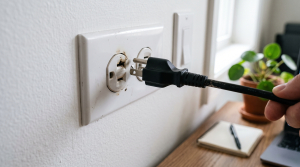
Checklist: Danger Signs of a Faulty Wall Outlet
Check the boxes below if you notice any of these symptoms on your charging socket:
-
[ ] Sizzling, buzzing, or crackling sounds happen whenever the charger plug moves.
-
[ ] Blue sparks flash every time you push the plug into the wall socket.
-
[ ] Charger prongs feel scorching hot or show signs of melting plastic.
-
[ ] Dark scorch or burn marks appear around the socket holes.
-
[ ] Plugs sit loosely inside the socket and fall out on their own.
Practical Recommendation: Stop using a sizzling outlet immediately. Unplug the charger and use a different wall socket until this one is repaired to prevent fire hazards.
Comparison Table: Causes of Sizzling Wall Outlets and Solutions
Here is an overview of common electrical outlet issues and recommended fixes:
| Electrical Symptom | Likely Cause | Component Risk | Recommended Action |
|---|---|---|---|
| Sizzling on plug movement | Loose internal brass clips | Electrical arcing hazard | Tighten brass clips with pliers |
| Blue sparks upon plugging in | Normal inrush current | Wears down plug prongs | Insert plug firmly and quickly |
| Warm outlet & burn marks | Loose terminal screws inside | Wall wire fire hazard | Tighten wall terminal screws |
| Intermittent power delivery | Carbon buildup on contact plates | Damages charger circuits | Clean carbon or replace outlet |
4 Steps to Fix a Sizzling or Sparking Wall Outlet
Follow these repair steps safely:
-
Shut Off the Main Circuit Breaker. Safety comes first. Head to your breaker box and flip off the circuit breaker powering the room. Use a voltage tester at the outlet to verify no electricity is flowing before touching any metal parts.
-
Remove the Outlet Faceplate. Unscrew the faceplate and gently pull the outlet receptacle out from the electrical box. Inspect the wiring terminals to make sure hot, neutral, and ground wires are tightly screwed in without touching each other.
-
Crimp Loose Brass Contact Clips. Inside the receptacle slots, two brass plates grip the plug prongs. Over the years, these plates spread open. Use insulated pliers to gently bend the brass clips back inward so they firmly grip plug prongs again.
-
Install a Fresh Replacement Outlet. If the plastic housing is cracked, the brass clips are brittle, or scorch marks run deep, do not bother repairing it. Install a brand-new outlet receptacle built with heavy-duty brass contacts and fire-resistant materials.
When to Call a Licensed Electrician
If your wall outlet is smoking, repeatedly trips your home circuit breaker, or you feel uneasy working around electrical wiring, do not take unnecessary risks.
Hiring a licensed electrician is the safest decision to inspect concealed wiring inside the wall and ensure your circuits handle high power loads safely.
FAQ (Frequently Asked Questions)
Why do laptop chargers spark when plugged into an outlet?
A small brief spark is often normal. Large capacitors inside laptop power bricks draw an instant burst of electricity (inrush current) the second metal prongs touch live outlet contacts.
Can a sizzling outlet damage a laptop?
Yes. Sizzling indicates power rapidly cutting in and out. These erratic electrical arcs generate voltage spikes that can fry your laptop charger and damage sensitive motherboard circuits.
Conclusion
A wall outlet that sizzles or sparks when charging a laptop is generally caused by loose brass contact clips or unfastened wire screws. By shutting off the breaker, tightening contact plates, or replacing the receptacle, you can charge your laptop safely without worrying about electrical fires.
Shop Quality Wall Sockets, Power Cords & Parts at Aipel Computer
Looking for heavy-duty replacement wall outlets, genuine 3-prong grounded power cables, original laptop chargers, or precision electronics toolsets? Explore our complete inventory of reliable computer hardware and electrical accessories at wholesale prices directly in our store.
To check product availability or get directions to our retail store, visit the official Aipel Computer website in Surabaya today.
Tags: fix loose wall socket, laptop charger sparking in outlet, replace wall receptacle surabaya, sizzling outlet fire hazard, wall outlet sizzling or sparking

Wall Outlet Sizzling or Sparking When Charging Laptop? Easy Fixes
When you open Zoom, Google Meet, or the built in Windows Camera app, an error message suddenly pops up stating... selengkapnya

Toko komputer tidak hanya menyediakan komputer. Sektor utamanya memang bergerak dalam penjualan komputer, namun tak menutup kemungkinan toko juga menawarkan... selengkapnya

Trying to connect your laptop to home Wi-Fi or tethering off your mobile hotspot only for Windows to stall and... selengkapnya
RAM (Random Access Memory) adalah salah satu komponen paling penting dalam komputer yang mempengaruhi kecepatan dan efisiensi sistem. Ketika RAM... selengkapnya

Cara merawat CPU agar tetap berfungsi dengan optimal di toko komputer sebenarnya cukup mudah. Perawatan yang tepat sangat penting untuk... selengkapnya
MicroSD card merupakan salah satu perangkat penyimpanan non-volatile yang semakin penting dalam kehidupan digital modern. Dengan beragam merek dan spesifikasi... selengkapnya
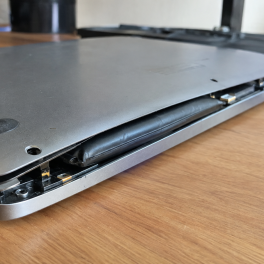
Pernahkah kamu mendapati permukaan touchpad laptop mendadak keras saat ditekan, terangkat naik melebihi permukaan bodi, atau bagian bawah casing laptop... selengkapnya
Sistem operasi komputer merupakan bagian penting supaya pengguna bisa menjalankan atau mengoperasikan komputer. Bagi orang yang kerap bekerja dengan komputer,... selengkapnya
Sekarang ini sudah semakin banyak bermunculan grosir aksesoris laptop di Indonesia. Peningkatan dari jumlah grosir aksesoris laptop tersebut tentunya berkaitan... selengkapnya
Facing a wireless internet connection that suddenly drops and reconnects repeatedly is definitely a huge annoyance when you are trying... selengkapnya
19%
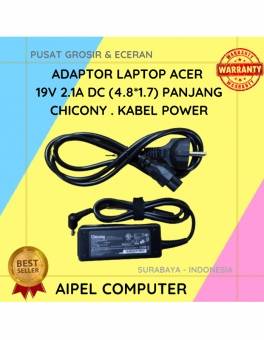
A. DESKRIPSI (DESCRIPTION) Adaptor Laptop ACER 19V 2.1A DC (4.8*1.7) Panjang Chicony . Kabel Power dirancang khusus untuk perangkat ACER,… selengkapnya
Rp 65.000 Rp 80.000
47%
A. DESKRIPSI (DESCRIPTION) Kabel CENTROO USB 2.0 M to M sepanjang 1.5 meter ini dirancang untuk memberikan koneksi yang cepat… selengkapnya
Rp 8.000 Rp 15.000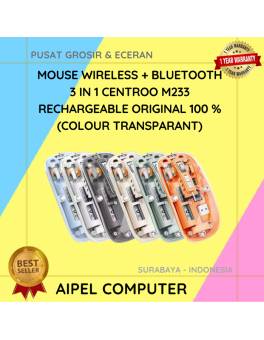
13%
A. DESKRIPSI (DESCRIPTION) Mouse Wireless + Bluetooth 3 in 1 CENTROO Rechargeable Transparant adalah mouse modern dengan kemampuan koneksi ganda,… selengkapnya
Rp 135.000 Rp 155.000
26%
A. DESKRIPSI (DESCRIPTION) Earphone HEYU K108 (Gold) adalah earphone elegan yang memadukan tampilan mewah dengan kualitas suara luar biasa. HEYU… selengkapnya
Rp 25.000 Rp 34.000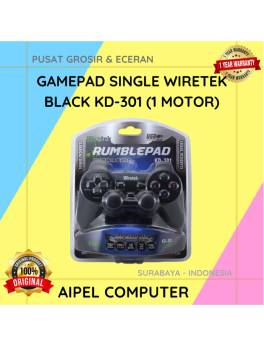
13%
AIPEL COMPUTER – Pusat Grosir dan Eceran – Belanja Hebat dan Hemat – Harga Murah Garansi Prima * GARANSI –… selengkapnya
Rp 39.000 Rp 45.000
18%
A. DESKRIPSI (DESCRIPTION) Refill Ink CENTROO 100 ML Magenta adalah tinta isi ulang berwarna magenta yang ideal untuk mencetak gambar,… selengkapnya
Rp 14.000 Rp 17.000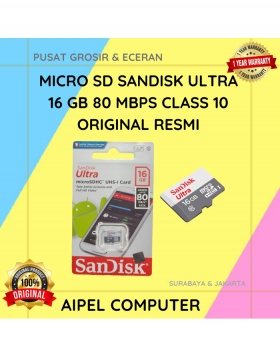
13%
A. DESKRIPSI (DESCRIPTION) Micro SD SANDISK Ultra 16 GB 80 MBPS CLASS 10 Original (Black) adalah kartu memori canggih berkapasitas… selengkapnya
Rp 113.000 Rp 130.000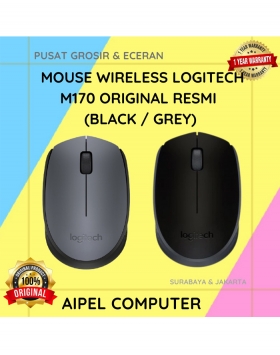
4%
A. DESKRIPSI (DESCRIPTION) Mouse Wireless LOGITECH M170 adalah perangkat input nirkabel yang praktis dan elegan, ideal untuk menunjang aktivitas komputasi… selengkapnya
Rp 125.000 Rp 130.000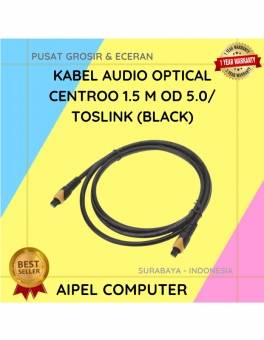
40%
A. DESKRIPSI (DESCRIPTION) Kabel Audio Optical CENTROO adalah kabel digital berkualitas tinggi yang dirancang untuk mengalirkan suara jernih dari perangkat… selengkapnya
Rp 30.000 Rp 50.000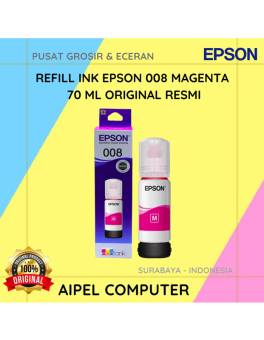
20%
A. DESKRIPSI (DESCRIPTION) Refill Ink EPSON 008 Magenta 70 ML Original 100 % adalah tinta warna magenta yang lembut namun… selengkapnya
Rp 225.000 Rp 280.000



Saat ini belum tersedia komentar.