- Orderan dibawah 500.00 via Goshop / Offline / Marketplace
Laptop Can’t Connect to Wi-Fi or Hotspot? 4 Proven Fixes
Trying to connect your laptop to home Wi-Fi or tethering off your mobile hotspot only for Windows to stall and throw a “Can’t connect to this network” error is deeply frustrating. Meanwhile, your mobile phone connects to the exact same Wi-Fi network effortlessly.
A laptop suddenly failing to join a Wi-Fi network usually points to corrupted network credential caches, frequency band mismatches (2.4 GHz vs 5 GHz), or a confused network adapter driver (IP/DNS conflicts). Much like troubleshooting wifi keeps disconnecting on laptop causes and fixes to stabilize internet connectivity, you can resolve connection failures yourself in a few quick steps.
Featured Snippet (Quick Answer):
To fix a laptop that can’t connect to Wi-Fi or mobile hotspots, forget the old Wi-Fi network profile in Windows Settings, change your smartphone’s hotspot AP Band to 2.4 GHz, toggle Airplane Mode on and off, or perform a full Network Reset.
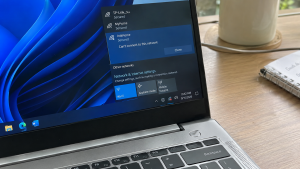
Checklist: Diagnosing Laptop Wi-Fi Connection Errors
Check the boxes below if these conditions match your laptop’s behavior:
-
[ ] The SSID name of your Wi-Fi or mobile hotspot appears clearly in the network list.
-
[ ] Windows displays “Can’t connect to this network” every time you click Connect.
-
[ ] Other devices (like smartphones or tablets) join the Wi-Fi network without issues.
-
[ ] Ethernet LAN cables provide internet access, but wireless Wi-Fi connections fail.
-
[ ] The error started after changing your Wi-Fi router password or hotspot name.
Practical Recommendation: Avoid reinstalling Windows. Forget the saved Wi-Fi network profile in Windows Settings and re-enter your password from scratch.
Comparison Table: Causes of Laptop Wi-Fi Connection Failures and Fixes
Here is an overview of why laptops fail to connect to wireless networks and recommended fixes:
| Connection Symptom | Underlying Cause | Device Impact | Recommended Action |
|---|---|---|---|
| Fails on mobile hotspot | Phone hotspot set strictly to 5 GHz | Older Wi-Fi cards miss 5 GHz signal | Change phone AP Band to 2.4 GHz |
| Can’t connect to network | Corrupted cached password credentials | Router rejects connection request | Perform Forget on Wi-Fi network |
| Wi-Fi icon missing / red X | Internal Wi-Fi card driver locked up | No wireless networks detected | Reset Wi-Fi card in Device Manager |
| Connected, No Internet | Conflicting IP address or DNS routing | Network locked in local loop | Run netsh winsock reset command |
4 Ways to Fix a Laptop That Can’t Connect to Wi-Fi or Hotspot
Follow these troubleshooting steps in order:
-
Forget the Stale Network Profile. Open Settings (
Win + I) > Network & internet > Wi-Fi, and click Manage known networks. Locate the problematic Wi-Fi or mobile hotspot SSID, and click Forget. Reopen your taskbar Wi-Fi menu, select your network, type the fresh password, and reconnect. -
Switch Mobile Hotspot AP Band to 2.4 GHz. If tethering from a smartphone fails, open your phone’s Personal Hotspot Settings. Find the AP Band (or Preferred Band) option, and switch it from 5 GHz Band down to 2.4 GHz Band. Many laptop network cards lack dual-band hardware support for 5 GHz broadcasting.
-
Restart the Wi-Fi Adapter via Device Manager. Search for and launch Device Manager. Expand Network adapters, right-click your laptop’s wireless card (e.g., Intel Wi-Fi 6, Realtek, or Qualcomm Atheros), and choose Disable device. Wait 10 seconds, then right-click and select Enable device to refresh the wireless receiver.
-
Perform a Full Network Reset in Windows. If connectivity issues persist, reset all network configurations. Navigate to Settings > Network & internet > Advanced network settings, select Network reset, and click Reset now. Windows will purge IP leases and reload network stacks upon rebooting.
When to Replace the Internal Wi-Fi Card
If you execute a full Network Reset yet the Wi-Fi icon remains marked with a red X or the wireless card vanishes from Device Manager entirely after re-installing drivers, the physical Wi-Fi module on your motherboard has failed.
Upgrading to an OEM PCIe/M.2 Wi-Fi Card or plugging in a budget External USB Wi-Fi Dongle provides an instant, affordable hardware fix to restore wireless connectivity.
FAQ (Frequently Asked Questions)
Why does my laptop connect to other hotspots but fails on my phone?
This is almost always caused by your smartphone’s hotspot broadcasting on the 5 GHz AP Band, while your laptop’s internal network card only supports the standard 2.4 GHz frequency.
Does performing a Network Reset delete my personal files?
No. A Network Reset strictly purges and reloads network adapter drivers, IP leases, DNS caches, and saved Wi-Fi passwords without modifying your personal documents or files.
Conclusion
A laptop failing to connect to Wi-Fi or mobile hotspots is generally triggered by stale credential caches or frequency mismatches on mobile hotspots. By forgetting the network profile and switching hotspot broadcasts to 2.4 GHz, your laptop will reconnect to the internet smoothly.
Shop OEM Wi-Fi Cards, USB Wi-Fi Dongles & Service at Aipel Computer
Struggling with a dead laptop Wi-Fi card, weak wireless signal reception, looking for high-gain external USB Wi-Fi adapters, or guaranteed network repairs? Find reliable computer networking hardware at wholesale prices directly in our store.
To check networking hardware availability or get directions to our retail store, visit the official Aipel Computer website in Surabaya today.

Laptop Can’t Connect to Wi-Fi or Hotspot? 4 Proven Fixes

Komputer lengkap murah generasi pertama dibuat pada tahun 1937 ditemukan oleh Charles Babbage. Ketika itu Ia bisa menciptakan sebuah mesin... selengkapnya

Kinerja komputer akan lebih handal apabila didukung dengan aksesoris yang tepat. Dengan alasan tersebut, saat ini sudah banyak toko aksesoris... selengkapnya
Does your laptop screen wobble every time you type? Do you hear a harsh creaking sound whenever you open the... selengkapnya

Ketika ingin memberikan keamanan pada ruangan atau bangunan beberapa orang akan mengandalkan produk yang bisa membantu pengintaian. Salah satunya adalah... selengkapnya
Pernahkah kamu hendak bekerja menggunakan mouse Bluetooth nirkabel, tetapi saat sakelar mouse digeser ke posisi ON, kursor di layar tetap... selengkapnya
Dalam era digital yang semakin maju, keamanan komputer menjadi hal yang sangat penting. Serangan malware, virus, dan ransomware semakin canggih... selengkapnya
You press the power button multiple times, yet the laptop stays completely dark with zero reaction. There are no indicator... selengkapnya
Di era yang serba canggih seperti saat ini menjadi salah satu pembuka peluang bisnis dalam berbagai macam bidang. Salah satunya... selengkapnya

Baterai CMOS CR2032 merupakan baterai ringan yang berbentuk lingkaran serta berukuran kecil dan memiliki tegangan operasi sebesar 3 V. Biasanya... selengkapnya
Pernahkah kamu mencolokkan charger laptop ke stopkontak dinding, lalu tiba-tiba terdengar suara mendesis halus seperti minyak goreng panas disertai letupan... selengkapnya
14%
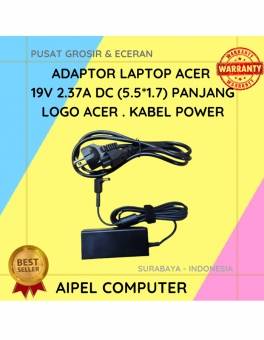
A. DESKRIPSI (DESCRIPTION) Adaptor Laptop ACER 19V 2.37A DC (5.5*1.7) Panjang Logo ACER . Kabel Power, adaptor ini dirancang khusus… selengkapnya
Rp 95.000 Rp 110.000
8%
AIPEL COMPUTER ADDRESS (Offline Store) Ruko Manyar Mas 27 Blok C3 – C4 Jalan Raya Manyar 63C Kelurahan Menur Pumpungan… selengkapnya
Rp 174.000 Rp 190.000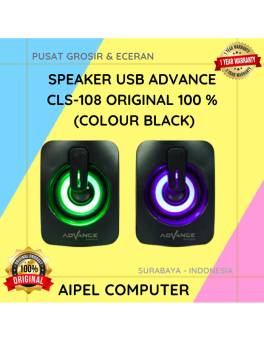
22%
A. DESKRIPSI (DESCRIPTION) Speaker USB Advance CLS108 adalah perangkat audio yang dirancang untuk memberikan pengalaman mendengarkan yang lebih hidup dan… selengkapnya
Rp 45.000 Rp 58.000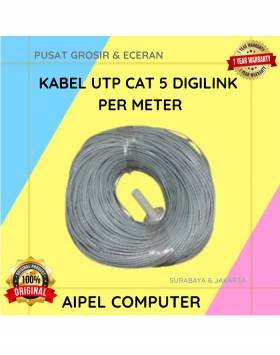
33%
A. DESKRIPSI (DESCRIPTION) Kabel UTP CAT 5 DIGILINK Per Meter (Grey) adalah solusi kabel jaringan berkualitas yang dirancang untuk mendukung… selengkapnya
Rp 2.000 Rp 3.000
27%
A. DESKRIPSI (DESCRIPTION) Mouse Wireless JERTECH JR-12 CAMILLE adalah pilihan terbaik bagi Anda yang mencari perangkat navigasi modern, nyaman, dan… selengkapnya
Rp 36.500 Rp 50.000
19%
A. DESKRIPSI (DESCRIPTION) Cable Type-C M To Lightning M GENAI GL-Q30 adalah kabel pengisian daya yang dirancang khusus untuk pengguna… selengkapnya
Rp 59.000 Rp 73.000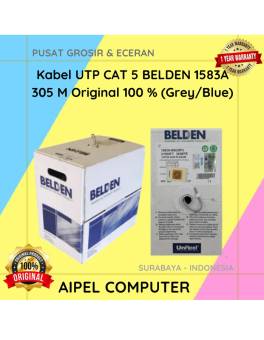
19%
A. DESKRIPSI (DESCRIPTION) AP700007 adalah konektor RJ45 kategori 5 dari Belden yang dirancang untuk memberikan kualitas koneksi yang optimal. Dengan… selengkapnya
Rp 2.355.000 Rp 2.894.000
23%
A. DESKRIPSI (DESCRIPTION) Keyboard JERTECH K358 METEOR Gaming adalah keyboard gaming yang dirancang untuk meningkatkan kenyamanan dan performa bermain maupun… selengkapnya
Rp 61.710 Rp 80.000
31%
AIPEL COMPUTER – Pusat Grosir dan Eceran – Belanja Hebat dan Hemat – Harga Murah Garansi Prima * GARANSI –… selengkapnya
Rp 12.500 Rp 18.000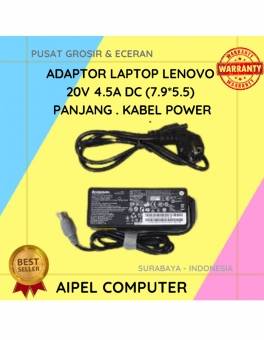
16%
A. DESKRIPSI (DESCRIPTION) Adaptor Laptop LENOVO 20V 4.5A DC (7.9*5.5) Panjang Kabel Power adalah pilihan ideal untuk Anda yang menginginkan… selengkapnya
Rp 80.000 Rp 95.000



Saat ini belum tersedia komentar.