- Orderan dibawah 500.00 via Goshop / Offline / Marketplace
Laptop Fan Running Full Speed Nonstop? 5 Easy Ways to Quiet It Down
Hearing your laptop cooling fan roar continuously at top speed makes any workspace distracting. Warm air pushes endlessly from side exhaust vents, the chassis warms your palms, and cooling fan blades spin at maximum velocity throughout the day.
A fan that refuses to slow down signals that internal heat sensors detect stubborn trapped thermal energy. The causes are purely physical: bottom intake vents pressed tight against desks, dense lint blankets covering heatsink fins, dry shaft bearings, or working inside stuffy rooms without airflow. Much like diagnosing laptop overheating and noisy fan causes how to fix to protect sensitive hardware, there are many practical ways to restore quiet fan speeds step by step.
Featured Snippet (Quick Answer):
To quiet a laptop fan running full speed nonstop, prop up the rear feet to widen bottom intake clearance, clear heatsink lint with a bulb blower or compressed air, keep machines off beds and fabrics, use an external cooling stand, and replace hardened processor thermal paste.
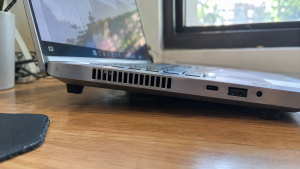
Checklist: Signs of Obstructed Laptop Airflow
Check the boxes below if these physical symptoms match your laptop:
-
[ ] The cooling fan spins at maximum speed from startup until power down.
-
[ ] Fan noise remains loud and constant even when the laptop sits completely idle.
-
[ ] Exhaust airflow feels surprisingly weak despite the fan howling at top speeds.
-
[ ] The underside of the laptop chassis feels scorching hot to the touch.
-
[ ] You regularly rest your machine on blankets, couches, or carpets.
Practical Recommendation: Prop up the back corners of your laptop using bottle caps. Elevating the chassis opens bottom intake vents, allowing fresh air to cool internal heatsinks instantly.
Comparison Table: Practical Ways to Quiet Down Laptop Fan Noise
Here is an overview of effective physical solutions to calm down roaring laptop fans:
| Airflow Restriction | Underlying Problem | Real Device Impact | Recommended Solution |
|---|---|---|---|
| Intake Vents Choked | Underside clearance sits too flush to desk | Fresh cool air cannot enter | Prop up rear laptop feet |
| Clogged Heatsink Fins | Thick lint blankets trap hot radiator air | Heat remains locked inside frame | Blow dust out with compressed air |
| Stuffy Room Ambient | Surrounding room air is warm and stagnant | Fan forced to run overtime | Set laptop on an active cooling pad |
| Dry Thermal Paste | Heat transfer between CPU and pipes broken | Fan blades max out at 100% | Disassemble and repaste processor |
5 Ways to Calm Down a Laptop Fan Running Full Speed Nonstop
Choose from these practical physical maintenance steps:
-
Elevate the Rear Laptop Feet. The easiest zero-cost trick is giving bottom vents breathing room. Place two small plastic bottle caps or rubber pads under the rear rubber feet of your machine. Elevating the chassis by just one or two centimeters doubles incoming air volume and lowers fan RPM within minutes.
-
Blast Heatsink Fins with Compressed Air. Without opening the laptop casing, direct short bursts from a rubber bulb blower or can of compressed air into side exhaust vents. This dislodges felt-like dust blankets trapped against internal copper radiator fins, restoring direct exhaust airflow.
-
Rest Your Machine on an Active Cooling Pad. If your workspace lacks air conditioning, place your laptop on a stand with built-in cooling fans. Direct airflow against the bottom casing cools down internal heat pipes and eases fan strain.
-
Keep Laptops Off Beds, Sofas, and Laps. Never rest your laptop on blankets, duvet covers, or thick clothing while watching movies. Soft fabrics sag into bottom vents, suffocating air intake and trapping scorching heat inside the chassis.
-
Renew Hardened Processor Thermal Paste. If your machine is over two years old, factory thermal paste bridging the CPU and copper heat pipes has likely hardened into brittle chalk. Cleaning old residue and spreading fresh carbon-based thermal compound restores heat conduction, allowing cooling fans to idle quietly.
When to Seek Professional Hardware Service
If you elevate the laptop and clean the exhaust vents yet the expelled air feels cold while the fan still roars at top speed, internal thermal sensor diodes on the motherboard may be misreading temperatures.
Bringing your laptop to a qualified technician for complete heatsink ultrasonic cleaning, fan blade washing, and bearing re-lubrication is the best route to ensure balanced, quiet cooling.
FAQ (Frequently Asked Questions)
Can running at full speed wear out a laptop fan?
Yes. Constant high RPM operation wears out internal fan sleeve bearings quickly, eventually producing abrasive grinding or rattling noises.
Why shouldn’t I clean vents with a household vacuum cleaner?
Household vacuum plastic nozzles generate static electricity that can jump through ventilation slots and zap sensitive internal electronics.
Conclusion
A laptop fan that runs full speed nonstop is typically caused by clogged heatsink fins, restricted intake clearance, or dried thermal paste. By elevating the chassis, cleaning dust filters, and using cooling stands, you can safely return your laptop to quiet, cool operation.
Shop Quiet Cooling Pads, Thermal Paste & Service at Aipel Computer
Looking for silent multi-fan laptop cooling pads, precision compressed air dusters, high-performance thermal paste, or guaranteed heatsink cleaning services? Find durable computer parts and accessories at wholesale prices directly in our store.
To check cooling accessory availability or get store directions, visit the official Aipel Computer website in Surabaya today.
Tags: buy laptop cooling pad surabaya, clean laptop heatsink dust, fix constant loud laptop fan, laptop fan running full speed nonstop, quiet noisy laptop fan without software

Laptop Fan Running Full Speed Nonstop? 5 Easy Ways to Quiet It Down

Memilih keyboard komputer yang tepat merupakan langkah penting dalam mendukung produktivitas saat bekerja atau menyelesaikan tugas. Terutama ketika menggunakan komputer... selengkapnya

Ketika ingin memberikan keamanan pada ruangan atau bangunan beberapa orang akan mengandalkan produk yang bisa membantu pengintaian. Salah satunya adalah... selengkapnya
Canon IP2770 printer menjadi salah satu printer yang banyak digunakan oleh masyarakat sebab kualitas cetakannya yang cukup bagus. Belum lagi... selengkapnya
CPU komputer tidak mau menyala memang dapat menghambat pekerjaan dan sering kali membuat pengguna panik. Namun, jika CPU dibeli dari... selengkapnya
Saat ingin memindahkan data penting lewat flashdisk, menghubungkan mouse eksternal, atau menyambungkan keyboard ke laptop, tiba tiba perangkat tidak terbaca... selengkapnya
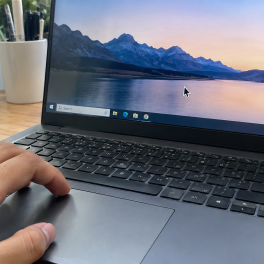
Sedang asyik mengetik dokumen, mengedit gambar, atau browsing di laptop, tiba tiba kursor panah mouse bergerak melayang sendiri ke sudut... selengkapnya

Mempunyai budget terbatas, dan saat ini sedang mencari toko komputer murah terdekat. Maka ini akan jadi ulasan yang tepat untuk... selengkapnya

Konverter USB to LAN adalah salah satu perangkat penting dalam dunia komputer maupun PC. Sama seperti komponen lainnya, perangkat tersebut... selengkapnya

Mengelola Pesan dan Grup di WhatsApp A. Organisasi dan Manajemen Pesan WhatsApp menjadi tempat utama bagi banyak orang dalam... selengkapnya
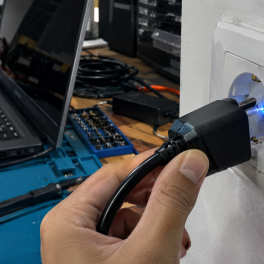
Pernahkah kamu kaget ketika mencolokkan steker charger laptop ke stop kontak dinding lalu mendadak muncul letupan kecil bercahaya biru (sparking)... selengkapnya

24%
AIPEL COMPUTER – Pusat Grosir dan Eceran – Belanja Hebat dan Hemat – Harga Murah Garansi Prima * GARANSI –… selengkapnya
Rp 47.000 Rp 62.000
9%
A. DESKRIPSI (DESCRIPTION) Refill Ink HP GT52 Magenta Original 100 % adalah tinta warna merah muda premium yang dirancang khusus… selengkapnya
Rp 91.000 Rp 100.000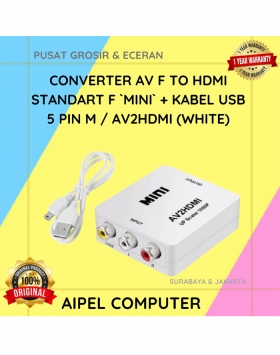
10%
A. DESKRIPSI (DESCRIPTION) AV to HDMI Converter Mini adalah perangkat converter praktis yang mampu mengubah sinyal AV menjadi output HDMI… selengkapnya
Rp 45.000 Rp 50.000
33%
A. DESKRIPSI (DESCRIPTION) Mouse USB CENTROO Optical Gaming adalah mouse gaming berkualitas tinggi yang dirancang dengan sensor presisi dan desain… selengkapnya
Rp 12.000 Rp 18.000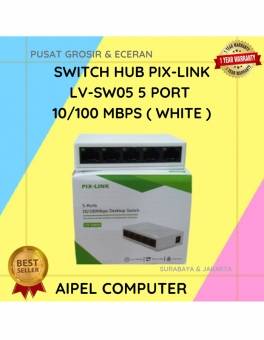
19%
A. DESKRIPSI (DESCRIPTION) Switch Hub PIX-LINK LV-SW05 5 Port 10/100 MBPS (White) adalah perangkat jaringan yang dirancang untuk memudahkan koneksi… selengkapnya
Rp 65.000 Rp 80.000
28%
A. DESKRIPSI (DESCRIPTION) Kabel HDTV Standart M to M CENTROO 4K adalah pilihan terbaik untuk koneksi layar resolusi tinggi. 📽️… selengkapnya
Rp 18.000 Rp 25.000
7%
A. DESKRIPSI (DESCRIPTION) Micro SD SANDISK Ultra 128 GB adalah solusi penyimpanan modern yang dirancang untuk menghadirkan kecepatan dan kapasitas… selengkapnya
Rp 375.000 Rp 405.000
4%
A. DESKRIPSI (DESCRIPTION) Docking Hard Disk FIDECO YPZ04-S2HC adalah docking hard disk multifungsi dari FIDECO yang dirancang untuk memberikan fleksibilitas… selengkapnya
Rp 520.000 Rp 540.000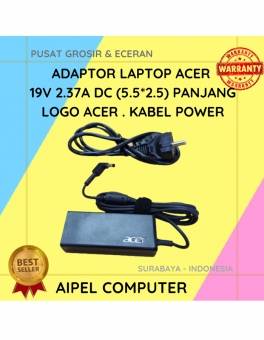
14%
A. DESKRIPSI (DESCRIPTION) Adaptor Laptop ACER 19V 2.37A DC (5.5 X 2.5) adalah solusi sempurna untuk kebutuhan daya laptop Anda…. selengkapnya
Rp 95.000 Rp 110.000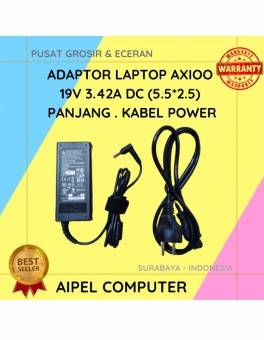
19%
A. DESKRIPSI (DESCRIPTION) Temukan kenyamanan dan kehandalan dengan Adaptor Laptop AXIOO 19V 3.42A DC (5.52.5). Alat ini dirancang khusus untuk… selengkapnya
Rp 65.000 Rp 80.000



Saat ini belum tersedia komentar.