- Orderan dibawah 500.00 via Goshop / Offline / Marketplace
Laptop Fan Running Full Speed Nonstop? 5 Easy Ways to Quiet It Down
Hearing your laptop cooling fan roar continuously at top speed makes any workspace distracting. Warm air pushes endlessly from side exhaust vents, the chassis warms your palms, and cooling fan blades spin at maximum velocity throughout the day.
A fan that refuses to slow down signals that internal heat sensors detect stubborn trapped thermal energy. The causes are purely physical: bottom intake vents pressed tight against desks, dense lint blankets covering heatsink fins, dry shaft bearings, or working inside stuffy rooms without airflow. Much like diagnosing laptop overheating and noisy fan causes how to fix to protect sensitive hardware, there are many practical ways to restore quiet fan speeds step by step.
Featured Snippet (Quick Answer):
To quiet a laptop fan running full speed nonstop, prop up the rear feet to widen bottom intake clearance, clear heatsink lint with a bulb blower or compressed air, keep machines off beds and fabrics, use an external cooling stand, and replace hardened processor thermal paste.
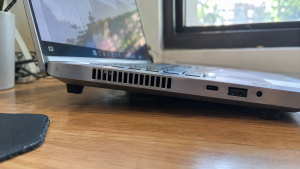
Checklist: Signs of Obstructed Laptop Airflow
Check the boxes below if these physical symptoms match your laptop:
-
[ ] The cooling fan spins at maximum speed from startup until power down.
-
[ ] Fan noise remains loud and constant even when the laptop sits completely idle.
-
[ ] Exhaust airflow feels surprisingly weak despite the fan howling at top speeds.
-
[ ] The underside of the laptop chassis feels scorching hot to the touch.
-
[ ] You regularly rest your machine on blankets, couches, or carpets.
Practical Recommendation: Prop up the back corners of your laptop using bottle caps. Elevating the chassis opens bottom intake vents, allowing fresh air to cool internal heatsinks instantly.
Comparison Table: Practical Ways to Quiet Down Laptop Fan Noise
Here is an overview of effective physical solutions to calm down roaring laptop fans:
| Airflow Restriction | Underlying Problem | Real Device Impact | Recommended Solution |
|---|---|---|---|
| Intake Vents Choked | Underside clearance sits too flush to desk | Fresh cool air cannot enter | Prop up rear laptop feet |
| Clogged Heatsink Fins | Thick lint blankets trap hot radiator air | Heat remains locked inside frame | Blow dust out with compressed air |
| Stuffy Room Ambient | Surrounding room air is warm and stagnant | Fan forced to run overtime | Set laptop on an active cooling pad |
| Dry Thermal Paste | Heat transfer between CPU and pipes broken | Fan blades max out at 100% | Disassemble and repaste processor |
5 Ways to Calm Down a Laptop Fan Running Full Speed Nonstop
Choose from these practical physical maintenance steps:
-
Elevate the Rear Laptop Feet. The easiest zero-cost trick is giving bottom vents breathing room. Place two small plastic bottle caps or rubber pads under the rear rubber feet of your machine. Elevating the chassis by just one or two centimeters doubles incoming air volume and lowers fan RPM within minutes.
-
Blast Heatsink Fins with Compressed Air. Without opening the laptop casing, direct short bursts from a rubber bulb blower or can of compressed air into side exhaust vents. This dislodges felt-like dust blankets trapped against internal copper radiator fins, restoring direct exhaust airflow.
-
Rest Your Machine on an Active Cooling Pad. If your workspace lacks air conditioning, place your laptop on a stand with built-in cooling fans. Direct airflow against the bottom casing cools down internal heat pipes and eases fan strain.
-
Keep Laptops Off Beds, Sofas, and Laps. Never rest your laptop on blankets, duvet covers, or thick clothing while watching movies. Soft fabrics sag into bottom vents, suffocating air intake and trapping scorching heat inside the chassis.
-
Renew Hardened Processor Thermal Paste. If your machine is over two years old, factory thermal paste bridging the CPU and copper heat pipes has likely hardened into brittle chalk. Cleaning old residue and spreading fresh carbon-based thermal compound restores heat conduction, allowing cooling fans to idle quietly.
When to Seek Professional Hardware Service
If you elevate the laptop and clean the exhaust vents yet the expelled air feels cold while the fan still roars at top speed, internal thermal sensor diodes on the motherboard may be misreading temperatures.
Bringing your laptop to a qualified technician for complete heatsink ultrasonic cleaning, fan blade washing, and bearing re-lubrication is the best route to ensure balanced, quiet cooling.
FAQ (Frequently Asked Questions)
Can running at full speed wear out a laptop fan?
Yes. Constant high RPM operation wears out internal fan sleeve bearings quickly, eventually producing abrasive grinding or rattling noises.
Why shouldn’t I clean vents with a household vacuum cleaner?
Household vacuum plastic nozzles generate static electricity that can jump through ventilation slots and zap sensitive internal electronics.
Conclusion
A laptop fan that runs full speed nonstop is typically caused by clogged heatsink fins, restricted intake clearance, or dried thermal paste. By elevating the chassis, cleaning dust filters, and using cooling stands, you can safely return your laptop to quiet, cool operation.
Shop Quiet Cooling Pads, Thermal Paste & Service at Aipel Computer
Looking for silent multi-fan laptop cooling pads, precision compressed air dusters, high-performance thermal paste, or guaranteed heatsink cleaning services? Find durable computer parts and accessories at wholesale prices directly in our store.
To check cooling accessory availability or get store directions, visit the official Aipel Computer website in Surabaya today.
Tags: buy laptop cooling pad surabaya, clean laptop heatsink dust, fix constant loud laptop fan, laptop fan running full speed nonstop, quiet noisy laptop fan without software

Laptop Fan Running Full Speed Nonstop? 5 Easy Ways to Quiet It Down

Penyebab processor laptop rusak dapat disebabkan oleh beberapa faktor. Prosesor atau CPU (Central Processing Unit) berfungsi sebagai otak dari laptop,... selengkapnya
Laptop gaming dikenal karena kinerjanya yang tinggi dan kemampuannya menjalankan game-game berat. Namun, performa yang tinggi ini sering kali menghasilkan... selengkapnya

Layar komputer blank hitam tapi hidup tiba-tiba bisa menjadi masalah yang membingungkan. Indikasi umum dari kondisi ini adalah lampu indikator... selengkapnya
Cara ngeprint di komputer sendiri sangatlah mudah, simpel, dan tidak memakan waktu yang lama. Bisa mencetak berbagai dokumen sendiri baik... selengkapnya
Perlu kamu ketahui, UPS Prolink ini menjadi sebuah produk yang cukup populer dan dinilai mempunyai banyak keunggulan. Sehingga, tak heran... selengkapnya

Few laptop quirks are more annoying than typing on a desk only for your display panel to wobble back and... selengkapnya

Hard disk laptop merupakan salah satu komponen penting dalam laptop. Bagi yang sudah sering menggunakan komputer atau laptop pasti sudah... selengkapnya
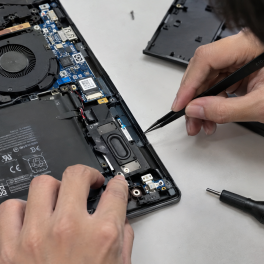
Have you ever been enjoying music or watching a film when suddenly your laptop speakers start crackling, producing harsh buzzing... selengkapnya
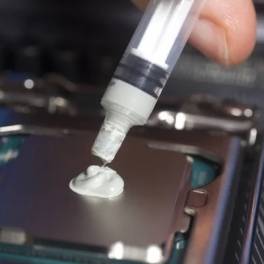
Pasta processor bantu atasi panas berlebih pada perangkat elektronika. Seiring dengan usia pemakaian, laptop Anda bisa mengalami penurunan performa secara... selengkapnya
Saat kita memutuskan untuk cari komputer murah, ada beberapa hal yang harus dijadikan pertimbangan untuk mengantisipasi supaya terhindar dari kesalahan... selengkapnya
11%
A. DESKRIPSI (DESCRIPTION) External Case NVME CENTROO to Type-C USB 3.1 (White Packing) adalah enclosure modern yang memudahkan Anda untuk… selengkapnya
Rp 93.000 Rp 105.000
7%
A. DESKRIPSI (DESCRIPTION) BH61 Main Board 1155 BODI adalah solusi sempurna untuk Anda yang mencari motherboard yang komprehensif dan handal…. selengkapnya
Rp 325.000 Rp 350.000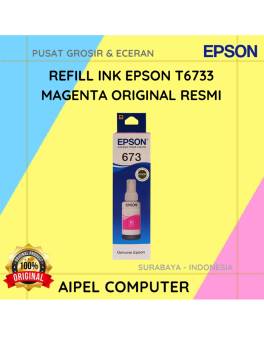
1%
A. DESKRIPSI (DESCRIPTION) Refill Ink EPSON T6733 Magenta Original 100 % adalah tinta isi ulang berkualitas tinggi dari EPSON yang… selengkapnya
Rp 138.000 Rp 140.000
25%
A. DESKRIPSI (DESCRIPTION) Mouse Wireless JERTECH JR-10 IONIA adalah perangkat nirkabel berdesain modern yang menghadirkan kenyamanan luar biasa dalam genggaman…. selengkapnya
Rp 45.000 Rp 60.000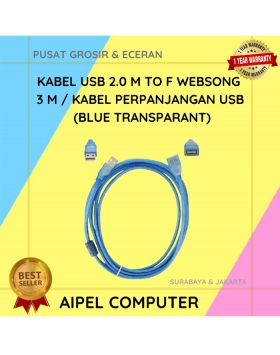
15%
A. DESKRIPSI (DESCRIPTION) Kabel ini adalah solusi fleksibel buat kamu yang pengen koneksi antar perangkat tanpa harus duduk mepet CPU…. selengkapnya
Rp 19.500 Rp 23.000
14%
AIPEL COMPUTER USB Hub 10 Port 10 Switch HOBOO RGB USB 3.0 Metal adalah pilihan cerdas bagi Anda yang membutuhkan… selengkapnya
Rp 320.000 Rp 370.000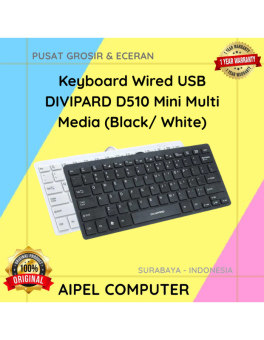
21%
A. DESKRIPSI (DESCRIPTION) Keyboard Wired USB DIVIPARD D510 Mini Multi Media (Black/White) adalah keyboard mini dengan koneksi USB dan desain… selengkapnya
Rp 55.000 Rp 70.000
60%
AIPEL COMPUTER RJ45 CAT 5 BEST 1 PCS (Transparant) adalah konektor jaringan tipe RJ45 kategori 5 yang dirancang dengan bahan… selengkapnya
Rp 200 Rp 500
3%
A. DESKRIPSI (DESCRIPTION) Refill Ink EPSON 001 Yellow 70 ML Original 100 % adalah solusi tinta isi ulang berkualitas dengan… selengkapnya
Rp 117.000 Rp 120.000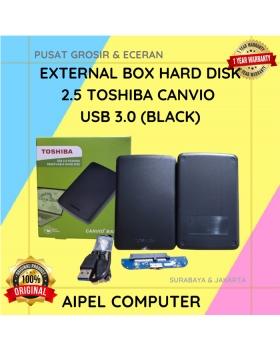
27%
A. DESKRIPSI (DESCRIPTION) External Box Hard Disk 2.5 USB 3.0 (Black) adalah casing hard disk yang dirancang untuk mempermudah mobilitas… selengkapnya
Rp 55.000 Rp 75.000



Saat ini belum tersedia komentar.