- Orderan dibawah 500.00 via Goshop / Offline / Marketplace
Laptop Screen Falling Backwards? How to Tighten Loose Hinges
Few laptop quirks are more annoying than typing on a desk only for your display panel to wobble back and forth with every keystroke. In worse cases of mechanical wear, the screen cannot remain upright at all, flopping flat backwards or collapsing shut because the hinges have lost all friction grip.
A laptop screen falling backwards is typically caused by loose hinge tension nuts from repeated opening and closing cycles, not structural frame breaks. Modern laptop hinge brackets rely on stacked spring washers secured by miniature tension nuts to balance the weight of fragile LCD glass. Much like checking our guide on laptop hinge loose broken repair replace guide to choose proper repair steps, you can retighten loose hinge tension yourself to stabilize your display.
Featured Snippet (Quick Answer):
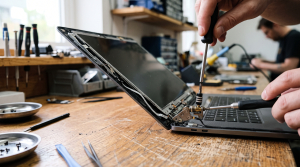
To fix a laptop screen falling backwards from loose hinges, pry off the plastic screen bezel, locate the friction tension nut on the metal hinge barrel, tighten the nut clockwise roughly a quarter turn with pliers or a small wrench, and verify the chassis screw mounts are uncracked.
Checklist: Signs of Loose Laptop Hinge Tension
Check the boxes below if these mechanical symptoms describe your laptop:
-
[ ] The display panel falls backwards the moment you let go of the lid.
-
[ ] The screen wobbles excessively when typing on your lap or vibrating desks.
-
[ ] You hear zero plastic snapping sounds; movement is simply loose and effortless.
-
[ ] Bottom chassis seams remain tightly closed without separating.
-
[ ] The screen stays upright only at narrow viewing angles (like under 90 degrees).
Practical Recommendation: Stop propping up loose screens with books. Remove the plastic screen bezel and tighten the hinge tension nuts instead.
Comparison Table: Loose Hinge Tension vs Structural Hinge Breaks
Here is an overview of hinge damage stages and recommended actions:
|
4 Steps to Tighten a Loose Laptop Screen
Follow these mechanical adjustments carefully:
-
Pry Off the Front Screen Bezel. Power down the laptop and disconnect all chargers. Use a thin plastic spudger tool to release internal plastic clips around the screen perimeter. Work slowly from the inside edges and avoid metal screwdrivers to prevent scratching delicate display glass.
-
Locate the Hinge Tension Nut. With the bezel removed, inspect the bottom corners flanking the display. You will see the metal hinge barrels anchoring the screen to the chassis. At the tip of each barrel sits a small nut (roughly 4mm to 5mm) clamping internal spring washers.
-
Tighten the Nut Clockwise in Small Increments. Using needle-nose pliers or a miniature wrench, turn the tension nut clockwise about a quarter turn (roughly 45 to 90 degrees). Do not overtighten; hinges adjusted too stiff will tear plastic screw mounts out of the housing when closing the lid.
-
Test Hinge Tension Before Snapping the Bezel Back. Move the display forward and backward. The panel should feel sturdy, holding its angle firmly when gently nudged without feeling too stiff to adjust with one hand. Once satisfied, snap the plastic bezel back into place.
When to Seek Professional Hardware Service
If you turn the tension nut but it spins endlessly (stripped threads), or the hinge friction barrels have worn completely smooth with zero mechanical grip, manual tightening will not hold.
This indicates you need a brand-new pair of OEM metal hinges (Left & Right) to restore proper friction balance across your display panel.
FAQ (Frequently Asked Questions)
Can a wobbly screen damage internal display cables?
Yes. When a loose screen drops backward repeatedly and strikes desks, the internal video cable (eDP) routed through the hinge barrel can pinch, causing visual lines or screen flickering.
Why do laptop hinges loosen over time?
Natural vibrations and thousands of mechanical friction cycles gradually loosen the factory locknuts holding the internal spring washers tight.
Conclusion
A laptop screen falling backwards or wobbling while typing is typically caused by unthreaded hinge tension nuts rather than broken parts. By removing the front bezel and tightening the locknuts clockwise, your laptop display will stay securely upright once again.
Shop OEM Laptop Hinges, Toolkits & Service at Aipel Computer
Struggling with a loose screen, snapped hinge brackets, or stripped casing screw mounts? Explore our full lineup of precision repair services, original replacement hinges for all laptop brands, and electronics tools at wholesale prices directly in our store.
To check hinge part availability or get directions to our retail store, visit the official Aipel Computer website in Surabaya today.
Tags: fix wobbly laptop screen while typing, laptop screen falling backwards loose hinge, laptop screen flopping back, replace laptop hinges surabaya, tighten loose laptop hinge tension

Laptop Screen Falling Backwards? How to Tighten Loose Hinges

Laptop saat ini telah menjadi kebutuhan utama atau primer untuk banyak orang. Namun, penggunaan laptop yang berkelanjutan dalam waktu lama... selengkapnya
Have you ever been working or watching a movie on your laptop when the screen suddenly starts flickering, blinking intermittently,... selengkapnya
Toko komputer online saat ini sudah menjadi hal lumrah. Hal itu mengingat kemajuan teknologi memang semakin berkembang pesat setiap waktu.... selengkapnya
Pernahkah kamu baru menyalakan laptop, belum membuka software berat apa pun, namun saat membuka Task Manager mendapati grafik penggunaan memori... selengkapnya

Bagi Anda yang suka bermain game, pastinya tak asing lagi dengan splitter. Namun berbeda halnya untuk Anda yang tidak suka... selengkapnya
MicroSD card merupakan salah satu perangkat penyimpanan non-volatile yang semakin penting dalam kehidupan digital modern. Dengan beragam merek dan spesifikasi... selengkapnya
Spesifikasi kabel UTP hadir dengan berbagai keunggulan. Kabel ini memiliki pelindung pelapis pada bagian internalnya. Fungsi dari kabel UTP itu... selengkapnya
Menghadapi jaringan internet nirkabel yang mendadak hilang dan terhubung kembali secara berulang kali tentu sangat mengganggu konsentrasi kerja maupun kenyamanan... selengkapnya
Di era digital seperti sekarang, laptop telah menjadi perangkat penting bagi banyak orang, baik untuk pekerjaan, studi, maupun hiburan. Untuk... selengkapnya
Sedang asyik mengetik dokumen, mengedit gambar, atau browsing di laptop, tiba tiba kursor panah mouse bergerak melayang sendiri ke sudut... selengkapnya
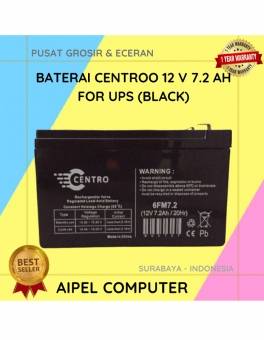
3%
A. DESKRIPSI (DESCRIPTION) Battery CENTROO 12V 7.2AH 2.05 KG For UPS (Black) adalah sumber daya cadangan yang dirancang untuk memberikan… selengkapnya
Rp 199.500 Rp 205.000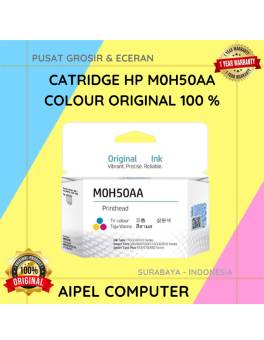
-3%
AIPEL COMPUTER – Pusat Grosir dan Eceran – Belanja Hebat dan Hemat – Harga Murah Garansi Prima * GARANSI –… selengkapnya
Rp 175.000 Rp 170.000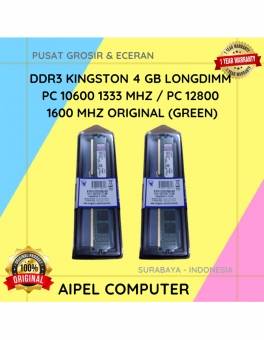
18%
A. DESKRIPSI (DESCRIPTION) DDR3 KINGSTON 4 GB adalah solusi tepat bagi Anda yang mendambakan performa sistem lebih tinggi untuk menjalankan… selengkapnya
Rp 70.000 Rp 85.000
8%
A. DESKRIPSI (DESCRIPTION) Printer EPSON L3211 Print Scan Copy Original 100 % (Black – 003 CMYK) adalah printer multifungsi yang… selengkapnya
Rp 2.065.000 Rp 2.250.000
13%
A. DESKRIPSI (DESCRIPTION) Canon GI-71 Magenta adalah ink refill yang dirancang khusus untuk printer Canon, menawarkan kualitas cetak yang luar… selengkapnya
Rp 70.000 Rp 80.000
17%
A. DESKRIPSI (DESCRIPTION) Adaptor Laptop LENOVO 20V 2.25A DC (4.0*1.7) Kotak Colok Langsung adalah pilihan tepat bagi Anda yang membutuhkan… selengkapnya
Rp 75.000 Rp 90.000
25%
A. DESKRIPSI (DESCRIPTION) Bicycle Phone Holder GENAI GN-Z04 (Black) adalah pilihan tepat untuk pencinta sepeda yang membutuhkan akses mudah ke… selengkapnya
Rp 51.000 Rp 68.000
10%
A. DESKRIPSI (DESCRIPTION) External Case M2 NVME FIDECO to Type-C USB 3.1 adalah casing premium untuk SSD M.2 NVME yang… selengkapnya
Rp 198.000 Rp 220.000
12%
A. DESKRIPSI (DESCRIPTION) Canon CH-7 Colour Original Ink Cartridge adalah solusi sempurna bagi Anda yang membutuhkan kualitas cetak tinggi dengan… selengkapnya
Rp 335.000 Rp 380.000
4%
A. DESKRIPSI (DESCRIPTION) Printer EPSON L1250 WiFi Print Original 100 % (Black – 003 CMYK) adalah printer nirkabel yang menggabungkan… selengkapnya
Rp 2.110.000 Rp 2.200.000



Saat ini belum tersedia komentar.