- Orderan dibawah 500.00 via Goshop / Offline / Marketplace
Laptop Hinge Broken, Stiff, or Cracked? Causes and Fixes
Have you ever gone to open your laptop lid as usual, only to hear a startling snapping sound followed by the plastic casing near the hinge separating, cracking, or even tearing completely open?
A broken, stiff, or seized laptop screen hinge represents one of the most feared mechanical hardware failures among users. However, much like troubleshooting external peripheral dropouts in laptop usb port not working loose causes fixes, hinge damage does not happen instantaneously. This condition typically originates from neglected hinge shaft stiffness over time, which exerts extreme torque pressure against the brass threaded inserts embedded inside the laptop’s plastic body shell.
Featured Snippet (Quick Answer):
Primary causes of a broken or stiff laptop hinge include unlubricated rusted hinge shafts, the habit of opening the laptop screen from a single side corner, or brass inserts pulling away from plastic chassis housings due to drops and thermal stress.
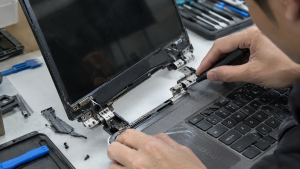
Checklist: Evaluating Laptop Hinge Damage Severity
Check the boxes below if these hinge symptoms match your current situation:
-
[ ] The laptop body casing near the screen corners appears warped, elevated, or cracked when opening the lid.
-
[ ] The hinge shafts feel excessively heavy, tight, or rigid (stiff) when moving the screen open or closed.
-
[ ] Tiny plastic shards fall out from the hinge gap whenever the laptop lid is adjusted.
-
[ ] Internal display ribbon cables or Wi-Fi antennas look pinched, strained, or exposed due to hinge separation.
-
[ ] The laptop was previously dropped or impacted while the screen lid was open.
Practical Recommendation: DO NOT FORCE IT OPEN OR CLOSED! If the hinge feels exceptionally stiff and the plastic chassis begins separating, forcing the lid shut will shear internal display ribbon cables, snap antenna wires, and shatter the nearby LCD panel. Bring it to a technician immediately to loosen the hinge mechanism.
Comparison Table: Hinge Damage Types and Recommended Actions
| Hinge Damage Condition | Underlying Cause | Damage Risk | Recommended Action |
|---|---|---|---|
| Stiff / Seized Hinge Shaft | Rusted metal shaft / lack of lubrication | Brass inserts rip out from plastic shell | Loosen hinge shaft nuts & apply specialized lubricant |
| Cracked / Separating Plastic Shell | Excessive hinge torque pressure on thin body | Structural casing & ribbon cable damage | Rebuild chassis housing using resin / acrylic reinforcement |
| Completely Broken / Detached Hinge | Severe impact or sheared mounting screws | Unstable, wobbly screen assembly | Replace damaged chassis housing (palmrest / back cover) |
| Loose / Wobbly Screen Assembly | Loose internal hinge tightening screws | Internal cables pulled and severed | Disassemble chassis & tighten hinge locking screws |
4 Emergency Steps to Handle Problematic Laptop Hinges
-
Support the Screen Carefully When Opening. If your hinges start feeling slightly stiff, get into the habit of opening your laptop screen precisely from the center of the top bezel frame (rather than pulling from the left or right corners) to distribute weight evenly across both hinge shafts.
-
Never Leave a Damaged Laptop Open Indefinitely. If the chassis shell has started cracking or lifting, loosen the hinge gripping tension before it worsens. Ignoring it will cause brass inserts to detach entirely, destroying internal components.
-
Repair Torn Threaded Inserts with Resin / Strong Plastics. Professional technicians typically re-anchor loose brass inserts back into plastic housings using a combination of multi-purpose adhesives and acrylic reinforcing powder to restore structural integrity.
-
Perform Hinge Tension Adjustment. Slightly loosen the locking nuts on the metal hinge shafts using a mini wrench or needle-nose pliers if the shaft is overly seized, then apply a drop of silicone lubricant to restore smooth, effortless movement.
When to Seek Professional Repair Services
If the LCD back cover shell or upper keyboard palmrest chassis has shattered completely around the hinge mounting brackets, DIY home gluing will fail to withstand the heavy mechanical torque of opening and closing the screen.
This condition requires replacing an entire new chassis housing set (casing replacement) or performing professional body structure restoration by an experienced technician to ensure safe operation.
FAQ (Frequently Asked Questions)
Why do laptop hinges become extremely stiff all of a sudden?
Over time, dust, friction, and a lack of lubrication on the metal hinge shafts cause oxidation and binding. When forced open, the excessive rotational torque immediately shatters the plastic nut mounts inside the chassis shell.
Does standard manufacturer warranty cover broken laptop hinges?
Most laptop manufacturers classify hinge damage resulting from physical pressure or drops as human error outside standard warranties, unless proven to be a factory defect in mounting design.
Conclusion
A broken, stiff, or cracked laptop screen hinge is a severe mechanical issue requiring prompt attention to prevent secondary damage to display ribbon cables and LCD panels. Maintaining gentle opening habits and readjusting hinge tension will protect your device from catastrophic failure.
Shop OEM Chassis Housing, Hinges & Repairs at Aipel Computer
Looking for genuine original replacement laptop chassis casings with warranty, professional hinge repair services, or expert laptop servicing in Surabaya? Find trusted replacement parts and expert repair services directly at Aipel Computer.
Tags: fix cracked laptop screen bezel hinge mount, laptop hinge broken stiff cracked causes fixes, laptop hinge repair surabaya, laptop repair surabaya, replace laptop casing surabaya

Laptop Hinge Broken, Stiff, or Cracked? Causes and Fixes
Kabel power SATA termasuk dalam komponen komputer. Kabel SATA atau Serial Advanced Technology Attachment adalah sebuah kabel standar Internasional yang... selengkapnya
Tang crimping seringkali dimanfaatkan dalam bidang elektronik. Namun, sebagian besar orang sering kali merasa bingung dengan istilah-istilah lain yang mengacu... selengkapnya
Mouse pad bantal merupakan salah satu aksesoris komputer dan laptop yang pastinya sudah tidak asing lagi bagi Anda bukan? Bahkan... selengkapnya

Pernahkah Anda mengalami charger laptop rusak secara tiba-tiba? Meskipun menggunakan charger asli dari pabrik, sayangnya, charger hanya bertahan beberapa tahun.... selengkapnya

Layar komputer blank hitam tapi hidup tiba-tiba bisa menjadi masalah yang membingungkan. Indikasi umum dari kondisi ini adalah lampu indikator... selengkapnya
TL MR100 menjadi salah satu router terbaik yang bisa Anda pilih sebab menawarkan kualitas serta penggunaan yang sangat praktis dan... selengkapnya
Sangat wajar jika sebuah perangkat portabel mengalami penurunan efisiensi seiring berjalannya waktu. Sebagian besar komponen penampung daya laptop modern dirancang... selengkapnya
Layar laptop tiba-tiba terasa oblak saat diketik, terdengar bunyi “krek” yang makin keras tiap kali layar dibuka, atau justru bodi... selengkapnya

Saat ini, webcam laptop menjadi salah satu alat penting untuk komunikasi secara virtual. Baik untuk video konferensi, pembelajaran daring, atau... selengkapnya
Menghadapi jaringan internet nirkabel yang mendadak hilang dan terhubung kembali secara berulang kali tentu sangat mengganggu konsentrasi kerja maupun kenyamanan... selengkapnya
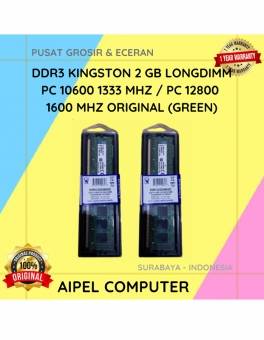
23%
A. DESKRIPSI (DESCRIPTION) DDR3 KINGSTON 2 GB adalah memori RAM berkualitas yang dirancang untuk menunjang performa komputer Anda agar tetap… selengkapnya
Rp 47.500 Rp 62.000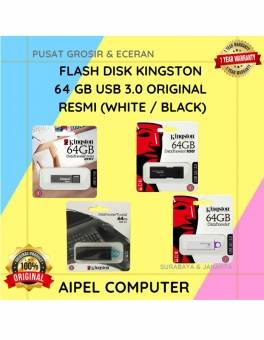
12%
A. DESKRIPSI (DESCRIPTION) Flash Disk KINGSTON 64 GB adalah perangkat penyimpanan portabel yang menawarkan kecepatan tinggi dan kapasitas besar untuk… selengkapnya
Rp 115.000 Rp 130.000
47%
AIPEL COMPUTER – Pusat Grosir dan Eceran – Belanja Hebat dan Hemat – Harga Murah Garansi Prima * GARANSI –… selengkapnya
Rp 16.000 Rp 30.000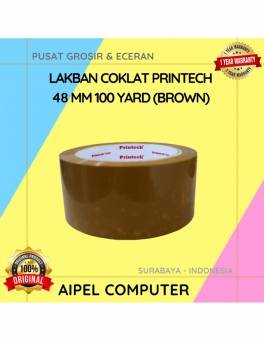
20%
A. DESKRIPSI (DESCRIPTION) Lakban Coklat PRINTECH 48 MM 100 Yard (Brown) adalah solusi perekat yang dirancang khusus untuk memenuhi kebutuhan… selengkapnya
Rp 8.000 Rp 10.000
24%
AIPEL COMPUTER – Pusat Grosir dan Eceran – Belanja Hebat dan Hemat – Harga Murah Garansi Prima * GARANSI –… selengkapnya
Rp 47.000 Rp 62.000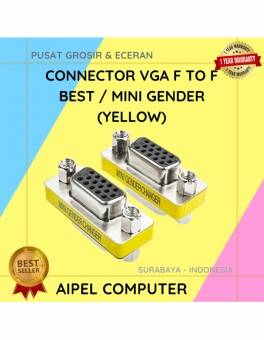
20%
A. DESKRIPSI (DESCRIPTION) Connector VGA F To F BEST / Mini Gender adalah konektor mini berkualitas tinggi yang dirancang khusus… selengkapnya
Rp 6.000 Rp 7.500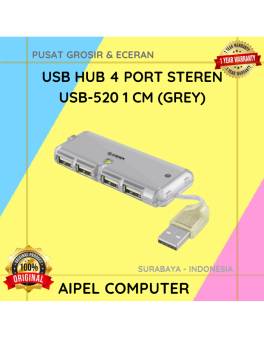
37%
A. DESKRIPSI (DESCRIPTION) USB Hub 4 Port STEREN USB-520 1 CM (Grey) adalah perangkat pendukung konektivitas yang mampu mengubah satu… selengkapnya
Rp 12.000 Rp 19.000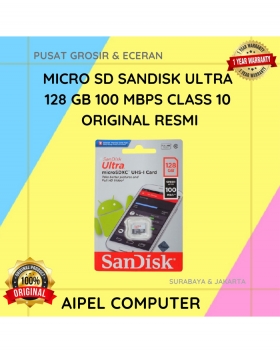
7%
A. DESKRIPSI (DESCRIPTION) Micro SD SANDISK Ultra 128 GB adalah solusi penyimpanan modern yang dirancang untuk menghadirkan kecepatan dan kapasitas… selengkapnya
Rp 375.000 Rp 405.000
13%
A. DESKRIPSI (DESCRIPTION) Kabel Audio 3.5 M To RCA-2 M CENTROO 3 M adalah solusi praktis untuk menghubungkan berbagai perangkat… selengkapnya
Rp 13.000 Rp 15.000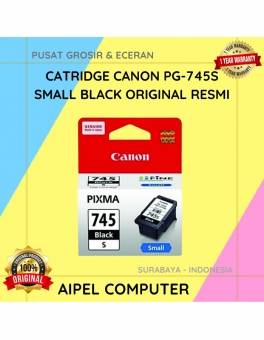
25%
A. DESKRIPSI (DESCRIPTION) Canon PG-745S adalah kartrid tinta hitam asli yang dirancang khusus untuk memberikan kualitas cetakan terbaik pada dokumen… selengkapnya
Rp 113.000 Rp 150.000



Saat ini belum tersedia komentar.