- Orderan dibawah 500.00 via Goshop / Offline / Marketplace
Laptop USB Port Not Working or Loose? Causes and Fixes
Have you ever plugged a flash drive, mouse, or external keyboard into your laptop, only to find that the device isn’t recognized at all, the flash drive light fails to turn on, or you have to wiggle and hold the cable at a specific angle to maintain a connection?
Dealing with a loose or unresponsive USB port is a frustrating “minor” issue faced constantly by laptop users. However, much like troubleshooting power delivery hurdles in laptop usb c charging not working causes fixes, an undetected USB port is rarely caused by complete motherboard controller failure. It is usually triggered by pocket lint buildup inside the port, oxidized contact pins, or Windows Selective Suspend power policies.
Featured Snippet (Quick Answer):
Primary causes of a laptop USB port not working or feeling loose include compressed dust/lint inside the port opening, oxidized copper contact pins, active USB Selective Suspend features in Windows, or expanded outer metal retention clips.
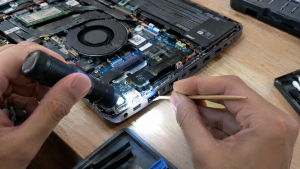
Checklist: Evaluating Laptop USB Port Behavior
Check the boxes below if these USB port symptoms match your current situation:
-
[ ] Devices are detected only when the USB plug is bent or pushed firmly upward/downward.
-
[ ] A “USB Device Not Recognized” error notification pops up in the bottom-right corner of Windows.
-
[ ] USB port is completely unresponsive, but connected devices work normally in an adjacent port.
-
[ ] Flash drive plug feels noticeably loose or wobbly when inserted into the port opening.
-
[ ] USB port resumes functioning normally after restarting the laptop or clearing residual static power.
Practical Recommendation: Never attempt to scrape inside a USB port using conductive metal objects (such as safety pins or paperclips). Touching internal components with metal can bend the copper contacts or cause a short circuit on the motherboard.
Comparison Table: USB Port Symptoms and Recommended Actions
| USB Port Symptom | Underlying Cause | Device Damage Risk | Recommended Action |
|---|---|---|---|
| Undetected + Loose Plug | Compressed lint / expanded retention clips | Interrupted power flow | Clean out dust & tighten metal port clips |
| “USB Not Recognized” Error | Corrupted USB Controller driver / moisture | Data communication failure | Uninstall USB driver via Device Manager |
| Auto Disconnects on Battery | Active USB Selective Suspend feature | Power saving policy cuts port | Disable Selective Suspend in Power Options |
| Permanently Dead After Taut Pull | Broken/cracked USB port solder joints | Motherboard short circuit | Replace internal USB Board module |
4 Ways to Fix an Undetected and Loose Laptop USB Port
-
Clear Dust and Debris Out of Port Opening. Power off the laptop. Use a flashlight to inspect inside the USB port. Use a thin wooden toothpick dampened with 70% isopropyl alcohol to gently extract lint and packed dust blocking the copper contact pins.
-
Disable USB Selective Suspend in Windows Settings. Open Control Panel > Power Options > click Change plan settings next to your active plan > select Change advanced power settings. Expand USB settings > USB selective suspend setting > change the value to Disabled for both On battery and Plugged in.
-
Reinstall USB Controller Drivers in Device Manager. Press Windows + X > select Device Manager. Expand Universal Serial Bus controllers. Right-click USB Root Hub or Generic USB Hub > select Uninstall device. Afterward, restart your laptop to let Windows perform a clean driver reinstall.
-
Tighten Outer Metal Retention Clips. If your flash drive feels excessively loose, power off the laptop. Use a wooden toothpick to gently press down on the small metal retention tabs inside the top of the port to restore a firm, snug grip on inserted plugs.
When to Seek Professional Repair Services
If you have reinstalled system drivers and cleaned out debris yet the USB port remains completely unresponsive, or if the plastic tongue inside the port is broken, the physical USB connector is severely damaged.
This condition requires installing a new original USB Port Board module by a qualified repair technician to restore stable power and data transmission for external devices.
FAQ (Frequently Asked Questions)
Is it safe to plug a multi-port USB Hub into a loose USB port?
Not recommended. A loose port delivers unstable power flow. Plugging a multi-port USB Hub into a loose port increases the risk of data corruption on connected flash drives or external hard drives.
Why do USB 3.0 ports (blue ports) fail to read older USB 2.0 devices?
USB 3.0 ports feature two rows of internal contacts (USB 2.0 power pins at the front, USB 3.0 data pins at the back). If dust accumulates near the front, USB 2.0 devices fail to connect while USB 3.0 devices still work.
Conclusion
A laptop USB port that is undetected or loose is typically caused by accumulated lint, Windows power-saving policies, or expanded metal retention clips. Cleaning out the port opening and resetting USB Controller drivers will restore smooth external device connections.
Shop Genuine Flash Drives, USB Hubs & Repairs at AipeAipel Computerl Computer
Looking for genuine warranty-backed flash drives, high-quality USB hubs, or professional laptop USB port repair services? Find trusted replacement parts and expert repair services directly at Aipel Computer.
For accessories, flash drives, or technical repair consultations, visit the official website today.
Tags: fix usb device not recognized, laptop usb port loose repair, laptop usb port not working loose, replace laptop usb port surabaya

Laptop USB Port Not Working or Loose? Causes and Fixes

Memilih keyboard komputer yang tepat merupakan langkah penting dalam mendukung produktivitas saat bekerja atau menyelesaikan tugas. Terutama ketika menggunakan komputer... selengkapnya
Pernahkah kamu sedang asyik mengetik dokumen atau mengedit foto, lalu kursor di layar mendadak bergerak liar, loncat-loncat sendiri, atau justru... selengkapnya
Trying to connect your TWS, wireless headset, Bluetooth mouse, or transfer files from your phone to your laptop, only to... selengkapnya

Komputer client merupakan sebuah komponen utama dalam sistem jaringan yang berfungsi sebagai pengguna layanan. Baik itu dalam hal menjalankan aplikasi,... selengkapnya
Pressing your laptop’s power button, hearing the internal cooling fans spin, seeing power LEDs glow, but finding the display stuck... selengkapnya
Powering on your laptop as usual, only for the screen to display the manufacturer logo followed by Windows spinning loading... selengkapnya
USB micro B merupakan salah satu kabel USB dari banyaknya yang tersebar. Kabel USB merupakan perlengkapan yang sering ada pada... selengkapnya
Kerusakan pada layar komputer bisa menjadi masalah besar bagi penggunanya. Beberapa faktor dapat menyebabkan layar komputer rusak, dan Anda bisa... selengkapnya
Working on a project, watching a video, or attending a virtual meeting when suddenly your display starts blinking continuously (flickering)... selengkapnya
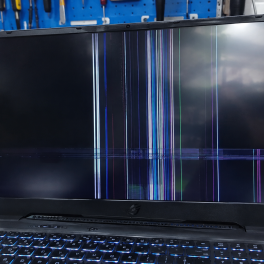
Pernahkah kamu sedang asyik menggunakan laptop untuk bekerja atau menonton film, tiba-tiba tampilan di layar bergetar (flickering), berkedip-kedip (blinking), atau... selengkapnya

10%
A. DESKRIPSI (DESCRIPTION) Earphone Wireless GENAI TWS GE5 PRO Earbuds LCD Touch Screen adalah solusi audio masa kini dengan tampilan… selengkapnya
Rp 185.000 Rp 205.000
31%
A. DESKRIPSI (DESCRIPTION) Kabel Audio 3.5 M-2 To F BEST adalah kabel splitter audio praktis yang dirancang untuk membagi satu… selengkapnya
Rp 5.500 Rp 8.000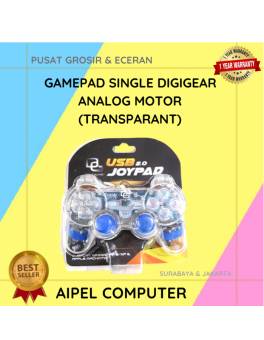
17%
AIPEL COMPUTER – Pusat Grosir dan Eceran – Belanja Hebat dan Hemat – Harga Murah Garansi Prima * GARANSI –… selengkapnya
Rp 37.500 Rp 45.000
33%
A. DESKRIPSI (DESCRIPTION) Kabel Power Desktop CENTROO 1.8 M adalah kabel tipe 3 pin C13 yang dirancang untuk memberikan pasokan… selengkapnya
Rp 10.000 Rp 15.000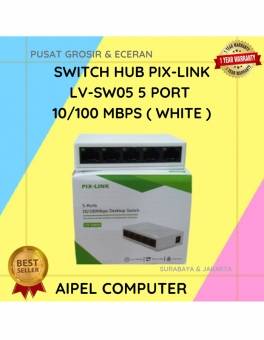
19%
A. DESKRIPSI (DESCRIPTION) Switch Hub PIX-LINK LV-SW05 5 Port 10/100 MBPS (White) adalah perangkat jaringan yang dirancang untuk memudahkan koneksi… selengkapnya
Rp 65.000 Rp 80.000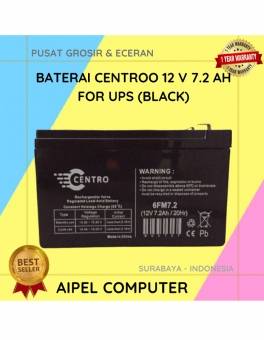
3%
A. DESKRIPSI (DESCRIPTION) Battery CENTROO 12V 7.2AH 2.05 KG For UPS (Black) adalah sumber daya cadangan yang dirancang untuk memberikan… selengkapnya
Rp 199.500 Rp 205.000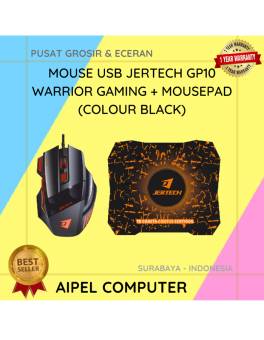
13%
A. DESKRIPSI (DESCRIPTION) Mouse USB JERTECH GP10 WARRIOR Gaming + Mousepad adalah perangkat andalan yang dirancang khusus untuk para gamer… selengkapnya
Rp 91.500 Rp 105.000
1%
A. DESKRIPSI (DESCRIPTION) Router Wireless TP-LINK TL-WR840N adalah solusi jaringan untuk kebutuhan internet Anda sehari-hari. 🌐📶 Dengan kecepatan hingga 300… selengkapnya
Rp 188.000 Rp 190.000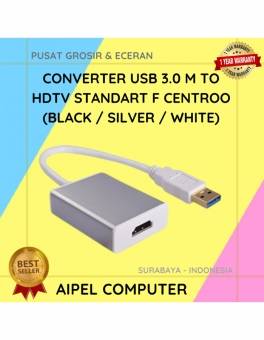
20%
A. DESKRIPSI (DESCRIPTION) Converter USB 3.0 M To HDTV Standart F CENTROO/HOBOO (Black / Silver / White) adalah alat serbaguna… selengkapnya
Rp 68.000 Rp 85.000
17%
A. DESKRIPSI (DESCRIPTION) Adaptor Laptop HP 19V 4.74A DC (7.4*5.0) Panjang Jarum Kabel Power adalah pilihan ideal bagi kamu yang… selengkapnya
Rp 75.000 Rp 90.000



Saat ini belum tersedia komentar.