- Orderan dibawah 500.00 via Goshop / Offline / Marketplace
Laptop Running Extremely Slow Due to Background Apps? Easy Fixes
Instant frustration boils over when your freshly powered-on laptop grinds to a dead halt, spinning the dreaded loading circle endlessly while basic software freezes for agonizing minutes. You haven’t even opened a single program on your desktop, yet internal cooling fans roar like a jet engine and the chassis scorches your fingers as if forced to render a high-budget theatrical blockbuster.
This performance disaster occurs because dozens of parasitic programs and stealthy background processes launch automatically behind your back. Gaming clients, chat apps, cloud storage updaters, and browser pre-loaders aggressively wage war over your physical RAM, pinning processor (CPU) utilization at a staggering 100 percent. Frustrated users frequently assume their machine has reached the end of its lifespan and belongs in a scrap pile. However, by exploring slow laptop causes upgrade costs to reclaim system agility, you can swiftly liberate hijacked memory and breathe instant responsiveness back into your device.
Featured Snippet (Quick Answer):
The quickest way to fix a laptop running slow due to background apps is by disabling heavy Startup programs in Task Manager (
Ctrl + Shift + Esc), revoking Background Apps permissions in Windows Settings, turning off browser background pre-loaders, and purging redundant bloatware hoarding RAM.
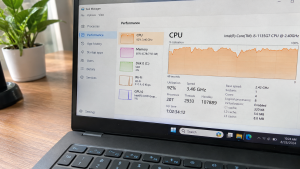
Checklist: Why Are Background Apps Choking Your Laptop?
Check the boxes below if any of these symptoms match your laptop’s current condition:
-
[ ] CPU or Memory utilization in Task Manager perpetually hovers between 80–100% while idle.
-
[ ] The laptop takes an agonizingly long time to transition from the boot screen to an interactive desktop.
-
[ ] A massive cluster of small application icons clutters the lower right corner of the system tray.
-
[ ] Basic web browsers freeze or throw Not Responding errors upon launching.
-
[ ] The battery drains at an alarming pace even when staring at an empty desktop wallpaper.
Practical Recommendation: Launch Task Manager immediately after booting your laptop. Sort the CPU and Memory columns from highest to lowest to instantly expose the primary resource hogs sabotaging your system.
Comparison Table: Background App Categories and System Impact
To identify which stealth applications are silently depleting your hardware resources, review this comparison:
| Background Category | Common Program Examples | System Impact | Recommended Corrective Action |
|---|---|---|---|
| Startup Launchers | Discord, Spotify, Steam | Adds 30–60 seconds to boot duration | Disable via Startup Apps tab |
| Cloud Sync Tools | OneDrive, Google Drive | Consumes RAM & background bandwidth | Switch to manual / scheduled sync |
| Browser Pre-loaders | Chrome / Edge Background Tasks | Locks 1–cGB of RAM when closed | Toggle off Continue running background apps |
| Duplicate Antivirus / Bloat | Pre-installed trial security suites | Pegs disk usage at 100% continuously | Uninstall redundant third party tools |
4 Ways to Disable Background Apps Slowing Down Your Laptop
Follow these step by step optimization methods to alleviate excessive processor strain:
-
Disable Startup Programs via Task Manager. Press
Ctrl + Shift + Escto bring up Task Manager, then switch to the Startup apps tab (speedometer icon). Locate non essential programs marked with High Impact (such as Spotify, Epic Games Launcher, or Skype), right click the entry, and select Disable. -
Revoke Background App Permissions in Windows Settings. Press
Win + Ito open Settings, then navigate to Apps > Installed apps. Click the three-dot menu next to apps you rarely use, select Advanced options, and under the Background apps permissions dropdown, select Never. -
Turn Off Background Web Browser Tasks. Launch Google Chrome or Microsoft Edge. Head over to Settings > System and performance. Toggle the option labeled Continue running background apps when Google Chrome is closed to the Off position to prevent closed browsers from keeping zombie processes alive.
-
Disable Non Essential Third Party Services via MSConfig. Press
Win + R, typemsconfig, and hit Enter. Navigate to the Services tab, check the box marked Hide all Microsoft services (essential to safeguard operating system stability), click Disable all to halt non critical background services, and restart your laptop.
When Should You Upgrade Your Laptop RAM?
If you have terminated all unnecessary background processes but physical memory consumption stubbornly remains above 90 percent due to heavy professional workloads (such as 4K video editing, heavy graphic design, or juggling hundreds of browser tabs), your laptop is suffering from an absolute hardware memory deficit.
Upgrading to 8GB or 16GB Dual Channel RAM represents the ultimate permanent remedy. Expanding memory bandwidth provides expansive breathing room for your operating system, letting you multitask smoothly without unexpected system lockups or sluggish app switching.
FAQ (Frequently Asked Questions)
Is it completely safe to disable Startup applications?
Yes, absolutely. Disabling entries under the Startup tab merely prevents third party software from launching unprompted when the machine boots. You can still launch and use those programs manually whenever you need them.
Why does Fast Startup sometimes make a laptop run slower?
Fast Startup works by saving the active kernel session and lingering app states into a hibernation file rather than performing a fresh hardware reset upon shutdown. Over time, accumulated background clutter and stale cache files can cause the operating system to feel sluggish.
Conclusion
A laptop running agonizingly slow upon startup is overwhelmingly caused by a swarm of uninvited startup applications hijacking RAM and CPU cycles in the background. By disabling unnecessary startup items in Task Manager and revoking background execution permissions, your laptop will immediately feel lightweight, cool, and snappy again.
Shop Laptop RAM, SSD Upgrades & Parts at Aipel Computer
Looking for SODIMM DDR4/DDR5 laptop memory modules of all capacities, blistering fast NVMe M.2 SSDs, ergonomic laptop cooling pads, or precision maintenance tools? Explore our comprehensive inventory of reliable computer components at competitive wholesale prices directly in our store.
To check memory part availability, browse our hardware catalog, or get directions to our retail store, visit the official Aipel Computer website today!
Tags: disable startup programs laptop, fix 100 percent cpu usage, how to disable background apps windows 10, laptop slow because background apps, upgrade laptop ram surabaya

Laptop Running Extremely Slow Due to Background Apps? Easy Fixes
Sama seperti kebanyakan flashdisk yang ada, USB flash drive atau flashdisk 64 GB memiliki kegunaan untuk menyimpan data flash bertipe... selengkapnya
Hearing your laptop cooling fan roar continuously at top speed makes any workspace distracting. Warm air pushes endlessly from side... selengkapnya
Pernahkah kamu mendapati laptop milikmu mendadak lag parah, prosesor berputar kencang, atau aplikasi mendadak membeku (freeze) beberapa detik setiap kali... selengkapnya

Sebagian dari Anda mungkin bertanya-tanya, bagaimana cara mengatasi masalah penyimpanan komputer penuh dengan mudah dan aman? Kapasitas penyimpanan komputer yang... selengkapnya

Software komputer menjadi salah satu perangkat yang mempunyai peranan penting. Perangkat lunak ini bukan hanya mendukung supaya komputer berfungsi dengan... selengkapnya

Keyboard laptop mati sebagian bisa menjadi gangguan signifikan, menghambat penggunaan perangkat secara efektif. Untuk mengatasi masalah ini, langkah pertama adalah... selengkapnya
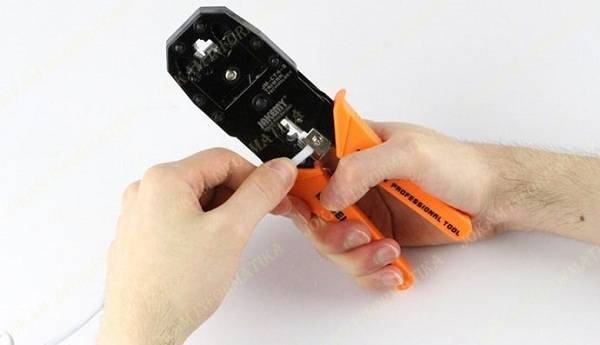
Tang crimping merupakan salah satu alat yang memiliki fungsi untuk membantu pemasangan konektor RJ45 ke kabel UTP. Alat ini memiliki... selengkapnya
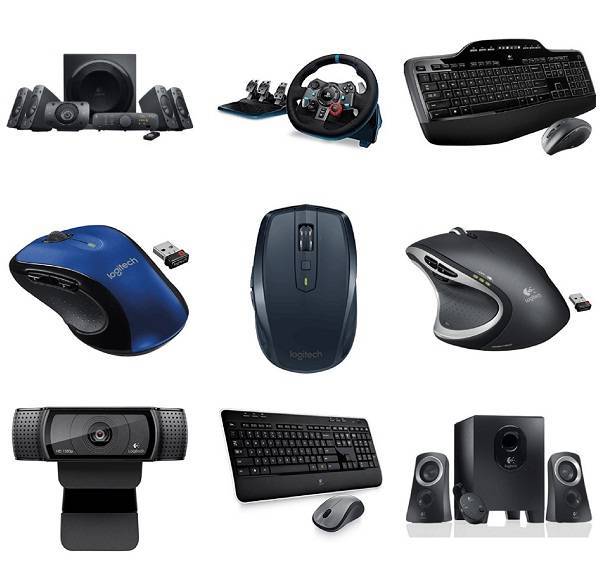
Pekerjaan kini bisa dengan mudah diselesaikan berkat bantuan komputer. Seiring berjalannya waktu, bidang teknologi memang mengalami peningkatan. Hal ini mendorong... selengkapnya
Bluetooth dongle merupakan perangkat yang berukuran kecil, namun dapat digunakan untuk menerima serta mengirimkan sinyal Bluetooth. Umumnya perangkat ini akan... selengkapnya

Laptop menjadi perangkat yang penting untuk beberapa orang untuk menunjang aktivitas sehari-hari, baik untuk belajar, bekerja, maupun hiburan. Namun, terkadang... selengkapnya

11%
A. DESKRIPSI (DESCRIPTION) Power Supply Unit E-SMILE 500 W adalah pilihan tepat bagi Anda yang menginginkan kestabilan daya dan performa… selengkapnya
Rp 102.500 Rp 115.000
7%
AIPEL COMPUTER ADDRESS (Offline Store) Ruko Manyar Mas 27 Blok C3 – C4 Jalan Raya Manyar 63C Kelurahan Menur Pumpungan… selengkapnya
Rp 152.000 Rp 164.000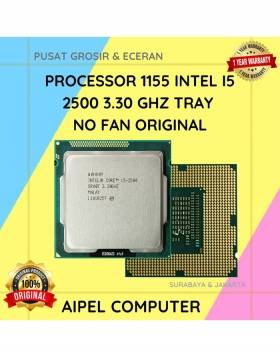
8%
A. DESKRIPSI (DESCRIPTION) Processor 1155 I5 2500 3.30 GHz Tray No Fan Original 🧩 merupakan prosesor dengan kekuatan yang pas… selengkapnya
Rp 185.000 Rp 200.000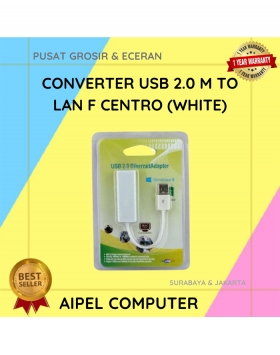
27%
A. DESKRIPSI (DESCRIPTION) USB 2.0 to LAN CENTROO 100 Mbps adalah adapter jaringan simpel dan efisien yang memungkinkan koneksi internet… selengkapnya
Rp 24.000 Rp 33.000
22%
A. DESKRIPSI (DESCRIPTION) Converter Audio Toslink F To RCA-2 F CENTROO adalah perangkat audio digital ke analog yang berfungsi untuk… selengkapnya
Rp 38.000 Rp 49.000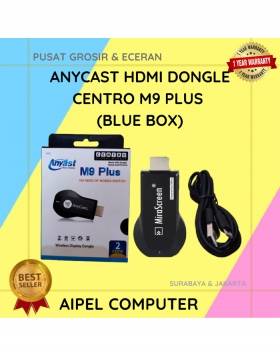
92%
A. DESKRIPSI (DESCRIPTION) Anycast Hdtv Dongle CENTROO M9 Plus (Blue Box) adalah perangkat pintar yang memungkinkan Anda melakukan screen mirroring… selengkapnya
Rp 73.000 Rp 900.000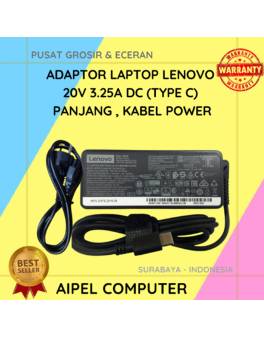
11%
A. DESKRIPSI (DESCRIPTION) Adaptor Laptop LENOVO 20V 3.25A Type C Panjang Kabel Power adalah solusi pengisian daya yang menggabungkan keandalan… selengkapnya
Rp 125.000 Rp 140.000
10%
A. DESKRIPSI (DESCRIPTION) External Case M2 NVME FIDECO to Type-C USB 3.1 adalah casing premium untuk SSD M.2 NVME yang… selengkapnya
Rp 198.000 Rp 220.000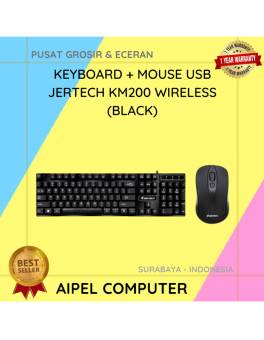
1%
A. DESKRIPSI (DESCRIPTION) KM200 Wireless adalah paket keyboard dan mouse yang menyajikan kenyamanan dan keandalan dalam satu genggaman. 🖥️📦 Dengan… selengkapnya
Rp 119.306 Rp 120.000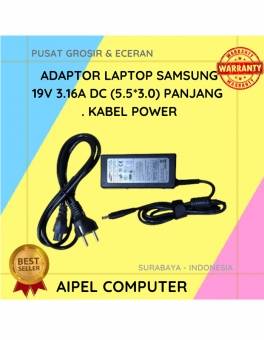
19%
A. DESKRIPSI (DESCRIPTION) Adaptor Laptop SAMSUNG 19V 3.16A DC (5.5×3.0) Panjang Kabel Power adalah solusi pengisian daya yang mampu mendukung… selengkapnya
Rp 65.000 Rp 80.000



Saat ini belum tersedia komentar.