- Orderan dibawah 500.00 via Goshop / Offline / Marketplace
Laptop Won’t Turn On at All? Check This Before Repairing
You press the power button multiple times, yet the laptop stays completely dark with zero reaction. There are no indicator lights, no fan noise, and the screen remains pitch black. A laptop with no power at all is different from a laptop that shuts down suddenly during use, because here the device shows no signs of life right from the start.
Many people panic and assume the motherboard is burned out. However, in most cases, a laptop with no power is triggered by simple issues such as static electricity trapped on the motherboard, a dead power adapter, or a completely drained battery with no residual charge. Just like when troubleshooting a loose power outlet at home, checking the most basic power sources is often the key to solving the problem.
Featured Snippet (Quick Answer):
The fastest way to fix a laptop that won’t turn on at all is by performing a Hard Reset or Power Drain (unplug the battery and charger, hold the power button for 30 seconds), verifying that the charger adapter works by testing it on another laptop, checking the charging LED indicator on the laptop body, and inspecting the DC Jack port for physical damage.
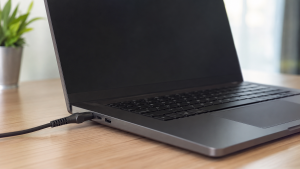
Checklist: Why Won’t Your Laptop Turn On at All?
Check the boxes below if any of these symptoms match your laptop’s current condition:
-
[ ] No power or charging indicator lights turn on when the charger is plugged in.
-
[ ] The laptop was exposed to liquid spills or high humidity before turning off completely.
-
[ ] Before shutting down permanently, the laptop showed unusual symptoms like continuous restarting or screen flickering.
-
[ ] The charger cable feels excessively hot or smells burnt when plugged in.
-
[ ] The laptop still turns on when the battery is removed and powered solely by the charger for removable battery models.
Practical Recommendation: If the laptop remains completely dark even after testing different wall outlets and power adapters, the issue is likely within the internal components like the motherboard or DC Jack rather than the external power source.
Comparison Table: Causes of Unresponsive Laptops
To help map out the root cause of your laptop’s power issue, here is a quick comparison based on physical symptoms:
| Physical Symptom | Likely Cause | Primary Fix | Real Device Impact |
|---|---|---|---|
| No indicator light, charger is fine | Static electricity trapped on motherboard | Hard Reset / Power Drain for 30 seconds | Laptop turns back on at no cost |
| Charging indicator on, screen stays dark | Display screen (LCD/backlight) failure | Test via speakers or external HDMI | Determines if display or motherboard is faulty |
| Charger cold / no LED response | Power adapter is dead | Replace with a new power adapter | Restores stable power flow to laptop |
| Burnt smell / liquid spill marks | Shorted internal components | Consult a professional technician | Requires hardware inspection by an expert |
4 Ways to Fix a Laptop That Won’t Turn On at All
Try these step by step DIY recovery methods before taking your laptop to a repair shop:
-
Perform a Hard Reset (Power Drain). Unplug the charger and remove the battery if it is removable. Press and hold the Power button for 30 to 60 seconds to discharge residual static electricity trapped in the motherboard. Reattach the battery and charger, then try turning it on.
-
Test the Power Adapter on Another Device. Verify that your charger is supplying power by plugging it into another compatible laptop, or use a multimeter to check its output voltage. A faulty charger is the most common and least expensive cause to fix.
-
Check the LED Indicator Lights on the Laptop. Observe if a small light turns on near the charging port when the cable is plugged in. If this light turns on but the laptop stays dark, the issue likely lies within the display system rather than the motherboard.
-
Inspect the Physical Condition of the DC Jack Port. Check if the charger port feels loose, wobbly, or bent when inserting the cable. A worn out port caused by frequent pulling can cut off electrical flow even if the charger itself is functioning well.
When Should You Consult a Technician?
If you have tried all the steps above and the laptop still shows no signs of life, there may be damage to the following components that require expert repair:
-
Shorted Motherboard: Usually triggered by liquid spills or electrical surges that damage main circuit traces.
-
Faulty Power IC: A small chip responsible for distributing power from the adapter to all laptop components has failed.
-
Broken DC Jack from Motherboard: Solder joints connecting the charging port to the circuit board have broken due to repeated physical pressure.
FAQ (Frequently Asked Questions)
Can data be recovered from a laptop that won’t turn on at all?
Yes, as long as the damage is limited to the power delivery system and not the storage drive like an SSD or HDD. Storage drives can usually be removed and read via external devices even if the motherboard is non functional.
Are generic replacement power adapters safe to use?
Not always. Ensure that the output voltage (V) and amperage (A) of the replacement adapter match your laptop’s original specifications. An adapter with wattage that is too low can prevent the laptop from turning on altogether even when plugged in.
Conclusion
A laptop that won’t turn on at all does not always mean the motherboard is severely damaged. Most cases can be resolved with a simple hard reset or by replacing a dead power adapter. However, if your laptop was exposed to liquid or shows signs of short-circuiting, stop using it immediately and consult a trusted technician before damage spreads further.
Shop Power Adapters & Laptop Spare Parts at Aipel Computer
Need an original replacement charger adapter for various brands like Asus, Acer, HP, Lenovo, Dell, a replacement laptop battery, or other spare parts to fix a power issue? Explore our full range of laptop components at competitive wholesale prices directly in our store.
To check our hardware catalog, spare part stock availability, or store location details, visit the official Aipel Computer website today!
Tags: causes of dead laptop, fix dead laptop, laptop charger dead, laptop no power, laptop wont turn on at all

Laptop Won’t Turn On at All? Check This Before Repairing

Connector HDMI memiliki banyak tipe yang perlu Anda sesuaikan dengan kebutuhan. Dunia teknologi saat ini telah mengalami perkembangan pesat. Untuk... selengkapnya
Pelayanan toko komputer Surabaya dapat anda buktikan langsung. Setiap pelayanan toko pastinya memberikan kepuasan bagi para konsumennya. Begitu juga Aipel... selengkapnya

Perkembangan teknologi membuka cabang bisnis baru. Peralatan-peralatan komputer menjadi komoditas bisnis yang cukup menjanjikan untuk ditekuni dengan profesinya sebagai distributor... selengkapnya

Router Access Point memiliki kegunaan untuk membantu untuk menyebarkan sinyal dengan efektif. Biasanya orang akan membelinya di grosir komputer yang... selengkapnya
Mengalami masalah laptop lemot atau laptop lambat saat sedang dikejar tenggat waktu tugas tentu sangat mengganggu aktivitas harian Anda. Banyak... selengkapnya
Pernahkah kamu mendapati permukaan touchpad laptop mendadak keras saat ditekan, terangkat naik melebihi permukaan bodi, atau bagian bawah casing laptop... selengkapnya
Memahami perbedaan HDMI splitter dan switcher sangat penting untuk memastikan penggunaan keduanya dapat berjalan secara optimal. Meskipun tampilan fisik keduanya... selengkapnya
Running out of battery in the middle of work is frustrating, especially when you don’t have access to a charger.... selengkapnya

Konverter USB to LAN adalah salah satu perangkat penting dalam dunia komputer maupun PC. Sama seperti komponen lainnya, perangkat tersebut... selengkapnya
Plugging your headphone cable into a laptop only to hear audio coming strictly out of the left ear cup is... selengkapnya
3%
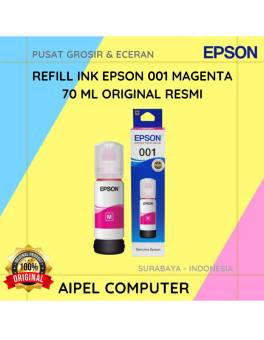
A. DESKRIPSI (DESCRIPTION) Refill Ink EPSON 001 Magenta 70 ML Original 100 % adalah pilihan sempurna untuk Anda yang ingin… selengkapnya
Rp 117.000 Rp 120.000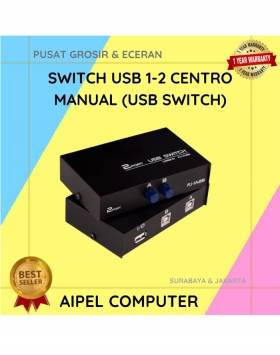
26%
A. DESKRIPSI (DESCRIPTION) Switch USB 1-2 CENTROO Manual adalah perangkat praktis yang memungkinkan dua komputer berbagi satu perangkat USB seperti… selengkapnya
Rp 37.000 Rp 50.000
32%
A. DESKRIPSI (DESCRIPTION) Earphone GENAI GM-M18 adalah perangkat audio minimalis namun powerful yang memberikan pengalaman mendengarkan lebih imersif. 🤍 Dilengkapi… selengkapnya
Rp 32.000 Rp 47.000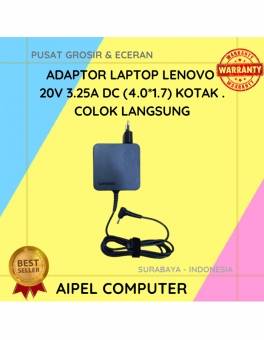
17%
A. DESKRIPSI (DESCRIPTION) Adaptor Laptop LENOVO 20V 3.25A DC (4.0*1.7) Kotak Colok Langsung adalah solusi cerdas untuk kebutuhan daya laptop… selengkapnya
Rp 75.000 Rp 90.000
13%
A. DESKRIPSI (DESCRIPTION) Canon GI-71 Cyan adalah tinta refill original yang dirancang khusus untuk memenuhi kebutuhan pencetakan Anda. Dengan kualitas… selengkapnya
Rp 70.000 Rp 80.000
13%
A. DESKRIPSI (DESCRIPTION) GENAI QC-Q27 Charger Type-C + Kabel Type-C to Lightning PD adalah charger bertipe QC-Q27 dengan output Power… selengkapnya
Rp 78.000 Rp 90.000
8%
AIPEL COMPUTER – Pusat Grosir dan Eceran – Belanja Hebat dan Hemat – Harga Murah Garansi Prima * GARANSI –… selengkapnya
Rp 1.940.000 Rp 2.100.000
5%
AIPEL COMPUTER – Pusat Grosir dan Eceran – Belanja Hebat dan Hemat – Harga Murah Garansi Prima * GARANSI –… selengkapnya
Rp 1.329.000 Rp 1.400.000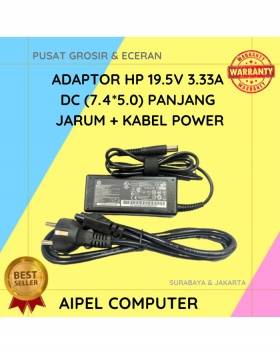
19%
A. DESKRIPSI (DESCRIPTION) Adaptor Laptop HP 19.5V 3.33A DC (7.4*5.0) Panjang Jarum Kabel Power adalah solusi pengisian daya yang tangguh… selengkapnya
Rp 65.000 Rp 80.000
20%
A. DESKRIPSI (DESCRIPTION) Kabel USB 2.0 M to Printer M WEBSONG 10 M (Transparant) merupakan inovasi unggulan dari WEBSONG yang… selengkapnya
Rp 55.000 Rp 69.000



Saat ini belum tersedia komentar.