- Orderan dibawah 500.00 via Goshop / Offline / Marketplace
How to Save Laptop Battery Life: Common Mistakes & Practical Tips
Running out of battery in the middle of work is frustrating, especially when you don’t have access to a charger. While it’s easy to assume your laptop battery is damaged beyond repair, it’s usually just a combination of poor settings and bad usage habits that cause it to drain quickly. Learning how to save laptop battery life effectively can prevent sudden shutdowns and keep you from buying an expensive replacement before you actually need one.
Featured Snippet (Instant Answer):
To save laptop battery life, enable Windows Power Saving Mode to automatically trigger at 30%, drop screen brightness to 50%, turn off backlit keyboards, and change your system’s power plan from High Performance to Balanced. Additionally, unplug unused USB peripherals and disable unnecessary background startup apps via Task Manager to instantly reduce energy draw.
Adjusting a few simple internal configurations and changing how you interact with your device daily can easily extend your laptop’s battery life by up to 40%. A lot of times, a rapidly draining battery goes hand in hand with generally slow laptop performance, but fixing your physical setup and system load will get your entire workstation running smoothly again.
Before diving into the fixes, let’s run through a quick diagnostic check to see if your current habits are secretly killing your battery.
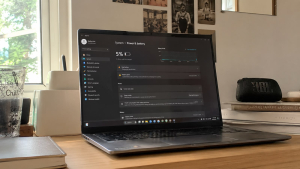
Checklist: Are You Accidentally Killing Your Laptop Battery?
Tick the boxes below if any of these sound familiar to your daily routine:
-
[ ] Your screen brightness is constantly locked at 100%, even when you’re working indoors.
-
[ ] You regularly keep dozens of browser tabs open in the background while working on other tasks.
-
[ ] You wait until the laptop completely dies at 0% before looking for a charger.
-
[ ] You frequently use your laptop on top of a bed, blanket, or couch.
-
[ ] Your keyboard backlight stays on full RGB mode even in a brightly lit room.
Our Recommendation: If you checked off two or more boxes, your daily runtime isn’t dropping because of a broken battery. Your hardware is simply being pushed into an unnecessary high-drain state that you can fix right now.
Data Benchmark: Battery Consumption by Component and Setting
To give you an idea of where your power actually goes, here is a real-world snapshot comparing how much energy individual hardware components draw under different configurations:
| Laptop Component | High-Drain Setting | Eco-Friendly Setting | Estimated Runtime Impact |
|---|---|---|---|
| Display Panel | 100% Max Brightness | 50% Balanced Brightness | Saves up to 35% total energy storage |
| System Power Plan | High Performance Mode | Balanced Power Plan | Lowers idle heat and caps clock speeds |
| Unused USB drives attached | Disconnected hardware | Stops continuous power routing to ports | |
| Background Apps | 10+ open tabs & startup apps | Closed via Task Manager | Drastically lightens RAM and CPU load |
5 Practical Methods to Extend Laptop Battery Life
If you want to know how to save laptop battery power without sacrificing your productivity, focus on how your operating system manages its resources:
-
Activate Windows Power Saving Mode at 30%
Do not wait until your device drops to 10% to turn on power saver. Configure your system to automatically trigger the built-in saving mode once it hits 30%. This automated option limits background application activity, blocks unnecessary cloud syncing, and pauses automatic updates. Implementing this simple setup instantly adds an extra 45 to 60 minutes of active usage time.
-
Drop Screen Brightness to 50% and Turn Off Backlit Keyboards
The laptop display is the single largest consumer of power on your device. Keeping your screen brightness locked at maximum kills the cells twice as fast. Lowering the display brightness to 50% and turning off the cosmetic RGB keyboard backlight will significantly reduce power consumption without straining your eyes in normal indoor lighting conditions.
-
Close Heavy Background Apps and Disconnect Unused USB Devices
Running multiple heavy applications with too many tabs open continuously draws power from the motherboard. Similarly, keeping external hard drives, gaming mice, or flash drives plugged in forces your device to send power to those ports continuously. Closing unused software via Task Manager and unplugging external hardware will easily extend your laptop battery life per charge cycle.
-
Switch from High Performance to Balanced Power Plan
Many users accidentally leave their device on “High Performance” mode even when they are just typing documents or browsing the web. This mode forces the processor to run at maximum clock speeds constantly, which generates heat and destroys your capacity. Switching your system to a “Balanced” power plan allows the processor to scale down its power usage when heavy tasks are not required, preserving energy automatically.
-
Disable Startup Programs to Lighten the System Load
Every time you turn on your laptop, several applications might automatically launch and run silently in the background. These apps put a constant strain on your RAM and CPU from the moment you boot up. Disabling these startup programs ensures that your hardware only processes the apps you actually need, keeping the overall energy draw as low as possible.
Common Mistakes That Damage Battery Health Long-Term
Beyond daily settings, the physical environment and charging habits play a massive role in whether your cells survive over the next few years. We see these exact scenarios at our service desk every single week.
Using your device on a bed, blanket, or carpet blocks the intake vents underneath, trapping high heat inside the chassis. When internal temperatures stay above 40°C for extended periods, the chemical health inside the cells degrades permanently. Always work on flat, solid surfaces or invest in a proper cooling pad to maintain airflow.
Another massive issue is deep discharging. Frequently letting your power drop to 0% shocks the chemical cells inside and puts high stress on the components. Try to connect your charger as soon as the system alerts you at 20% to keep the voltage levels stable and healthy.
FAQ (Frequently Asked Questions)
-
Does keeping the laptop plugged in all day ruin the battery?
Modern systems stop charging at 100%, but keeping the charger connected constantly during heavy workflows generates high heat, which slowly breaks down the cells. It’s best to let it discharge slightly once in a while.
-
How much does a genuine laptop battery replacement cost?
A high-quality or original replacement typically ranges from Rp350,000 to Rp750,000, depending entirely on your specific device brand and model.
-
Where can I find original low-power accessories to save energy?
You can browse standard accessories and energy-efficient peripherals at local retail stores, or check out specialized wholesale computer accessory selections for affordable options.
Conclusion
Maximizing your daily productivity without constantly worrying about finding a wall outlet requires a mix of good habits and healthy hardware. These simple internal adjustments and environmental tweaks are the most effective way to save laptop battery and maintain long-term performance without paying for costly hardware replacements too soon.
Visit the Aipel Computer Physical Store
If you try these adjustments and find that your power capacity is still dropping instantly, it might be a hardware issue. If your device requires an interior cleaning to reduce heat or needs a fresh hardware checkup, bringing it to a specialist is the safest choice.
For exact map routes, daily operating hours, or direct customer support regarding hardware optimization, please visit our official website at Aipel Computer in Surabaya to get the absolute best, most reliable solutions directly from our experienced technician team.
Tags: broken laptop battery, computer store surabaya, fix laptop battery, hardware upgrade, laptop battery replacement, laptop maintenance

How to Save Laptop Battery Life: Common Mistakes & Practical Tips
Pressing your laptop’s power button, hearing the internal cooling fans spin, seeing power LEDs glow, but finding the display stuck... selengkapnya

Apabila Anda berada di kota Surabaya, toko mouse terdekat bisa ditemukan dengan sangat mudah. Mouse merupakan perangkat yang cukup penting... selengkapnya

Keyboard menjadi salah satu komponen penting komputer maupun laptop. Sehingga, saat keyboard komputer tidak bisa mengetik maka harus tahu penyebabnya.... selengkapnya
Kepanikan luar biasa langsung melanda saat membuka File Explorer dan melihat bar indikator kapasitas Local Disk C menyala merah terang... selengkapnya
CMYK Printer menggunakan tinta untuk menampilkan warna cerah dan solid. Tinta CMYK biasa digunakan pada industri percetakan dalam menciptakan aneka... selengkapnya

Perangkat PC atau komputer memiliki banyak manfaat mulai dari mengolah data, dokumen, sampai dengan bermain game. Di dalam beberapa tahun... selengkapnya

Mending rakit PC. Kata-kata tersebut sering terdengar di forum diskusi komputer ketika sedang membicarakan mana yang lebih cocok, membeli komputer... selengkapnya
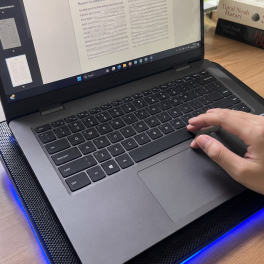
Mengalami laptop yang tiba-tiba cepat panas disertai suara kipas yang berisik tentu sangat mengganggu, apalagi saat sedang mengerjakan tugas penting.... selengkapnya
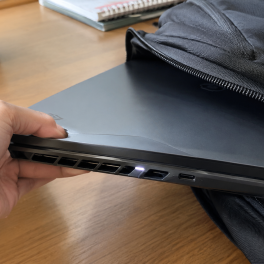
Pernahkah kamu menutup layar laptop, memasukkannya ke dalam ransel, lalu beberapa jam kemudian mendapati tas terasa panas membara? Saat laptop... selengkapnya

Harga mouse laptop memang sangat beragam. Ada berbagai jenis mouse laptop yang bisa ditemukan di pusat grosir komputer. Tentu saja... selengkapnya

20%
AIPEL COMPUTER Switch HDTV HOBOO 1-3 HQ Manual 4K adalah perangkat andalan yang memungkinkan kamu beralih tampilan antar tiga perangkat… selengkapnya
Rp 60.000 Rp 75.000
3%
A. DESKRIPSI (DESCRIPTION) LED Monitor LG 22″ HDTV + VGA Out (Black) adalah monitor modern yang menggabungkan visual tajam dan… selengkapnya
Rp 1.070.000 Rp 1.100.000
33%
A. DESKRIPSI (DESCRIPTION) RUMAH Micro SD (Black) adalah adaptor micro SD yang dirancang untuk memberikan konektivitas fleksibel dan efisien dalam… selengkapnya
Rp 1.000 Rp 1.500
7%
A. DESKRIPSI (DESCRIPTION) Printer CENTROO 58 MM Thermal Bluetooth Portable 1500 MAH adalah printer thermal portabel yang sangat praktis digunakan… selengkapnya
Rp 270.000 Rp 290.000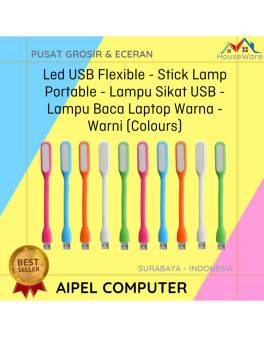
60%
A. DESKRIPSI (DESCRIPTION) Lampu Sikat USB Warna Warni adalah lampu baca fleksibel yang bisa kamu colok langsung ke port USB… selengkapnya
Rp 2.000 Rp 5.000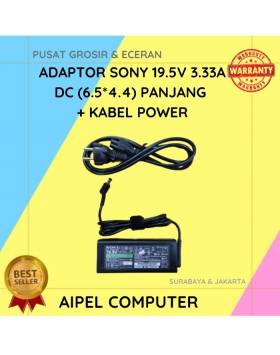
14%
A. DESKRIPSI (DESCRIPTION) Adaptor Laptop SONY 19.5V 3.33A DC (6.5*4.4) Panjang Kabel Power adalah perangkat pengisi daya yang dirancang untuk… selengkapnya
Rp 90.000 Rp 105.000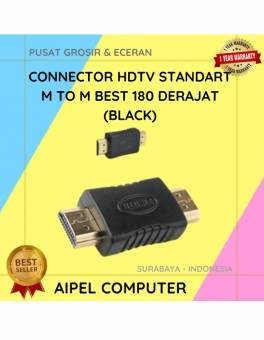
43%
A. DESKRIPSI (DESCRIPTION) Connector HDTV Standard Male to Male 180° adalah solusi ideal untuk koneksi perangkat visual Anda seperti TV,… selengkapnya
Rp 4.000 Rp 7.000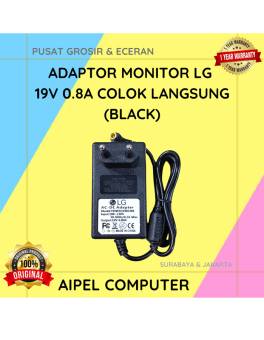
21%
A. DESKRIPSI (DESCRIPTION) Adaptor Monitor LG 19V 0.8A Colok Langsung (Black) adalah adaptor original berkualitas dari LG yang dirancang untuk… selengkapnya
Rp 75.000 Rp 95.000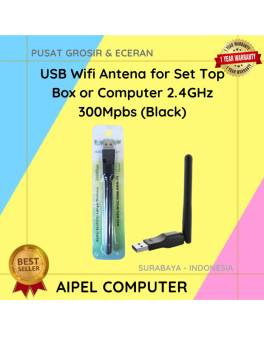
24%
A. DESKRIPSI (DESCRIPTION) USB Wifi Antena for Set Top Box or Computer 2.4GHz 300Mbps adalah adaptor WiFi eksternal yang dilengkapi… selengkapnya
Rp 28.000 Rp 37.000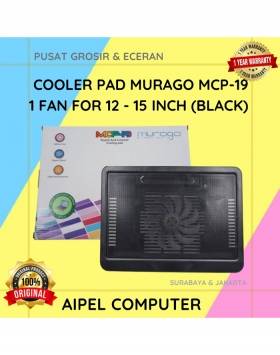
24%
A. DESKRIPSI (DESCRIPTION) Cooler Pad MURAGO 1 Fan 12–15 Inch (Black) adalah pendingin laptop yang mampu menjaga suhu perangkatmu tetap… selengkapnya
Rp 38.000 Rp 50.000



Saat ini belum tersedia komentar.