- Orderan dibawah 500.00 via Goshop / Offline / Marketplace
Slow Laptop? Causes, Upgrade Costs, and How to Fix It
Dealing with a slow laptop or a sluggish system when you are rushing to meet a task deadline can definitely ruin your daily productivity. Many people immediately assume that their device is completely broken and must be replaced with a brand new one that costs millions of rupiah. In reality, this declining performance can often be fixed simply by upgrading specific components at a much cheaper cost.
Besides system speed issues, other sudden control malfunctions can also happen unexpectedly on older devices. For instance, a frustrating laptop touchpad not working properly often causes users to panic while navigating their screen. Before you decide to spend a huge budget on a brand new device, let us check the root causes, cost details, and the right solutions below.
Featured Snippet (Instant Answer):
A slow laptop is usually caused by an outdated HDD, insufficient RAM, or thermal throttling from dust buildup. The most cost-effective way to fix a slow laptop without buying new is by upgrading to an SSD (approx. Rp300,000 – Rp800,000) for fast boot times or expanding RAM to at least 8GB (approx. Rp250,000 – Rp600,000) for smooth multitasking.
Checklist: Why Does Your Old Laptop Performance Drop Drastically?
Tick the boxes below if you are experiencing any of these common system bottlenecks:
-
[ ] Still using a conventional HDD, causing slow data reading speeds that make modern operating systems feel heavy.
-
[ ] Insufficient RAM capacity, leading to system freezes when opening multiple Google Chrome tabs simultaneously.
-
[ ] Overheating and loud fan noise due to dust buildup, forcing the CPU to automatically drop its performance by half.
-
[ ] Booting into Windows takes more than three minutes every time you turn on the power button.
-
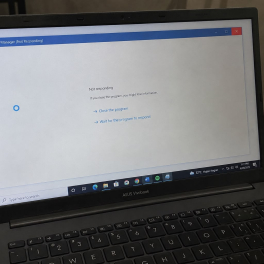
[ ] Frequent “Not Responding” pop-ups appear whenever you launch everyday productivity software.
Our Recommendation: If your laptop engine is less than seven years old, upgrading your storage to an SSD and expanding your memory will deliver an instant performance boost that feels like a brand new machine.
Data Benchmark: SSD vs RAM Upgrade Cost Breakdown
To make it much easier for you to calculate your repair budget, here is a practical guide comparing component upgrades against buying a new device:
| Upgrade Component / Action | Typical System Symptom | Estimated Cost (IDR) | Real-World Performance Results |
|---|---|---|---|
| Upgrade to Solid State Drive (SSD) | Boot time > 3 mins, applications freeze | Rp300,000 – Rp800,000 | Cuts boot time down to 10 – 15 seconds instantly |
| Expand System Memory (RAM) | Lag when opening multiple Chrome tabs | Rp250,000 – Rp600,000 | Enables smooth multitasking without stuttering |
| Replace Whole Laptop (New Unit) | Processor severely outdated (> 7 years old) | Rp4,000,000+ | Full hardware modernization across all systems |
How to Fix a Slow Laptop: Upgrade Options and Costs
To make it much easier for you to calculate your repair budget, here is a practical guide on the right timing along with the estimated costs:
-
When Should You Upgrade to an SSD?
-
Problem Indicator: You absolutely need to switch to an SSD if turning on your laptop takes more than three minutes, or if your applications frequently show a not responding message.
-
Estimated Cost: Three hundred thousand to eight hundred thousand rupiah, depending on the storage capacity from 256GB up to 1TB.
-
Real Results: Drastically boosts data transfer speeds and cuts down your booting time to just ten to fifteen seconds.
-
-
When Should You Add More RAM?
-
Problem Indicator: Adding more memory capacity is highly needed if your device frequently freezes or if applications suddenly close by themselves when you are multitasking with several heavy tasks.
-
Estimated Cost: Two hundred fifty thousand to six hundred thousand rupiah, for adding an 8GB or 16GB DDR4 or DDR5 memory card.
-
Real Results: Opening multiple applications at the same time becomes much smoother without any frustrating stuttering or lagging.
-
-
When Is It Mandatory to Buy a New Laptop?
-
Problem Indicator: You are only advised to buy a brand new device if your laptop is over seven years old, the processor is heavily outdated, or there are multiple severe hardware issues happening at once, such as a cracked screen combined with a dead battery and a broken motherboard.
-
Estimated Cost: Starting from four million rupiah and above for a standard modern laptop.
-
FAQ (Frequently Asked Questions)
-
Does upgrading to an SSD erase all my data?
There is no need to worry because we use a professional cloning method, so all your files, applications, and documents from the old drive will be transferred one hundred percent intact to the new SSD.
-
My laptop RAM is already 4GB, is that still enough?
For modern application standards, a 4GB capacity is already too narrow and frequently triggers a slow laptop performance. It is highly recommended to take the upgrade option to at least 8GB for a more stable daily performance.
-
How long does the component installation take at the shop?
The physical component installation and system optimization process usually takes only about thirty to sixty minutes, depending on the current technician queue.
Conclusion
Upgrading internal components like switching from a mechanical hard drive to an SSD or adding RAM is the smartest, most budget-friendly way to revive a sluggish system. Before spending millions on a replacement device, getting a professional evaluation at a computer store Surabaya will help you identify the exact bottleneck and save you money.
Find Our Address at Aipel Computer
Do not let a slow laptop get in the way of your daily activities or important office work. Get quick handling, one hundred percent original spare parts, and an official warranty by visiting our physical store directly.
To check out the driving routes, live maps location, opening hours, or to check the available item stocks directly, feel free to visit our official website at Aipel Computer in Surabaya. The expert technician team through our service center is always ready to make your device feel fast like new again!

Slow Laptop? Causes, Upgrade Costs, and How to Fix It

Mungkin sebagian pengguna mengalami masalah saat menginstal aplikasi di komputer, yang bisa sangat merugikan, terutama jika aplikasi tersebut sangat dibutuhkan.... selengkapnya
Komputer merupakan sebuah peralatan yang memiliki banyak manfaat. Kini banyak pekerjaan yang dikerjakan menggunakan sebuah komputer. Terutama pekerjaan yang berkaitan... selengkapnya
Komputer tidak bisa dipisahkan dari kegiatan sehari-hari penggunaannya. Agar aktivitas semakin lancar yang dibutuhkan komputer tidak hanya CPU dan monitor... selengkapnya
Salah satu piranti komputer yang jarang dirawat adalah casing. Casing memiliki fungsi yang sangat penting untuk komputer. Karena fungsinya yang... selengkapnya
Modem 4G Prolink merupakan teknologi terkini yang menghadirkan inovasi baru dalam dunia jaringan internet dan perangkat pintar. Ini merupakan modem... selengkapnya
Jantung serasa berhenti berdetak saat cangkir kopi, teh manis, atau segelas air mineral di samping mejamu tersenggol dan cairannya langsung... selengkapnya
Sedang mengerjakan tugas penting, menghadiri rapat daring, atau bermain gim, tapi tiba-tiba laptop mati total secara mendadak tanpa peringatan sama... selengkapnya
Have you ever been typing a document or browsing the web when suddenly rows of random characters start flooding your... selengkapnya
Dealing with a slow laptop or a sluggish system when you are rushing to meet a task deadline can definitely... selengkapnya
Pernahkah kamu mencolokkan kabel pengisi daya (charger) ke laptop, melihat lampu indikator pengisian menyala, tetapi ikon baterai di sudut kanan... selengkapnya

22%
AIPEL COMPUTER Speaker USB ADVANCE CLS101 adalah speaker multimedia berdesain elegan berwarna hitam yang memadukan kualitas suara jernih dengan bentuk… selengkapnya
Rp 51.000 Rp 65.000
53%
GARANSI * AIPEL COMPUTER – Pusat Grosir dan Eceran – Belanja Hebat dan Hemat – Harga Murah Garansi Prima *… selengkapnya
Rp 7.000 Rp 15.000
15%
A. DESKRIPSI (DESCRIPTION) Dengan kemajuan teknologi yang terus berkembang, memiliki penyimpanan yang cepat dan andal menjadi sangat penting. Memperkenalkan BODI256S,… selengkapnya
Rp 635.000 Rp 750.000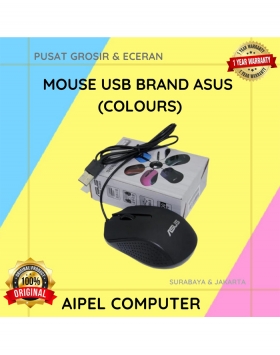
40%
A. DESKRIPSI (DESCRIPTION) Mouse USB Premium ASUS tipe optik adalah pilihan sempurna untuk Anda yang menginginkan kenyamanan, ketangguhan, dan akurasi… selengkapnya
Rp 15.000 Rp 25.000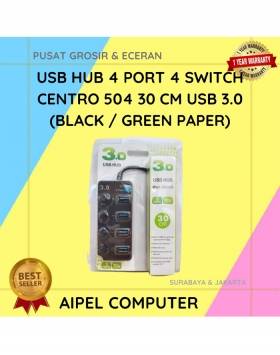
25%
A. DESKRIPSI (DESCRIPTION) USB Hub 4 Port 4 Switch CENTROO 504 adalah perangkat serbaguna untuk memperluas koneksi USB Anda. Dengan… selengkapnya
Rp 45.000 Rp 60.000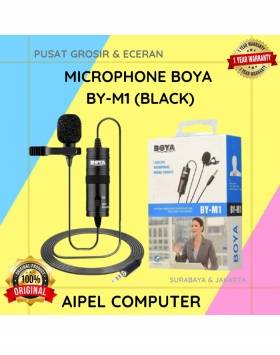
30%
A. DESKRIPSI (DESCRIPTION) Microphone BOYA BY-M1 Original Design adalah mikrofon clip-on berkualitas tinggi yang dirancang untuk kebutuhan perekaman audio yang… selengkapnya
Rp 70.000 Rp 100.000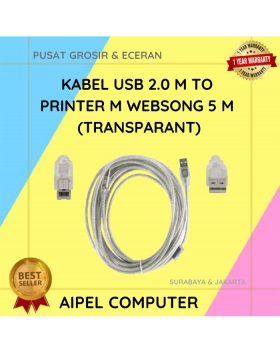
21%
A. DESKRIPSI (DESCRIPTION) Kabel USB 2.0 M to Printer WEBSONG 5 Meter (Transparant) adalah pilihan tepat bagi Anda yang mendambakan… selengkapnya
Rp 27.500 Rp 35.000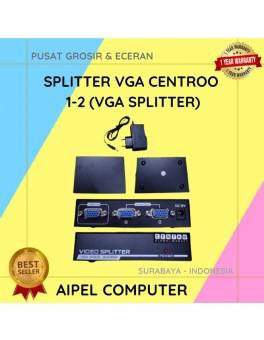
18%
A. DESKRIPSI (DESCRIPTION) Splitter VGA CENTROO 1-2 adalah perangkat praktis yang dirancang untuk membagi satu output VGA ke dua layar… selengkapnya
Rp 53.000 Rp 65.000
19%
AIPEL COMPUTER – Pusat Grosir dan Eceran – Belanja Hebat dan Hemat – Harga Murah Garansi Prima * GARANSI –… selengkapnya
Rp 30.000 Rp 37.000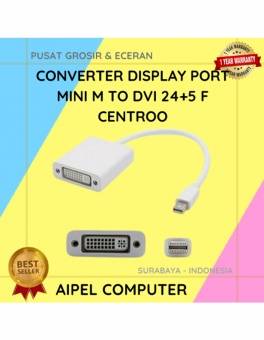
20%
A. DESKRIPSI (DESCRIPTION) Converter Display Port Mini M To DVI 24+5 F CENTROO (Black / White) adalah converter elegan dan… selengkapnya
Rp 20.000 Rp 25.000



Saat ini belum tersedia komentar.