- Orderan dibawah 500.00 via Goshop / Offline / Marketplace
Laptop Keyboard Typing by Itself (Ghost Typing)? Causes and Fixes
Have you ever been typing a document or browsing the web when suddenly rows of random characters start flooding your screen without you touching any keys? Or perhaps your cursor jumps erratically across pages because an Arrow or Backspace key acts as if it is continuously held down by an invisible force?
This annoying phenomenon, known as Ghost Typing or keyboard auto-press, is one of the most frustrating hardware glitches a laptop user can face. However, much like troubleshooting physical key friction in laptop spacebar or enter key sticking causes fixes, a self-typing keyboard doesn’t always mean the entire module is ruined. It is frequently triggered by food crumbs trapped beneath membrane domes, moisture-induced micro shorts, or corrupted input drivers.
Featured Snippet (Quick Answer):
Primary causes of a laptop keyboard typing by itself (ghost typing) include dirt or crumbs lodged under keycaps, moisture corrosion on the printed circuit board (PCB) membrane layer, or corrupted Standard PS/2 Keyboard drivers in Windows.
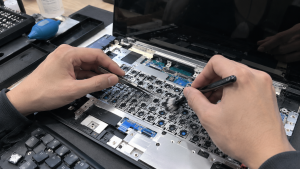
Checklist: Diagnosing Laptop Keyboard Behavior
Check the boxes below if these keyboard symptoms match your current situation:
-
[ ] Specific characters (such as
ppppppppor\\\\\\\\) continuously spawn automatically in text fields. -
[ ] Keys feel mushy, depressed, or lack tactile bounce when pressed.
-
[ ] The auto-typing phenomenon stops temporarily when you firmly tap the offending key once or twice.
-
[ ] The laptop was previously exposed to liquid spills, coffee, or condensation.
-
[ ] The issue vanishes completely when using an external USB/Bluetooth keyboard and disabling internal keys.
Practical Recommendation: When ghost typing occurs, isolate the issue using the Windows On-Screen Keyboard (press Windows + R, type osk, and hit Enter). Observe which key lights up in blue or dark grey—that specific key is actively registering a short circuit.
Comparison Table: Ghost Typing Causes and Recommended Actions
|
4 Ways to Fix a Laptop Keyboard Typing by Itself
-
Clean Out Debris with Compressed Air or Brushes. Power off the laptop. Tilt the chassis upside down over a table and gently tap the back. Use compressed air or a soft-bristled brush to sweep out crumbs and dust trapped beneath keys.
-
Remove Keycaps and Clean Rubber Domes (Carefully). On supported laptop models, gently pry up the affected keycap using a small plastic spudger. Inspect for sticky residues over the rubber dome. Clean the area with a cotton swab dampened with 99% isopropyl alcohol, allowing it to dry before snapping the keycap back on.
-
Reinstall Keyboard Drivers in Device Manager. Press Windows + X > select Device Manager. Expand Keyboards. Right-click Standard PS/2 Keyboard > select Uninstall device. Restart your laptop to let Windows reinstall a fresh driver and reset input buffer memory.
-
Disable Built-In Keyboard via Command Prompt (Temporary Fix). If you need to use your laptop urgently with an external keyboard, temporarily disable the internal keyboard. Open Command Prompt (Admin), run
sc config i8042prt start= disabledand restart. To re-enable it later, runsc config i8042prt start= auto.
When to Seek Professional Repair Services
If you have cleaned beneath the keys and reinstalled system drivers, yet ghost typing persists across multiple keys (especially post-liquid spill), the internal printed circuit layer inside the membrane has suffered permanent corrosion.
This condition requires installing a new original laptop keyboard assembly by a qualified technician to restore smooth, accurate typing.
FAQ (Frequently Asked Questions)
Can a self-typing laptop keyboard be caused by malware or viruses?
Yes, although rare. Certain types of malware or keylogging scripts can simulate automated keypresses. Perform a full scan using Windows Defender to ensure your system is free from malicious code.
Can turning off Sticky Keys fix a ghost-typing keyboard?
It can help if the issue is triggered by rapid Shift key toggles. Navigate to Settings > Accessibility > Keyboard, and ensure both Sticky Keys and Filter Keys are toggled OFF.
Conclusion
A laptop keyboard typing by itself (ghost typing) is usually driven by trapped particles under rubber domes, moisture corrosion, or temporary Windows input driver glitches. Cleaning out key switches and resetting drivers will eliminate these frustrating input errors.
Shop OEM Laptop Keyboards, Accessories & Repairs at Aipel Computer
Looking for genuine replacement laptop keyboards with warranty, high-quality external keyboards, or professional keyboard installation services? Find trusted replacement parts and expert repair services directly at Aipel Computer.
Tags: computer store surabaya, fix keyboard auto pressing keys, laptop keyboard typing by itself ghost typing, replace laptop keyboard surabaya, why is my laptop keyboard typing random letters

Laptop Keyboard Typing by Itself (Ghost Typing)? Causes and Fixes
Komputer atau PC membutuhkan USB WiFi supaya terhubung dengan jaringan internet. Sudah menjadi hal lumrah jika sekarang ini kebutuhan internet... selengkapnya
Finding your laptop trackpad stiff to click, raised above the palm rest, or noticing the bottom casing bulging so the... selengkapnya
Tips memilih motherboard yang tepat di toko komputer berikut ini bisa diterapkan agar mendapatkan produk motherboard yang paling pas untuk... selengkapnya
Komputer merupakan sebuah peralatan yang memiliki banyak manfaat. Kini banyak pekerjaan yang dikerjakan menggunakan sebuah komputer. Terutama pekerjaan yang berkaitan... selengkapnya
Facing a wireless internet connection that suddenly drops and reconnects repeatedly is definitely a huge annoyance when you are trying... selengkapnya
A laptop that’s sluggish or falling apart after just a year or two isn’t unusual — we see it constantly.... selengkapnya

Merawat monitor komputer menjadi hal yang penting dan tidak boleh dilewatkan begitu saja oleh semua pemilik dan pengguna komputer. Sebab,... selengkapnya
Mengatasi mouse tidak bisa klik kiri dapat diatasi dengan beberapa langkah sederhana. Mengingat betapa pentingnya peran mouse dalam penggunaan laptop,... selengkapnya
Sedang terburu-buru ingin menyelesaikan pekerjaan atau tugas kuliah, tapi saat dinyalakan, laptop malah macet total di layar logo Windows dengan... selengkapnya
Kipas laptop tidak berputar dapat menyebabkan berbagai masalah serius. Berikut ini akan kita bahas penyebab kipas laptop yang tidak berfungsi... selengkapnya

17%
A. DESKRIPSI (DESCRIPTION) Headset VOXTUN V661 adalah pilihan ideal buat kamu yang menginginkan kenyamanan maksimal saat bekerja, belajar, atau sekadar… selengkapnya
Rp 87.000 Rp 105.000
27%
A. DESKRIPSI (DESCRIPTION) Mouse Wireless JERTECH JR-10 IONIA adalah perangkat nirkabel berdesain modern yang menghadirkan kenyamanan luar biasa dalam genggaman…. selengkapnya
Rp 36.500 Rp 50.000
8%
A. DESKRIPSI (DESCRIPTION) Kabel LAN CAT 6 WEBSONG (Blue) merupakan salah satu inovasi terkini dari brand WEBSONG yang siap menunjang… selengkapnya
Rp 110.000 Rp 120.000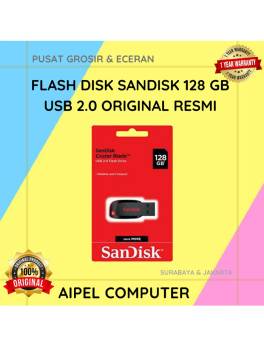
7%
AIPEL COMPUTER – Pusat Grosir dan Eceran – Belanja Hebat dan Hemat – Harga Murah Garansi Prima * GARANSI –… selengkapnya
Rp 243.000 Rp 260.000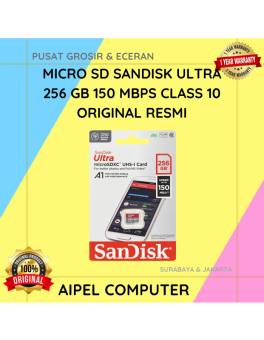
12%
A. DESKRIPSI (DESCRIPTION) Micro SD SANDISK Ultra 256 GB adalah pilihan sempurna bagi Anda yang membutuhkan kapasitas ekstra besar dan… selengkapnya
Rp 705.000 Rp 800.000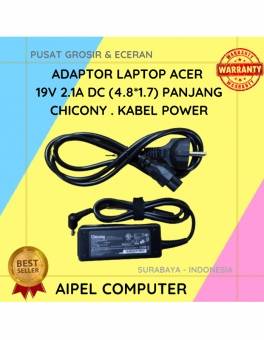
19%
A. DESKRIPSI (DESCRIPTION) Adaptor Laptop ACER 19V 2.1A DC (4.8*1.7) Panjang Chicony . Kabel Power dirancang khusus untuk perangkat ACER,… selengkapnya
Rp 65.000 Rp 80.000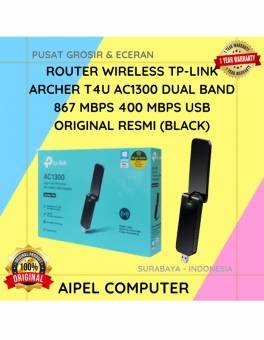
24%
A. DESKRIPSI (DESCRIPTION) TP-LINK ARCHER T4U adalah USB WiFi adapter dengan performa tinggi yang dirancang untuk menghadirkan kecepatan internet super… selengkapnya
Rp 282.000 Rp 370.000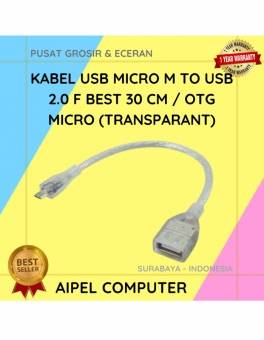
30%
A. DESKRIPSI (DESCRIPTION) Kabel USB Micro M to USB 2.0 F adalah kabel serbaguna yang dirancang untuk memberikan konektivitas cepat… selengkapnya
Rp 7.000 Rp 10.000
40%
A. DESKRIPSI (DESCRIPTION) Cable USB M To Micro M GENAI GL-Q12 adalah kabel data dan charger cepat dari GENAI dengan… selengkapnya
Rp 12.000 Rp 20.000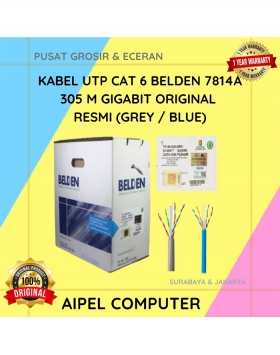
20%
A. DESKRIPSI (DESCRIPTION) Connector RJ45 CAT 6 BELDEN AP700008 merupakan solusi ideal untuk kebutuhan jaringan Anda. Dengan kualitas tinggi dan… selengkapnya
Rp 3.025.000 Rp 3.784.000



Saat ini belum tersedia komentar.