- Orderan dibawah 500.00 via Goshop / Offline / Marketplace
Swollen Laptop Battery Trackpad Lifting? Danger and Easy Fixes
Finding your laptop trackpad stiff to click, raised above the palm rest, or noticing the bottom casing bulging so the machine wobbles on your desk is concerning. Often mistaken for loose casing screws, this structural warping is an urgent warning that the internal lithium-ion battery has swollen.
Battery swelling occurs when degrading chemical reactions generate pressurized gas inside sealed pouch cells. Continuing to use and charge an expanding battery damages trackpad electronics and risks chemical fires (thermal runaway). Just like spotting early signs laptop battery dying to protect your power circuits, dealing with an expanding battery requires strict physical safety precautions.
Featured Snippet (Quick Answer):
To handle a swollen laptop battery, power off immediately, disconnect the charger, stop using the machine, remove the bottom cover to extract the battery without piercing the foil cells, and safely dispose of it at an authorized e-waste facility.
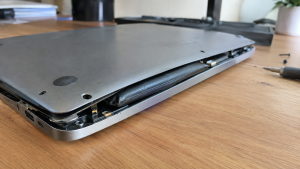
Checklist: Physical Warning Signs of a Swollen Battery
Check the boxes below if your laptop exhibits any of these symptoms:
-
[ ] The trackpad is raised, unclickable, or pushed out of its socket frame.
-
[ ] The laptop rocks unevenly when placed on flat tables.
-
[ ] Chassis seams near the palm rest are splitting open.
-
[ ] The keyboard deck bows upward in the center.
-
[ ] Battery percentage drops from 100% down to near empty within minutes.
Practical Recommendation: Never press down on a bulging laptop casing or puncture a swollen battery. Puncturing battery cells causes immediate explosions and toxic fires.
Comparison Table: Battery Swelling Stages and Safety Actions
Here is an overview of battery swelling stages and recommended responses:
| Swelling Stage | Physical Signs | Damage Risk | Action Required |
|---|---|---|---|
| Mild Swelling | Trackpad feels hard to click | Pinches trackpad ribbon cable | Replace battery promptly |
| Moderate Swelling | Bottom chassis bows & splits | Strips internal casing screw threads | Remove battery & stop charging |
| Severe Swelling | Keyboard bows; lid won’t close | Warps internal aluminum chassis | Extract battery & store safely |
| Chemical Breach | Sweet chemical / metallic odor | Severe internal fire risk | Keep away from flammable objects |
4 Safe Steps to Handle a Swollen Laptop Battery
Follow these emergency safety procedures:
-
Power Off and Disconnect the Charger Immediately. Stop working immediately. Shut down Windows and unplug the power cord from the wall. Pumping current into degraded battery cells raises temperatures and accelerates dangerous chemical reactions.
-
Never Force the Casing Shut or Apply Pressure. Leave warped panels alone. Never try bending bulging plastic flat or forcing trackpads downward, as jagged internal plastic edges can rupture delicate battery pouch layers.
-
Remove the Bottom Cover and Disconnect the Battery. Unscrew the bottom chassis panel using precision electronics screwdrivers. Unplug the battery cable connector from the motherboard before loosening mounting screws. Carefully lift the pack by its plastic housing edges.
-
Store in a Fireproof Container and Install an OEM Unit. Place the removed battery inside an airtight metal tin or bucket of dry sand in a cool, well-ventilated area. Install a brand-new original replacement battery equipped with certified short-circuit protection circuits.
When to Seek Professional Hardware Help
If your laptop uses heavy industrial adhesive strips under the battery pack—common in modern ultra-thin laptops—never pry the cells with metal screwdrivers or blades.
Metal punctures ignite violent chemical flares instantly. Bringing the machine to a technician who uses dedicated adhesive-dissolving solvents is the safest route.
FAQ (Frequently Asked Questions)
What causes laptop batteries to swell?
Battery swelling is caused by heat buildup from blocked vents, prolonged charging under high ambient temperatures, and natural chemical aging past rated charge cycles.
Can I run my laptop without a battery installed?
Yes. Most modern laptops run safely on AC wall power alone once the defective battery pack has been removed.
Conclusion
A swollen laptop battery is a genuine physical safety hazard that threatens your chassis and creates fire risks. By disconnecting power promptly, extracting the battery without punctures, and installing an OEM replacement, you can safely preserve your laptop.
Shop OEM Laptop Batteries, Toolkits & Service at Aipel Computer
Need an authentic replacement laptop battery backed by warranty, precision screwdriver sets, or professional battery installation service? Discover reliable computer components at wholesale prices directly in our store.
To check battery availability for your specific laptop model or get store directions, visit the official Aipel Computer website in Surabaya today.
Tags: bulging laptop chassis fix, how to remove swollen battery, pregnant laptop battery danger, replace laptop battery surabaya, swollen laptop battery trackpad lifting

Swollen Laptop Battery Trackpad Lifting? Danger and Easy Fixes

Spek komputer untuk desain grafis tidak bisa Anda pilih dengan asal. Kebutuhan akan perangkat komputer pada kemajuan era teknologi digital... selengkapnya
Mengalami situasi di mana kursor di layar laptop mendadak membeku dan tidak mau bergerak tentu akan langsung menghentikan seluruh produktivitas... selengkapnya
Cara mempercepat jaringan WiFi bisa dilakukan dengan beberapa langkah sederhana. Koneksi WiFi yang lemot sangat menghambat aktivitas sehari-hari. Terlebih sekarang... selengkapnya
Agar anda bisa memperoleh pengalaman dan juga manfaat terbaik dari komputer atau laptop. Kadang anda dituntut agar bisa melengkapinya dengan... selengkapnya
Laptop stuck di logo dapat mengganggu aktivitas dan kinerja perangkat IT tersebut secara keseluruhan. Penyebab umumnya bisa bermacam-macam, salah satunya... selengkapnya
Modem 4G Prolink merupakan teknologi terkini yang menghadirkan inovasi baru dalam dunia jaringan internet dan perangkat pintar. Ini merupakan modem... selengkapnya

Memilih keyboard komputer yang tepat merupakan langkah penting dalam mendukung produktivitas saat bekerja atau menyelesaikan tugas. Terutama ketika menggunakan komputer... selengkapnya

Have you ever felt your laptop body turning uncomfortably hot like an iron, heard its cooling fans spinning at deafening... selengkapnya
Banyak pengguna mengeluhkan laptop mereka sudah mengalami penurunan performa secara drastis atau bahkan rusak parah padahal baru digunakan selama 1... selengkapnya
Posisi tinta warna Canon 811, penting untuk Anda ketahui! Perangkat printer seperti Canon 811, yang biasa Anda jumpai di beberapa... selengkapnya
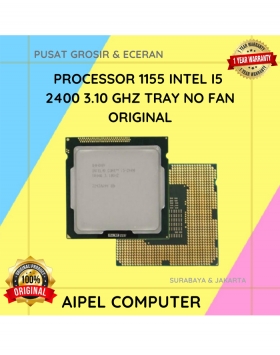
8%
A. DESKRIPSI (DESCRIPTION) Processor 1155 I5 2400 3.10 GHz Tray No Fan Original 💼 adalah prosesor handal dengan keseimbangan performa… selengkapnya
Rp 185.000 Rp 200.000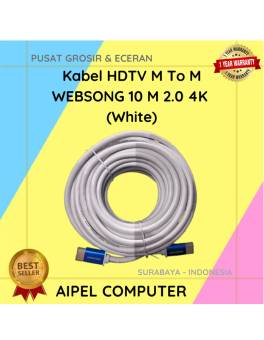
10%
AIPEL COMPUTER – Pusat Grosir dan Eceran – Belanja Hebat dan Hemat – Harga Murah Garansi Prima * GARANSI –… selengkapnya
Rp 158.000 Rp 175.000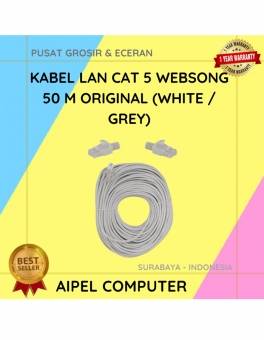
4%
A. DESKRIPSI (DESCRIPTION) Kabel LAN WEBSONG 50 Meter merupakan salah satu inovasi unggulan dari WEBSONG yang hadir untuk menjawab kebutuhan… selengkapnya
Rp 110.000 Rp 115.000
17%
A. DESKRIPSI (DESCRIPTION) Car Charger USB + Type-C GENAI GC-C12 PD adalah pengisi daya mobil berteknologi tinggi yang menggabungkan kekuatan… selengkapnya
Rp 69.000 Rp 83.000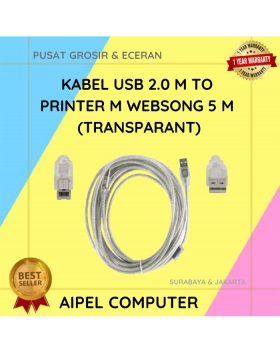
21%
A. DESKRIPSI (DESCRIPTION) Kabel USB 2.0 M to Printer WEBSONG 5 Meter (Transparant) adalah pilihan tepat bagi Anda yang mendambakan… selengkapnya
Rp 27.500 Rp 35.000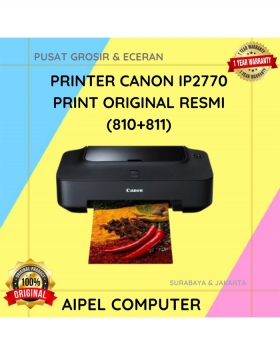
9%
SPESIFIKASI Pencetakan inkjet warna Media: A4, Letter dan lebih Mencetak foto tanpa batas tepi 4 x 6″ dalam 55 detik…. selengkapnya
Rp 910.000 Rp 1.005.000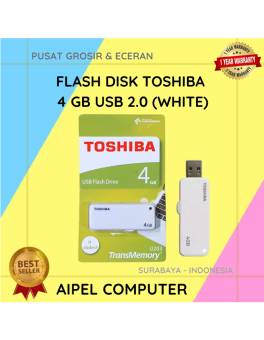
26%
A. DESKRIPSI (DESCRIPTION) Flash Disk TOSHIBA 4 GB USB 2.0 (White) adalah perangkat penyimpanan portabel yang memberikan ruang ekstra untuk… selengkapnya
Rp 18.500 Rp 25.000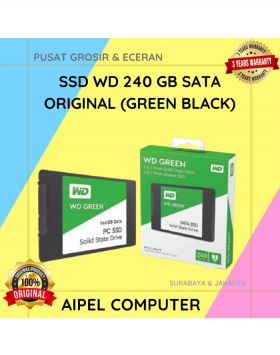
10%
A. DESKRIPSI (DESCRIPTION) SSD WD 240 GB Original (Green Black) adalah perangkat solid state drive yang dirancang untuk memberikan kinerja… selengkapnya
Rp 305.000 Rp 340.000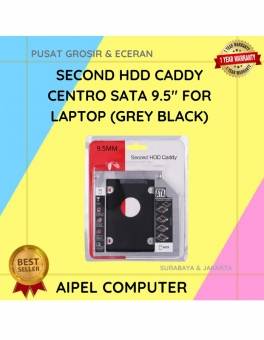
25%
A. DESKRIPSI (DESCRIPTION) Second HDD Caddy CENTROO SATA 9.5″ For Laptop adalah perangkat tambahan praktis yang memungkinkan Anda menambahkan hard… selengkapnya
Rp 13.500 Rp 18.000
4%
GARANSI * AIPEL COMPUTER – Pusat Grosir & Eceran – Belanja Hebat & Hemat – Grosir Konsep Swalayan – Harga… selengkapnya
Rp 1.290.000 Rp 1.350.000



Saat ini belum tersedia komentar.