- Orderan dibawah 500.00 via Goshop / Offline / Marketplace
Laptop Overheating and Lagging? Causes and Fixes
Have you ever felt your laptop body turning uncomfortably hot like an iron, heard its cooling fans spinning at deafening jet-engine speeds, and noticed applications lagging severely even when performing basic word processing?
Overheating and sluggish performance represent the most common hardware frustrations that degrade user productivity. However, much like troubleshooting thermal performance drops in laptop ssd overheating thermal throttling freeze causes fixes, elevated temperatures on processors and graphics chips do not automatically mean permanent hardware failure. Most incidents are triggered by dense dust accumulation blocking heatsink exhaust fins, dried-out and hardened thermal paste, or blocked bottom air vents resting against soft surfaces.
Featured Snippet (Quick Answer):
Primary causes of a laptop overheating and lagging include dried thermal paste on CPU/GPU chips, thick dust clogs blocking cooling fan exhaust fins, operating laptops on soft beds/pillows that block airflow, or runaway background Windows processes.
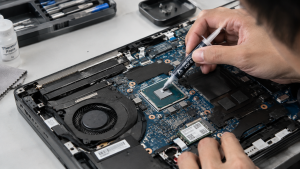
Checklist: Evaluating Laptop Temperature and Performance
Check the boxes below if these thermal symptoms match your current situation:
-
[ ] The upper keyboard deck or bottom chassis feels uncomfortably hot to the touch.
-
[ ] Cooling fans spin continuously at maximum speed even shortly after cold-booting the laptop.
-
[ ] Laptop performance stutters or lags drastically when opening multiple browser tabs or light apps.
-
[ ] The laptop abruptly powers down (thermal shutdown) during demanding workloads or gaming sessions.
-
[ ] Bottom rubber feet pads are missing or worn out, narrowing the clearance gap for airflow intake.
Practical Recommendation: Always use a hard, flat desk surface (such as a wooden table or aluminum laptop stand) when operating your laptop. Avoid placing laptops on beds, blankets, or your lap because fabric materials trap radiant heat and suck fine dust particles directly inside cooling fans.
Comparison Table: Overheating Causes and Recommended Actions
|
4 Ways to Fix an Overheating and Lagging Laptop
-
Clean Internal Dust and Replace Thermal Paste Regularly. Carefully remove the laptop chassis bottom cover, brush away dust clogging copper heatsink fins using a soft brush and compressed air. Clean old thermal paste residue off CPU/GPU dies, then apply fresh, high-performance thermal paste.
-
Use a Quality Laptop Stand or Cooling Pad. Elevate the rear portion of your laptop using a stand providing at least 2–3 cm of clearance, allowing unrestricted bottom airflow intake to naturally improve heat dissipation.
-
Limit Unnecessary Background Programs. Press Ctrl + Shift + Esc to open Task Manager > navigate to the Processes tab. Identify apps consuming excessive CPU or RAM resources, right-click, and select End task. Disable non-essential apps under the Startup apps tab as well.
-
Set Windows Power Plan to Balanced Mode. Open Control Panel > Power Options > ensure your power profile is set to Balanced or Power Saver during light tasks to prevent the processor from locking at maximum frequency continuously.
When to Seek Professional Repair Services
If you have regularly cleaned cooling fans, applied fresh thermal paste, yet laptop temperatures still soar above 90°C during idle states, the internal copper heat pipe has suffered a vapor leak.
This condition requires replacing an entire original heatsink and cooling fan module set by an experienced technician to restore normal, stable operating temperatures.
FAQ (Frequently Asked Questions)
What is a normal operating temperature for a laptop under use?
Normal operating temperatures during typing or light web browsing range from 40°C to 60°C. If temperatures reach 80°C – 95°C while idle, your cooling system has a mechanical issue.
Does cheap thermal paste affect laptop temperatures?
Significantly. Using low-quality budget thermal paste causes it to dry out within weeks, failing to transfer heat effectively from the chip die to the heatsink. Always use reputable brands like Arctic MX-4 or Thermal Grizzly.
Conclusion
Laptops overheating and lagging are typically caused by airflow obstructions from dust, dried thermal paste, or poor operating surfaces. Performing routine cooling maintenance will keep your laptop operating at peak performance.
Shop OEM Thermal Paste, Cooling Pads & Repairs at Aipel Computer
Looking for genuine original high-performance thermal paste with warranty, premium laptop cooling stands, or professional laptop overheat cleaning services in Surabaya? Find trusted replacement parts and expert repair services directly at Aipel Computer.
Tags: fix thermal throttling windows 11 laptop, laptop fan cleaning service surabaya, laptop overheating and lagging causes fixes, laptop repair surabaya, replace thermal paste laptop surabaya

Laptop Overheating and Lagging? Causes and Fixes

Working on an important task, attending an online meeting, or playing a game when suddenly your laptop completely cuts power... selengkapnya
Saat kita memutuskan untuk cari komputer murah, ada beberapa hal yang harus dijadikan pertimbangan untuk mengantisipasi supaya terhindar dari kesalahan... selengkapnya
Perangkat PC atau komputer memiliki banyak manfaat mulai dari mengolah data, dokumen, sampai dengan bermain game. Di dalam beberapa tahun... selengkapnya

Perkembangan teknologi membuka cabang bisnis baru. Peralatan-peralatan komputer menjadi komoditas bisnis yang cukup menjanjikan untuk ditekuni dengan profesinya sebagai distributor... selengkapnya
Lagi asyik nonton film, mendengarkan musik, atau sedang online meeting penting, tapi suara di laptop mendadak hilang total? Situasi seperti... selengkapnya
Power supply 500w menjadi pilihan terbaik sebagai pendukung aliran listrik. Setiap alat elektronik pastinya memerlukan aliran listrik supaya bisa berjalan.... selengkapnya

TP Link TL-WR820N bisa menjadi pilihan untuk Anda yang sedang mencari wireless router dengan harga murah namun kualitasnya tetap terbaik.... selengkapnya
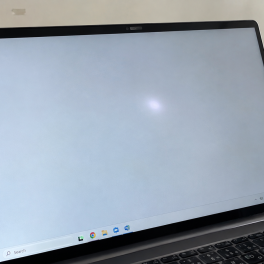
Pernahkah kamu membuka dokumen berlatar putih bersih atau menjelajahi web, lalu mendadak pandangan matamu terganggu oleh noda titik terang atau... selengkapnya

Ketika ingin memberikan keamanan pada ruangan atau bangunan beberapa orang akan mengandalkan produk yang bisa membantu pengintaian. Salah satunya adalah... selengkapnya
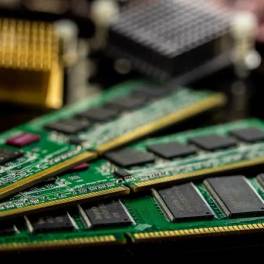
Memori komputer untuk melakukan penyimpanan serta menganalisis data. Keberadaan memori tersebut menjadi komponen vital karena berperan untuk menentukan kinerja serta... selengkapnya

25%
A. DESKRIPSI (DESCRIPTION) Mouse Wireless JERTECH JR9 CAITLIN Original adalah mouse nirkabel berkualitas tinggi dari JERTECH yang menawarkan kombinasi sempurna… selengkapnya
Rp 45.000 Rp 60.000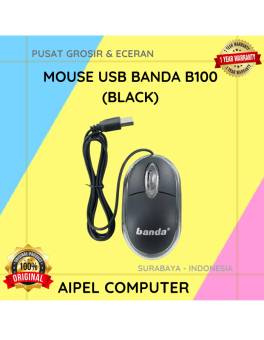
17%
A. DESKRIPSI (DESCRIPTION) Mouse USB BANDA B100 adalah perangkat yang dirancang untuk memberikan kenyamanan serta keakuratan dalam setiap klik dan… selengkapnya
Rp 10.000 Rp 12.000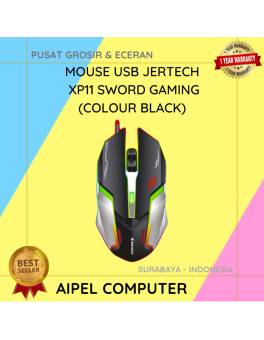
23%
A. DESKRIPSI (DESCRIPTION) Mouse USB Jertech XP11 SWORD Gaming adalah mouse berkabel yang dirancang untuk menghadirkan kontrol dan kenyamanan maksimal… selengkapnya
Rp 56.500 Rp 73.000
22%
A. DESKRIPSI (DESCRIPTION) Cable USB M To Type-C 3 IN 1 GENAI GL-Q03 adalah solusi ideal untuk kamu yang ingin… selengkapnya
Rp 53.000 Rp 68.000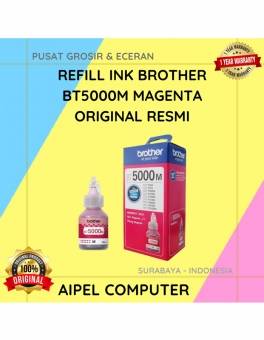
4%
A. DESKRIPSI (DESCRIPTION) Refill Ink BROTHER BT5000M Magenta Original adalah tinta isi ulang tipe inkjet berkualitas tinggi yang dirancang untuk… selengkapnya
Rp 110.000 Rp 115.000
11%
A. DESKRIPSI (DESCRIPTION) Power Supply Unit E-SMILE 500 W adalah pilihan tepat bagi Anda yang menginginkan kestabilan daya dan performa… selengkapnya
Rp 102.500 Rp 115.000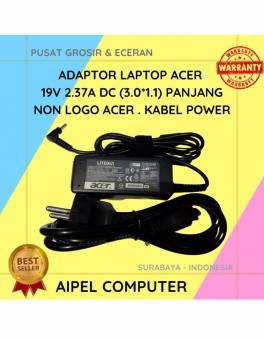
25%
A. DESKRIPSI (DESCRIPTION) Adaptor Laptop ACER 19V 2.37A DC (3.0 X 1.1) adalah solusi ideal untuk Anda yang membutuhkan sumber… selengkapnya
Rp 60.000 Rp 80.000
40%
A. DESKRIPSI (DESCRIPTION) Mouse USB Brand Premium TOSHIBA (Black) adalah perangkat input modern yang dirancang untuk mendukung aktivitas komputasi Anda… selengkapnya
Rp 15.000 Rp 25.000
6%
A. DESKRIPSI (DESCRIPTION) Printer CENTROO 80 MM Thermal Bluetooth Portable 1500 MAH adalah printer thermal portabel dengan kapasitas lebih besar… selengkapnya
Rp 375.000 Rp 400.000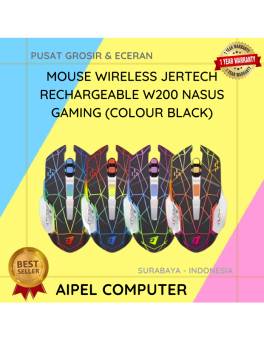
2%
A. DESKRIPSI (DESCRIPTION) Mouse Wireless JERTECH W200 NASUS Gaming Rechargeable adalah mouse gaming nirkabel dengan performa tinggi yang ditujukan untuk… selengkapnya
Rp 98.000 Rp 100.000



Saat ini belum tersedia komentar.