- Orderan dibawah 500.00 via Goshop / Offline / Marketplace
Laptop Keyboard Typing on Its Own? Causes and Easy Fixes
Working on an important document or playing a game when suddenly a stream of repeated letters appears across your screen as if an invisible hand is pressing the keys (ghost typing) can be extremely disruptive to your daily productivity.
Many users assume that this strange behavior is triggered by a virus infection or system hacking. In reality, a laptop keyboard typing on its own is usually caused by accumulated dust underneath the keycaps, mechanically stuck key switches, or driver glitches following an operating system update. Much like dealing with a laptop touchpad not working properly, you can perform a few basic self-checks before taking your machine to a repair shop.
Featured Snippet (Instant Answer):
To fix a laptop keyboard typing on its own, clean out debris under the keycaps using compressed air or a soft brush, gently press stuck keys repeatedly to loosen their mechanism, run the Windows Keyboard Troubleshooter, or reinstall the keyboard driver via Device Manager.

Checklist: Why Is Your Laptop Keyboard Ghost Typing?
Tick the boxes below if you are experiencing any of these common symptoms:
-
[ ] Specific keys feel stiff, spongy, or physically stuck when pressed down.
-
[ ] Ghost typing becomes worse when your laptop body heats up during heavy usage.
-
[ ] The keyboard was previously exposed to liquid splashes, sticky drinks, or food crumbs.
-
[ ] Ghost typing stops immediately when you plug in an external USB keyboard.
-
[ ] Repeated characters keep appearing even when your hands are away from the laptop.
Our Recommendation: If characters are typing endlessly across your screen, disabling the internal keyboard temporarily via Device Manager or connecting an external keyboard serves as a quick emergency workaround.
Comparison Table: Keyboard Issue Breakdown by Symptom
To help you identify the root cause behind your wobbly input system, here is a breakdown of common keyboard symptoms:
| Keyboard Symptom on Screen | Likely Root Cause | Required Action | Real-World Impact on Device |
|---|---|---|---|
| A single key types continuously | Debris/crumbs trapped beneath keycap | Physical cleaning & keycap removal | Restores normal key action without replacement |
| Random keys typing erratically | Driver conflict or Windows Update error | Reinstall / Update keyboard driver | Restores input stability through software |
| Keys unresponsive then typing randomly | Membrane short circuit from moisture | Physical replacement of keyboard module | Requires new internal keyboard unit |
4 Easy Ways to Fix a Laptop Keyboard Typing on Its Own
You do not need to panic right away. Try these practical troubleshooting steps to restore your laptop keyboard:
-
Clean Out Trapped Debris Beneath Keycaps. Use a small soft-bristled brush or compressed air to blow out dust and food particles beneath the keycaps. Gently press the affected key repeatedly to release any stuck mechanical switches.
-
Run the Windows Keyboard Troubleshooter. Open Settings, select System, and click Troubleshoot. Select Other troubleshooters and run the Keyboard tool to let Windows scan and repair software conflicts automatically.
-
Uninstall and Reinstall the Keyboard Driver. Right-click the Start button and open Device Manager. Expand the Keyboards category, right-click Standard PS/2 Keyboard or HID Keyboard Device, and select Uninstall device. Restart your laptop so Windows automatically downloads a fresh driver file.
-
Disable Sticky Keys Feature. Accessibility shortcuts can sometimes turn on accidentally. Go to Settings, select Accessibility, click Keyboard, and ensure both Sticky Keys and Filter Keys are toggled to Off.
When Should You Replace the Internal Keyboard?
If you have cleaned the keys and reinstalled the driver but ghost typing persists, the internal membrane circuitry may be physically damaged. Common causes include:
-
Traces on the flexible keyboard ribbon cable have oxidized or broken due to high humidity.
-
Dried liquid residue inside the plastic membrane layers is creating a short circuit.
-
The silicone rubber domes underneath the keycaps have cracked or worn out over time.
FAQ (Frequently Asked Questions)
-
Is a laptop keyboard typing on its own a sign of a virus?
Rarely. The vast majority of ghost typing issues are caused by mechanical key jams or short circuits within the keyboard membrane due to moisture or dust.
-
Can I remove laptop keycaps myself to clean them?
Yes, but exercise extreme care. The tiny plastic clipping mechanisms under laptop keycaps are delicate and can break easily if pried off with too much force.
-
How long does it take to replace a laptop keyboard at a repair shop?
For laptops with top-mount keyboards, replacement usually takes 15 to 30 minutes. For modern frame-embedded keyboards, it may take 1 to 2 hours because the motherboard must be disassembled first.
Conclusion
Most laptop keyboard ghost typing issues can be resolved at home through physical cleaning or software driver updates. However, if the underlying membrane circuitry is short-circuited by moisture or wear and tear, replacing the keyboard module with a genuine replacement is the most reliable way to restore your typing comfort.
Visit the Aipel Computer Physical Store
If your laptop keyboard keeps typing on its own, has completely unresponsive keys, or needs a clean original replacement module, let our professional technical team inspect your hardware safely.
For step-by-step driving routes, opening hours, or to check keyboard stock availability for your laptop model, feel free to visit our main website at Aipel Computer in Surabaya for prompt and reliable service!
Tags: computer store surabaya, fix ghost typing laptop, laptop input glitch fix, laptop keyboard typing on its own how to fix, laptop keys sticking fix, replace laptop keyboard surabaya

Laptop Keyboard Typing on Its Own? Causes and Easy Fixes
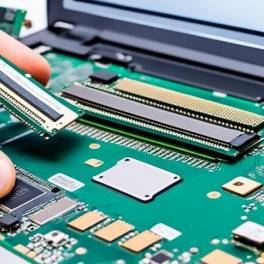
Slot RAM rusak pada laptop dapat menyebabkan berbagai masalah, mulai dari kinerja lambat hingga sistem yang tidak bisa booting. Masalah... selengkapnya

Mencetak dokumen bisa dilakukan secara mudah dengan bantuan printer. Tak hanya dokumen saja, printer juga bisa dimanfaatkan untuk mencetak foto.... selengkapnya

Keamanan dan Privasi di WhatsApp . Mengoptimalkan Keamanan dan Privasi di WhatsApp . Panduan Lengkap untuk Pengguna A. Pengaturan... selengkapnya
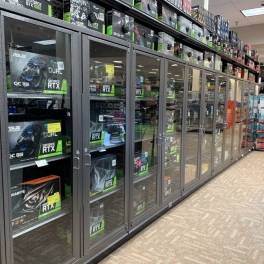
Di tiap kota besar, Anda pasti menemukan pusat perbelanjaan komputer. Bisa dibandingkan, pusat komputer ini sama seperti mall untuk keperluan... selengkapnya

Laptop sudah menjadi kebutuhan bagi masyarakat dan tak lagi menjadi barang Langkah dan mewah. Bahkan sudah banyak berdiri berbagai tempat... selengkapnya
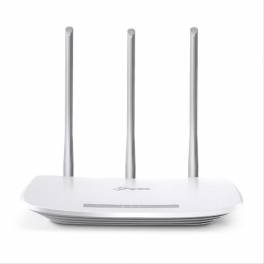
TP Link antena merupakan salah satu pilihan router yang kualitasnya bisa bisa diandalkan. Ya, jika Anda ingin memasang router di... selengkapnya
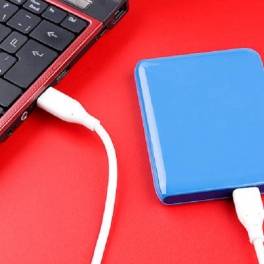
Hard disk eksternal memang menjadi kebutuhan utama untuk para pengguna laptop dan komputer. Alat ini akan berfungsi sebagai media penyimpanan... selengkapnya

Radiasi layar komputer dapat mengganggu kesehatan mata jika terjadi secara terus-menerus. Hal ini terutama perlu diwaspadai oleh para pekerja yang... selengkapnya
Cara setting internet di PC Windows 10 dengan benar bisa membuat koneksi lebih cepat dan stabil. Koneksi internet yang lambat... selengkapnya

Have you ever felt your laptop body turning uncomfortably hot like an iron, heard its cooling fans spinning at deafening... selengkapnya

6%
A. DESKRIPSI (DESCRIPTION) Docking Hard Disk FIDECO YPZ04-S2 adalah docking station hard disk dari FIDECO yang dirancang khusus untuk pengguna… selengkapnya
Rp 353.000 Rp 375.000
8%
AIPEL COMPUTER – Pusat Grosir dan Eceran – Belanja Hebat dan Hemat – Harga Murah Garansi Prima * GARANSI –… selengkapnya
Rp 1.940.000 Rp 2.100.000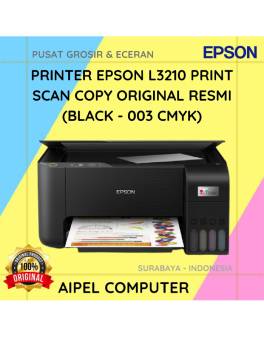
17%
A. DESKRIPSI (DESCRIPTION) EPSON L3210 Print Scan Copy Original 100 % (Black – 003 CMYK) adalah solusi cetak multifungsi yang… selengkapnya
Rp 2.110.000 Rp 2.548.000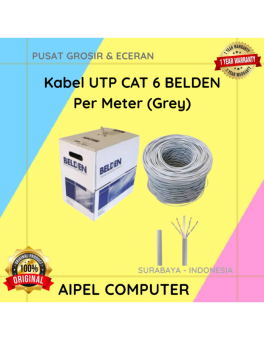
0%
A. DESKRIPSI (DESCRIPTION) Kabel UTP CAT 6 BELDEN Per Meter (Grey) merupakan kabel jaringan yang digunakan untuk kebutuhan instalasi LAN…. selengkapnya
Rp 8.000 Rp 8.000
4%
A. DESKRIPSI (DESCRIPTION) Docking Hard Disk FIDECO Y842H adalah docking hard disk aluminium dual bay dari FIDECO yang dirancang untuk… selengkapnya
Rp 450.000 Rp 470.000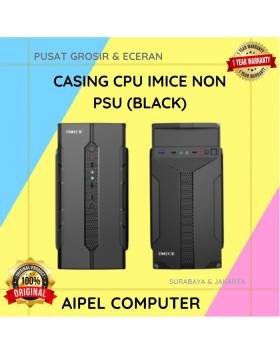
19%
A. DESKRIPSI (DESCRIPTION) Casing CPU IMICE Non PSU (Black) adalah casing modern dengan gaya minimalis dan tampilan elegan. 💼 Didesain… selengkapnya
Rp 145.000 Rp 180.000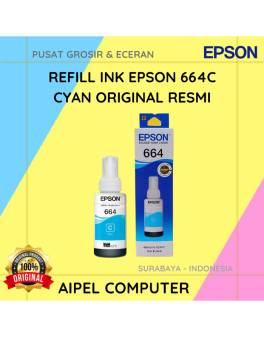
15%
A. DESKRIPSI (DESCRIPTION) Refill Ink EPSON 664C Cyan Original 100% adalah tinta isi ulang resmi dari EPSON dengan warna cyan… selengkapnya
Rp 85.000 Rp 100.000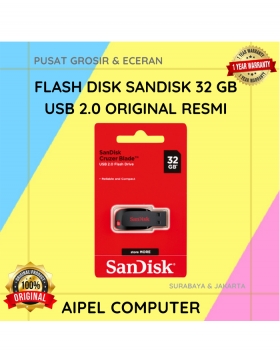
18%
A. DESKRIPSI (DESCRIPTION) Flash Disk SANDISK 32 GB USB 2.0 Original (Black) adalah media penyimpanan portabel berkualitas tinggi yang mampu… selengkapnya
Rp 106.000 Rp 130.000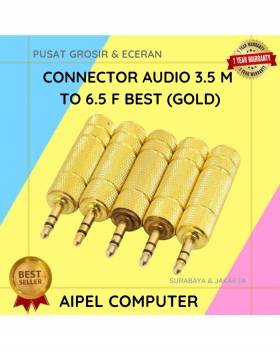
25%
A. DESKRIPSI (DESCRIPTION) Connector Audio 3.5 M To 6.5 F BEST (Gold) adalah konektor audio premium yang dirancang khusus untuk… selengkapnya
Rp 4.500 Rp 6.000
27%
AIPEL COMPUTER Kabel USB 10 IN 1 KU10IN1 adalah jawaban bagi Anda yang menginginkan fleksibilitas penuh dalam satu kabel. Dengan… selengkapnya
Rp 9.500 Rp 13.000



Saat ini belum tersedia komentar.