- Orderan dibawah 500.00 via Goshop / Offline / Marketplace
Laptop Screen Flickering? Causes and Easy Fixes
Working on a project, watching a video, or attending a virtual meeting when suddenly your display starts blinking continuously (flickering) can be extremely distracting. Display flickering is not only an annoying visual glitch, but it also causes eye strain and headaches during prolonged use.
Many users assume that their laptop LCD panel is permanently broken and requires an expensive replacement. In reality, display flickering is frequently triggered by mismatched display refresh rates, graphics card driver conflicts following a Windows update, or internal heat buildup. Similar to dealing with a laptop overheating and noisy fan causes how to fix issue, performing a systematic self-diagnosis will help you identify whether the root cause is software-related or a physical hardware fault.
Featured Snippet (Instant Answer):
To fix a flickering laptop screen, use Task Manager to check for app or driver conflicts, adjust the Display Refresh Rate back to standard 60Hz, update or reinstall your GPU driver via Device Manager, and disable graphics hardware acceleration in web browsers.
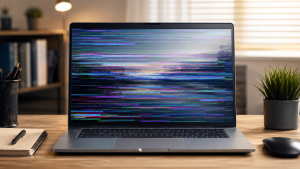
Checklist: Why Is Your Laptop Screen Flickering?
Tick the boxes below if any of these symptoms match your current situation:
-
[ ] The display flickers only when using specific applications (such as Google Chrome or video players).
-
[ ] Flickering worsens when running on battery power (unplugged) compared to AC power.
-
[ ] The screen stabilizes or stops flickering when you adjust the laptop lid hinge angle.
-
[ ] The flickering stops completely when connected to an external monitor or TV via HDMI.
-
[ ] The bottom chassis feels excessively hot before the screen begins to blink or show horizontal lines.
Our Recommendation: If the display flickers on an external monitor as well, the issue stems 100% from software or GPU driver conflicts. However, if the external monitor stays clean, the fault lies within your laptop’s internal panel or ribbon cable.
Comparison Table: Screen Flickering Root Cause Breakdown
To help you diagnose visual glitches on your system, here is a breakdown based on screen behavior:
| Visual Symptom on Screen | Likely Root Cause | Required Action | Real-World Impact on Device |
|---|---|---|---|
| Random blinking in specific apps | GPU driver conflict / Hardware Acceleration | Update GPU driver & disable acceleration | Restores visual stability at zero cost |
| Flickers when moving lid hinge | Loose or pinched display ribbon cable | Disassemble & reposition display cable | Restores normal display without new LCD |
| Constant blinking + flashing lines | Physical LCD panel or backlight damage | Replace internal LCD display module | Requires physical screen replacement |
4 Easy Ways to Fix a Laptop Screen Flickering
Try these practical troubleshooting steps before bringing your machine to a repair center:
-
Test Using Windows Task Manager. Press
Ctrl + Shift + Escsimultaneously to open Task Manager. Observe the screen: if everything flickers except the Task Manager window, an installed app is causing the glitch. If Task Manager flickers along with the rest of the screen, a graphics driver or display hardware issue is at fault. -
Adjust Display Refresh Rate. Right-click an empty space on your desktop, select Display settings, and open Advanced display. Under Choose a refresh rate, switch the frequency down to standard (e.g., from 120Hz/144Hz down to 60Hz) to stabilize signal processing.
-
Update or Reinstall Graphics Drivers. Open Device Manager by right-clicking the Start button. Expand Display adapters, right-click your GPU (Intel, AMD, or NVIDIA), and select Update driver. If that fails, select Uninstall device, then restart your laptop so Windows downloads a clean driver automatically.
-
Disable Browser Hardware Acceleration. If screen flickering only happens while browsing the web, open your browser settings (e.g., Google Chrome), navigate to System, and toggle off Use graphics acceleration when available.
Signs of Hardware-Related Screen Damage
If software troubleshooting fails and your display continues to flicker, internal components may be degraded, such as:
-
The LCD panel backlight has weakened or short-circuited due to moisture exposure.
-
The flexible ribbon cable connecting the display to the motherboard through the hinge is loose, pinched, or frayed.
-
The display inverter module is suffering from voltage drop.
FAQ (Frequently Asked Questions)
-
Can a flickering laptop screen damage your eyesight?
Yes. Continuous screen flickering forces eye muscles to strain repeatedly, leading to eye fatigue, dryness, and severe headaches.
-
Why does my laptop screen flicker when unplugged from the charger?
This is often caused by graphics power-saving features (Intel Display Power Saving Technology or AMD Vari-Bright) that lower display signal quality automatically to conserve battery life.
-
How long does it take to repair a loose laptop screen ribbon cable?
Disassembling the chassis, cleaning connectors, and reseating the display ribbon cable usually takes about 30 to 45 minutes at a service center.
Conclusion
Most screen flickering issues can be safely resolved at home by tweaking refresh rates, disabling hardware acceleration, or updating graphics drivers. However, if software fixes do not resolve the issue and there are signs of a loose ribbon cable or damaged backlight, having a professional technician inspect your hardware is the safest solution.
Visit the Aipel Computer Physical Store
If your laptop screen keeps flickering, displaying lines, or requires a physical ribbon cable check, let our technical team inspect your hardware safely.
For step-by-step driving routes, opening hours, or to check original LCD panel stock availability for your laptop model, feel free to visit our main website at Aipel Computer in Surabaya for prompt and reliable service!
Tags: fix laptop display blinking, laptop screen flickering causes and how to fix, laptop screen flickers when unplugged, replace laptop lcd surabaya

Laptop Screen Flickering? Causes and Easy Fixes

Pernahkah kamu sedang mengetik di laptop berbahan aluminium, lalu bagian pergelangan tangan atau ujung jarimu mendadak merasakan sengatan listrik halus... selengkapnya
Pernahkah kamu mencolokkan charger laptop ke stopkontak dinding, lalu tiba-tiba terdengar suara mendesis halus seperti minyak goreng panas disertai letupan... selengkapnya

Para gamers sejati, wajib tahu beberapa perbedaan gamepad dan joystick agar pemakaiannya bisa sesuai dan semakin optimal. Dalam dunia game,... selengkapnya
Toko komputer grosir, Kecanggihan teknologi saat ini berkembang dengan pesat, terlebih lagi kebutuhan akan teknologi tersebut sangat dibutuhkan oleh setiap... selengkapnya
Cara mempercepat jaringan WiFi bisa dilakukan dengan beberapa langkah sederhana. Koneksi WiFi yang lemot sangat menghambat aktivitas sehari-hari. Terlebih sekarang... selengkapnya

CPU komputer biasanya menjadi bagian komputer yang jarang dibersihkan. Letak perangkat pendingin yang menutupi CPU mengharuskan pemilik untuk membongkarnya terlebih... selengkapnya
Mouse pad bantal merupakan salah satu aksesoris komputer dan laptop yang pastinya sudah tidak asing lagi bagi Anda bukan? Bahkan... selengkapnya
Mungkin sebagian pengguna mengalami masalah saat menginstal aplikasi di komputer, yang bisa sangat merugikan, terutama jika aplikasi tersebut sangat dibutuhkan.... selengkapnya
Selama menentukan toko grosir PC tentu tidak boleh memilih sembarangan karena pemilihan toko yang tepat nantinya akan menentukan kualitas sekaligus... selengkapnya
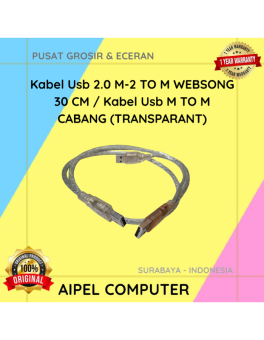
34%
A. DESKRIPSI (DESCRIPTION) Kabel USB 2.0 M-M Websong 30 CM / Kabel USB M to M Cabang (Transparant) merupakan kabel… selengkapnya
Rp 12.500 Rp 19.000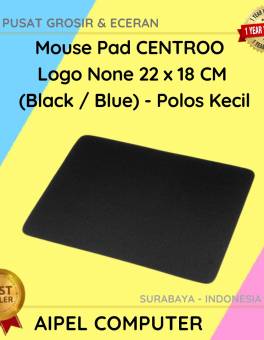
40%
A. DESKRIPSI (DESCRIPTION) Dapatkan pengalaman menggunakan mouse yang lebih nyaman dan stylish dengan Mouse Pad CENTROO. Didesain khusus untuk para… selengkapnya
Rp 3.000 Rp 5.000
15%
A. DESKRIPSI (DESCRIPTION) Refill Ink EPSON 003K Black Original 100 % adalah tinta isi ulang berkualitas tinggi yang dirancang untuk… selengkapnya
Rp 85.000 Rp 100.000
15%
A. DESKRIPSI (DESCRIPTION) Refill Ink EPSON 664K Black Original 100% adalah tinta hitam original dari EPSON yang cocok untuk berbagai… selengkapnya
Rp 85.000 Rp 100.000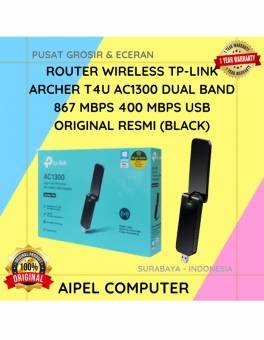
24%
A. DESKRIPSI (DESCRIPTION) TP-LINK ARCHER T4U adalah USB WiFi adapter dengan performa tinggi yang dirancang untuk menghadirkan kecepatan internet super… selengkapnya
Rp 282.000 Rp 370.000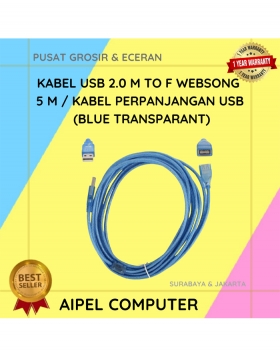
19%
A. DESKRIPSI (DESCRIPTION) Kabel USB Perpanjangan WEBSONG 5 M adalah solusi sempurna untuk Anda yang membutuhkan jangkauan lebih panjang dalam… selengkapnya
Rp 27.500 Rp 34.000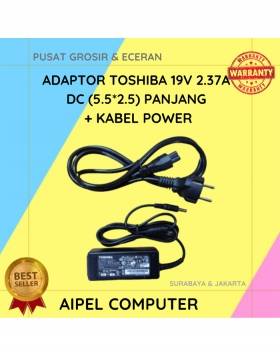
20%
A. DESKRIPSI (DESCRIPTION) Adaptor Laptop 19V 2.37A DC (5.5*2.5) adalah solusi pengisian daya yang stabil dan aman untuk laptop kesayangan… selengkapnya
Rp 60.000 Rp 75.000
23%
AIPEL COMPUTER Kabel Switch HDTV Pigtail HOBOO 1-3 HQ Manual 45 CM 4K adalah solusi cerdas bagi kamu yang membutuhkan… selengkapnya
Rp 46.500 Rp 60.000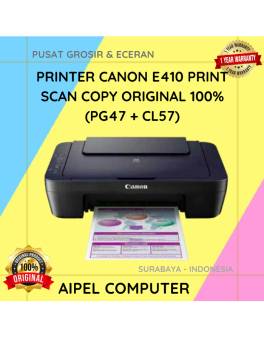
2%
A. DESKRIPSI (DESCRIPTION) Dengan desain yang kompak dan efisien, printer Canon E410 siap menjadi sahabat setia di rumah maupun kantor… selengkapnya
Rp 702.000 Rp 715.000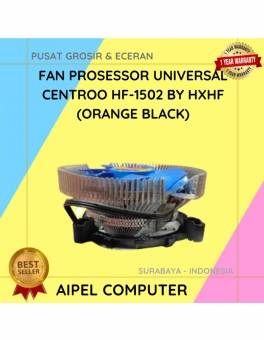
35%
A. DESKRIPSI (DESCRIPTION) Fan Processor Universal CENTROO By HXHF adalah kipas pendingin berkualitas tinggi untuk menjaga suhu prosesor tetap stabil… selengkapnya
Rp 36.000 Rp 55.000



Saat ini belum tersedia komentar.