- Orderan dibawah 500.00 via Goshop / Offline / Marketplace
Laptop Hinge Loose or Broken? Repair or Replace Guide
Does your laptop screen wobble every time you type? Do you hear a harsh creaking sound whenever you open the lid, or see the plastic casing near the hinge popping open to reveal wires inside? Loose laptop hinges and shattered plastic screw mounts (insert nuts) are among the most common physical issues on modern laptops made with polycarbonate frames.
When this happens, most laptop owners face a dilemma: Can the hinge simply be tightened and greased, or do you need to replace the entire plastic casing (Top Cover/Palmrest)?
The right solution depends on the exact type of damage—whether it is just a loosened hinge screw or shattered plastic housing inside the frame. As highlighted in our guide on how to maintain a laptop, bad habits like opening the screen by lifting one corner put uneven pressure on the hinge axis, accelerating wear and tear.
Featured Snippet (Instant Answer):
A loose laptop hinge caused by backed-out screws can usually be tightened without buying new parts. However, if the internal plastic screw mounts are cracked or the metal hinge bar is snapped, the solution is to replace the hinge pair, re-anchor the mounts using industrial epoxy, or replace the damaged casing panels (Part A Top Cover or Part C Palmrest).
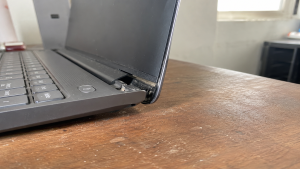
Checklist: How Bad Is Your Laptop Hinge Damage?
Tick the boxes below to check whether your hinge issue is minor or severe:
-
[ ] The screen shakes or tilts on its own while typing on a steady desk.
-
[ ] You hear a loud cracking sound or feel stiff resistance when opening or closing the lid.
-
[ ] There is a visible gap on one side of the hinge base that looks uneven compared to the other.
-
[ ] The screen refuses to stay upright at certain angles and falls backward or snaps shut.
-
[ ] Tiny plastic fragments or dust fall out from the hinge corner when moved.
Safety Warning: If you notice plastic cracking or popping open around the hinge, leave your laptop lid open. Forcing it shut can drive sharp metal hinge edges into the internal display ribbon cable, short-circuiting the screen or shattering the LCD panel entirely.
The 2 Main Damage Scenarios: Loose Hinge vs. Broken Plastic Mounts
Understanding how your hinge is damaged helps you estimate costs and choose the right replacement parts:
1. Scenario 1: Loose Hinge Screws (Minor to Moderate Issue)
-
Cause: Screws securing the metal hinge to the frame have loosened over time due to daily vibration, or factory hinge grease has dried out.
-
Physical Condition: Plastic casing is 100% intact with no cracks, but the screen feels flimsy and wobbles.
-
Solution: Disassemble the bottom chassis, clean dust from the hinge pivot, apply fresh grease, and adjust the hinge tension screws (tightening).
2. Scenario 2: Cracked Plastic Mounts / Broken Hinge Bar (Severe Issue)
-
Cause: Plastic frame material fatigue from internal laptop heat and age causes the brass screw anchors (insert nuts) to tear out from the plastic housing.
-
Physical Condition: Casing flexes open when moving the lid, plastic fragments drop out, or the metal hinge bar snaps in half.
-
Solution:
-
Replace Metal Hinge Pair (Left & Right): If the metal bar itself snaps.
-
Replace Casing Part A or Part C (Top Cover or Palmrest): If the plastic screw housings behind the LCD screen (Part A) or keyboard deck (Part C) are destroyed.
-
Re-Anchor with Industrial Epoxy: A budget-friendly repair method where brass nuts are rebuilt into the frame using industrial resin if original casing parts are hard to find.
-
Cost Breakdown: Estimated Part & Repair Prices
Here is a general price guide for replacement parts and hinge repairs in the market:
3 Bad Habits That Ruin Laptop Hinges FastMost broken hinge cases are caused by daily handling habits. Avoid these three mistakes:
FAQ (Frequently Asked Questions)
ConclusionA wobbly laptop screen does not always mean you need to buy a brand-new casing. If the screws are simply loose, tightening them is usually enough. But if the plastic housing around the hinge has opened up, re-anchoring the mounts or replacing the damaged casing parts is essential to prevent further damage to your LCD screen. Visit the Aipel Computer Store in SurabayaNeed precision screwdriver sets, laptop body cleaners, hardware spare parts, or daily accessories to complete your desk setup? Find a wide range of original computer components and accessories at competitive wholesale prices directly at our store. For product catalogs, stock availability, or directions to our physical store, feel free to visit our main website at Aipel Computer in Surabaya today! |
Tags: fix loose laptop hinge, laptop hinge loose or broken repair or replace guide, laptop hinge repair cost, laptop spare parts surabaya, replace laptop casing surabaya

Laptop Hinge Loose or Broken? Repair or Replace Guide

Pernahkah Anda mengalami charger laptop rusak secara tiba-tiba? Meskipun menggunakan charger asli dari pabrik, sayangnya, charger hanya bertahan beberapa tahun.... selengkapnya

Mempunyai budget terbatas, dan saat ini sedang mencari toko komputer murah terdekat. Maka ini akan jadi ulasan yang tepat untuk... selengkapnya
Have you ever clicked the print button on your computer only to receive absolutely no response from your printing machine,... selengkapnya
Pernahkah kamu sedang memakai laptop sambil mengisi daya, lalu saat menyentuh kotak adaptor (power brick) charger, permukaannya terasa panas menyengat... selengkapnya
Pernahkah kamu mengalami kejadian mengejutkan saat sedang mengetik atau membersihkan debu, tiba-tiba salah satu tombol huruf di keyboard laptopmu copot,... selengkapnya

CPU komputer biasanya menjadi bagian komputer yang jarang dibersihkan. Letak perangkat pendingin yang menutupi CPU mengharuskan pemilik untuk membongkarnya terlebih... selengkapnya
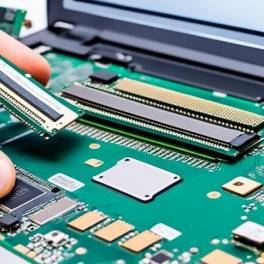
Slot RAM rusak pada laptop dapat menyebabkan berbagai masalah, mulai dari kinerja lambat hingga sistem yang tidak bisa booting. Masalah... selengkapnya

Baterai CMOS CR2032 merupakan baterai ringan yang berbentuk lingkaran serta berukuran kecil dan memiliki tegangan operasi sebesar 3 V. Biasanya... selengkapnya

Motherboard merupakan salah satu komponen terpenting dalam komputer dan laptop. Saking pentingnya, motherboard yang mengalami kerusakan akan menyebabkan masalah fatal... selengkapnya

Mengatasi masalah WiFi laptop hilang bisa menjadi hal yang cukup membingungkan. Jangan khawatir, karena ada berbagai metode yang bisa digunakan... selengkapnya
28%
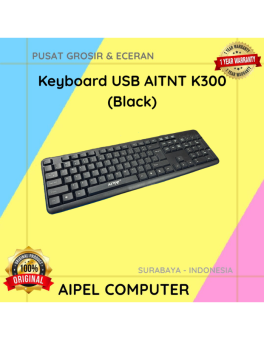
A. DESKRIPSI (DESCRIPTION) Keyboard USB AITNT K300 (Black) adalah keyboard dengan desain simpel dan praktis untuk menunjang berbagai aktivitas komputer… selengkapnya
Rp 26.000 Rp 36.000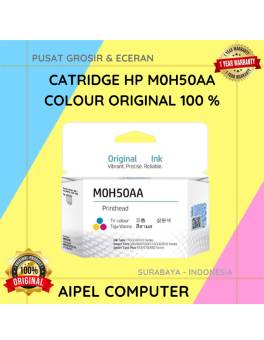
-3%
AIPEL COMPUTER – Pusat Grosir dan Eceran – Belanja Hebat dan Hemat – Harga Murah Garansi Prima * GARANSI –… selengkapnya
Rp 175.000 Rp 170.000
30%
AIPEL COMPUTER ADDRESS (Offline Store) Ruko Manyar Mas 27 Blok C3 – C4 Jalan Raya Manyar 63C Kelurahan Menur Pumpungan… selengkapnya
Rp 42.000 Rp 60.000
60%
AIPEL COMPUTER RJ45 CAT 5 BEST 1 PCS (Transparant) adalah konektor jaringan tipe RJ45 kategori 5 yang dirancang dengan bahan… selengkapnya
Rp 200 Rp 500
21%
A. DESKRIPSI (DESCRIPTION) Earphone Wireless GENAI GB-T02 Earbuds adalah solusi audio cerdas bagi Anda yang mendambakan kualitas suara premium dengan… selengkapnya
Rp 94.000 Rp 119.000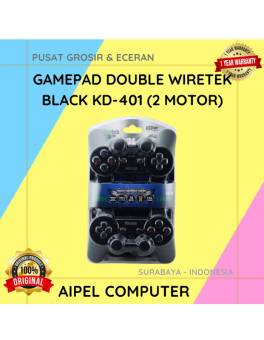
8%
AIPEL COMPUTER – Pusat Grosir dan Eceran – Belanja Hebat dan Hemat – Harga Murah Garansi Prima * GARANSI –… selengkapnya
Rp 78.000 Rp 85.000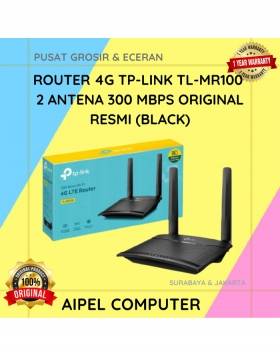
9%
A. DESKRIPSI (DESCRIPTION) TP-LINK MR100 adalah router 4G yang dirancang untuk menghadirkan koneksi internet cepat dan stabil di mana saja… selengkapnya
Rp 608.000 Rp 665.000
23%
A. DESKRIPSI (DESCRIPTION) Kabel power laptop WEBSONG 1.8 M (Black) adalah pilihan ideal buat kamu yang butuh suplai daya stabil… selengkapnya
Rp 27.000 Rp 35.000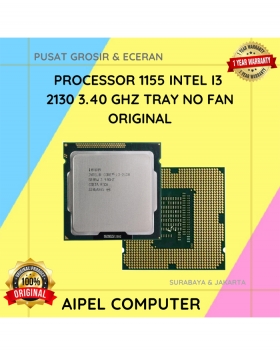
18%
A. DESKRIPSI (DESCRIPTION) Processor INTEL I3 2130 3.40 GHz Tray No Fan Original adalah prosesor generasi LGA 1155 yang membawa… selengkapnya
Rp 70.000 Rp 85.000
7%
A. DESKRIPSI (DESCRIPTION) External Case M2 NVME SATA FIDECO Dual Interface adalah casing hard disk eksternal yang dirancang khusus untuk… selengkapnya
Rp 265.000 Rp 285.000



Saat ini belum tersedia komentar.