- Orderan dibawah 500.00 via Goshop / Offline / Marketplace
WiFi Keeps Disconnecting on Laptop? Causes and How to Fix It
You are working, attending an online meeting, or streaming a video on your laptop, and suddenly your internet connection drops out. The WiFi icon on your taskbar changes to a yellow exclamation mark or shows No Internet Connection, only to reconnect automatically a few seconds later.
An unstable WiFi connection is a frustrating daily annoyance. Many people assume the issue always stems from their internet service provider or a broken router. However, in most cases, random WiFi disconnects are triggered by aggressive Windows power saving settings, corrupted network adapter drivers, or wireless signal interference. Just like when troubleshooting how to fix slow wifi at home, you can perform a few quick DIY fixes directly on your laptop.
Featured Snippet (Quick Answer):
The fastest way to fix a laptop WiFi that keeps disconnecting is by disabling the Power Saver feature on the Wireless Adapter in Device Manager, performing a TCP/IP reset and DNS flush via Command Prompt, and reinstalling the Wireless Network Adapter driver.
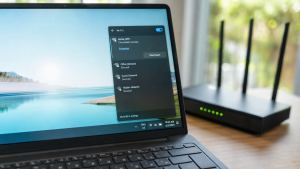
Checklist: Why Does Your Laptop WiFi Keep Disconnecting?
Check the boxes below if any of these symptoms match your laptop’s current condition:
-
[ ] WiFi disconnects randomly while running on battery power without the charger.
-
[ ] Internet disconnects every time the laptop wakes up from Sleep or Hibernate mode.
-
[ ] WiFi signal appears full, but displays a No Internet, Secured notification.
-
[ ] Other devices like smartphones stay connected smoothly to the same WiFi network.
-
[ ] The laptop must be restarted to detect WiFi signals again.
Practical Recommendation: If only your laptop disconnects while other devices work fine on the same WiFi network, the issue almost certainly lies within your laptop operating system settings or wireless hardware receiver.
Comparison Table: Causes of Unstable Laptop WiFi
To help map out the root cause of your internet connection issue, here is a quick comparison based on system symptoms:
| WiFi Connection Symptom | Likely Cause | Primary Fix | Real Device Impact |
|---|---|---|---|
| Disconnects on battery power | Windows turns off WiFi adapter to save battery | Uncheck Allow computer to turn off this device | WiFi connection stays stably powered on |
| Full signal but No Internet | Stale IP cache or DNS crash | Flush DNS & Netsh Reset via CMD | Data connection path cleared |
| Frequent drops in crowded areas | 2.4 GHz frequency interference | Switch to 5 GHz frequency on router | Cleaner signal with less interference |
| Completely missing from Device Manager | Internal WiFi card module worn out or damaged | Use an external USB WiFi Adapter | Laptop regains wireless signal reception |
4 Ways to Fix Laptop WiFi That Keeps Disconnecting
Try these step by step DIY recovery methods to stabilize your laptop internet connection:
-
Disable WiFi Adapter Power Saving. Right click the Start button, select Device Manager. Expand Network adapters, right click your Wireless adapter (e.g., Intel Wi-Fi or Realtek Wireless), and select Properties. Open the Power Management tab, uncheck Allow the computer to turn off this device to save power, then click OK.
-
Flush DNS and Reset TCP/IP. Open Command Prompt (CMD) as Administrator. Type
netsh winsock resetand press Enter. Next, typeipconfig /flushdnsand press Enter. This clears stuck network cache files. -
Change Network Profile to Private. Open Settings > Network & Internet > Wi-Fi. Click your connected WiFi network name and switch the profile from Public to Private. Public profiles carry strict Windows security restrictions that can unexpectedly drop connections.
-
Reinstall Wireless Adapter Driver. In Device Manager, right click your Wireless Network Adapter and select Uninstall device. Check the box to delete the driver software if prompted, then restart your laptop. Windows will automatically reinstall a fresh default driver upon startup.
When Should You Use an External USB WiFi Adapter?
If all software troubleshooting steps fail and your laptop WiFi keeps disconnecting, your internal Wi-Fi card module on the motherboard might be failing physically or weakening in signal reception.
A practical and cost effective workaround without opening your laptop casing is using an external USB WiFi Adapter (Dongle). Simply plug this compact adapter into an open USB port, and you can enjoy a stable, high speed wireless internet connection again.
FAQ (Frequently Asked Questions)
Why does laptop WiFi disconnect when running on battery mode?
By default, Windows has a power management feature that temporarily cuts power to the wireless adapter when unplugged from the charger to conserve battery life.
Is 5 GHz WiFi more stable than 2.4 GHz?
Yes, 5 GHz offers faster speeds and significantly less interference from other household devices like Bluetooth, although its physical range is slightly shorter than 2.4 GHz.
Conclusion
Most cases of laptop WiFi disconnecting randomly are caused by active Windows power saving features, corrupted network drivers, or IP cache buildup. By disabling power saving on the adapter and performing a DNS flush, your laptop internet connection will usually run smoothly again without interruptions.
Shop USB WiFi Adapters & Networking Accessories at Aipel Computer
Need a high speed original USB WiFi Adapter, WiFi router, LAN cable, or other computer and networking equipment? Explore our full range of products at competitive wholesale prices directly in our store.
To check our hardware catalog, spare part stock availability, or store location details, visit the official Aipel Computer website today!
Tags: fix laptop wifi disconnecting randomly, laptop wifi no internet secured, usb wifi adapter surabaya, wifi driver windows 10, wifi keeps disconnecting on laptop

WiFi Keeps Disconnecting on Laptop? Causes and How to Fix It

Membeli komputer di pusat penjualan komputer, memang tidak bisa dibilang mudah, apalagi jika budget yang Anda miliki terbatas, atau tidak... selengkapnya
Pernahkah kamu sedang asyik mendengarkan musik atau menonton film, lalu tiba-tiba suara dari speaker laptopmu mendadak pecah, bergetar sember (crackle),... selengkapnya

Berikut adalah cara membersihkan keyboard komputer yang aman dan mudah dilakukan sendiri di rumah. Anda hanya memerlukan alat dan bahan... selengkapnya

Posisi tinta warna Canon 811, penting untuk Anda ketahui! Perangkat printer seperti Canon 811, yang biasa Anda jumpai di beberapa... selengkapnya

Masalah monitor berkedip pada Windows 10 adalah salah satu masalah yang sering dialami oleh pengguna. Monitor yang berkedip-kedip tidak hanya... selengkapnya
Cara instal Windows di komputer jadi pertanyaan banyak pengguna. Padahal, menginstal Windows di komputer atau laptop cukup mudah. Bahkan, pengguna... selengkapnya
Finding your laptop keyboard keys completely unresponsive when trying to finish urgent documents is frustrating. You press individual keys repeatedly,... selengkapnya
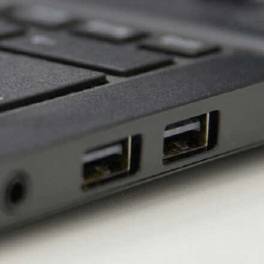
Port USB laptop tidak berfungsi adalah masalah yang cukup umum dan bisa mengganggu produktivitas Anda. Ketika port USB tidak dapat... selengkapnya

Perangkat komputer atau laptop pastinya dibekali fitur port USB sebagai tempat menghubungkan kedua perangkat. Mulai dari smartphone atau kamera dihubungkan... selengkapnya

Saat akan membeli mouse, toko komputer adalah tempat yang tempat. Hal itu karena biasanya mereka menyediakan cukup banyak pilihan. Dari... selengkapnya
9%
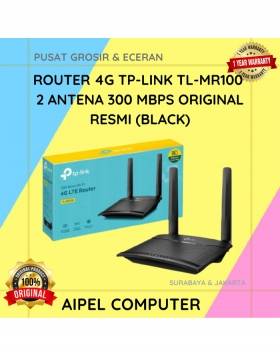
A. DESKRIPSI (DESCRIPTION) TP-LINK MR100 adalah router 4G yang dirancang untuk menghadirkan koneksi internet cepat dan stabil di mana saja… selengkapnya
Rp 608.000 Rp 665.000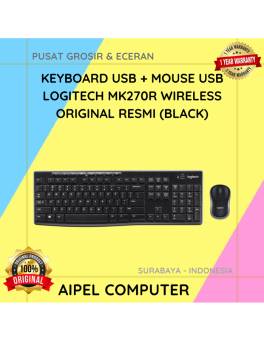
5%
A. DESKRIPSI (DESCRIPTION) keyboard mouse wireless MK270R adalah perangkat combo keyboard dan mouse wireless dari LOGITECH yang dirancang khusus untuk… selengkapnya
Rp 333.000 Rp 350.000
6%
A. DESKRIPSI (DESCRIPTION) Catridge HP 682 Colour Original 100% adalah tinta warna andalan yang menawarkan kualitas cetak profesional dengan warna… selengkapnya
Rp 151.000 Rp 160.000
5%
AIPEL COMPUTER – Pusat Grosir dan Eceran – Belanja Hebat dan Hemat – Harga Murah Garansi Prima * GARANSI –… selengkapnya
Rp 180.000 Rp 190.000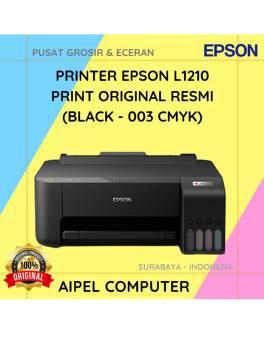
6%
A. DESKRIPSI (DESCRIPTION) Printer EPSON L1210 Print Original (Black 003 CMYK) adalah printer multifungsi dengan teknologi EcoTank yang dirancang untuk… selengkapnya
Rp 1.975.000 Rp 2.100.000
38%
AIPEL COMPUTER – Pusat Grosir dan Eceran – Belanja Hebat dan Hemat – Harga Murah Garansi Prima * GARANSI –… selengkapnya
Rp 20.000 Rp 32.000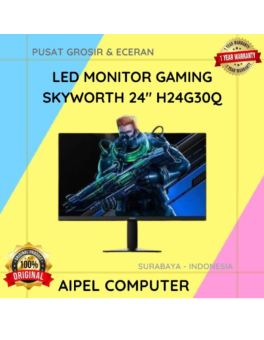
4%
A. DESKRIPSI (DESCRIPTION) LED Monitor Gaming SKYWORTH 24” H24G30Q merupakan monitor yang dirancang untuk mendukung kebutuhan gaming maupun aktivitas komputer… selengkapnya
Rp 2.020.000 Rp 2.100.000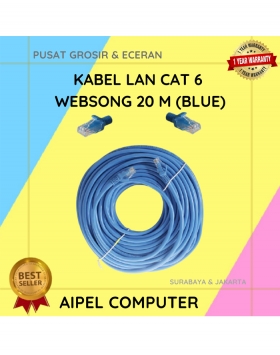
9%
A. DESKRIPSI (DESCRIPTION) Kabel LAN CAT 6 WEBSONG 20 Meter warna biru dari WEBSONG hadir sebagai jawaban atas kebutuhan jaringan… selengkapnya
Rp 75.000 Rp 82.000
26%
A. DESKRIPSI (DESCRIPTION) Earphone HEYU K108 (Gold) adalah earphone elegan yang memadukan tampilan mewah dengan kualitas suara luar biasa. HEYU… selengkapnya
Rp 25.000 Rp 34.000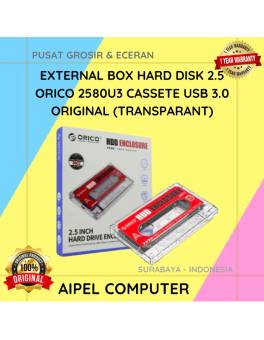
17%
A. DESKRIPSI (DESCRIPTION) ORICO 2580U3 USB 3.0 Transparan adalah external box 2.5 inch dengan desain kaset transparan yang unik dan… selengkapnya
Rp 73.000 Rp 88.000



Saat ini belum tersedia komentar.