- Orderan dibawah 500.00 via Goshop / Offline / Marketplace
Laptop Headphone Jack Not Working? Sound Playing Through Speakers Fix
Connecting wired headphones to your laptop should route audio privately, but sometimes sound continues blasting from the internal speakers. Even when the 3.5mm connector is firmly plugged in, Windows may fail to switch the output device automatically.
A laptop headphone jack not working is usually caused by disabled jack detection prompts in your audio utility, misconfigured default playback settings, dust buildup around the port opening, or corrupted audio drivers. Much like troubleshooting laptop sound not working to restore missing output, you can diagnose and fix this headphone connection problem on your own through a few simple steps.
Featured Snippet (Quick Answer):
To fix a laptop headphone jack not working, enable automatic jack detection in your audio control software (such as Realtek Audio Console or Waves MaxxAudio), set Headphones as the Default Device in Sound Control Panel, clean the port opening safely, and reinstall the audio driver in Device Manager.
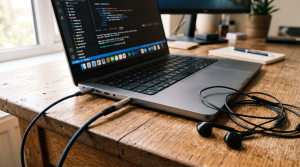
Checklist: Headphone Connection Symptoms
Check the boxes below if any of these match your laptop’s current issue:
-
[ ] The 3.5mm plug is fully inserted, but audio keeps playing through internal speakers.
-
[ ] No device selection prompt appears after plugging in your headset.
-
[ ] Sound Settings only lists Speakers without showing a Headphones option.
-
[ ] Audio cuts in and out or crackles when the plug is turned.
-
[ ] The headset works normally when tested on a phone or another PC.
Practical Recommendation: If your headset works fine on other devices, the issue is most likely related to Windows audio settings, drivers, or connector standard compatibility.
Comparison Table: Headphone Jack Issues and Solutions
Here is a breakdown of common causes for an unresponsive laptop audio port:
| Audio Symptom | Likely Cause | Recommended Fix | Real Device Impact |
|---|---|---|---|
| Sound stays on speakers | Automatic jack detection popup disabled | Enable detection in laptop audio utility | System detects headphones automatically |
| Headphones not listed | Output device set to Disabled or Hidden | Enable via Sound Control Panel (mmsys.cpl) | Headphones option appears and activates |
| Audio crackles / drops | Dust around the port opening or dirty plug | Clean port opening with gentle compressed air | Restores firm pin contact |
| Headset mic unresponsive | Mismatched TRS (stereo) vs TRRS plug | Connect through an Audio Splitter adapter | Audio output and mic work together |
4 Ways to Fix a Laptop Headphone Jack Not Working
Follow these troubleshooting steps in order:
-
Enable Jack Detection in Your Audio Software. Open the Start menu and search for your laptop’s audio management utility (such as Realtek Audio Console, Waves MaxxAudio Pro, Nahimic, or DTS Audio Control). If your software includes advanced connector settings, ensure the auto-popup dialog option is enabled. Select Headset or Headphones when prompted upon plugging in your cable.
-
Set Headphones as the Default Playback Device. Press
Win + R, typemmsys.cpl, and press Enter to launch the Sound Control Panel. On the Playback tab, right-click an empty space and check Show Disabled Devices. If Headphones appears in the list, right-click it, select Enable, and click Set as Default. -
Clean the Jack Port Opening Safely. Dust and lint around the port opening can prevent the plug from seating all the way in. Power down your laptop, then clear loose debris using a low-pressure can of compressed air or a soft antistatic brush. Avoid inserting sharp metal tools inside the jack to prevent bending internal contact pins.
-
Reinstall Audio Drivers in Device Manager. Right-click the Start button, select Device Manager, and expand Sound, video and game controllers. Right-click your main audio controller (such as Realtek(R) Audio or High Definition Audio Device), select Uninstall device, and restart your laptop. Windows will automatically reinstall a clean default driver.
When to Consider a USB Soundcard or Hardware Repair
If software adjustments do not resolve the issue and the 3.5mm jack remains mechanically loose or damaged internally from a pulled cable, the motherboard port may require hardware service.
A simple and affordable workaround without opening the laptop is using an External USB Audio Soundcard Adapter or switching to Bluetooth Wireless Headphones. USB soundcard adapters plug directly into standard USB ports and provide clean headphone and microphone outputs instantly.
FAQ (Frequently Asked Questions)
What is the difference between TRS and TRRS audio jacks?
A TRS plug features 2 black insulating rings on its shaft and typically carries stereo audio output only. A TRRS plug has 3 black insulating rings, allowing it to transmit stereo audio and microphone signals through a single connector.
Why won’t my audio control software open on Windows?
This often happens if the manufacturer’s audio driver package was incompletely installed after a Windows update. Reinstalling the official audio driver from your laptop brand’s support site will usually restore the application.
Conclusion
A laptop headphone jack not working is commonly caused by disabled software detection prompts, hidden playback devices in Windows, or dust around the 3.5mm port. By verifying your audio control panel settings and keeping drivers updated, you can ensure your headphones connect properly every time.
Shop Headsets, USB Soundcards & Accessories at Aipel Computer
Looking for clear headsets with microphones, original wired earphones, convenient USB soundcards, or audio splitter cables? Explore our wide selection of computer audio peripherals at affordable wholesale prices directly in our store.
To check product availability or get directions to our retail store, visit the official Aipel Computer website in Surabaya today.
Tags: fix realtek audio console headset popup, laptop headphone jack not working, laptop not detecting headphones, sound coming from speakers with headphones plugged in, usb soundcard surabaya

Laptop Headphone Jack Not Working? Sound Playing Through Speakers Fix

Mengembalikan kursor laptop hilang ternyata bisa dilakukan oleh siapa saja. Bahkan bagi pengguna yang masih awam. Dengan langkah-langkah sederhana, kursor... selengkapnya
TP LINK 150mbps atau TP LINK TL-WN722N merupakan perangkat wireless yang berfungsi sebagai pengganti wireless internal laptop atau PC. Perangkat... selengkapnya
Instant frustration boils over when your freshly powered-on laptop grinds to a dead halt, spinning the dreaded loading circle endlessly... selengkapnya

Splitter RCA merupakan konektor listrik yang biasa dipakai pada komponen audio. Jenis splitter ini juga bisa disebut dengan nama AV.... selengkapnya
Cartridge tinta merupakan salah satu bagian dalam printer yang memiliki fungsi sebagai penampung atau tempat isi ulang tinta printer. Melalui... selengkapnya

Reaching down to touch your laptop charger power brick while charging, only to find the plastic surface burning hot to... selengkapnya

Spesifikasi dan harga komputer untuk desain grafis tentunya berbeda dengan komputer yang digunakan untuk kebutuhan lainnya. Untuk kebutuhan desain grafis,... selengkapnya
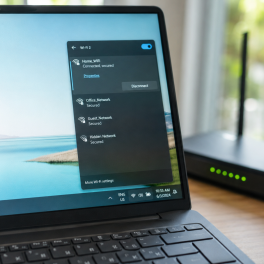
Sedang asyik bekerja, menghadiri rapat daring, atau menonton video di laptop, tiba tiba koneksi internet terputus sendiri. Indikator sinyal WiFi... selengkapnya

Cara menggunakan komputer yang tepat menjadi penting diketahui, terutama untuk para pemula. Sebagian orang awam beranggapan bahwa memulai untuk belajar... selengkapnya

Saat ini, sudah banyak orang yang memiliki laptop. Penggunaan perangkat yang satu ini sangat membantu untuk kegiatan sehari-hari. Baik untuk... selengkapnya

1%
A. DESKRIPSI (DESCRIPTION) Router Wireless TP-LINK TL-WR840N adalah solusi jaringan untuk kebutuhan internet Anda sehari-hari. 🌐📶 Dengan kecepatan hingga 300… selengkapnya
Rp 188.000 Rp 190.000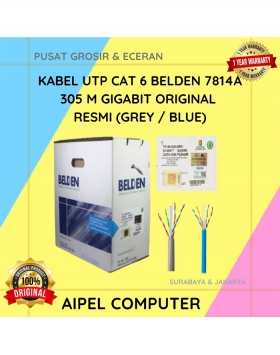
20%
A. DESKRIPSI (DESCRIPTION) Connector RJ45 CAT 6 BELDEN AP700008 merupakan solusi ideal untuk kebutuhan jaringan Anda. Dengan kualitas tinggi dan… selengkapnya
Rp 3.025.000 Rp 3.784.000
21%
GARANSI * AIPEL COMPUTER – Pusat Grosir dan Eceran – Belanja Hebat dan Hemat – Harga Murah Garansi Prima *… selengkapnya
Rp 55.000 Rp 70.000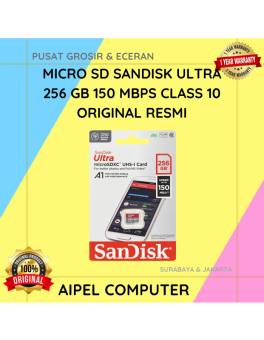
12%
A. DESKRIPSI (DESCRIPTION) Micro SD SANDISK Ultra 256 GB adalah pilihan sempurna bagi Anda yang membutuhkan kapasitas ekstra besar dan… selengkapnya
Rp 705.000 Rp 800.000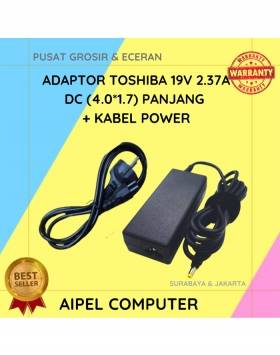
16%
SPESIFIKASI Merk : TOSHIBA Jenis : Adaptor Output : 19V 2.37A Dimensi Colokan : 4.0*1.7 DESKRIPSI Toshiba Adaptor Charger Laptop… selengkapnya
Rp 80.000 Rp 95.000
25%
A. DESKRIPSI (DESCRIPTION) Car Mount Holder GENAI GN-Z03 (Black) adalah penyangga ponsel serbaguna yang dirancang untuk pengemudi modern yang mengutamakan… selengkapnya
Rp 51.000 Rp 68.000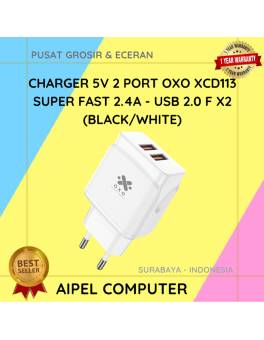
25%
A. DESKRIPSI (DESCRIPTION) Charger 5V 2 Port Super Fast 2.4A USB adalah adaptor pengisian daya ganda yang dirancang untuk memberikan… selengkapnya
Rp 24.000 Rp 32.000
17%
SPESIFIKASI Adapter Type-C Male To Micro Female Digunakan untuk mengisi daya dan untuk sinkronisasi data DESKRIPSI Micro USB Connector to… selengkapnya
Rp 2.500 Rp 3.000
4%
A. DESKRIPSI (DESCRIPTION) Docking Hard Disk FIDECO YPZ04-S2HC adalah docking hard disk multifungsi dari FIDECO yang dirancang untuk memberikan fleksibilitas… selengkapnya
Rp 520.000 Rp 540.000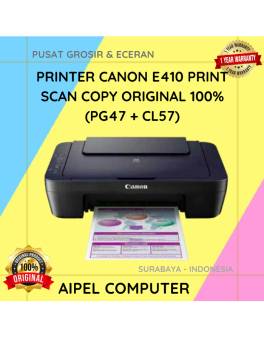
2%
A. DESKRIPSI (DESCRIPTION) Dengan desain yang kompak dan efisien, printer Canon E410 siap menjadi sahabat setia di rumah maupun kantor… selengkapnya
Rp 702.000 Rp 715.000



Saat ini belum tersedia komentar.