- Orderan dibawah 500.00 via Goshop / Offline / Marketplace
Laptop HDMI Cable Not Connecting to TV? Causes and 4 Easy Fixes
Connecting an HDMI cable from your laptop to an LED TV or external monitor for movies or work presentations, only for the TV screen to remain pitch black showing “No Signal” or “Check Cable Connection” is deeply frustrating, especially when both cable ends are firmly plugged in.
An HDMI cable not being detected by a TV rarely means the TV screen is broken; it usually stems from Windows projection mode settings, display resolution mismatches, or oxidized debris on HDMI connector pins. Often, Windows fails to toggle display output (Project Mode) automatically, or your laptop GPU outputs a refresh rate exceeding your external monitor’s limits. Much like diagnosing laptop screen flickering causes and easy fixes to restore display stability, you can troubleshoot HDMI connection issues yourself in a few quick steps.
Featured Snippet (Quick Answer):
To fix a laptop HDMI cable not connecting to a TV, press the Windows projection shortcut
Win + Pand select Duplicate or Extend, choose the correct HDMI input source on your TV remote, refresh graphics drivers, and lower your laptop display resolution to match the external monitor.
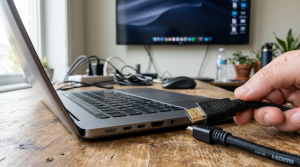
Checklist: Diagnosing HDMI Cable Connection Issues
Check the boxes below if these conditions describe your setup:
-
[ ] The TV screen displays messages like “No Signal”, “Out of Range”, or “Not Supported”.
-
[ ] Laptop audio plays through TV speakers, but the TV display remains blank.
-
[ ] The TV picture flickers black intermittently or shows thin colored lines.
-
[ ] The HDMI connector feels excessively loose inside the laptop side port socket.
-
[ ] The laptop connects instantly when plugged into another monitor using the same cable.
Practical Recommendation: Avoid hot-plugging HDMI cables violently while devices are powered on, as static discharge can fry laptop HDMI controller chips. Turn off the TV briefly, plug the cable in firmly and straight, then power your TV back on.
Comparison Table: Causes of Undetected HDMI Cables and Fixes
Here is an overview of why HDMI cables fail to project displays and recommended fixes:
| TV / Monitor Symptom | Underlying Cause | Device Impact | Recommended Action |
|---|---|---|---|
| “No Signal” Message | Windows Project mode set to PC Screen Only | Video signal unrouted | Press Win + P & choose Duplicate/Extend |
| “Out of Range” Message | Laptop resolution / refresh rate too high | Monitor fails to render | Lower resolution to 1080p / 60Hz |
| Flickering / Dropping Video | Oxidized dust on gold HDMI pins | Audio/video data loss | Clean connector using 90%+ alcohol |
| Complete Blank Black Display | Graphics card (GPU) driver crashed | HDMI port output disabled | Reload driver via Win + Ctrl + Shift + B |
4 Ways to Fix a Laptop HDMI Cable Not Connecting to TV
Follow these troubleshooting steps in order:
-
Change Display Project Mode Using
Win + P. Press Win + P simultaneously on your laptop keyboard. A Project sidebar will pop up on the right side of your screen. Select Duplicate (to mirror identical displays) or Extend (to use your TV as a secondary desktop). Windows sometimes defaults strictly to PC screen only. -
Select the Correct Input Channel on TV Remote. Ensure you select the exact HDMI Input/Source channel matching the physical port where your cable is plugged into the TV. If plugged into the second HDMI socket on the back of your TV, switch your remote input to HDMI 2, not HDMI 1 or AV.
-
Lower Display Resolution and Refresh Rates. Open Settings (
Win + I) > System > Display. Scroll down to Display resolution, and set it to 1920 x 1080 (Full HD) or lower. Click Advanced display settings, and ensure Choose a refresh rate is capped at 60 Hz. Standard household TVs rarely support high refresh rates above 75 Hz. -
Clean Gold Pins on HDMI Connectors and Laptop Ports. Power down both the laptop and TV. Use a bulb duster to blow dust out of the laptop’s HDMI port socket. Dampen a cotton swab with 90%+ isopropyl alcohol, and gently wipe the gold contact pins on both HDMI cable heads to strip away microscopic oxidation.
When to Seek Professional Laptop Hardware Service
If you have tested 3 different HDMI cables and alternate monitors yet your laptop’s HDMI port outputs zero signal, the internal HDMI transmitter IC on your motherboard has suffered electrical failure.
This requires HDMI transmitter IC circuit repair or physical HDMI port replacement by an experienced electronics technician.
FAQ (Frequently Asked Questions)
Are all HDMI cables equal in quality?
No. HDMI cables follow distinct revision standards (HDMI 1.4, HDMI 2.0, and HDMI 2.1). For connecting laptops to 4K TVs smoothly, use a braided cable rated at minimum HDMI 2.0 High Speed.
Why does video appear on TV while audio continues playing on laptop speakers?
This occurs because audio output routing hasn’t switched. Click the Speaker icon on your Windows taskbar, click the arrow next to the volume slider, and switch the playback device from Realtek Audio to your TV’s brand name (e.g., Samsung TV / HDMI Audio).
Conclusion
A laptop HDMI cable not connecting to a TV is usually caused by unconfigured Windows projection modes (Win + P), resolution mismatches, or oxidized pin contacts. By adjusting projection settings and capping resolution at 1080p 60Hz, your laptop screen will project cleanly onto your TV.
Shop High-Speed HDMI Cables, DisplayPort Adapters & Service at Aipel Computer
Struggling with a broken laptop HDMI port, needing durable 4K braided HDMI cables, Type-C to HDMI adapters, or guaranteed laptop display circuit repairs? Find complete video connectivity hardware at wholesale prices directly in our store.
To check cable availability or get store directions, visit the official Aipel Computer website in Surabaya today.
Tags: buy hdmi cable surabaya, fix hdmi no signal on tv from laptop, laptop hdmi cable not connecting to tv, laptop screen not showing on tv hdmi, windows projection shortcut win p

Laptop HDMI Cable Not Connecting to TV? Causes and 4 Easy Fixes
Keyboard komputer tidak berfungsi tentu akan mengganggu serta menghambat kenyamanan saat kita menggunakan perangkat tersebut. Meskipun harga komputer terbilang tinggi,... selengkapnya
Prolink PRO700SFC adalah sebuah perangkat networking yang berfungsi sebagai switch dengan 7 port Gigabit Ethernet dan 1 port fiber optic.... selengkapnya
Baterai menjadi sumber energi listrik yang perannya tak bisa dilepaskan dari laptop. Tanpa adanya baterai, maka laptop tak bisa berfungsi... selengkapnya

Membersihkan layar LCD laptop, komputer, maupun TV tidak bisa menggunakan LCD Cleaner sembarangan. Penggunaan cleaner ini sangat direkomendasikan agar layar... selengkapnya
Universal Serial Bus atau USB sudah dikembangkan sejak 1990 an. Hal tersebut sebagai upaya untuk menyederhanakan koneksi antar perangkat. Konektor... selengkapnya

Few things are more alarming than plugging in your laptop charger only to hear a sharp sizzling noise paired with... selengkapnya
Dari waktu ke waktu perkembangan teknologi terus berkembang lebih baik dan pesat. Dengan begitu memacu daya produksi para pengusaha di... selengkapnya
Mengalami situasi di mana kursor di layar laptop mendadak membeku dan tidak mau bergerak tentu akan langsung menghentikan seluruh produktivitas... selengkapnya
Di era yang serba canggih seperti saat ini menjadi salah satu pembuka peluang bisnis dalam berbagai macam bidang. Salah satunya... selengkapnya

Berikut adalah beberapa tips dan tricks yang dapat membantu Anda memaksimalkan penggunaan WhatsApp: 1. Membuat Pesan Tertunda: Anda dapat... selengkapnya

25%
A. DESKRIPSI (DESCRIPTION) Bicycle Phone Holder GENAI GN-Z04 (Black) adalah pilihan tepat untuk pencinta sepeda yang membutuhkan akses mudah ke… selengkapnya
Rp 51.000 Rp 68.000
25%
A. DESKRIPSI (DESCRIPTION) GENAI GM-T10 adalah solusi audio modern dengan port Type-C, menyuguhkan pengalaman mendengarkan yang jernih dan memuaskan. 🎵… selengkapnya
Rp 51.000 Rp 68.000
3%
A. DESKRIPSI (DESCRIPTION) Refill Ink EPSON 001 Yellow 70 ML Original 100 % adalah solusi tinta isi ulang berkualitas dengan… selengkapnya
Rp 117.000 Rp 120.000
21%
AIPEL COMPUTER – Pusat Grosir dan Eceran – Belanja Hebat dan Hemat – Harga Murah Garansi Prima * GARANSI –… selengkapnya
Rp 42.000 Rp 53.000
50%
A. DESKRIPSI (DESCRIPTION) Packing Plastic Clip BEST 11 x 15 CM adalah klip plastik ekonomis berukuran 11 x 15 cm… selengkapnya
Rp 500 Rp 1.000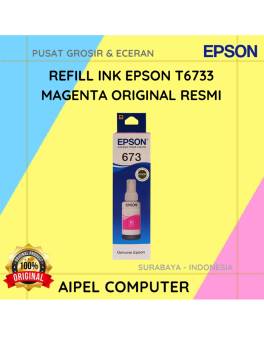
1%
A. DESKRIPSI (DESCRIPTION) Refill Ink EPSON T6733 Magenta Original 100 % adalah tinta isi ulang berkualitas tinggi dari EPSON yang… selengkapnya
Rp 138.000 Rp 140.000
27%
A. DESKRIPSI (DESCRIPTION) Cable USB to Type-C GENAI GL-Q30 5A 100W (White) adalah kabel pengisian berdaya besar yang siap mendukung… selengkapnya
Rp 38.000 Rp 52.000
33%
A. DESKRIPSI (DESCRIPTION) Cable USB M To Lightning M GENAI GL-Q28 adalah kabel data dan charger berkualitas yang menghadirkan kecepatan… selengkapnya
Rp 24.000 Rp 36.000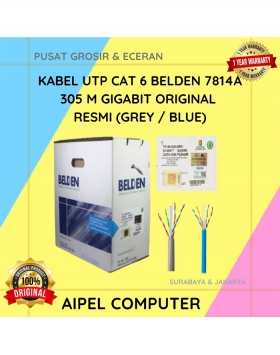
20%
A. DESKRIPSI (DESCRIPTION) Connector RJ45 CAT 6 BELDEN AP700008 merupakan solusi ideal untuk kebutuhan jaringan Anda. Dengan kualitas tinggi dan… selengkapnya
Rp 3.025.000 Rp 3.784.000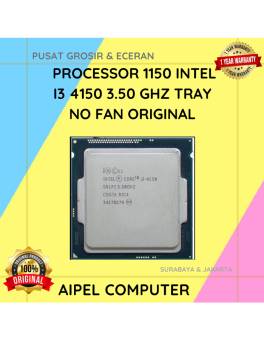
14%
A. DESKRIPSI (DESCRIPTION) Processor 1150 I3 4150 3.50 GHz Tray No Fan Original 🌟 adalah prosesor bertenaga dengan efisiensi optimal,… selengkapnya
Rp 90.000 Rp 105.000



Saat ini belum tersedia komentar.