- Orderan dibawah 500.00 via Goshop / Offline / Marketplace
Laptop Wi-Fi Cannot Detect Networks (No Networks Found)? Causes and Fixes
Have you ever turned on your laptop to get some work done, only to notice the internet icon in the Windows taskbar displaying a red cross or globe icon, and upon clicking it, zero Wi-Fi network names or mobile hotspots show up (No Networks Found)?
A completely paralyzed wireless network adapter is an extremely frustrating hurdle. However, much like troubleshooting intermittent wireless drops in wifi keeps disconnecting on laptop causes and fixes, a No Networks Found error is rarely caused by permanent physical Wi-Fi module failure. Most cases are triggered by corrupted wireless drivers, stuck airplane mode states, or deep power-saving sleep states disabling the Wi-Fi card.
Featured Snippet (Quick Answer):
Primary causes of a laptop Wi-Fi failing to detect networks include network adapter driver glitches, accidental physical or shortcut Airplane Mode locks, or Windows power management policies cutting power to the Wi-Fi card (Fast Startup bug).
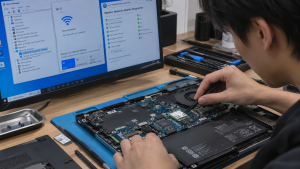
Checklist: Evaluating Laptop Wi-Fi Network Behavior
Check the boxes below if these wireless symptoms match your current situation:
-
[ ] A “No Networks Found” message appears when opening the Wi-Fi list, even though other devices detect multiple signals.
-
[ ] The Wi-Fi toggle switch option inside Windows Quick Settings suddenly disappears or is grayed out.
-
[ ] Inside Device Manager, the Wi-Fi card device (such as Intel Wireless-AC or Realtek PCIe) displays a yellow exclamation mark.
-
[ ] The issue started immediately following a Windows Update or operating system reinstallation.
-
[ ] Wi-Fi connectivity resumes normally after completely shutting down and restarting the laptop.
Practical Recommendation: Try running the built-in Windows Network Troubleshooter first. Right-click the internet icon in the taskbar > select Diagnose network problems. Let Windows automatically detect and reset adapter states.
Comparison Table: Wi-Fi Blank Causes and Recommended Actions
| Wi-Fi Symptom | Underlying Cause | Device Damage Risk | Recommended Action |
|---|---|---|---|
| Empty Wi-Fi List (No Networks) | Corrupted / glitched wireless network driver | Total loss of wireless connectivity | Uninstall / update driver via Device Manager |
| Wi-Fi Toggle Missing / Grayed Out | Stuck Airplane Mode state in BIOS/OS | Wireless radio module locked out | Perform Network Reset & Static Power Discharge |
| Yellow Exclamation in Device Manager | Windows Fast Startup system conflict | Hardware unresponsiveness | Disable Fast Startup & perform clean reboot |
| Wi-Fi Module Undetected in BIOS | Physical damage to M.2 Wi-Fi slot | Dead or loose Wi-Fi card module | Open chassis, tighten mounting screw & antennas |
4 Ways to Fix a Laptop Wi-Fi Failing to Detect Networks
-
Perform a Hard Reset (Static Power Discharge). Shut down the laptop completely. Unplug all AC charger cables and connected USB devices. Press and hold the Power Button continuously for 30 to 40 seconds. This drains residual motherboard capacitor charge and forces the BIOS to re-initialize wireless hardware detection.
-
Reinstall Wireless Adapter Drivers in Device Manager. Press Windows + X > select Device Manager. Expand Network adapters. Locate your wireless adapter (such as Intel Wi-Fi, Realtek, or Qualcomm). Right-click > select Uninstall device. Afterward, click the Scan for hardware changes icon at the top so Windows automatically detects and installs a clean driver.
-
Run Network Reset in Windows Settings. Open Settings > Network & internet > Advanced network settings > select Network reset. Click the Reset now button and confirm by clicking Yes. The laptop will automatically reboot, clearing all IP stack configurations, Winsock entries, and network adapters back to factory defaults.
-
Disable Fast Startup in Control Panel. Open Control Panel > Power Options > click Choose what the power buttons do on the left panel > click Change settings that are currently unavailable. Uncheck the box for Turn on fast startup (recommended), then click Save changes. Windows Fast Startup frequently causes Wi-Fi drivers to fail loading when waking from hibernation states.
When to Seek Professional Repair Services
If you have performed network resets, reinstalled official latest drivers, and even reinstalled the Windows operating system yet the Wi-Fi card remains undetected in Device Manager or throws Code 10 / Code 43 errors, the physical Wi-Fi hardware module has suffered permanent failure.
This condition requires inspecting M.2 slot antenna connections or installing a new original Wi-Fi Card module by a qualified repair technician to restore wireless connectivity.
FAQ (Frequently Asked Questions)
Why did my laptop Wi-Fi disappear immediately after reinstalling Windows?
This occurs because a fresh Windows installation lacks the appropriate wireless adapter drivers. You must download the official Wi-Fi driver from your laptop manufacturer’s support website using another device and transfer it via flash drive.
Can physical Airplane Mode shortcut keys on the keyboard break Wi-Fi?
Physical buttons or shortcut key combinations (like Fn + F2/F12) do not physically break Wi-Fi, but they can occasionally become trapped in a software glitch state within the operating system, permanently blocking radio signals.
Conclusion
A laptop Wi-Fi failing to detect networks (No Networks Found) is typically caused by wireless driver glitches, static motherboard charge, or Windows Fast Startup conflicts. Performing a hard reset and network reset will restore normal wireless signal discovery.
Shop OEM Wi-Fi Cards, Accessories & Repairs at Aipel Computer
Looking for genuine original replacement Wi-Fi Card modules with warranty, high-performance external USB Wi-Fi adapters, or professional laptop repair services? Find trusted replacement parts and expert repair services directly at Aipel Computer.
Tags: fix windows 11 wifi not showing networks, laptop repair surabaya, laptop wifi no networks found fix, replace laptop wifi card surabaya, wireless adapter missing device manager

Laptop Wi-Fi Cannot Detect Networks (No Networks Found)? Causes and Fixes

Salah satu produk yang bisa diperoleh dari toko grosir sparepart komputer adalah motherboard. Komponen ini merupakan salah satu komponen utama... selengkapnya
Pernahkah kamu sedang mengetik dokumen atau sekadar membuka browser, lalu tiba-tiba di layar bermunculan deretan karakter acak terus-menerus tanpa ada... selengkapnya
Cara memasang pelindung layar laptop atau screen protector sebenarnya cukup mudah. Sehingga Anda bisa mencobanya sendiri tanpa harus meminta bantuan... selengkapnya

Keyboard laptop adalah salah satu komponen vital yang berperan penting dalam penggunaan perangkat ini. Agar keyboard laptop tetap awet dan... selengkapnya

Ada beberapa tips memilih processor laptop yang perlu kamu perhatikan supaya nantinya tidak salah membelinya. Sebab, dalam memilih perangkat processor... selengkapnya

Dunia gaming yang semakin berkembang pesat membuat pemilihan keyboard gaming menjadi kunci untuk meraih pengalaman bermain optimal. Dari para pemain... selengkapnya
Merakit PC gaming sering kali membingungkan bagi pengguna awam karena banyaknya pilihan komponen di pasaran. Banyak orang melakukan kesalahan dengan... selengkapnya
Sheer panic takes over the moment you launch File Explorer and find your Local Disk C capacity bar glowing an... selengkapnya

Hampir semua orang mungkin sudah pernah melihat atau menggunakan kertas thermal dalam beberapa waktu atau bahkan setiap hari. Kertas ini... selengkapnya
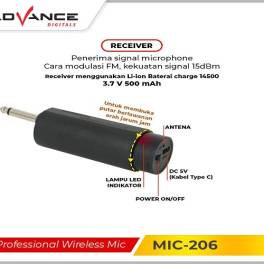
Microphone Wireless Advance hadir untuk memberikan pengalaman mendengarkan yang lebih baik bagi para pengguna setianya. Produk ini mengandalkan teknologi tanpa... selengkapnya

8%
A. DESKRIPSI (DESCRIPTION) Adaptor Laptop ASUS 19V 6.32A DC dengan konektor 4.5mm x 3.0mm adalah pilihan ideal bagi pengguna yang… selengkapnya
Rp 185.000 Rp 200.000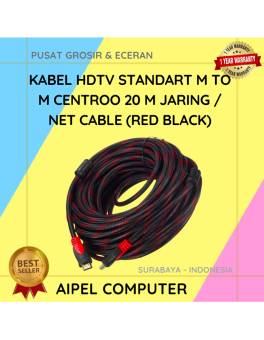
9%
A. DESKRIPSI (DESCRIPTION) Kabel HDTV Standart M To M CENTROO 20 M Jaring / Braid Cable (Red Black) adalah kabel… selengkapnya
Rp 68.000 Rp 75.000
17%
AIPEL COMPUTER – Pusat Grosir dan Eceran – Belanja Hebat dan Hemat – Harga Murah Garansi Prima * GARANSI –… selengkapnya
Rp 37.500 Rp 45.000
10%
A. DESKRIPSI (DESCRIPTION) Earphone Wireless GENAI TWS GE5 PRO Earbuds LCD Touch Screen adalah solusi audio masa kini dengan tampilan… selengkapnya
Rp 185.000 Rp 205.000
25%
A. DESKRIPSI (DESCRIPTION) DDR3 HYNIX 8 GB Longdimm 1600 MHz PC 12800 for PC Original adalah RAM pilihan tepat untuk… selengkapnya
Rp 345.000 Rp 460.000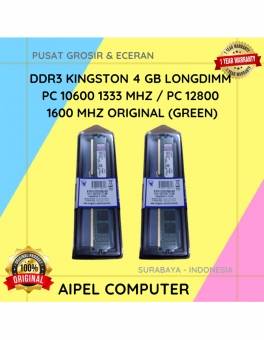
18%
A. DESKRIPSI (DESCRIPTION) DDR3 KINGSTON 4 GB adalah solusi tepat bagi Anda yang mendambakan performa sistem lebih tinggi untuk menjalankan… selengkapnya
Rp 70.000 Rp 85.000
45%
A. DESKRIPSI (DESCRIPTION) Splitter ADSL 1-2 CENTROO HXSP-III adalah perangkat yang dirancang untuk memisahkan sinyal ADSL dari sinyal telepon biasa…. selengkapnya
Rp 6.000 Rp 11.000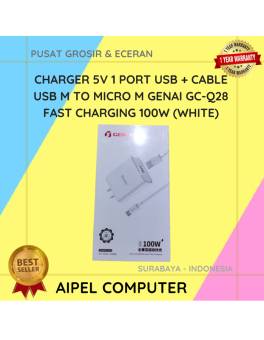
18%
A. DESKRIPSI (DESCRIPTION) GENAI Charger USB + Kabel Micro GC-Q28 Fast Charging adalah solusi pengisian daya cepat yang hadir dengan… selengkapnya
Rp 68.000 Rp 83.000
21%
A. DESKRIPSI (DESCRIPTION) Kabel LAN Websong CAT 5 adalah solusi tepat buat kamu yang butuh koneksi jaringan stabil tanpa ribet…. selengkapnya
Rp 15.000 Rp 19.000
50%
A. DESKRIPSI (DESCRIPTION) Connector RG59 DC Power Female adalah solusi andalan untuk memastikan sistem pengawasan CCTV Anda tetap terkoneksi dengan… selengkapnya
Rp 1.500 Rp 3.000



Saat ini belum tersedia komentar.