- Orderan dibawah 500.00 via Goshop / Offline / Marketplace
Laptop Battery Draining Fast or Dropping? Causes and Fixes
Have you ever felt frustrated watching your laptop battery percentage plunge from 100% to 20% in mere minutes, or watched the machine shut down completely the second you unplug the charger even though indicators previously showed 50%?
A laptop battery draining fast, dropping rapidly, or going dead represents one of the most classic hardware complaints as devices age. However, much like troubleshooting performance drops in ssd laptop lambat read-only penyebab solusi, declining battery performance does not automatically demand purchasing a brand-new unit. Most instances stem from high battery cycle counts, power-hungry background apps, or internal cell imbalances (uncalibrated cells).
Featured Snippet (Quick Answer):
Primary causes of a laptop battery draining fast include high battery wear levels from aging cells, active background Windows processes, excessive display brightness, or lost operating system capacity percentage calibration.
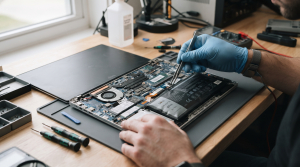
Checklist: Evaluating Laptop Battery Health
Check the boxes below if these battery symptoms match your current situation:
-
[ ] Battery percentages drop abnormally fast (e.g., plunging straight from 60% down to 10% within 5 minutes).
-
[ ] The laptop powers down instantly when unplugged from the charger without low battery warnings.
-
[ ] A red cross icon or warning message reading “Consider replacing your battery” appears in the Windows taskbar.
-
[ ] The bottom chassis of the laptop appears warped or swollen (swollen battery) near the trackpad area.
-
[ ] Laptop runtime that used to last 4 hours now barely holds charge for less than 45 minutes.
Practical Recommendation: Never allow your laptop battery to drain completely down to 0% routinely, especially with modern Lithium-ion cells. Make a habit of plugging in the charger when battery capacity hits the 20% – 30% threshold to extend internal chemical cell longevity.
Comparison Table: Battery Issues and Recommended Actions
| Battery Failure Symptom | Underlying Cause | Damage Risk | Recommended Action |
|---|---|---|---|
| Rapid Drop / Sudden Shutdown | Worn battery cells (Wear level above 50%) | Permanent loss of power storage capacity | Battery calibration / replace with new internal battery |
| Swollen Battery Chassis | Chemical gas pressure from overheating | Damages trackpad & warps casing | Mandatory immediate replacement for safety! |
| Fast Drain During Workloads | Background apps & 100% brightness | Heavy CPU & display power draw | Cap display screen brightness & close startup apps |
| Stuck / Error Battery Percentage | Out-of-sync BIOS capacity calibration | Windows indicator misreads capacity | Perform battery calibration via BIOS / charge to 100% |
4 Ways to Fix a Fast-Draining Laptop Battery
-
Check Battery Health via Command Prompt (Battery Report). Type
cmdin the Windows search bar, right-click Command Prompt > Run as administrator. Type the commandpowercfg /batteryreportand press Enter. Open the generated HTML file to review your current maximum battery capacity versus its original factory design capacity. -
Optimize Power & Battery Settings. Open Settings > System > Power & battery. Enable Battery Saver mode automatically when battery drops below 20%, lower display brightness levels to 50%-60%, and turn off keyboard backlight LEDs when not typing.
-
Disable Power-Hungry Background Apps. Press Ctrl + Shift + Esc to open Task Manager. Inspect which apps run in the background consuming high resources, then close non-essential apps to reduce processor workloads.
-
Perform Periodic Battery Calibration. Charge the laptop up to 100%, leave it plugged in for 2 hours, then use the laptop until the battery drains completely to an automatic shutdown (0%). Afterward, recharge uninterrupted back up to 100%. This refreshes the operating system’s percentage reading.
When to Seek Professional Repair Services
If your battery health percentage drops below 60%, or most dangerously if the physical battery chassis starts swelling (swollen battery), do not delay getting it replaced.
This condition requires replacing an original new battery module set by an experienced technician to ensure safe operation without risk of short circuits or chassis damage.
FAQ (Frequently Asked Questions)
Is it safe to keep the laptop charger plugged in once battery reaches 100%?
Yes, absolutely safe. Modern laptops feature built-in smart charging circuitry that automatically cuts off electrical current entering the battery once capacity reaches 100%, preventing overcharging.
What is the average lifespan of a laptop battery?
Lithium-ion laptop batteries generally boast a lifecycle of around 300 to 500 full charge cycles (roughly 2 to 3 years of normal usage) before their maximum capacity begins declining naturally.
Conclusion
A laptop battery draining fast or dropping rapidly is typically driven by chemical aging, poorly optimized power settings, or extreme usage habits. Routinely monitoring battery health shields you from unexpected shutdowns during work.
Shop OEM Laptop Batteries & Repairs at Aipel Computer
Looking for genuine original replacement laptop batteries with warranty, professional battery installation, or expert hardware diagnostic services in Surabaya? Find trusted spare parts and expert technicians directly at Aipel Computer.
Tags: battery health drop repair surabaya, fix battery draining fast windows 11 laptop, laptop battery draining fast health drop causes fixes, laptop battery replacement service surabaya

Laptop Battery Draining Fast or Dropping? Causes and Fixes
Keyboard merupakan salah satu piranti keras atau hardware. Keyboard tidak hanya digunakan pada komputer, namun juga bisa digunakan pada laptop.... selengkapnya

CPU nyala monitor mati, kira-kira apa yang menyebabkan hal tersebut bisa terjadi? Ketika kita menyalakan PC dan CPU berfungsi dengan... selengkapnya
Pernahkah kamu mencolokkan headset atau earphone ke lubang audio jack laptop untuk mendengarkan musik, menonton film, atau meeting online, tetapi... selengkapnya

Tips Membeli Aksesoris Laptop Untuk menunjang penggunaannya, komputer memiliki beberapa aksesoris yang banyak macamnya dengan fungsi berbeda-beda. Contoh aksesoris yang... selengkapnya

Saat akan membeli mouse, toko komputer adalah tempat yang tempat. Hal itu karena biasanya mereka menyediakan cukup banyak pilihan. Dari... selengkapnya
Have you ever turned on your laptop to get some work done, only to notice the internet icon in the... selengkapnya
Instant panic kicks in the moment your bright and crisp laptop display suddenly turns into an ugly shade of warm... selengkapnya
Pernahkah kamu mencolokkan kabel pengisi daya (charger) ke laptop, melihat lampu indikator pengisian menyala, tetapi ikon baterai di sudut kanan... selengkapnya
TP LINK 150mbps atau TP LINK TL-WN722N merupakan perangkat wireless yang berfungsi sebagai pengganti wireless internal laptop atau PC. Perangkat... selengkapnya
Toko komputer tentunya menyediakan berbagai aksesoris komputer. Misalnya yaitu mouse, kabel USB, printer, keyboard, dan lainnya. Aksesoris tersebut tentunya penting... selengkapnya
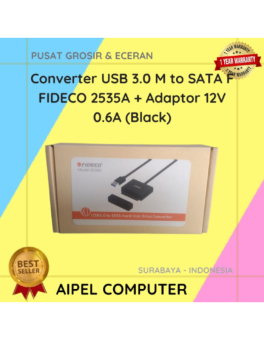
12%
A. DESKRIPSI (DESCRIPTION) Converter USB 3.0 to SATA F FIDECO dengan adaptor adalah perangkat multifungsi yang dirancang untuk memberikan akses… selengkapnya
Rp 190.000 Rp 215.000
13%
A. DESKRIPSI (DESCRIPTION) Canon GI-71 Cyan adalah tinta refill original yang dirancang khusus untuk memenuhi kebutuhan pencetakan Anda. Dengan kualitas… selengkapnya
Rp 70.000 Rp 80.000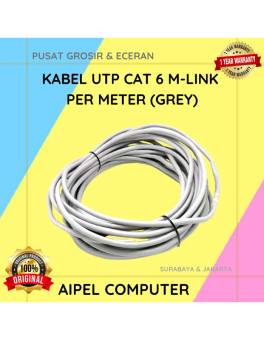
36%
A. DESKRIPSI (DESCRIPTION) Kabel UTP CAT 6 M-LINK Per Meter (Grey) adalah pilihan kabel jaringan yang cocok digunakan untuk berbagai… selengkapnya
Rp 4.500 Rp 7.000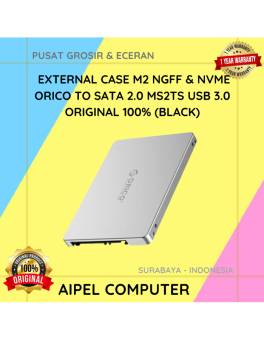
13%
AIPEL COMPUTER – Pusat Grosir dan Eceran – Belanja Hebat dan Hemat – Harga Murah Garansi Prima * GARANSI –… selengkapnya
Rp 100.000 Rp 115.000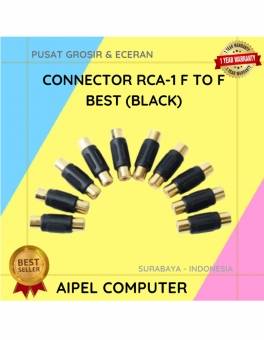
20%
A. DESKRIPSI (DESCRIPTION) Konektor RCA Female to Female adalah alat penghubung yang memungkinkan Anda menyambungkan dua kabel RCA secara langsung…. selengkapnya
Rp 4.000 Rp 5.000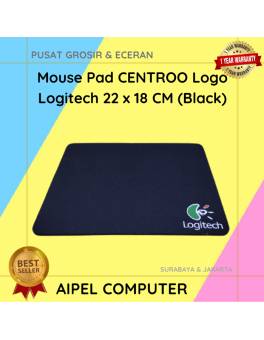
25%
A. DESKRIPSI (DESCRIPTION) Mouse Pad CENTROO Logo Logitech adalah pilihan sempurna bagi para gamer dan profesional yang menginginkan kenyamanan serta… selengkapnya
Rp 3.750 Rp 5.000
21%
A. DESKRIPSI (DESCRIPTION) Earphone Wireless GENAI GB-T01 Earbuds adalah pilihan modern bagi Anda yang menginginkan kualitas audio tinggi dengan desain… selengkapnya
Rp 58.000 Rp 73.000
33%
A. DESKRIPSI (DESCRIPTION) Connector RJ45 F To F CENTROO Single / Barrel (Brown) adalah solusi ideal untuk kebutuhan koneksi jaringan… selengkapnya
Rp 1.000 Rp 1.500
8%
A. DESKRIPSI (DESCRIPTION) TP-LINK DECO E4 1-PACK adalah solusi mesh WiFi pintar dari TP-LINK yang dirancang untuk memberikan koneksi internet… selengkapnya
Rp 367.000 Rp 400.000
4%
GARANSI * AIPEL COMPUTER – Pusat Grosir & Eceran – Belanja Hebat & Hemat – Grosir Konsep Swalayan – Harga… selengkapnya
Rp 1.290.000 Rp 1.350.000



Saat ini belum tersedia komentar.