- Orderan dibawah 500.00 via Goshop / Offline / Marketplace
Laptop Liquid Spill, Water Damage, or Short Circuit? Emergency Guide and Fixes!
Have you ever experienced that heart-dropping moment when you accidentally nudge a cup of coffee, tea, or water near your desk, watching the liquid flood straight across your keyboard and laptop chassis?
A liquid spill accident on a laptop ranks among the most terrifying emergencies any user can face. However, much like troubleshooting electrical socket hazards in loose wall outlet socket smoking causes fixes, the exact actions you take within the first 10 seconds dictate whether your laptop survives or perishes permanently. Many people panic, blow air onto the keyboard, or instantly turn it back on to “check if it still works,” which directly triggers a permanent electrical short circuit across sensitive motherboard components.
Featured Snippet (Quick Answer):
Absolute emergency steps during a laptop liquid spill include instantly unplugging the charger, removing internal batteries if accessible, forcing a hard power shutdown by holding the power button for 10 seconds, and flipping the laptop into a tent-like stance to prevent liquid from seeping deeper into the motherboard.
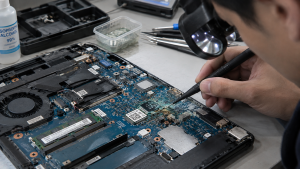
Checklist: Evaluating Liquid Spill Severity
Check the boxes below if these spill symptoms match your current situation:
-
[ ] Liquid spilled directly across the keyboard deck while the laptop was actively powered on.
-
[ ] The laptop display abruptly went black or strange flashing horizontal lines appeared right after the spill.
-
[ ] A faint burning odor or thin wisp of smoke drifted from the laptop chassis gaps right after the accident.
-
[ ] Keyboard keys feel sticky, stiff, or start ghost-typing random characters on their own.
-
[ ] The spilled beverage was sugary (coffee, sweet tea, or soda), which leaves behind corrosive residue.
Practical Recommendation: NEVER USE A HAIR DRYER! Blowing hot air from a hair dryer forces liquid to travel deeper, pushing moisture past processor chips and motherboard sockets to widen the damage zone. Stick exclusively to dry microfiber cloths.
Comparison Table: Spilled Liquid Types and Motherboard Risks
| Spilled Liquid Type | Chemical Composition | Motherboard Damage Risk | Primary Emergency Action |
|---|---|---|---|
| Pure / Mineral Water | Natural minerals | Mild short circuit if dried out promptly | Power off completely, tent position, air dry |
| Coffee / Sweet Tea | Sugar, acids, & concentrated minerals | Copper trace corrosion & sticky keys | Mandatory Ultrasonic Cleaning at repair shop |
| Milk / Soft Drinks | Fats, citric acid, & high sugar content | Permanent circuit oxidation & total short | Complete teardown & component wash with specialized fluids |
| Salt Water / Seawater | High concentrated sodium chloride (NaCl) | Chip oxidation rates multiply 10x faster | Rapid emergency intervention within 1 hour |
4 Emergency Steps to Save a Liquid-Damaged Laptop
-
Force a Hard Power Shutdown Instantly. Do not waste precious seconds attempting to save open files or shut down normally through the Windows menu. Press and hold the Power button firmly for 10–15 seconds until indicator lights turn off completely to cut electrical current flowing to sensitive circuits.
-
Disconnect All Peripherals and Form a Tent Position. Unplug the charger, USB flash drives, and external mice. Invert the laptop into an inverted “V” shape or tent stance over a desk surface covered with dry towels, allowing liquid runoff to drain away from internal motherboards and LCD screens.
-
Leave the Laptop Powered Off for 24–48 Hours. Keep the laptop in a powered-off, open-lid state within a well-ventilated room. Never yield to temptation to turn it on just to “test” if it recovered, because lingering moisture droplets beneath microchips can instantly fry components upon receiving electrical current.
-
Bring It to a Technician for Corrosion Cleaning (Ultrasonic Cleaning). If spilled drinks contained sugar or flavorings, evaporated water leaves behind conductive white crusts that short-circuit electronics. Technicians must perform a complete teardown and wash motherboards using specialized anti-corrosive cleaning solutions.
When to Seek Professional Repair Services
If your laptop goes completely dead after a liquid spill, or even if it powers on normally but certain keyboard keys fail to respond accompanied by a faint burning scent, do not delay bringing it to a trusted repair workshop.
This condition requires power IC circuit diagnostics, corrosion trace restoration, or keyboard module replacement by an experienced technician to prevent permanent processor failure.
FAQ (Frequently Asked Questions)
Does putting a wet laptop in a bag of rice actually absorb moisture?
Myth! Submerging laptops in bags of uncooked rice is ineffective at drawing moisture out of sealed enclosures; fine starch dust and rice fragments easily enter cooling fans and ruin USB ports. Air drying in an open position is far superior.
How much does laptop liquid spill repair cost?
Repair costs vary widely based on corrosion severity. Simple crust cleaning and minor trace repairs remain relatively affordable. However, if power management IC chips or motherboards suffer burnout from short circuits, repair costs increase accordingly.
Conclusion
A laptop liquid spill demands fast, calm, and precise emergency handling without panicking. Cutting electrical power instantly, configuring the laptop into a tent stance, and avoiding hair dryers form the primary formula for rescuing your device from catastrophic failure.
Shop Protective Accessories, Keyboards & Emergency Repairs at Aipel Computer
Looking for emergency liquid spill cleaning services (water damage restoration), original replacement keyboards, or spill-resistant keyboard silicone protectors in Surabaya? Find trusted professional services directly at Aipel Computer.
Tags: fix spilled coffee on laptop keyboard windows 11, laptop motherboard corrosion cleaning service, laptop repair surabaya, laptop water damage liquid spill short circuit fixes

Laptop Liquid Spill, Water Damage, or Short Circuit? Emergency Guide and Fixes!
Opening a blank document or browsing clean web pages only to spot a distracting bright dot or faint white patch... selengkapnya

Baterai CMOS CR2032 merupakan baterai ringan yang berbentuk lingkaran serta berukuran kecil dan memiliki tegangan operasi sebesar 3 V. Biasanya... selengkapnya
Casing hardisk external adalah aksesoris penting yang sering diabaikan oleh banyak pengguna komputer. Padahal, casing ini tidak hanya melindungi hardisk... selengkapnya

Membersihkan layar LCD laptop, komputer, maupun TV tidak bisa menggunakan LCD Cleaner sembarangan. Penggunaan cleaner ini sangat direkomendasikan agar layar... selengkapnya

Laptop menjadi perangkat yang penting untuk beberapa orang untuk menunjang aktivitas sehari-hari, baik untuk belajar, bekerja, maupun hiburan. Namun, terkadang... selengkapnya
Pernahkah kamu menyambungkan kabel HDMI dari laptop ke TV LED atau monitor eksternal untuk menonton film atau presentasi, tetapi layar... selengkapnya

USB hub 4 port bisa menjadi pilihan untuk pelengkap komputer. Port pada komputer atau laptop memang sangat terbatas. Sehingga sebagian... selengkapnya
Mouse atau tetikus adalah perangkat penting yang mempengaruhi pengalaman pada penggunaan komputer sehari-hari. Saat memilih antara mouse kabel dan mouse... selengkapnya
Mengetahui cara mengatasi komputer no signal pada komputer sangatlah penting. Ketika kondisi ini terjadi, penggunaan komputer menjadi kurang optimal, dan... selengkapnya
GA H61M DS2 merupakan salah satu tipe motherboard dari vendor Gigabyte, yang biasa digunakan dalam perangkat laptop atau PC. Motherboard... selengkapnya
35%
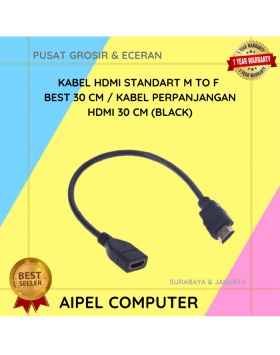
A. DESKRIPSI (DESCRIPTION) Kabel HDTV M to F CENTROO 30CM adalah pilihan praktis untuk memperpanjang koneksi HDMI Anda tanpa kehilangan… selengkapnya
Rp 11.000 Rp 17.000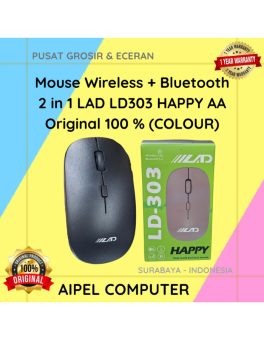
25%
A. DESKRIPSI (DESCRIPTION) Mouse Wireless + Bluetooth 2 in 1 LAD LD303 HAPPY AA Original 100% (Colour) merupakan mouse dengan… selengkapnya
Rp 39.000 Rp 52.000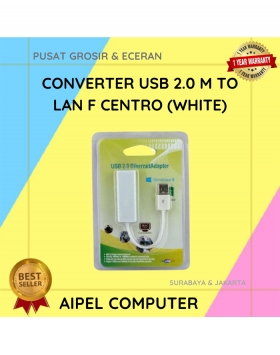
27%
A. DESKRIPSI (DESCRIPTION) USB 2.0 to LAN CENTROO 100 Mbps adalah adapter jaringan simpel dan efisien yang memungkinkan koneksi internet… selengkapnya
Rp 24.000 Rp 33.000
3%
AIPEL COMPUTER – Pusat Grosir dan Eceran – Belanja Hebat dan Hemat – Harga Murah Garansi Prima * GARANSI –… selengkapnya
Rp 565.000 Rp 580.000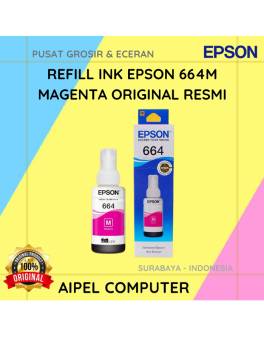
15%
A. DESKRIPSI (DESCRIPTION) Refill Ink EPSON 664M Magenta Original 100% adalah solusi ideal bagi pengguna printer EPSON yang membutuhkan tinta… selengkapnya
Rp 85.000 Rp 100.000
33%
A. DESKRIPSI (DESCRIPTION) Cable USB M To Micro M GENAI GL-Q28 adalah kabel Micro USB dari GENAI yang mengusung teknologi… selengkapnya
Rp 22.000 Rp 33.000
20%
AIPEL COMPUTER Converter Type-C M To 4 IN 1 HOBOO adalah kombinasi ideal antara gaya dan fungsi. Produk ini menyediakan… selengkapnya
Rp 80.000 Rp 100.000
20%
AIPEL COMPUTER Switch HDTV HOBOO 1-3 HQ Manual 4K adalah perangkat andalan yang memungkinkan kamu beralih tampilan antar tiga perangkat… selengkapnya
Rp 60.000 Rp 75.000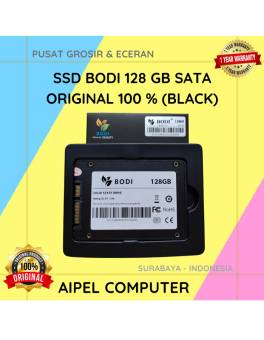
5%
A. DESKRIPSI (DESCRIPTION) Perkenalkan, BODI128S – Solid State Drive (SSD) 128 GB SATA yang dirancang untuk meningkatkan kecepatan dan performa… selengkapnya
Rp 395.000 Rp 415.000
20%
A. DESKRIPSI (DESCRIPTION) Fan Casing CENTROO 8 CM Bening adalah pendingin berkualitas yang tidak hanya fungsional, tapi juga menambah nilai… selengkapnya
Rp 20.000 Rp 25.000



Saat ini belum tersedia komentar.