- Orderan dibawah 500.00 via Goshop / Offline / Marketplace
Laptop SSD Slow or Locked in Read Only Mode? Causes and Fixes
Have you noticed your SSD-equipped laptop suddenly slowing down drastically when launching applications, file transfers dropping repeatedly to 0 KB/s, or receiving error pop-ups stating “Disk is Write Protected” / “Read Only” when trying to save new documents?
Dealing with an SSD that suddenly slows down or freezes into Read Only mode often confuses users who assume solid-state drives cannot degrade like traditional mechanical Hard Disk Drives (HDDs). However, much like diagnosing boot performance issues in laptop stuck on boot screen how to fix, a slow or write-locked SSD is actually the controller’s ultimate fail-safe mechanism triggered when the health of its NAND Flash memory chips reaches a critical threshold.
Featured Snippet (Quick Answer):
Primary causes of a laptop SSD slowing down or locking into Read Only mode include exhausted write endurance (Total Bytes Written / TBW), disabled TRIM commands, accumulating NAND Flash bad blocks, or drive capacity filled beyond 90%.
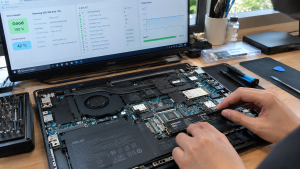
Checklist: Evaluating Laptop SSD Health Status
Check the boxes below if these SSD symptoms match your current situation:
-
[ ] Newly saved files on the SSD vanish instantly after restarting the laptop.
-
[ ] Saving documents or downloading files consistently fails with “Write Protected” or “Access Denied” errors.
-
[ ] File transfer speeds plummet sharply from hundreds of MB/s down to 0 KB/s and freeze.
-
[ ] Drive diagnostic software (like CrystalDiskInfo) alerts health status as Caution (Yellow) or Bad (Red).
-
[ ] Free storage space on drive C: drops below 10% of total capacity.
Practical Recommendation: If your SSD enters Read Only mode, immediately back up all critical files to an external hard drive, USB flash drive, or cloud storage. Read-Only mode is the SSD controller’s final emergency state designed to allow reading and copying data before memory chips fail permanently (dead drive).
Comparison Table: SSD Degradation Symptoms and Recommended Actions
| SSD Symptom | Underlying Cause | Device Damage Risk | Recommended Action |
|---|---|---|---|
| Transfer Speed Drops to 0 KB/s | Disabled TRIM / controller overheating | System lag / freeze | Enable TRIM in CMD & attach M.2 thermal pad |
| Locked in Read Only Mode | Exhausted TBW limit / NAND Bad Blocks | Total imminent SSD failure | Back up data immediately & replace SSD |
| Extremely Slow Boot Times | Drive capacity nearly full (>90%) | Reduced Windows performance | Clear temporary files / run Disk Cleanup |
| Random Blue Screen Crashes | Corrupted SSD controller / firmware | OS system file corruption | Update SSD firmware via vendor software |
4 Ways to Fix a Slow or Read-Only Laptop SSD
-
Back Up Critical Data Immediately. Since Read Only status indicates that the NAND Flash chips can no longer accept new write operations, plug in an external storage drive and copy all essential documents immediately before the SSD dies completely.
-
Enable TRIM Command in Windows Command Prompt. Open Command Prompt (Run as administrator), type
fsutil behavior query DisableDeleteNotifyand press Enter. If the output reads0, TRIM is active. If it reads1, typefsutil behavior set DisableDeleteNotify 0to enable automatic SSD garbage collection. -
Free Up SSD Storage Space (Maintain 20% Free Space). SSDs require empty space (over-provisioning) to manage garbage collection and wear leveling effectively. Delete unused large files or offload data so drive usage stays below 80% capacity.
-
Attempt Clearing Write Protection via Diskpart. Open Command Prompt (Admin) > type
diskpart> press Enter. Typelist disk>select disk X(selecting your SSD number). Typeattributes disk clear readonlyand press Enter. If the command succeeds but Read Only status returns after rebooting, the SSD has suffered permanent physical hardware failure.
When to Seek Professional Repair Services
If diagnostic utilities like CrystalDiskInfo show a health rating of 0% or Bad, and Diskpart commands fail to remove write protection, the SSD has reached the end of its operational lifespan (end of life).
This condition requires installing a new original M.2 NVMe/SATA SSD and reinstalling the Windows OS by a qualified technician to restore lightning-fast laptop performance.
FAQ (Frequently Asked Questions)
Can an SSD in Read Only mode be reformatted back to normal?
No. Read-Only mode is locked directly by the SSD controller’s firmware to protect worn memory cells from data loss. Reformatting will fail or revert upon reboot.
What is TBW (Total Bytes Written) on an SSD?
TBW represents the total cumulative volume of data that can be written to an SSD over its lifetime (e.g., 150 TBW or 300 TBW). Reaching this threshold triggers automatic lock into Read Only mode to protect existing data.
Conclusion
A laptop SSD that becomes slow or enters Read Only mode is an urgent warning that its NAND Flash memory chips are failing or its TBW endurance quota is exhausted. Backing up data promptly and maintaining free storage space will safeguard your valuable files.
Shop OEM SSDs, Upgrades & Repairs at Aipel Computer
Looking for genuine high-speed replacement M.2 NVMe/SATA SSDs, data backup services, or official warranty-backed Windows OS installations? Find trusted replacement parts and expert repair services directly at Aipel Computer.
For storage upgrades, SSD replacements, or technical repair consultations, visit the official Aipel Computer website today.
Tags: aipel komputer, causes of ssd speed drop to 0 kbps, fix ssd write protected diskpart, laptop ssd slow read only mode fix

Laptop SSD Slow or Locked in Read Only Mode? Causes and Fixes

Salah satu produk yang bisa diperoleh dari toko grosir sparepart komputer adalah motherboard. Komponen ini merupakan salah satu komponen utama... selengkapnya

Layar laptop terbalik tentu sangat mengganggu. Jika Anda mengalami masalah ini, berikut beberapa cara untuk mengembalikan layar laptop ke posisi... selengkapnya

Saat ini, webcam laptop menjadi salah satu alat penting untuk komunikasi secara virtual. Baik untuk video konferensi, pembelajaran daring, atau... selengkapnya

Votre mouse saat ini memang banyak diminati. Mouse ini termasuk salah satu media hardware-nya komputer dan berperan penting sebagai alat... selengkapnya
Untuk Anda yang kini tengah mencari adaptor monitor LG, sebaiknya tidak sembarangan membeli. Terkadang karena terburu-buru Anda bahkan jadi gegabah... selengkapnya
Mencari toko komputer terdekat di sini mungkin bisa menjadi pilihan Anda yang paling mudah untuk mencari toko komputer. Karena jika... selengkapnya
Fungsi LAN Tester tentu wajib diketahui setiap pengguna perangkat seperti komputer. Anda bisa mendapatkanya dengan mudah melalui toko komputer terdekat.... selengkapnya
Printer ribbon cartridge tetap menjadi pilihan yang unggul dalam berbagai aplikasi spesifik meskipun teknologi inkjet dan laserjet mendominasi pasar. Di... selengkapnya
Perangkat PC atau komputer memiliki banyak manfaat mulai dari mengolah data, dokumen, sampai dengan bermain game. Di dalam beberapa tahun... selengkapnya
Meskipun sekarang sudah banyak laptop atau komputer portabel yang semakin canggih, namun penggunaan komputer konvensional atau biasa disebut dengan pc... selengkapnya

50%
A. DESKRIPSI (DESCRIPTION) Kabel Audio 3.5 mm Male to Male BEST 30–50 CM adalah kabel audio pendek yang ideal untuk… selengkapnya
Rp 1.000 Rp 2.000
8%
A. DESKRIPSI (DESCRIPTION) Converter Type-C M to HDTV 7 in 1 CENTROO (Silver Black) merupakan adapter multifungsi yang digunakan untuk… selengkapnya
Rp 68.000 Rp 74.000
5%
A. DESKRIPSI (DESCRIPTION) keyboard mouse wireless MK270R adalah perangkat combo keyboard dan mouse wireless dari LOGITECH yang dirancang khusus untuk… selengkapnya
Rp 333.000 Rp 350.000
18%
AIPEL COMPUTER – Pusat Grosir dan Eceran – Belanja Hebat dan Hemat – Harga Murah Garansi Prima * GARANSI –… selengkapnya
Rp 205.000 Rp 250.000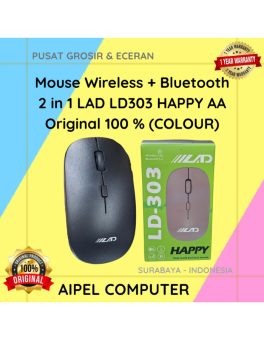
25%
A. DESKRIPSI (DESCRIPTION) Mouse Wireless + Bluetooth 2 in 1 LAD LD303 HAPPY AA Original 100% (Colour) merupakan mouse dengan… selengkapnya
Rp 39.000 Rp 52.000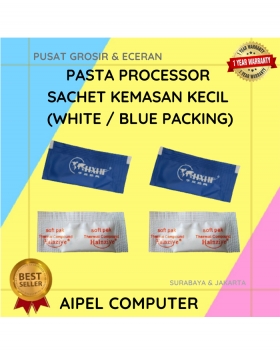
50%
A. DESKRIPSI (DESCRIPTION) Pasta Processor Sachet Kemasan Kecil (White/Blue Packing) adalah solusi praktis untuk Anda yang ingin menciptakan hidangan pasta… selengkapnya
Rp 250 Rp 500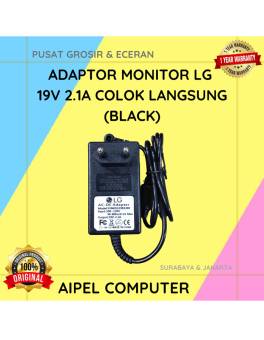
21%
A. DESKRIPSI (DESCRIPTION) Adaptor Monitor LG 19V 2.1A Colok Langsung (Black) adalah solusi daya efisien dan praktis yang dirancang khusus… selengkapnya
Rp 75.000 Rp 95.000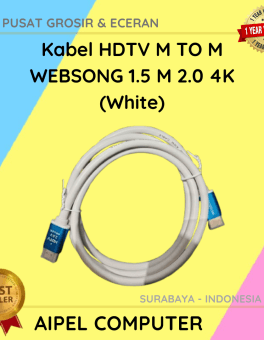
26%
AIPEL COMPUTER – Pusat Grosir dan Eceran – Belanja Hebat dan Hemat – Harga Murah Garansi Prima * GARANSI –… selengkapnya
Rp 35.000 Rp 47.000
31%
A. DESKRIPSI (DESCRIPTION) Kabel Audio 3.5 M-2 To F BEST adalah kabel splitter audio praktis yang dirancang untuk membagi satu… selengkapnya
Rp 5.500 Rp 8.000
25%
AIPEL COMPUTER – Pusat Grosir dan Eceran – Belanja Hebat dan Hemat – Harga Murah Garansi Prima * GARANSI –… selengkapnya
Rp 4.500 Rp 6.000



Saat ini belum tersedia komentar.