- Orderan dibawah 500.00 via Goshop / Offline / Marketplace
Laptop USB Ports Not Working or Unresponsive? Causes and Fixes
Have you ever needed to copy essential files from a flash drive or plug in an auxiliary mouse, only to find that your laptop’s USB ports completely failed to respond—with device indicator lights remaining unlit and Windows showing zero notifications?
Troubleshooting dead or unresponsive USB ports represents one of the most aggravating connectivity hurdles. This malfunction frequently stems not from permanent structural damage inside the port socket itself, but rather from USB Selective Suspend features cutting power to save energy, corrupted USB Controller drivers, or electrical short circuits triggered by minor power surges.
Furthermore, much like troubleshooting electrical surge risks in wall outlet sizzling or sparking when charging laptop fixes, verifying power supply lines and driver management systems is essential for restoring port functionality. Additionally, system stability can be maintained by reviewing insights from laptop keyboard suddenly not working causes fixes should failures propagate across input peripherals.
Featured Snippet (Quick Answer):
Primary causes of unresponsive laptop USB ports include Windows power-saving features automatically shutting down port power delivery, corrupted Universal Serial Bus Controller drivers, or blown motherboard fuses caused by faulty external devices.
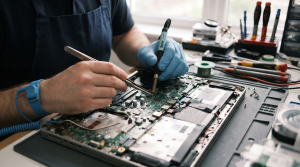
Checklist: Evaluating Laptop USB Port Failure Severity
Check the boxes below if these port symptoms match your current situation:
-
[ ] Flash drives or external hard disks fail to register entirely across all available USB slots.
-
[ ] Connected peripherals power on briefly before instantly shutting down or dropping connection randomly.
-
[ ] Left-side USB ports function normally while right-side ports remain completely dead.
-
[ ] Pop-up error notifications reading “USB Device Not Recognized” appear in the corner of your Windows display.
Practical Recommendation: Avoid instantly concluding your laptop USB ports are permanently broken! Try plugging the device into another computer first to verify whether the malfunction originates from the flash drive itself or your laptop’s USB port.
Comparison Table: USB Port Failure Types & Actions
| USB Port Failure Symptom | Underlying Cause | Damage Risk | Recommended Action |
|---|---|---|---|
| Completely Unresponsive | USB Selective Suspend feature cutting power | Port halting electrical current delivery | Adjust power settings & restart system |
| USB Device Not Recognized Error | Corrupted or conflicting USB Controller driver | Operating system failing device protocol reading | Uninstall drivers in Device Manager |
| Loose Ports & Frequent Disconnections | Worn out / widened internal spring metal pins | Intermittent physical data signal connections | Gently tighten spring pins or replace port module |
| Total Death Following Faulty Device | Blown safety fuse across motherboard circuits | Main electrical power lines shorted out | Visit repair technicians for jumper/fuse replacement |
4 Ways to Fix Unresponsive Laptop USB Ports
-
Disable USB Selective Suspend in Power Options.
Open Control Panel > select Power Options > click Change plan settings next to your active power plan > click Change advanced power settings. Expand USB settings > USB selective suspend setting, and change settings to Disabled. This prevents Windows from unilaterally cutting power delivery to USB ports. Additionally, if you face related power management anomalies, review correct management procedures in laptop battery stuck at 60 or 80 percent causes fixes.
-
Clean Uninstall Universal Serial Bus Controllers in Device Manager.
Press Windows + X > select Device Manager. Expand Universal Serial Bus controllers, right-click every driver labeled Root Hub or Host Controller, and select Uninstall device. Once cleared, restart your laptop to let Windows automatically reinstall clean drivers.
-
Perform a Total Power Drain to Reset Electrical Currents.
Power down your laptop, unplug all peripherals and chargers, then press and hold the power button continuously for 30 to 40 seconds. This drains residual static electrical charges trapped inside motherboard capacitors that frequently cause USB circuits to freeze.
-
Clean Dust or Corrosion Inside USB Port Sockets.
Use a wooden toothpick dampened lightly with contact cleaner to clear accumulated microscopic dust or white oxidation crusts blocking metal contact pins inside USB ports.
When to Seek Professional Repair Services
If you have adjusted power settings, reinstalled drivers, performed power drains, yet USB ports remain entirely dead or feel exceptionally loose when plugged in, damage has escalated into hardware failures.
This condition requires replacing separate USB board modules, repairing power circuit pathways, or replacing motherboard safety fuses executed by experienced technicians at trusted service centers.
FAQ (Pertanyaan yang Sering Diajukan)
Can a failure in one USB port cause other ports to die?
If the trigger is an electrical short circuit originating from a damaged external device (such as a shorted flash drive), that current surge can blow out the main safety fuse across the motherboard, causing all USB ports to fail simultaneously.
Shop OEM USB Parts & Professional Repairs at Aipel Computer
Discover original USB port module spare parts, motherboard electrical circuit repairs, and professional warranted laptop servicing in Surabaya directly through Aipel Computer.
Tags: aipel komputer, computer store surabaya, fix usb ports not detecting devices windows 11, laptop repair surabaya, laptop usb ports not working or unresponsive how to fix, laptop usb repair surabaya, replace laptop usb module aipel komputer

Laptop USB Ports Not Working or Unresponsive? Causes and Fixes

Keamanan dan Privasi di WhatsApp . Mengoptimalkan Keamanan dan Privasi di WhatsApp . Panduan Lengkap untuk Pengguna A. Pengaturan... selengkapnya
Sedang ingin menyimpan foto, memindahkan dokumen penting, atau membuka berkas di smartphone dan laptop, tetapi kartu memori microSD kamu mendadak... selengkapnya

Building a custom gaming or workstation PC can often feel overwhelming for beginners due to the vast selection of hardware... selengkapnya
Keyboard merupakan salah satu piranti keras atau hardware. Keyboard tidak hanya digunakan pada komputer, namun juga bisa digunakan pada laptop.... selengkapnya
While you are busy typing a document, editing an image, or browsing the web on your laptop, the mouse pointer... selengkapnya
Have you ever been busy typing an important assignment, only to discover that several letter or number keys on your... selengkapnya
Waktu booting lama pada sistem operasi Windows bisa menjadi masalah yang mengganggu. Proses booting yang lambat tidak hanya menghambat produktivitas.... selengkapnya
Perangkat PC atau komputer memiliki banyak manfaat mulai dari mengolah data, dokumen, sampai dengan bermain game. Di dalam beberapa tahun... selengkapnya
Charger USB sekarang ini banyak dijumpai di setiap toko komputer. Hal itu lantaran, hampir seluruh perangkat elektronik akan memerlukan konektor... selengkapnya

Mouse kabel tidak berfungsi tentu menjadi masalah yang sangat menyebalkan sehingga harus diatasi dengan segera. Mouse sendiri merupakan perangkat keras... selengkapnya
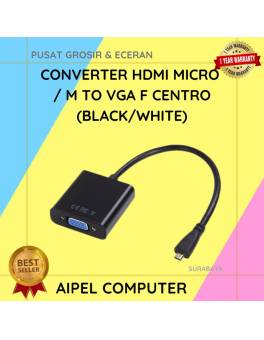
22%
A. DESKRIPSI (DESCRIPTION) Converter HDTV Micro M To VGA CENTROO adalah perangkat konversi praktis yang memungkinkan Anda menghubungkan perangkat dengan… selengkapnya
Rp 39.000 Rp 50.000
8%
A. DESKRIPSI (DESCRIPTION) Refill Ink 1 Liter Magenta CENTROO adalah tinta isi ulang premium yang memberikan warna tajam dan stabil, cocok… selengkapnya
Rp 78.000 Rp 85.000
7%
AIPEL COMPUTER – Pusat Grosir dan Eceran – Belanja Hebat dan Hemat – Harga Murah Garansi Prima * GARANSI –… selengkapnya
Rp 243.000 Rp 260.000
29%
A. DESKRIPSI (DESCRIPTION) Kabel USB 3.0 M to Micro B M BEST adalah solusi modern untuk kebutuhan konektivitas data yang… selengkapnya
Rp 12.000 Rp 17.000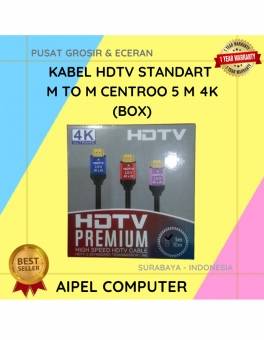
26%
A. DESKRIPSI (DESCRIPTION) Kabel HDTV Standart M To M CENTROO 5 M 4K adalah pilihan tepat bagi Anda yang menginginkan… selengkapnya
Rp 40.000 Rp 54.000
50%
AIPEL COMPUTER Kabel Power Bank 10 In 1 BEST (Putih) adalah solusi pengisian daya universal untuk berbagai perangkat elektronik Anda…. selengkapnya
Rp 5.000 Rp 10.000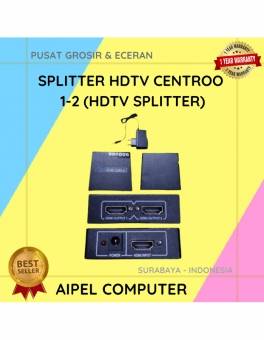
33%
A. DESKRIPSI (DESCRIPTION) Splitter HDTV CENTROO 1-2 adalah solusi cerdas untuk membagi satu sumber HDMI ke dua tampilan berbeda secara… selengkapnya
Rp 47.000 Rp 70.000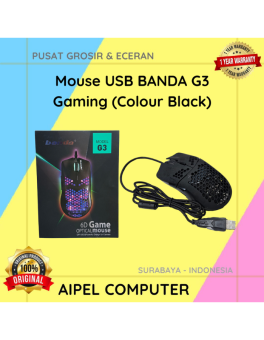
11%
A. DESKRIPSI (DESCRIPTION) Mouse USB BANDA G3 Gaming (Colour Black) merupakan mouse gaming dengan koneksi USB yang praktis dan mudah… selengkapnya
Rp 31.250 Rp 35.000
56%
AIPEL COMPUTER – Pusat Grosir dan Eceran – Belanja Hebat dan Hemat – Harga Murah Garansi Prima * GARANSI –… selengkapnya
Rp 4.000 Rp 9.000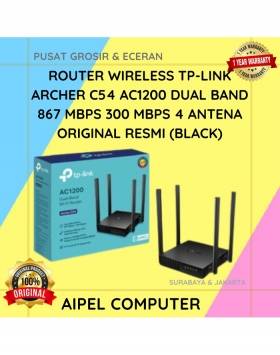
15%
A. DESKRIPSI (DESCRIPTION) Router TP-LINK ARCHER C54 adalah router dual band yang menghadirkan kombinasi kecepatan, jangkauan luas, dan desain modern…. selengkapnya
Rp 299.000 Rp 350.000



Saat ini belum tersedia komentar.