- Orderan dibawah 500.00 via Goshop / Offline / Marketplace
Laptop Wi-Fi Yellow Exclamation Mark? Causes and Fixes
Connecting your laptop to an office or café Wi-Fi network only to see a full signal bar in the taskbar, yet opening your browser triggers a No Internet error or a yellow exclamation mark (Limited Access), is incredibly frustrating. Meanwhile, your friend’s smartphone sitting right next to you surfs the web without a hitch.
This classic networking headache often tricks users into blaming the router. In reality, the root cause usually stems from Windows failing to lease an IP address (IP Lease Failure) or corruption within operating system DNS local caches. Much like troubleshooting laptop can’t connect to wi fi or hotspot fixes to restore proper system behavior, you can refresh your networking stack safely on your own.
Featured Snippet (Quick Answer):
To fix laptop Wi-Fi showing a yellow exclamation mark (Limited Access), reset the networking stack via Command Prompt (
netsh winsock resetandipconfig /renew), flush DNS caches (ipconfig /flushdns), and restart the Windows WLAN AutoConfig service.
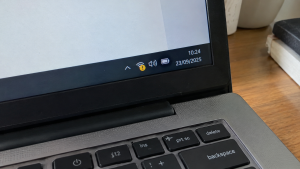
Checklist: Diagnosing Laptop Wi-Fi Network Issues
Check the boxes below if these network symptoms describe your current experience:
-
[ ] Network status displays “Connected, no internet” or a Wi-Fi icon with a yellow exclamation mark badge.
-
[ ] Laptop connects to the wireless router, but web pages and online messaging apps fail to load.
-
[ ] Secondary devices (such as smartphones or tablets) browse the internet on the same Wi-Fi without issues.
-
[ ] Pinging the default router gateway IP address returns a “Request timed out” response.
-
[ ] Automatic IP configuration (DHCP) assigns a fallback Autoconfiguration IPv4 Address (169.254.x.x).
Practical Recommendation: If your laptop Wi-Fi suddenly triggers a yellow exclamation mark, never power-cycle physical routers endlessly or toggle network switches rapidly, as this can corrupt device firmware. Clean your Windows network stack using Command Prompt (Run as Administrator) with DNS flushing and IP lease renewal commands instead.
Comparison Table: Causes of Yellow Exclamation Wi-Fi and Fixes
| Mechanical Symptom | Underlying Cause | Device Damage Risk | Recommended Action |
|---|---|---|---|
| Yellow Exclamation (Limited Access) | Failed DHCP IP lease renewal cycle | Connected to router but zero web access | Run command ipconfig /renew via CMD |
| DNS_PROBE_FINISHED_NXDOMAIN | Corrupted / outdated DNS lookup cache | Browser fails loading any website | Run command ipconfig /flushdns |
| IP Address Conflict | Two devices share identical local IP | Random disconnections and packet drops | Forget network profile & reconnect |
| Wi-Fi Adapter Disable / Error | Corrupted or freezing wireless driver | Wireless networks disappear from taskbar | Reset Winsock stack & update drivers |
4 Ways to Fix Laptop Wi-Fi Yellow Exclamation Mark & Limited Access
Follow these network maintenance steps in order:
-
Perform Full Winsock & IP Reset via CMD. Click Start, type
cmd, right-click and choose Run as administrator. Type the following commands one by one, pressing Enter after each:-
netsh winsock reset -
netsh int ip reset -
ipconfig /release -
ipconfig /renew -
ipconfig /flushdnsReboot your laptop afterward.
-
-
Reconfigure WLAN AutoConfig Service. Press
Win + R, typeservices.msc, and press Enter. Locate WLAN AutoConfig. Ensure its status reads Running and its Startup type is set to Automatic to keep wireless operations running smoothly. -
Switch to Public DNS Server Addresses (Google / Cloudflare). Open Control Panel > Network and Sharing Center > Change adapter settings. Right-click your Wi-Fi adapter, choose Properties, and double-click Internet Protocol Version 4 (TCP/IPv4). Select Use the following DNS server addresses, and input 8.8.8.8 (Preferred) alongside 8.8.4.4 (Alternate).
-
Forget Old Wi-Fi Profile & Reconnect. Open Settings > Network & internet > Wi-Fi > Manage known networks. Locate the problematic network, click Forget. Turn off your laptop Wi-Fi for 10 seconds, turn it back on, and enter the password again for a clean IP lease.
When to Seek Professional Repair Services
If you have executed Command Prompt network resets and changed DNS settings yet alternate Wi-Fi networks consistently trigger yellow exclamation marks, your laptop’s physical Wi-Fi card hardware has likely suffered signal processing failure.
This requires replacing the internal mATX/M.2 Wi-Fi card or plugging in an external USB Wi-Fi Adapter handled by a professional bench technician.
FAQ (Frequently Asked Questions)
Why does a smartphone work fine while a laptop shows limited access on the same Wi-Fi?
Because Windows operating systems handle DHCP IP address protocol management far more complexly than mobile operating systems, making Windows more vulnerable to cache corruption when routers cycle dynamic IP allocations.
Does forgetting the Wi-Fi network help resolve this issue?
Extremely helpful! The Forget Network feature forces Windows to strip away corrupted legacy credential histories and request a clean slate of security handshakes and IP allocations from the router.
Conclusion
Laptop Wi-Fi displaying yellow exclamation marks (Limited Access) is typically caused by local IP address conflicts or corrupted Windows DNS caches. By executing network flushing commands through Command Prompt and refreshing WLAN AutoConfig services, your laptop will reconnect to the web smoothly.
Shop OEM Laptop Keyboards, Cleaner Kits & Service at Aipel Computer
Looking for high-speed USB Wi-Fi adapters, quality patch cord LAN cables, or professional Wi-Fi module repair services with an official warranty? Find complete computer networking solutions at wholesale prices directly in our store.
To check product availability or get directions to our retail store, visit the official Aipel Computer website in Surabaya today.
Tags: fix ipconfig renew failed windows 11, netsh winsock reset command prompt guide, wifi connected but no internet yellow exclamation mark, wifi limited access windows error fix

Laptop Wi-Fi Yellow Exclamation Mark? Causes and Fixes

Toko komputer online saat ini sudah menjadi hal lumrah. Hal itu mengingat kemajuan teknologi memang semakin berkembang pesat setiap waktu.... selengkapnya

Saat akan membeli mouse, toko komputer adalah tempat yang tempat. Hal itu karena biasanya mereka menyediakan cukup banyak pilihan. Dari... selengkapnya

Aksesori laptop untuk gaming sangat penting bagi para gamer, karena dapat meningkatkan pengalaman bermain dan membuatnya lebih seru. Bermain video... selengkapnya
Kondisi laptop yang mendadak mengeluarkan suara dengungan kipas sangat kencang sering kali memicu kepanikan. Udara panas mendadak menyembur dari ventilasi... selengkapnya

Cara menggunakan komputer yang tepat menjadi penting diketahui, terutama untuk para pemula. Sebagian orang awam beranggapan bahwa memulai untuk belajar... selengkapnya
Pernahkah kamu sedang asyik bermain game favorit atau melakukan proses rendering video berat, lalu tiba-tiba laptopmu terasa sangat panas, suara... selengkapnya

Memilih Distributor Komputer Terbaik Keberadaan distributor komputer di kota-kota besar kini semakin menjamur. Fenomena ini membuat daftar distributor komputer semakin... selengkapnya
Instant annoyance kicks in when you click Shut down in the Windows menu and your laptop screen goes completely black,... selengkapnya
Komputer merupakan salah satu jenis gadget yang paling dibutuhkan di zaman modern ini. Seperti kebanyakan aplikasi lainnya, komputer juga memerlukan... selengkapnya
Merakit komputer sendiri bisa menjadi pilihan untuk menghemat pengeluaran untuk memenuhi kebutuhan komputer. Salah satu trik yang bisa dilakukan adalah... selengkapnya

17%
A. DESKRIPSI (DESCRIPTION) Adaptor Laptop ASUS 19V 1.58A Kotak adalah pilihan terbaik untuk menjaga kinerja laptop Anda tetap stabil dan… selengkapnya
Rp 75.000 Rp 90.000
42%
A. DESKRIPSI (DESCRIPTION) Kabel USB 2.0 M to M CENTROO 30 CM Transparan adalah solusi ideal untuk kebutuhan konektivitas Anda…. selengkapnya
Rp 7.000 Rp 12.000
56%
AIPEL COMPUTER – Pusat Grosir dan Eceran – Belanja Hebat dan Hemat – Harga Murah Garansi Prima * GARANSI –… selengkapnya
Rp 4.000 Rp 9.000
19%
A. DESKRIPSI (DESCRIPTION) Kabel Audio Optical CENTROO 5 M OD 5.0 Toslink adalah solusi praktis dan canggih untuk Anda yang… selengkapnya
Rp 65.000 Rp 80.000
20%
A. DESKRIPSI (DESCRIPTION) Connector VGA M To F BEST / Mini Gender adalah konektor handal yang dirancang untuk menyambungkan perangkat… selengkapnya
Rp 6.000 Rp 7.500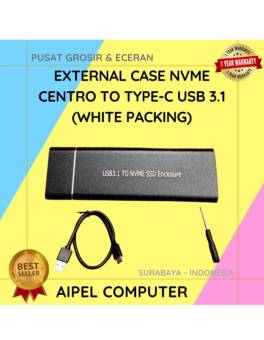
15%
AIPEL COMPUTER – Pusat Grosir dan Eceran – Belanja Hebat dan Hemat – Harga Murah Garansi Prima * GARANSI –… selengkapnya
Rp 93.000 Rp 110.000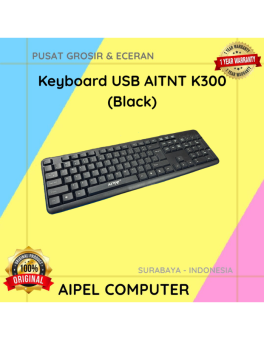
28%
A. DESKRIPSI (DESCRIPTION) Keyboard USB AITNT K300 (Black) adalah keyboard dengan desain simpel dan praktis untuk menunjang berbagai aktivitas komputer… selengkapnya
Rp 26.000 Rp 36.000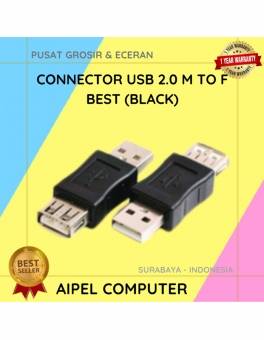
20%
A. DESKRIPSI (DESCRIPTION) Konektor USB 2.0 Male to Female adalah pilihan cerdas untuk memperluas atau memperpanjang port USB tanpa kabel… selengkapnya
Rp 4.000 Rp 5.000
20%
AIPEL COMPUTER Canon G2010 – Solusi Praktis untuk Cetak, Pindai, dan Salin! 🖨️✨ Canon G2010 adalah printer multifungsi yang dirancang… selengkapnya
Rp 1.565.000 Rp 1.950.000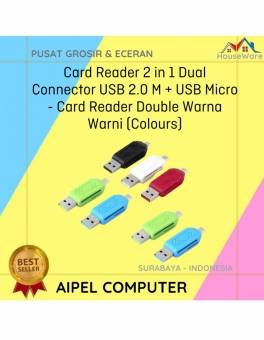
33%
A. DESKRIPSI (DESCRIPTION) Card Reader 2 in 1 Dual Connector USB Micro Warna Warni adalah alat pembaca kartu multifungsi yang… selengkapnya
Rp 4.000 Rp 6.000



Saat ini belum tersedia komentar.